
fretory B0D7PYYSN5
Earrck Outdoor Strong Light Flashlight User Manual
Model: B0D7PYYSN5
Brand: fretory
1. Introduction
This user manual provides detailed instructions for the safe and effective operation, maintenance, and troubleshooting of your Earrck Outdoor Strong Light Flashlight. Please read this manual thoroughly before using the product to ensure optimal performance and longevity.
2. Product Overview
The Earrck Outdoor Strong Light Flashlight is a versatile and durable lighting tool designed for various outdoor and indoor applications. It features a high-lumen output, multiple lighting modes, and convenient USB Type-C recharging.
Key Features:
- 7 Different Modes: Main light with Super Bright, Medium Bright, and Flashing modes. Side lights with Super Bright, Medium Bright, Red, and Red and Blue Flashing modes.
- Advanced Design: Constructed with a high-grade black aluminum alloy head and an ABS plastic frame for durability. Features a skid-proof design and water resistance.
- Versatile Application: Non-slip, shockproof, waterproof, rainproof, and dustproof, making it suitable for work, hiking, camping, repair, hunting, and fishing.
- High Capacity Battery: Provides 8-16 hours of work on a 2-hour charge.
- Easy to Carry: Equipped with a lanyard and pocket clip for convenient portability.

Figure 2.1: The Earrck Outdoor Strong Light Flashlight shown with its included USB Type-C charging cable.
3. Setup
3.1 Unboxing and Initial Inspection
Upon receiving your Earrck Outdoor Strong Light Flashlight, carefully open the packaging and inspect the contents. The package should include:
- 1 x Earrck Strong Light Flashlight
- 1 x Type-C USB Charging Cable
Check for any visible damage or missing components. If anything is amiss, please contact customer support.
3.2 Initial Charging
Before first use, it is recommended to fully charge the flashlight's internal battery. The flashlight uses a Type-C USB charging method.
- Locate the Type-C charging port on the flashlight. This is typically covered by a rubber flap for water resistance.
- Open the rubber flap and insert the provided Type-C USB charging cable into the port.
- Connect the other end of the USB cable to a compatible USB power source (e.g., wall adapter, computer USB port, power bank).
- The charging indicator lights (usually blue LEDs) will illuminate to show charging progress. Once all indicator lights are solid, the flashlight is fully charged.
- A full charge typically takes approximately 2 hours and provides 8-16 hours of operation depending on the mode used.
- After charging, ensure the rubber flap covering the charging port is securely closed to maintain water resistance.
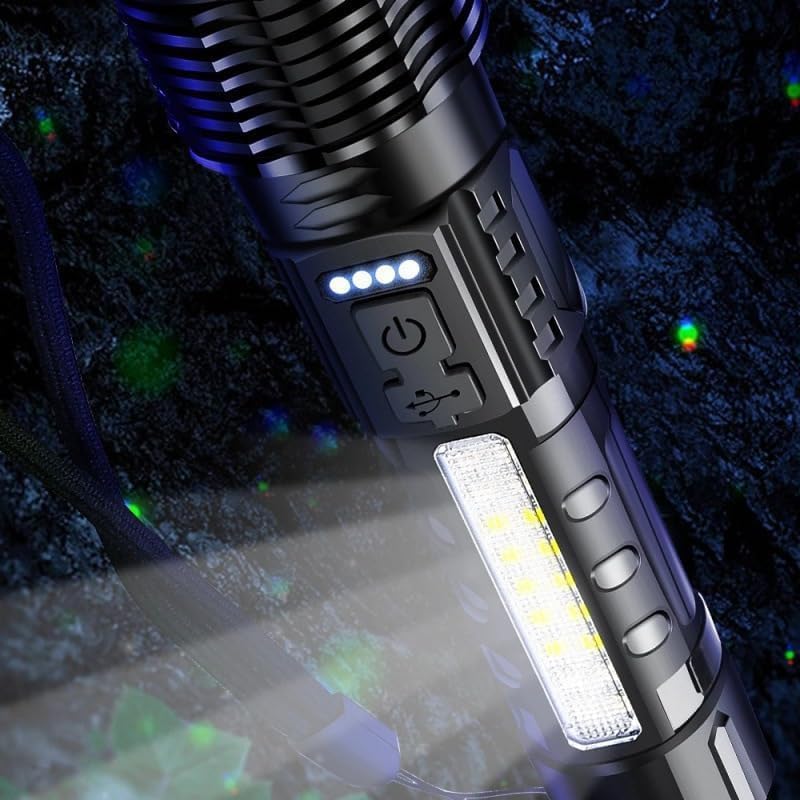
Figure 3.1: Detail of the charging port and battery indicator lights on the flashlight.
4. Operating Instructions
4.1 Power On/Off and Main Light Modes
The main light is controlled by a single power button.
- To Turn On: Press the power button once. The flashlight will turn on in the Super Bright mode.
- To Cycle Main Light Modes: While the main light is on, press the power button repeatedly to cycle through the modes:
- Super Bright
- Medium Bright
- Flashing
- To Turn Off: If the flashlight has been operating in any mode for more than 10 seconds, a single press of the power button will turn it off directly, without cycling through remaining modes. If less than 10 seconds, it will cycle to the next mode.
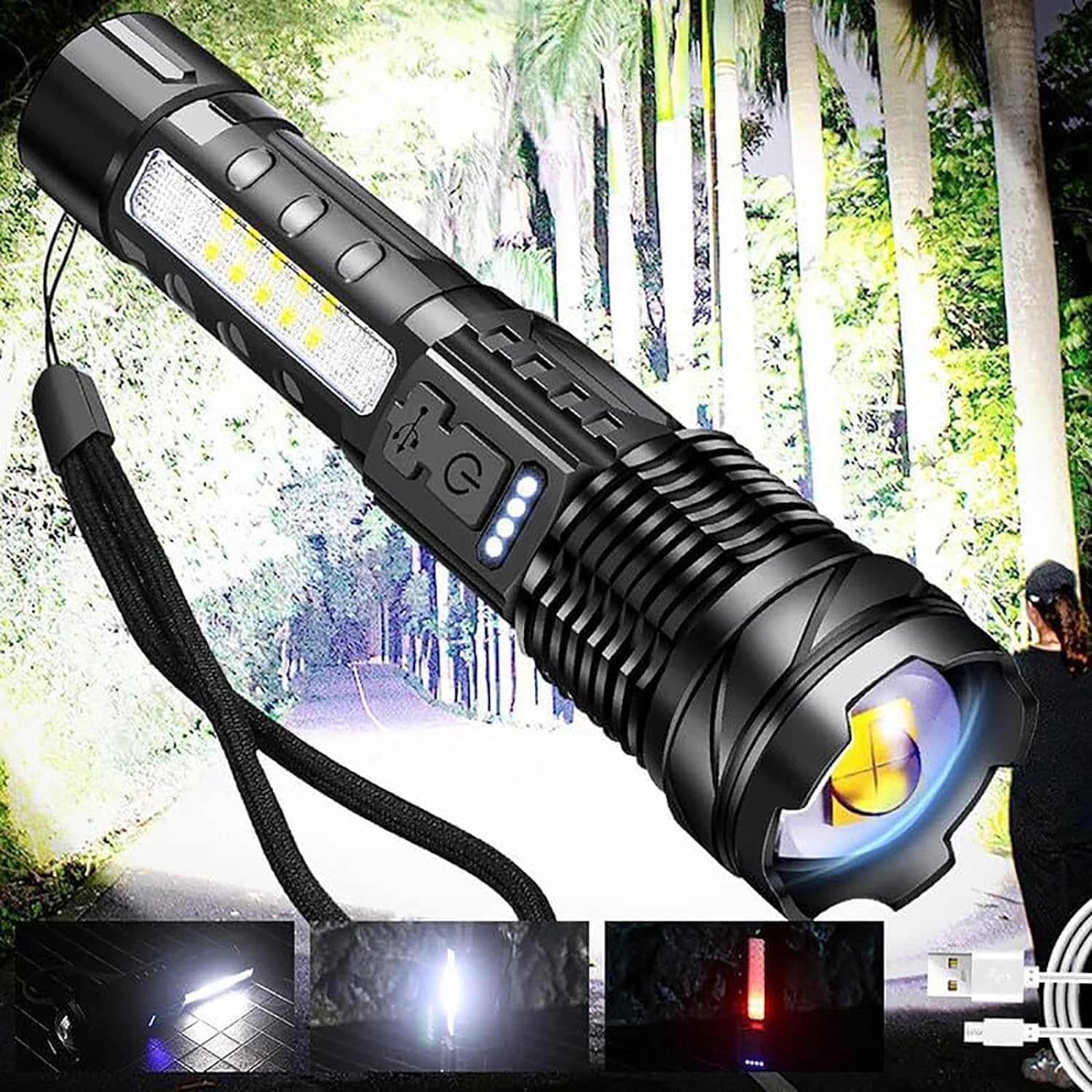
Figure 4.1: Visual representation of the main light's various illumination modes.
4.2 Side Light Modes
The side lights offer additional functionality and are activated by a long press of the power button.
- To Activate Side Lights: From any state (on or off), long press the power button. The side lights will turn on in Super Bright mode.
- To Cycle Side Light Modes: While the side light is on, short press the power button repeatedly to cycle through the modes:
- Super Bright
- Medium Bright
- Red Light
- Red and Blue Flashing (Emergency/Warning)
- To Turn Off Side Lights: If the side light has been operating in any mode for more than 10 seconds, a single press of the power button will turn it off directly. If less than 10 seconds, it will cycle to the next mode.

Figure 4.2: The integrated COB side light panel, providing wide-angle illumination.
5. Maintenance
5.1 Cleaning
To maintain the performance and appearance of your flashlight:
- Wipe the exterior with a soft, damp cloth.
- Do not use abrasive cleaners or solvents, as they may damage the finish or internal components.
- Ensure the charging port cover is clean and free of debris to maintain its seal.
5.2 Storage
When not in use for extended periods:
- Store the flashlight in a cool, dry place, away from direct sunlight and extreme temperatures.
- It is advisable to charge the battery every 3-6 months to prevent deep discharge and prolong battery life.
5.3 Water Resistance
The flashlight is designed to be waterproof and rainproof. However, to ensure its water resistance:
- Always ensure the Type-C charging port cover is securely closed before exposing the flashlight to water or moisture.
- Avoid submerging the flashlight in water for prolonged periods or at depths beyond its intended design.
6. Troubleshooting
If you encounter issues with your Earrck Outdoor Strong Light Flashlight, please refer to the following common problems and solutions:
| Problem | Possible Cause | Solution |
|---|---|---|
| Flashlight does not turn on. | Battery is depleted. | Charge the flashlight fully using the provided Type-C USB cable. |
| Flashlight does not charge. | Charging cable or power source issue. | Ensure the Type-C cable is properly connected. Try a different USB port or power adapter. |
| Light output is dim. | Low battery level. | Recharge the flashlight. |
| Modes are not cycling correctly. | Incorrect button press duration or sequence. | Refer to Section 4.1 and 4.2 for correct button operation (short press for main light cycle, long press for side light activation). Remember the 10-second auto-off feature. |
If the problem persists after attempting these solutions, please contact customer support for further assistance.
7. Specifications
| Feature | Detail |
|---|---|
| Brand | fretory |
| Model | B0D7PYYSN5 |
| Material | Aluminum alloy + ABS |
| Charging Method | Type-C USB charging |
| Light Source Type | LED |
| Power Source | Battery Powered |
| Runtime | 8-16 hours (after 2-hour charge) |
| Water Resistance Level | Waterproof |
| Special Features | Rechargeable, Skid-proof design, Pocket clip, Lanyard |
8. Warranty and Support
8.1 Warranty Information
This product comes with a standard manufacturer's warranty. Please refer to the product packaging or the seller's policy for specific warranty terms and conditions. Keep your purchase receipt as proof of purchase for warranty claims.
8.2 Customer Support
For any questions, technical assistance, or warranty claims, please contact the seller or manufacturer directly. Contact information can usually be found on the product packaging or the retailer's website where the product was purchased.
Note: Due to lighting effects, monitor brightness, and other factors, there could be some slight differences in the color and size between the photo and the actual item. Manual measurements may also result in 1-2cm difference.
Ask a question about this manual
Ask about setup, troubleshooting, compatibility, parts, safety, or missing instructions. Manuals+ will review the question and use this page’s manual context to help answer it.