
NHOPEEW A3797A4MI2
NHOPEEW Double Din Android 13 Car Stereo Radio
User Manual

Introduction
Thank you for choosing the NHOPEEW Double Din Android 13 Car Stereo Radio. This advanced in-dash navigation unit is designed to enhance your driving experience with its comprehensive features, including wireless CarPlay, Android Auto, GPS navigation, DSP audio processing, and a high-definition backup camera. This manual provides detailed instructions for installation, operation, and maintenance to ensure optimal performance and longevity of your device.
What's in the Box
Upon unpacking, please verify that all components listed below are present:
- 10.1 inch Android Car Stereo
- Power Cable
- AHD Backup Camera
- USB Cable
- External Microphone

Image showing the NHOPEEW car stereo, AHD backup camera, external microphone, power cable, and USB cable included in the package.
Specifications
| Feature | Detail |
|---|---|
| Model Number | A3797A4MI2 |
| Operating System | Android 13 |
| RAM | 2GB |
| ROM | 64GB |
| Display Size | 10.1 Inches |
| Resolution | 1024x600 (1080P HD Video Support) |
| Connectivity | Bluetooth, USB, Wi-Fi |
| Special Features | Wireless/Wired CarPlay & Android Auto, Mirror Link, DSP Audio, GPS Navigation, Steering Wheel Control, AHD Rear View Camera Support, FM RDS Radio, Split Screen, Multiple UI Themes |
| Item Weight | 2.99 pounds |
| Package Dimensions | 13.3 x 6.97 x 3.54 inches |
Setup and Installation
This NHOPEEW car stereo is designed for double din installation. Ensure the shape of your vehicle's center console corresponds to the stereo's dimensions for proper fitment. Professional installation is recommended.
Physical Installation
Carefully remove your existing car stereo. Connect the provided power cable, USB cable, and other necessary wiring harnesses to the corresponding ports on the NHOPEEW unit and your vehicle's wiring system. Ensure all connections are secure.
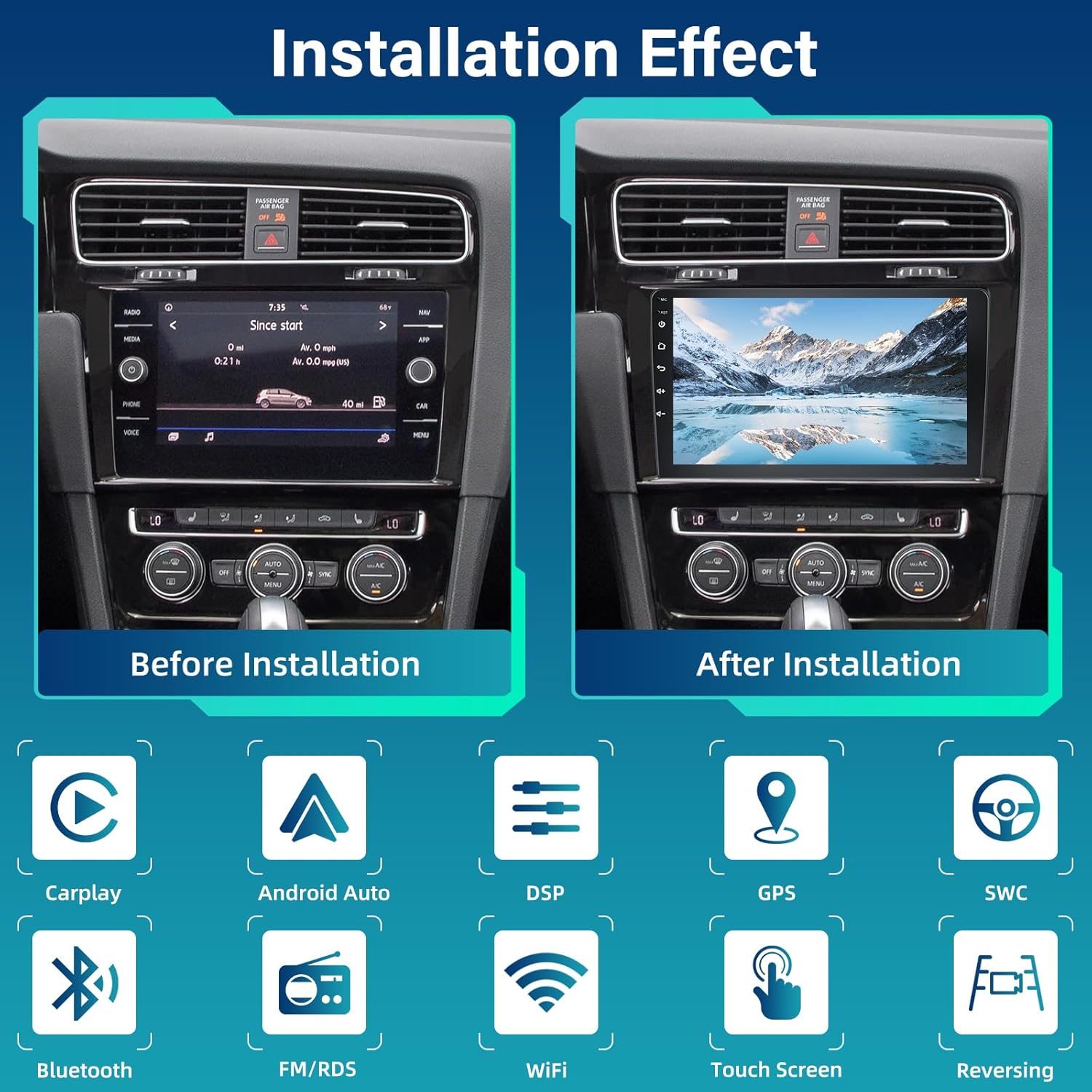
Visual comparison of a car's dashboard before and after the NHOPEEW car stereo installation, demonstrating the integrated appearance.

Detailed diagram showing the dimensions of the 10.1-inch car stereo and its rear panel with various input/output ports and corresponding cable connections.
Backup Camera Wiring
For the AHD Backup Camera functionality, follow these steps:
- Connect the positive pole of the camera's power supply to the positive pole of the car's reversing light.
- Connect the negative pole of the camera's power supply to the negative pole of the car's reversing light.
- The reversing trigger is controlled by the stereo; no additional connection is required for this.
- Ensure the white plug is connected to the radio to enable Bluetooth and WiFi signals.

Diagram illustrating the wiring connections for the AHD backup camera to the car stereo and vehicle's reversing light system.
Operating Instructions
System Overview
The unit runs on the latest Android 13 system, providing a fast and responsive user experience with 2GB RAM and 64GB ROM for ample storage. The 10.1-inch 2.5D glass mirror touch screen offers a clear 1024x600 resolution, supporting 1080P HD video playback.

Image highlighting the Android 13 operating system, 2GB RAM + 64GB ROM configuration, and 1080P HD video support.
Wireless/Wired CarPlay & Android Auto & Mirror Link
Connect your iOS or Android smartphone wirelessly or via USB to access features like navigation, music, calls, and messages directly on the stereo's display. The Mirror Link function allows you to mirror your phone's screen for full access to apps and content.
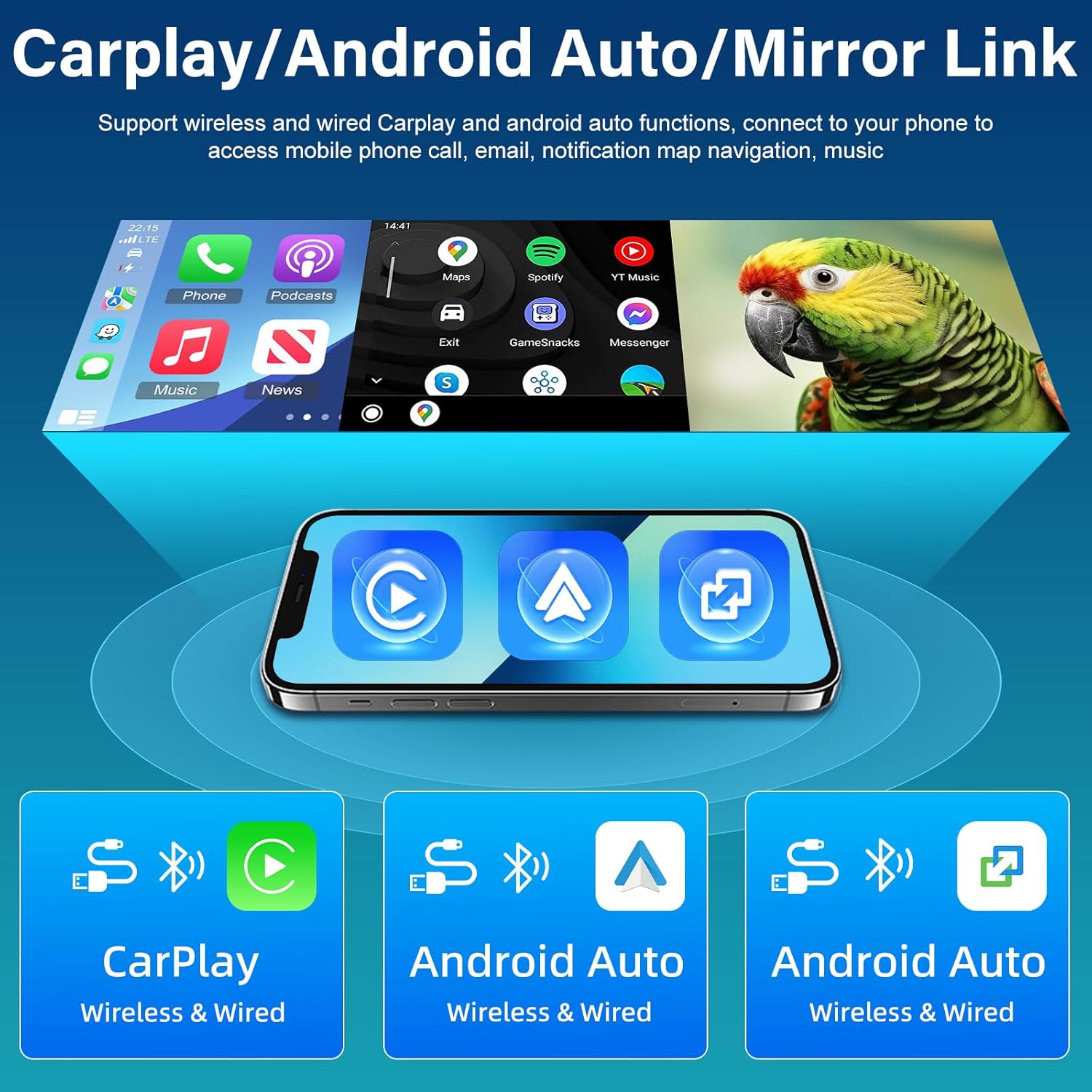
Visual representation of wireless and wired CarPlay, Android Auto, and Mirror Link functionalities, showing phone integration with the car stereo.
GPS Navigation & WiFi Hotspot
The built-in GPS allows for both online and offline navigation. Connect to WiFi or a mobile hotspot to download apps from the Play Store, such as YouTube, TikTok, and Spotify, enriching your in-car entertainment options.

Screenshot of the car stereo displaying GPS navigation with various app icons floating around, indicating WiFi connectivity and app support.
DSP Audio & EQ
Experience superior sound quality with Digital Signal Processing (DSP) and Equalizer (EQ) features. The DSP ensures audio playback is highly similar to the original sound, allowing for precise sound customization to perfectly reproduce your favorite music.

Illustration demonstrating the effect of DSP on audio quality, showing sound waves and a comparison between upgraded and ordinary radio sound delays.
Steering Wheel Control (SWC)
Utilize your vehicle's original steering wheel controls to manage the stereo, answer calls, adjust volume, and more, providing a safer and more convenient driving experience.

Image showing the interface for programming steering wheel controls on the car stereo display.
AHD Backup Camera
When shifting into reverse, the stereo screen automatically displays the rear view from the included AHD backup camera, enhancing safety and convenience during parking and reversing maneuvers. The camera offers high definition, wide-angle view, and night vision.

Illustration demonstrating the wide-angle view and clarity of the AHD backup camera, showing a car reversing with guidelines.
FM/RDS Radio
Enjoy your favorite radio stations with the built-in FM/RDS radio tuner. RDS (Radio Data System) provides additional information such as station name and song title where available.
Screenshot of the car stereo displaying the FM/RDS radio interface with frequency tuning and station presets.
Bluetooth Functionality
Connect your smartphone via Bluetooth for hands-free calling and wireless audio streaming. Access your phonebook directly from the stereo for convenient dialing.

Screenshots of the car stereo showing the Bluetooth dialing interface, contact list, and music playback screen, along with an illustration of hands-free calling.
Split Screen & Multiple UI Themes
The split-screen feature allows you to run two applications simultaneously, such as navigation and music. Personalize your stereo's appearance with 26 diverse desktop themes, easily switchable without internet downloads.
Images showcasing the split-screen capability and a grid of 26 different user interface themes available for customization.
Maintenance
To ensure the longevity and optimal performance of your NHOPEEW car stereo, follow these maintenance guidelines:
- Screen Cleaning: Use a soft, lint-free cloth slightly dampened with water or a screen cleaner specifically designed for electronics. Avoid abrasive materials or harsh chemicals.
- Dust Removal: Regularly wipe down the unit to prevent dust accumulation, especially around vents and buttons.
- Temperature Control: Avoid exposing the unit to extreme temperatures, both hot and cold, for extended periods.
- Software Updates: Check for and install any available software updates to ensure the system runs efficiently and securely.
- Cable Connections: Periodically check all cable connections to ensure they are secure and free from damage.
Troubleshooting
If you encounter any issues with your NHOPEEW car stereo, please refer to the following common solutions. If the problem persists, contact customer support.
| Problem | Possible Solution |
|---|---|
| Unit does not power on. | Check power cable connections. Ensure vehicle's ignition is on. Check vehicle's fuse box for blown fuses. |
| No sound output. | Verify speaker wire connections. Check volume levels and mute settings. Ensure correct audio source is selected. |
| CarPlay/Android Auto not connecting. | Ensure your phone's Bluetooth and Wi-Fi are enabled. Try connecting with a different USB cable. Restart both the stereo and your phone. |
| GPS signal is weak or inaccurate. | Ensure the GPS antenna is properly installed and has a clear view of the sky. Try updating map data if applicable. |
| Backup camera not displaying. | Check the camera's power and video signal connections. Ensure the vehicle is in reverse gear. Verify the white plug for Bluetooth/WiFi signals is connected to the radio. |
| Radio harness does not fit. | Please contact NHOPEEW customer support for assistance. |
Warranty and Support
NHOPEEW is committed to providing high-quality products and excellent customer service.
- Warranty: This product comes with a 2-year warranty from the date of purchase.
- Returns: Enjoy a 30-day refund period from the date of purchase.
- Post-Sales Support: We offer 2-years post-sales support for any technical assistance or inquiries you may have.
- Contact: For any issues or support needs, please reach out to NHOPEEW customer service.
Ask a question about this manual
Ask about setup, troubleshooting, compatibility, parts, safety, or missing instructions. Manuals+ will review the question and use this page’s manual context to help answer it.