
1. Introduction
This manual provides essential information for the safe and efficient operation of your PURElight LED BAR 18 3W (RGB). Please read these instructions thoroughly before use and retain them for future reference. The PURElight LED BAR 18 3W (RGB) is a versatile lighting fixture designed for various applications, featuring 18 individual 3-Watt RGB LEDs, a 35° beam angle, and flexible control options.
2. Safety Instructions
- Electrical Safety: Always connect the device to a grounded power outlet. Ensure the power supply voltage matches the device's requirements. Disconnect power before cleaning or servicing.
- Environmental Conditions: This product is not waterproof. Avoid exposure to moisture, rain, or extreme temperatures. Operate in a well-ventilated area.
- Handling: Do not look directly into the LED light source, as it can cause eye damage. Avoid dropping or subjecting the device to severe impact.
- Installation: Ensure the mounting surface or structure can safely support the weight of the fixture. Use appropriate safety cables when suspending the unit.
- Maintenance: Refer all servicing to qualified personnel. Do not attempt to repair the unit yourself.
3. Package Contents
Please check that all items listed below are present and in good condition upon opening the package:
- PURElight LED BAR 18 3W (RGB)
- Power Cable
- Instruction Manual (this document)
- Mounting Brackets (pre-attached or included separately)
4. Product Features
- High-Power LEDs: Equipped with 18 x 3-Watt RGB LEDs for vibrant color mixing.
- RGB Color Mixing: Capable of producing a wide spectrum of colors by mixing Red, Green, and Blue.
- Beam Angle: Features a 35° beam angle for focused light output.
- Flexible Control: Allows control of all LEDs simultaneously or in 3 independent groups for dynamic effects.
- Durable Construction: Made from aluminum or polycarbonate for robust performance.
5. Setup
5.1 Physical Installation
The LED bar can be placed on a flat surface or mounted using the integrated brackets. Ensure the fixture is stable and securely fastened to prevent accidental falls.

Figure 1: PURElight LED BAR 18 3W (RGB) showing its overall design and mounting brackets.
5.2 Power Connection
Connect the provided power cable to the power input on the LED bar and then to a suitable grounded electrical outlet. Verify that the voltage matches the device's specifications.
5.3 Control Connection (DMX)
For advanced control, connect a DMX controller to the DMX input port on the LED bar using a standard DMX cable. If linking multiple units, connect the DMX output of the first unit to the DMX input of the next, and so on. Terminate the last unit in the chain with a DMX terminator.
6. Operation
6.1 Powering On/Off
Once connected to power, the unit will power on. Use the control panel on the unit or a DMX controller to activate and deactivate the light output.
6.2 Basic Control Modes
The LED bar typically features several built-in programs and modes accessible via its onboard display and buttons. These may include:
- Static Color Mode: Select a single, solid color.
- Color Change Mode: Automatic cycling through various colors.
- Sound Active Mode: Lights react to ambient sound.
- Master/Slave Mode: Link multiple units for synchronized operation.

Figure 2: The LED bar displaying a solid red color.

Figure 3: The LED bar displaying a solid green color.

Figure 4: The LED bar displaying a solid blue color.
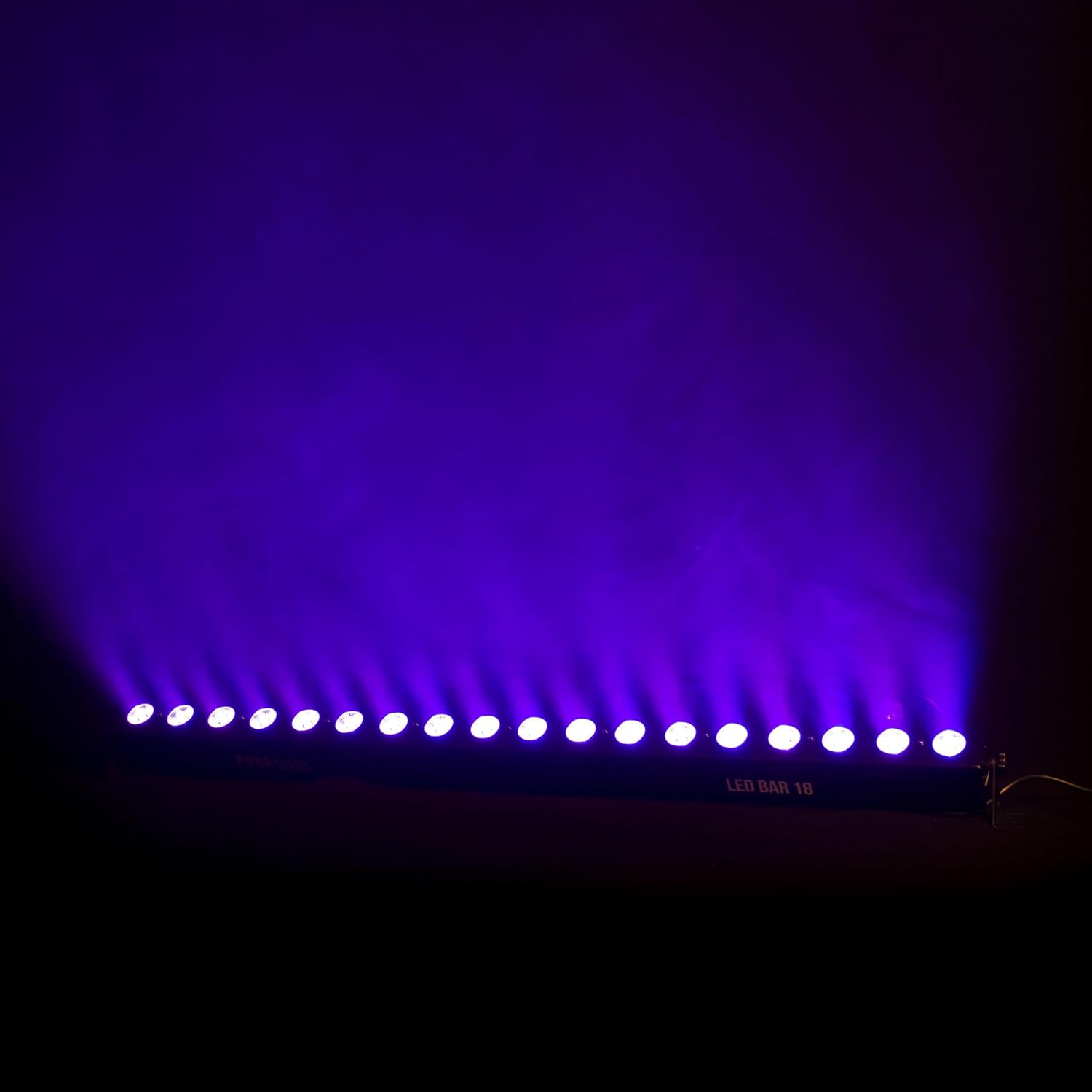
Figure 5: The LED bar displaying a solid purple color.

Figure 6: The LED bar displaying a mixed yellow and green light effect.

Figure 7: The LED bar displaying a split color effect with red on one side and green on the other.
6.3 DMX Control
When using a DMX controller, set the DMX address for the LED bar according to your lighting setup. Consult the DMX channel chart (usually found in a separate DMX guide or on the product's control panel) to understand the functions of each DMX channel, including individual LED control or group control.
7. Maintenance
7.1 Cleaning
Regularly clean the exterior of the LED bar with a soft, dry cloth. For stubborn dirt, a slightly damp cloth can be used, followed by drying. Do not use abrasive cleaners or solvents. Keep the LED lenses free of dust and debris to maintain optimal light output.
7.2 Storage
When not in use for extended periods, store the LED bar in its original packaging or a protective case in a dry, dust-free environment.
8. Troubleshooting
| Problem | Possible Cause | Solution |
|---|---|---|
| No power | Power cable disconnected; no power from outlet; faulty cable. | Check power cable connections; test outlet with another device; replace cable if faulty. |
| No light output | Unit in standby mode; incorrect DMX settings; internal fault. | Check unit's display for mode; verify DMX address and channel values; contact support if problem persists. |
| Incorrect colors or flickering | DMX signal interference; incorrect DMX mode; internal issue. | Check DMX cable integrity; ensure DMX mode matches controller; try resetting the unit. |
| Unit unresponsive to controls | Control panel locked; DMX connection issue; software glitch. | Check if control panel is locked; verify DMX connection; power cycle the unit. |
9. Specifications
| Feature | Detail |
|---|---|
| Brand | PURElight by lightmaXX |
| Model Number | LIG0017356-000 |
| Dimensions (L x W x H) | 111 x 10.5 x 10.5 cm |
| Weight | 2.43 Kilograms |
| LED Type | 18 x 3W RGB LEDs |
| Beam Angle | 35° |
| Color | Color changing (RGB) |
| Material | Aluminum or Polycarbonate |
| Water Resistance Level | Not waterproof |
| Recommended Use | Stage lighting |
10. Warranty and Support
Specific warranty information for the PURElight LED BAR 18 3W (RGB) is typically provided at the point of purchase or on the manufacturer's official website. Please retain your proof of purchase for warranty claims. For technical support, troubleshooting assistance beyond this manual, or spare parts inquiries, please contact your retailer or the manufacturer directly.
Information regarding software updates and spare parts availability is not provided at this time. Please check the manufacturer's website for the most current information.