
Acupress Series 7000 and 9000
Acupress Quick Clean Pod Replacement User Manual for Philips Norelco Series 7000 and 9000 Shavers
Model: Series 7000 and 9000
Introduction
This manual provides instructions for the Acupress Quick Clean Pod Replacement, designed for use with select Philips Norelco 2nd Generation Series 7000 and Series 9000 shavers. This pod facilitates the cleaning process, helping to maintain your shaver's performance.

Image: The Acupress Quick Clean Pod Replacement, a black cylindrical device.
Compatibility
The Acupress Quick Clean Pod Replacement is compatible with the following Philips Norelco 2nd Generation Series 7000 and 9000 shaver models:
- Philips Norelco Series 7000
- Philips Norelco Series 9000
- Specific models: S9931, S9932, S9933, S9935, S9936, S9938, S9982, S9983, S9985

Image: The Quick Clean Pod shown alongside a Philips Norelco shaver, with text indicating compatible models.
Setup
- Prepare the Cleaning Pod: Unscrew the top cover of the Quick Clean Pod.
- Add Cleaning Solution: Pour the appropriate cleaning liquid into the designated compartment within the pod.
- Secure the Cover: Turn the top cover back onto the pod and screw it clockwise until it clicks securely into place.
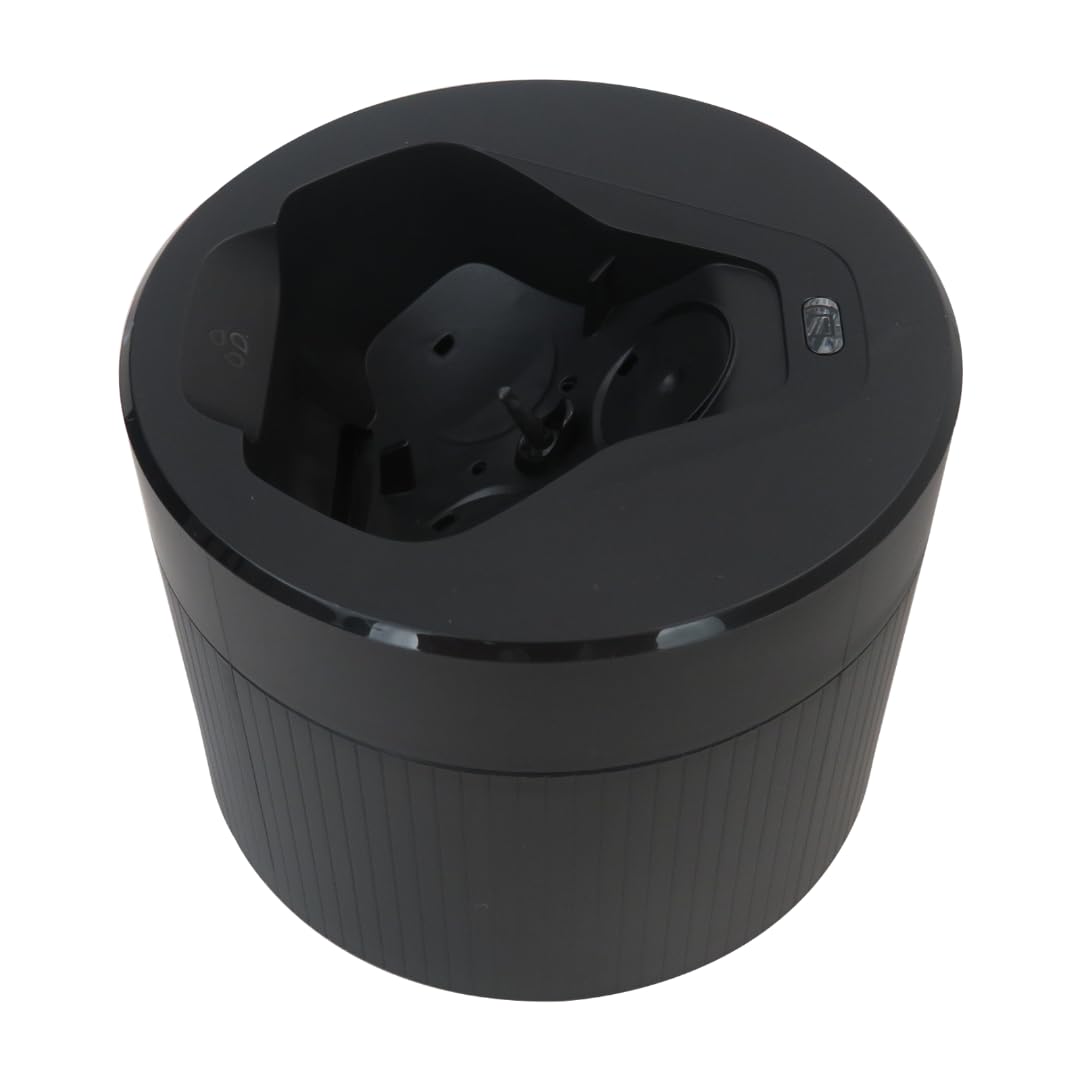
Image: A close-up view of hands demonstrating how to open and close the Quick Clean Pod to add cleaning solution.
Operating Instructions
- Place Shaver in Pod: After shaving, place your Philips Norelco shaver head-down into the wireless cleaning compartment of the Quick Clean Pod.
- Initiate Cleaning: Press the power button on your shaver body to start the cleaning cycle. The cleaning process typically takes approximately one minute for a thorough clean.
- Monitor Cleaning (Optional): If your shaver supports a companion phone application, you can use it to monitor the cleaning process.

Image: A Philips Norelco shaver being inserted into the Quick Clean Pod for cleaning.

Image: An illustration of a shaver being cleaned within the Quick Clean Pod, highlighting the thorough cleaning action.
Maintenance
- Regular Cleaning: For optimal performance and hygiene, use the Quick Clean Pod to clean your shaver at least twice a month. Consistent use with cleaning fluid helps keep the shaver clean, smooth, and sharp.
- Air Drying: After the cleaning cycle is complete, allow the shaver to air-dry completely within the Quick Clean Pod before storing it. This prevents moisture buildup and maintains shaver integrity.

Image: A Philips Norelco shaver resting in the Quick Clean Pod, illustrating the air-drying process after cleaning.
Troubleshooting
If you encounter any issues with your Quick Clean Pod Replacement, consider the following:
- Cleaning Not Initiating: Ensure the shaver is correctly seated in the pod and fully charged. Verify that the pod's cover is securely closed.
- Ineffective Cleaning: Check if there is sufficient cleaning fluid in the pod. Ensure the cleaning fluid is not expired or diluted.
- Pod Leakage: Confirm that the top cover is tightly screwed onto the pod.
For persistent issues, please refer to the Warranty and Support section for contact information.
Specifications
| Product Name | Quick Clean Pod Replacement |
| Brand | Acupress |
| Compatible Models | Philips Norelco 2nd Generation Series 7000 and 9000 (S9931, S9932, S9933, S9935, S9936, S9938, S9982, S9983, S9985) |
| Item Model Number | Series 7000 and 9000 |
| Package Dimensions | 6.46 x 6.22 x 3.66 inches |
| Item Weight | 5.29 ounces |
| Manufacturer | Acupress |
Warranty and Support
Acupress provides comprehensive after-sale service for this product. If you encounter any quality issues, you are eligible to request a new replacement or a refund.
For any questions or support needs, please contact Acupress customer service via email. We are committed to resolving any concerns you may have.
Please note: Specific contact details for Acupress customer service are typically provided with your product packaging or on the official Acupress website.
Ask a question about this manual
Ask about setup, troubleshooting, compatibility, parts, safety, or missing instructions. Manuals+ will review the question and use this page’s manual context to help answer it.