
1. Introduction
This manual provides essential instructions for the safe installation, operation, and maintenance of your LuFun 80W Dimmable LED Ceiling Light. Please read this manual thoroughly before installation and retain it for future reference. This modern square LED ceiling light features adjustable brightness and color temperature, controlled via a remote control, and includes a memory function.

Figure 1: LuFun 80W Dimmable LED Ceiling Light
2. Safety Instructions
- Ensure the power supply is disconnected before installation, maintenance, or cleaning.
- Installation should be performed by a qualified electrician or a competent person.
- Do not connect the light fixture to a dimmer switch on the wall. The dimming function is controlled exclusively by the provided remote control.
- Verify that the voltage indicated on the product matches your local power supply before connection.
- Keep packaging materials out of reach of children.
- Avoid direct eye exposure to the light source when illuminated.
3. Package Contents
Please check that all components are present and undamaged:
- LED Ceiling Light Kit
- Remote Control
- Installation Instructions Manual
4. Specifications

Figure 2: Product Dimensions and Parameters
| Feature | Specification |
|---|---|
| Model Number | 1f888ce6-61f0-41df-b2a8-255780bb1b88 |
| Dimensions (L x W x H) | 56 cm x 56 cm x 12 cm |
| Power | 80W |
| Voltage | 220-240V |
| Lumen Output | 4800lm |
| Color Temperature | 3000K (Warm White), 4000K (Neutral White), 6000K (Cool White) |
| Dimming Range | 10% - 100% |
| Material | Acrylic, Metal |
| Average Lifespan | 50,000 Hours |
| Energy Efficiency Class | E |
| Certification | UKCA |
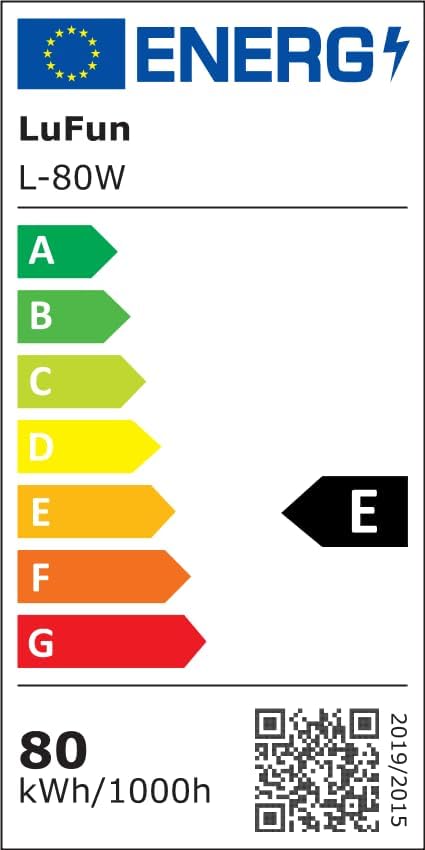
Figure 3: Energy Efficiency Label. For more details, visit eprel.ec.europa.eu/qr/2082740
5. Setup (Installation)
The installation process involves assembling the lamp body, connecting the electrical wires, and securing the fixture to the ceiling. A detailed installation manual is included in the package. For visual guidance, a QR code linking to an installation video may be provided in the physical manual.
Important Installation Note:

Figure 4: Switch Compatibility. Use a standard ON/OFF wall switch. This light fixture is not compatible with external dimmer switches.
Ensure that the wall switch used for this ceiling light is a standard ON/OFF switch. This LED ceiling light is not compatible with external dimmer switches. All dimming and color temperature adjustments are performed using the supplied remote control.
6. Operating Instructions
Your LuFun LED Ceiling Light is controlled by the included remote control, offering dimmable brightness and adjustable color temperature with a memory function.
Remote Control Functions:
- Brightness Adjustment: Use the remote control to adjust the brightness from 10% to 100%.
- Color Temperature Selection: Choose between three color temperatures:
- 3000K (Warm White, with a pink accent)
- 4000K (Neutral White, with a purple accent)
- 6000K (Cool White, with a blue accent)
- Memory Function: If the light is turned off using the wall switch, it will retain the last selected brightness and color temperature settings when turned on again via the remote control.

Figure 5: Color Temperature Range and Dimming Functionality

Figure 6: Light Display ON/OFF
7. Maintenance
The LuFun LED Ceiling Light is designed for easy cleaning and maintenance. To clean the fixture:
- Ensure the power supply is disconnected before cleaning.
- Use a soft, dry, or slightly damp cloth to wipe the surfaces.
- Avoid using abrasive cleaners, solvents, or harsh chemicals, as these can damage the finish and acrylic components.
- Regularly check for any loose connections or damage to the wiring.
8. Troubleshooting
If you encounter issues with your LuFun LED Ceiling Light, please refer to the following common troubleshooting steps:
| Problem | Possible Cause | Solution |
|---|---|---|
| Light does not turn on | No power supply; Loose wiring; Faulty remote control batteries. | Check circuit breaker. Ensure all wiring connections are secure. Replace remote control batteries (requires 2 AA batteries, not included). |
| Remote control not working | Dead batteries; Remote not paired (if applicable); Obstruction between remote and light. | Replace remote control batteries. Ensure clear line of sight to the light fixture. If issues persist, contact customer support. |
| Light flickers or dims unexpectedly | Unstable power supply; Incompatible dimmer switch (if mistakenly used); Loose connection. | Ensure the light is connected to a standard ON/OFF switch, not a dimmer. Check electrical connections. Consult a qualified electrician if power supply is suspected. |
| Incorrect color temperature or brightness | Incorrect remote setting. | Use the remote control to adjust the color temperature and brightness to your desired setting. |
9. Warranty and Support
For any quality issues, replacement parts, or installation assistance, please contact LuFun customer service via email. Our team is available to provide prompt and efficient support.
Please refer to your purchase documentation for specific warranty terms and conditions, as these may vary.