Introduction
This manual provides instructions for the Generic replacement remote control designed for various Bauhn Smart UHD LED HDTV Android TV models. This remote functions as an infrared (IR) replacement and does not require complex pairing. For optimal compatibility, ensure your original remote control visually matches the replacement remote shown in this manual.
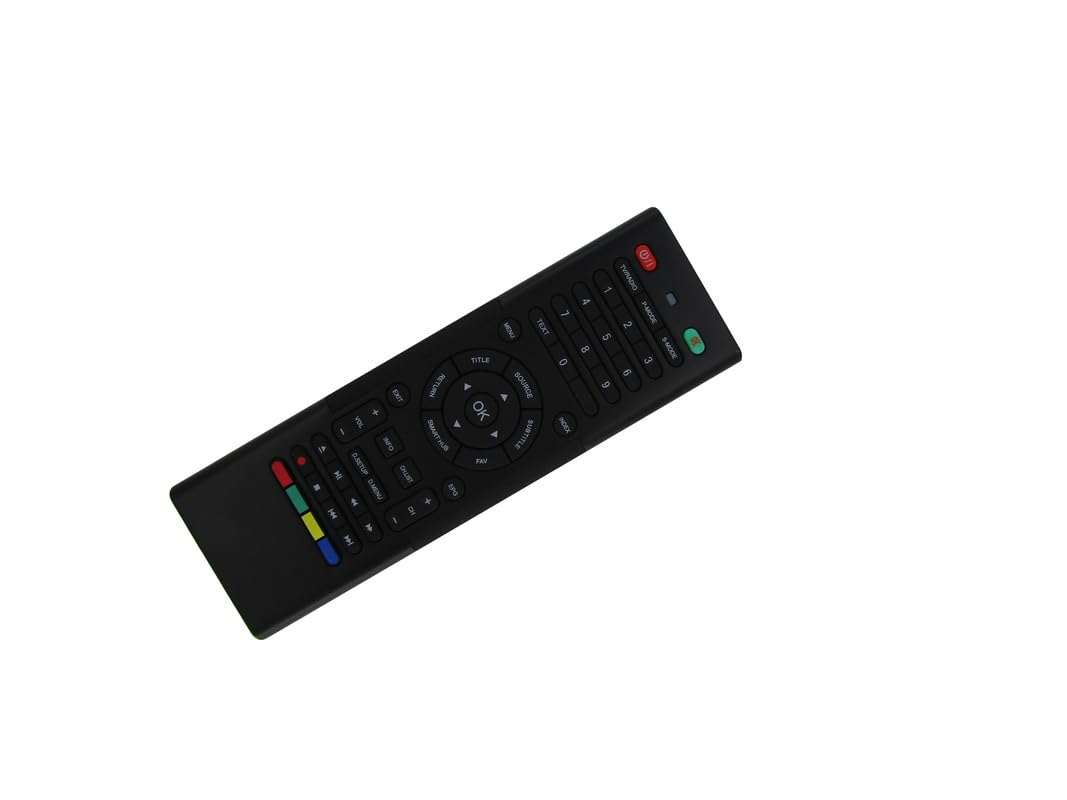
Image: The Generic replacement remote control, displaying both its primary button-side and the secondary QWERTY keyboard-side.
Setup
1. Battery Installation
- Locate the battery compartment on the back of the remote control.
- Slide open the battery cover.
- Insert two (2) AAA batteries, ensuring the correct polarity (+/-) as indicated inside the compartment.
- Close the battery cover securely.

Image: Rear view of the remote control with the battery cover detached, revealing the empty battery compartment for AAA batteries.
2. Initial Use
This remote control is an infrared (IR) replacement and typically does not require any programming or pairing. Once batteries are installed, point the remote directly at your Bauhn TV and begin operation. Ensure there are no obstructions between the remote and the TV's IR receiver.
Operating Instructions
The remote features a dual-sided design: a standard TV remote layout on one side and a QWERTY keyboard on the other for easier text input.
Front Side: Standard TV Controls
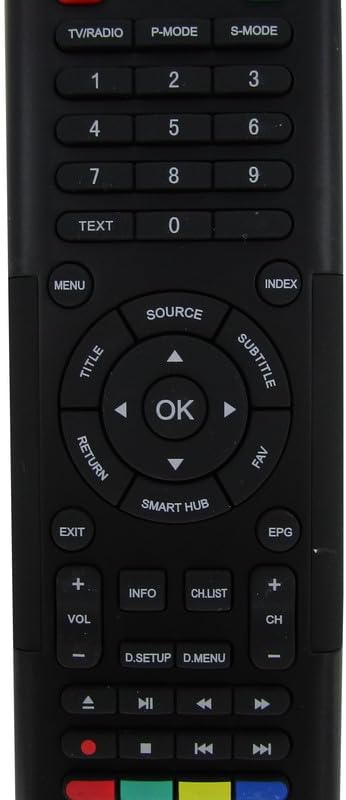
Image: Detailed view of the front face of the remote control, highlighting the power, channel, volume, navigation, and media control buttons.
- Power Button: Turns the TV on or off.
- TV/RADIO: Switches between TV and Radio modes.
- P-MODE / S-MODE: Picture Mode and Sound Mode selection.
- Number Buttons (0-9): Direct channel selection.
- TEXT: Accesses teletext services.
- MENU: Opens the TV's main menu.
- SOURCE: Selects input sources (HDMI, AV, etc.).
- Navigation Pad (Up/Down/Left/Right) & OK: Navigates menus and confirms selections.
- TITLE / SUBTITLE: Accesses title or subtitle options.
- RETURN / EXIT: Returns to the previous screen or exits a menu.
- SMART HUB: Accesses the TV's smart features/apps.
- EPG: Electronic Program Guide.
- VOL +/-: Adjusts volume.
- CH +/-: Changes channels.
- INFO: Displays program information.
- CH.LIST: Displays the channel list.
- Media Control Buttons (Play, Pause, Stop, Rewind, Fast Forward): Controls media playback.
- Color Buttons (Red, Green, Yellow, Blue): Functions vary depending on the TV menu or application.
Rear Side: QWERTY Keyboard
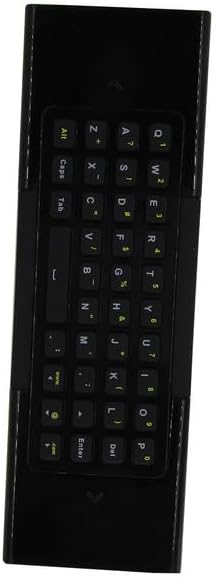
Image: Detailed view of the reverse side of the remote control, featuring a full QWERTY keyboard for text input.
The QWERTY keyboard on the back of the remote allows for convenient text entry in smart TV applications, web browsers, and search functions. Simply flip the remote to use the keyboard. The remote may automatically detect which side is facing up and activate the corresponding input mode.
Maintenance
Battery Replacement
Replace batteries when the remote's response becomes sluggish or stops working. Always replace both AAA batteries simultaneously with new ones. Do not mix old and new batteries, or different types of batteries.
Cleaning
To clean the remote control, use a soft, dry cloth. For stubborn dirt, lightly dampen the cloth with water. Avoid using harsh chemicals, abrasive cleaners, or excessive moisture, as these can damage the remote's surface or internal components.
Troubleshooting
- Remote not responding:
- Check if the batteries are correctly inserted with the proper polarity.
- Replace old batteries with new AAA batteries.
- Ensure there is a clear line of sight between the remote's IR emitter and the TV's IR receiver. Remove any obstructions.
- Verify that the remote is pointed directly at the TV.
- Some functions do not work:
- This is a replacement remote. While designed for broad compatibility, it may not replicate every single function of your original remote, especially for highly specific or proprietary features.
- Ensure your TV model is among those listed as compatible. If your specific model is not listed, full functionality cannot be guaranteed.
- Remote works intermittently:
- This could indicate low battery power. Replace the batteries.
- Check for strong light sources (like direct sunlight or bright fluorescent lights) that might interfere with the IR signal.
Specifications
| Brand | Generic |
| Manufacturer | Easytry |
| Compatible Devices | Television (Bauhn Smart UHD LED HDTV Android TV models) |
| Max Number of Supported Devices | 1 |
| Batteries Required | 2 AAA batteries |
| Special Feature | Ergonomic, Replacement, QWERTY Keyboard |
| Color | Black |
| ASIN | B0D7MFQJMX |


