
Product Overview
This remote control is a replacement unit designed for use with Edifier RC3X and C3X Multimedia Speaker systems. It operates using infrared (IR) technology and provides essential functions for controlling your speaker system.
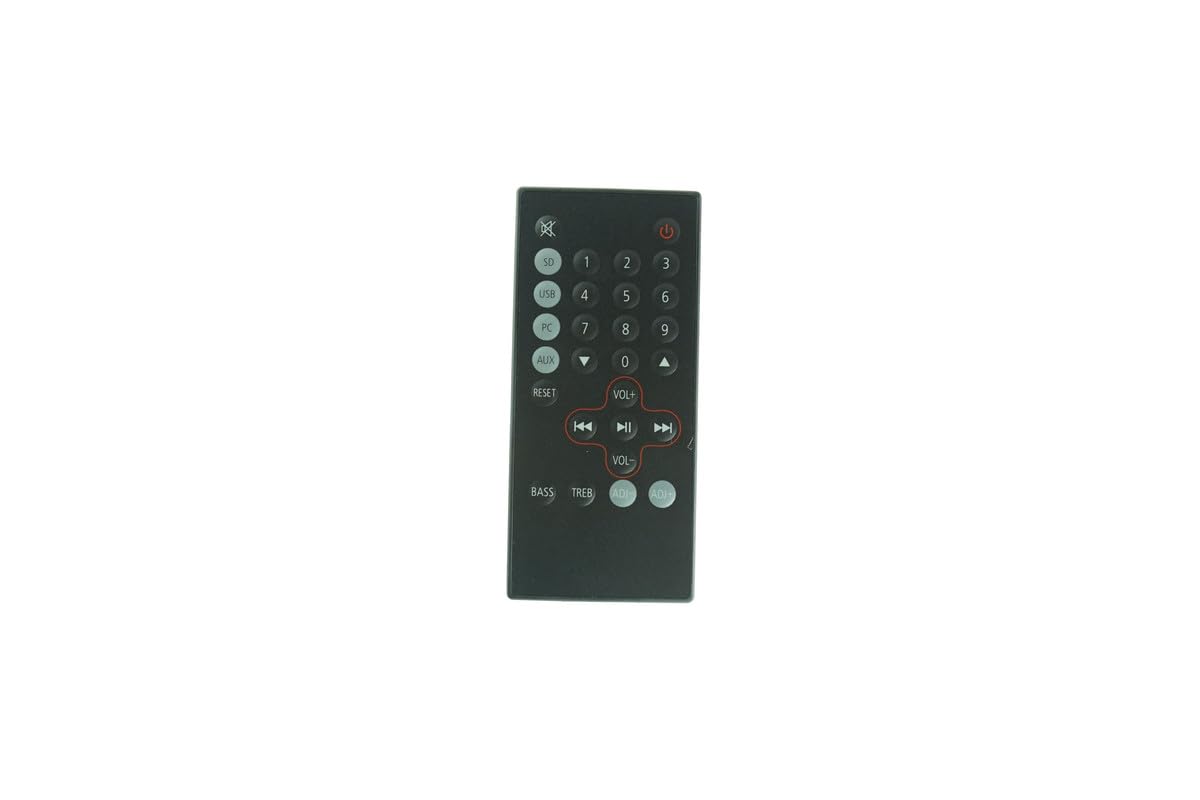
Image 1: Front view of the Generic Replacement Remote Control. This image displays the layout of the buttons and the overall design of the remote, which is black in color.
Setup
1. Battery Installation
The remote control requires two AAA batteries (not included) for operation.
- Locate the battery compartment on the back of the remote control.
- Slide open the battery compartment cover.
- Insert two AAA batteries, ensuring the correct polarity (+ and -) as indicated inside the compartment.
- Close the battery compartment cover securely.
2. Compatibility Check
This remote is specifically designed for Edifier RC3X and C3X Multimedia Speaker models. While it is a replacement, it is recommended to compare its appearance and button layout with your original remote or speaker manual to ensure full compatibility with all desired functions. Some advanced or specific functions of your original remote may not be replicated.
Operating Instructions
Point the remote control directly at the infrared receiver on your Edifier speaker system. Ensure there are no obstructions between the remote and the speaker.
- Power Button: Press to turn the speaker system on or off.
- Volume Up/Down: Use these buttons to increase or decrease the audio volume.
- Input/Source Selection: This button allows you to cycle through available audio input sources (e.g., AUX, PC, Bluetooth).
- Mute Button: Press to temporarily silence the audio output. Press again to restore sound.
- Note: Specific button functions may vary slightly based on your speaker model's capabilities. Refer to your Edifier speaker's manual for detailed function descriptions.
Maintenance
Cleaning
To clean the remote control, gently wipe it with a soft, dry cloth. Do not use liquid cleaners, abrasive pads, or chemical solvents, as these can damage the remote's surface or internal components.
Battery Replacement
Replace batteries when the remote's range decreases or it becomes unresponsive. Always replace both batteries at the same time with new AAA batteries. Do not mix old and new batteries or different types of batteries.
Storage
When not in use for extended periods, it is advisable to remove the batteries to prevent leakage and potential damage to the remote control.
Troubleshooting
- Remote not responding:
- Check if the batteries are inserted correctly with the correct polarity.
- Replace old batteries with new AAA batteries.
- Ensure there are no obstructions between the remote and the speaker's IR receiver.
- Verify that the remote is pointed directly at the speaker's IR receiver.
- Limited operating range:
- Replace batteries with new ones.
- Ensure the remote is within the specified operating range (up to 8 meters).
- Remove any objects that might be blocking the signal path.
- Some functions do not work:
- This replacement remote may not have all the exact functions of your original Edifier remote. Refer to the "Compatibility Check" section.
- Ensure your speaker model is indeed Edifier RC3X or C3X.
Specifications
| Brand | Generic |
| Compatible Models | Edifier RC3X, Edifier C3X Multimedia Speaker |
| Connectivity Technology | Infrared (IR) |
| Maximum Range | 8 Meters |
| Power Source | 2 x AAA Batteries (not included) |
| Color | Black |
| Manufacturer Part Number | Easytry23037 |
Warranty and Support
Warranty Information
This product comes with a 90-day warranty. For any issues or concerns within this period, please refer to your purchase documentation for hassle-free returns or contact the seller directly.
Customer Support
If you encounter any problems or have questions regarding the use of this replacement remote control, please contact the seller through the platform where you made your purchase. Provide your order details for quicker assistance.


