
1. Product Overview
The Samsung Galaxy Buds3 Pro are advanced wireless earbuds designed for high-fidelity audio and seamless integration with the Galaxy ecosystem. They feature Active Noise Cancellation, Adaptive Noise Control, and are powered by Galaxy AI for enhanced functionality. The earbuds offer up to 37 hours of battery life (with charging case) and include 360 Surround Sound capabilities.

Figure 1.1: Samsung Galaxy Buds3 Pro earbuds housed in their open charging case.

Figure 1.2: Individual Samsung Galaxy Buds3 Pro earbuds, showcasing their design.
2. Package Contents
Verify that all items are present in the product packaging:
- Samsung Galaxy Buds3 Pro Earbuds
- Wireless Charging Case
- USB Charging Cable
- Ear Tips (Small, Medium, Large)
- User Manual (this document)

Figure 2.1: Contents of the Galaxy Buds3 Pro package.
3. Initial Setup
3.1 Charging the Device
Before first use, fully charge the Galaxy Buds3 Pro and their charging case. Place the earbuds into the charging case. Connect the USB charging cable to the charging case and a power source. The LED indicator on the case will show charging status.

Figure 3.1: Galaxy Buds3 Pro charging case with earbuds inserted.
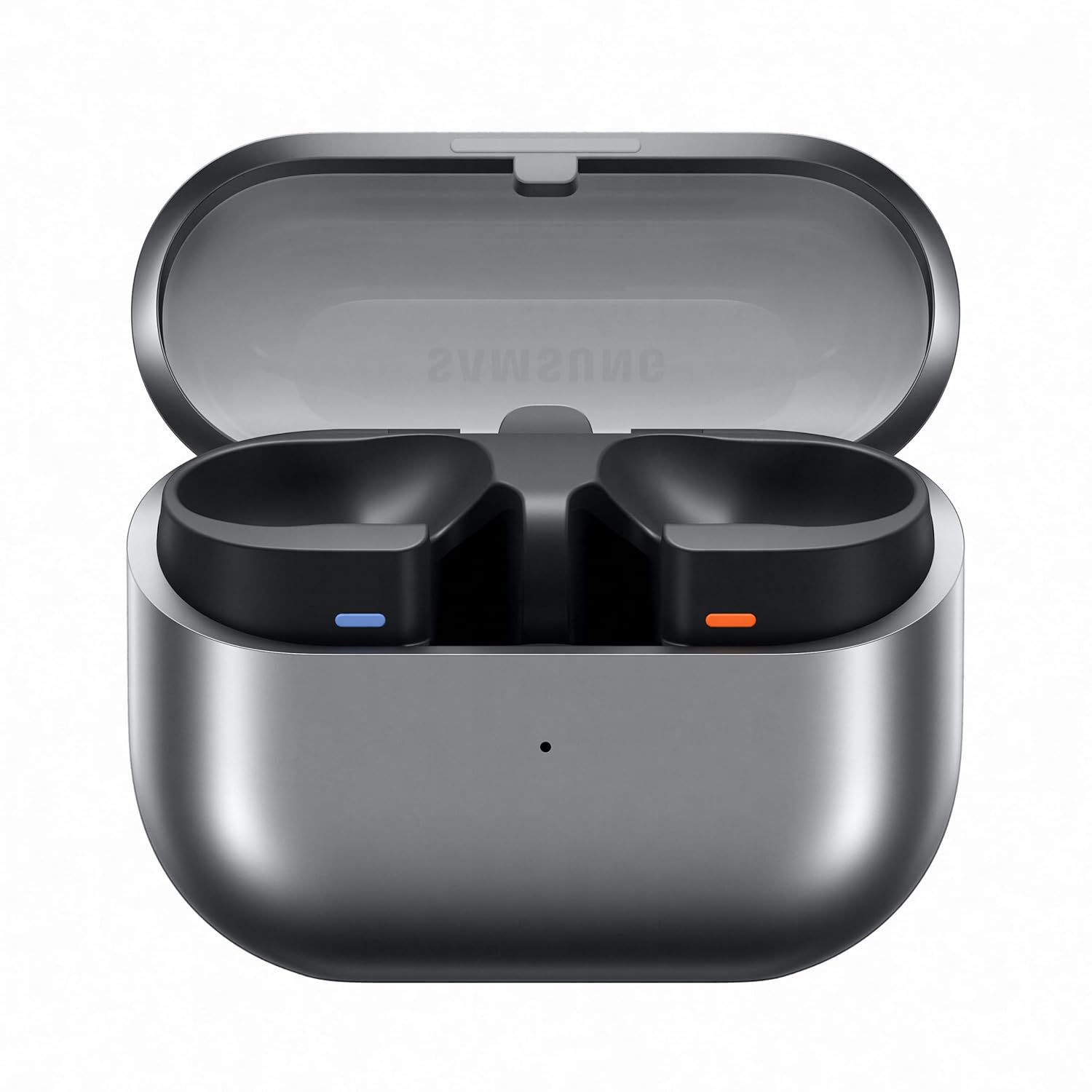
Figure 3.2: Empty Galaxy Buds3 Pro charging case.
3.2 Pairing with a Device
- Ensure the earbuds are charged and placed in the charging case.
- Open the charging case. The earbuds will automatically enter pairing mode.
- On your smartphone or other Bluetooth-enabled device, navigate to the Bluetooth settings.
- Select "Galaxy Buds3 Pro" from the list of available devices to connect.
- Follow any on-screen prompts to complete the pairing process.
3.3 Fitting the Earbuds
Select the ear tips that provide the most comfortable and secure fit for your ears. A proper fit is crucial for optimal sound quality and Active Noise Cancellation performance. Insert the earbuds into your ears and rotate them slightly until they feel snug.

Figure 3.3: Left (L) and Right (R) indicators on the earbuds for correct placement.
4. Operating Your Galaxy Buds3 Pro
4.1 Touch Controls
The Galaxy Buds3 Pro feature intuitive touch and pinch controls on the earbud stems:
- Swipe Control: Swipe up or down on the earbud blade to adjust the volume.
- Pinch Control: Pinch the earbud stem to play/pause audio, skip tracks, or launch a favorite app. Specific actions can be customized via the Galaxy Wearable app.

Figure 4.1: Demonstration of swipe and pinch controls on the earbuds.
4.2 Active Noise Cancellation (ANC) and Adaptive Noise Control
The earbuds feature Active Noise Cancellation to reduce ambient noise and Adaptive Noise Control, which intelligently adjusts the audio experience based on your surroundings. These features can be managed through the Galaxy Wearable app.

Figure 4.2: Overview of sound technologies, including Active Noise Cancellation.
4.3 Galaxy AI Features
Leverage Galaxy AI for enhanced audio and communication experiences:
- Adaptive Noise Control: Optimizes audio based on your environment.
- AI Translator: Provides real-time translation of conversations when paired with a compatible Samsung Galaxy smartphone.
- Voice Detect: Automatically lowers media volume and activates ambient sound when you speak.
- PC Auto Switch: Seamlessly switches audio connection between your Galaxy devices.
- 360 Audio: Delivers an immersive, spatial sound experience, identifying the direction of sound.

Figure 4.3: Visual representation of Galaxy AI features.
4.4 Using the Galaxy Wearable App
For full customization and advanced settings, download the Samsung Galaxy Wearable app on your smartphone. The app allows you to adjust ANC levels, customize touch controls, update firmware, and access other features.
5. Care and Maintenance
5.1 Cleaning
Regularly clean your earbuds and charging case to maintain optimal performance and hygiene:
- Wipe the earbuds and charging case with a soft, dry, lint-free cloth.
- Remove ear tips and clean them with mild soap and water, then dry thoroughly before reattaching.
- Gently clean the speaker mesh and charging contacts with a dry cotton swab.
5.2 Water Resistance
The Galaxy Buds3 Pro are rated IP57 for water and dust resistance. This means they are protected against dust ingress and can withstand immersion in up to 1 meter of fresh water for up to 30 minutes. Avoid using them in saltwater, chlorinated water, or during activities that involve high-pressure water exposure. Ensure earbuds are completely dry before placing them back in the charging case.
6. Troubleshooting
If you encounter issues with your Galaxy Buds3 Pro, try the following solutions:
- Earbuds not connecting: Ensure Bluetooth is enabled on your device and the earbuds are in pairing mode. Try restarting both the earbuds (by placing them in the case and closing/opening the lid) and your device.
- No sound or poor sound quality: Check earbud fit and ensure ear tips are correctly sized. Clean any debris from the speaker mesh. Verify volume levels on both the earbuds and your connected device.
- Charging issues: Ensure the charging cable is securely connected and the charging contacts on both the earbuds and case are clean. Try a different charging cable or power adapter.
- Active Noise Cancellation not working effectively: Ensure earbuds are properly seated in your ears and the correct ear tip size is used. Adjust ANC settings in the Galaxy Wearable app.
- Touch controls unresponsive: Ensure your fingers are clean and dry. Try restarting the earbuds.
For more detailed troubleshooting, refer to the Galaxy Wearable app or Samsung's official support resources.
7. Technical Specifications
| Feature | Specification |
|---|---|
| Model Number | SM-R630N |
| Noise Control | Active Noise Cancellation |
| Connectivity Technology | Bluetooth, Wireless |
| Wireless Communication Technology | Bluetooth 5.4 |
| Battery Life | Up to 37 Hours (with charging case) |
| Water Resistance Level | IP57 |
| Control Type | Touch Control, App, Voice |
| Audio Driver Type | Dynamic Driver |
| Frequency Range | 20-20,000 Hz |
| Item Weight | 51.2 g |
| Material | Plastic |
| Product Dimensions | 4.4 x 9.1 x 9.5 cm |
| Compatible Devices | Cellphones, Gaming Consoles, Laptops, Tablets, Television |
| Special Features | Lightweight, Microphone Included, Noise Cancellation, Touch Control, Wireless Charging |
8. Warranty and Support
8.1 Manufacturer Information
Manufactured by Samsung Electronics VIETNAM Co., Ltd., Yen Phong Industrial Park, Yen Trung Commune, Yen Phong District, Bac Ninh Province, VIETNAM.
8.2 Importer Information
Imported by Samsung India Electronics Pvt. Ltd., 6th Floor, DLF Centre, Sansad Marg, New Delhi – 110001.
8.3 Customer Support
For customer support, please contact Samsung at the following:
- Email: support.india@samsung.com
- Toll-Free: 1800 40 7267864
8.4 Warranty Information
Please refer to the warranty card included with your product for detailed warranty terms and conditions. Keep your proof of purchase for warranty claims.