
1. Introduction
This manual provides detailed instructions for the setup, operation, and maintenance of your Kintrot Cuckoo Clock, Model KT816W. This traditional Black Forest style clock features a handcrafted wooden design, a quartz movement, a maple leaf pendulum, 12 melodies, a night sensor, and a singing cuckoo bird.
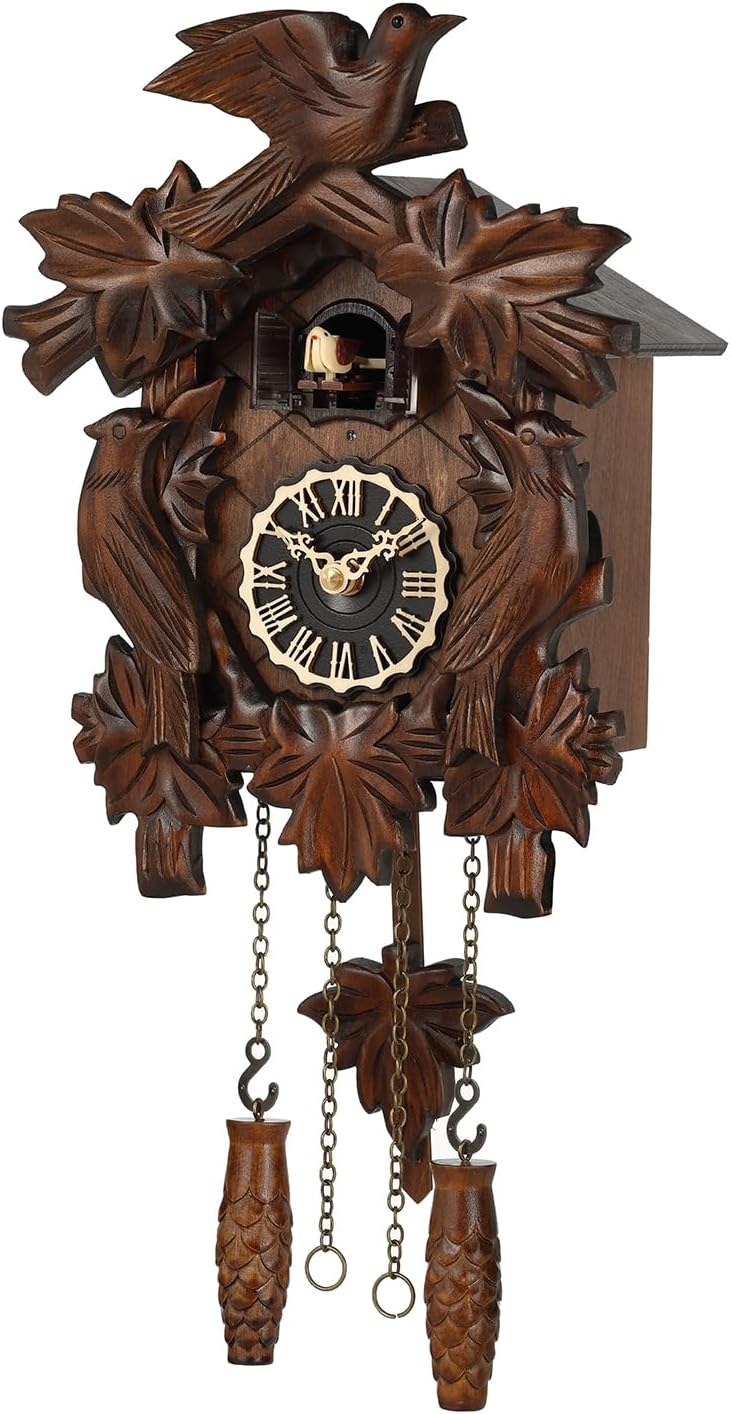
Image 1.1: Front view of the Kintrot Cuckoo Clock, Model KT816W, showcasing its traditional Black Forest design with carved birds and maple leaves, a round clock face with Roman numerals, and decorative weights and pendulum.
2. Product Components
Your Kintrot Cuckoo Clock includes the following main components:
- Main clock unit with quartz movement
- Decorative maple leaf pendulum
- Two decorative weights (non-functional, for aesthetic purposes)
- Cuckoo bird figure
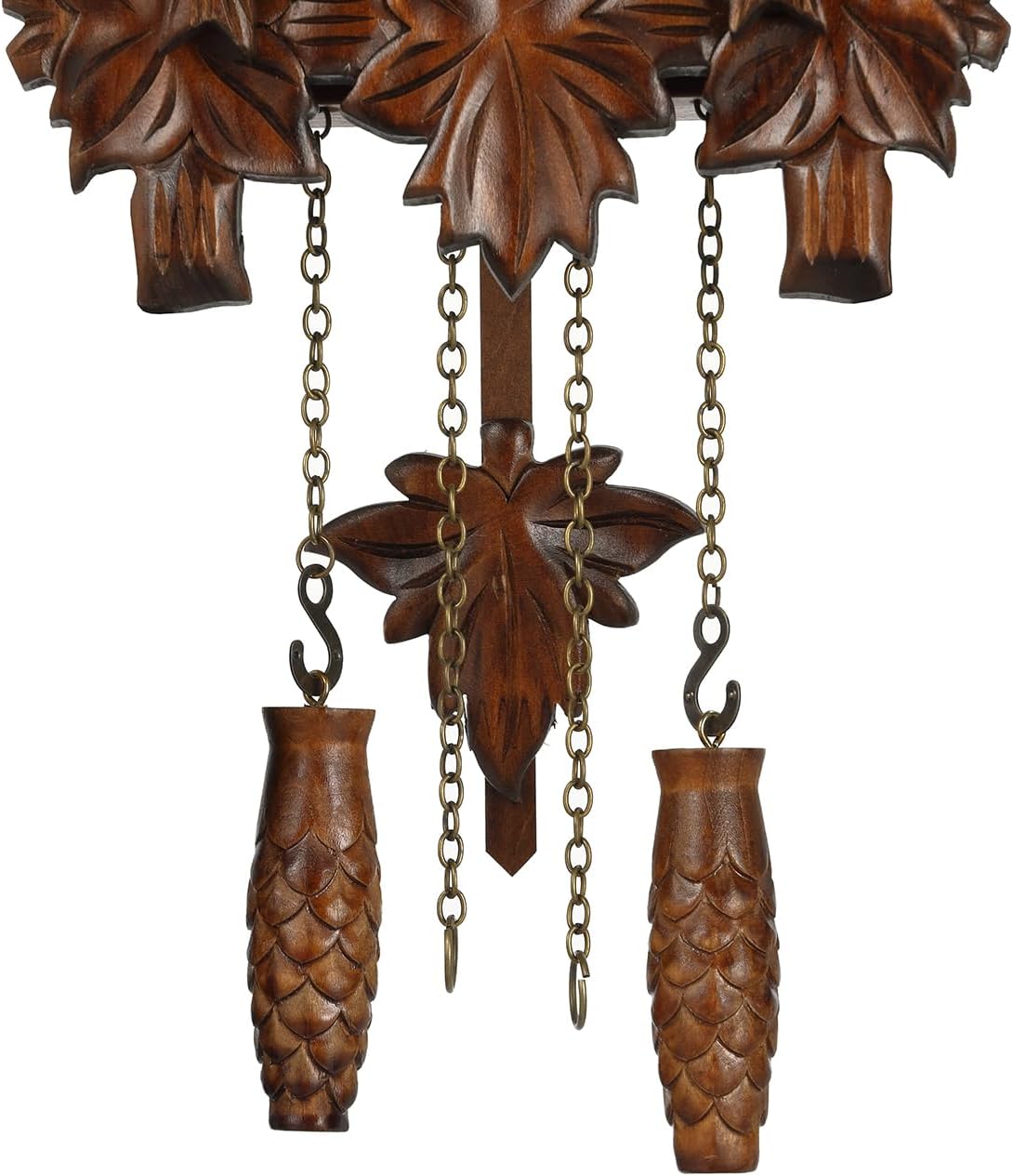
Image 2.1: Close-up view of the decorative maple leaf pendulum and the two pinecone-shaped weights, which are part of the clock's traditional design.
3. Setup Instructions
3.1. Unpacking
Carefully remove all components from the packaging. Inspect the clock for any visible damage. Retain packaging for future transport or storage.
3.2. Battery Installation
The clock requires 3 Type-C batteries (not included). For optimal performance and longevity, it is recommended to use carbon zinc batteries.
- Locate the battery compartment on the back of the clock.
- Open the battery compartment cover.
- Insert 3 Type-C batteries, ensuring correct polarity (+/-).
- Close the battery compartment cover securely.
3.3. Attaching Pendulum and Bird Figure
Attach the decorative maple leaf pendulum and the bird figure to their designated hooks or slots on the clock. These are typically designed for easy attachment.
3.4. Setting the Time
To set the correct time:
- Locate the time adjustment knob or wheel, usually on the back or side of the clock.
- Gently turn the minute hand clockwise until the desired time is displayed.
- Ensure the cuckoo chimes correctly at the hour after setting. If not, refer to the "Adjust" button in the Operating section.

Image 3.1: Close-up of the clock face with Roman numerals and ornate hands, indicating the time display area.
3.5. Mounting the Clock
The Kintrot Cuckoo Clock is designed for wall mounting.
- Choose a suitable location on a wall, ensuring it is level and secure.
- Use a sturdy nail or screw appropriate for the clock's weight (approximately 2.53 pounds or 1.15 kg).
- Hang the clock securely on the wall.

Image 3.2: Diagram showing the approximate dimensions of the cuckoo clock: 8.3 inches wide, 11.5 inches high, and 6 inches deep.
4. Operating Instructions
Your Kintrot Cuckoo Clock features several operational modes and settings.
4.1. Cuckoo Chime and Melodies
At specific intervals, a cuckoo bird will emerge from its nest, sing, and call "coo coo." The clock also plays one of 12 different melodies after the cuckoo call.

Image 4.1: Close-up view of the small cuckoo bird figure emerging from its miniature door above the clock face.
4.2. Control Panel
The clock is equipped with a simple control panel, typically located on the side, featuring an "Adjust" button and a three-position switch for sound control.

Image 4.2: Side view of the clock showing the control panel with an 'Adjust' button and a three-position switch labeled 'ON', 'LOW', and 'OFF'.
4.2.1. Sound Control Switch
- ON: Enables the cuckoo chime and melodies at full volume.
- LOW: Enables the cuckoo chime and melodies at a reduced volume.
- OFF: Disables all cuckoo chimes and melodies. The clock will continue to keep time silently.
4.2.2. Adjust Button
The "Adjust" button is used to synchronize the cuckoo chime with the displayed time. If the cuckoo chimes an incorrect number of times for the hour, press the "Adjust" button repeatedly until the number of chimes matches the hour indicated by the clock's hands.
4.3. Night Sensor
The integrated night shut-off sensor automatically silences the cuckoo chime and melodies during periods of low light or darkness, ensuring undisturbed sleep. The clock will resume chiming when sufficient light is detected.
5. Maintenance
5.1. Battery Replacement
For optimal performance, it is recommended to replace the 3 Type-C carbon zinc batteries approximately twice a year. If you are away for a short period, it is not necessary to remove the batteries.
5.2. Cleaning
To clean the clock, gently wipe the wooden surfaces with a soft, dry cloth. Avoid using abrasive cleaners or solvents, as these may damage the finish.
6. Troubleshooting
- Clock not keeping accurate time:
- Check if the batteries are fresh and correctly installed. Replace if necessary.
- Ensure the clock is hanging level on the wall.
- Cuckoo not chiming or chiming incorrectly:
- Verify the sound control switch is not set to "OFF".
- Check battery levels.
- Use the "Adjust" button to synchronize the chime with the hour.
- Ensure the night sensor is not active due to insufficient light.
- No sound from the cuckoo or melodies:
- Confirm the sound control switch is set to "ON" or "LOW".
- Check battery levels.
- Ensure the night sensor is not active.
7. Specifications
| Feature | Detail |
|---|---|
| Brand | Kintrot |
| Model Number | KT816W |
| Material | Wood |
| Color | Brown |
| Display Type | Analog |
| Style | Antique |
| Special Features | Adjustable Volume, Hourly Chime, Night Mode |
| Product Dimensions (W x H) | 8.3"W x 11.5"H (without pendulum length) |
| Power Source | Battery Powered |
| Batteries Required | 3 C batteries (not included) |
| Mounting Type | Wall Mount |
| Item Weight | 2.53 pounds (1.15 Kilograms) |
| Clock Form | Cuckoo |
8. Warranty and Support
The Kintrot Cuckoo Clock Model KT816W comes with a Limited Warranty. For specific warranty terms and conditions, please refer to the documentation included with your purchase or contact Kintrot customer support.
For further assistance or inquiries, please visit the official Kintrot store on Amazon: Kintrot Store.