
Introduction
Thank you for choosing the Fitonme 1.19" AMOLED Smartwatch. This manual provides essential information for setting up, operating, and maintaining your device. Please read it carefully to ensure optimal performance and longevity of your smartwatch.
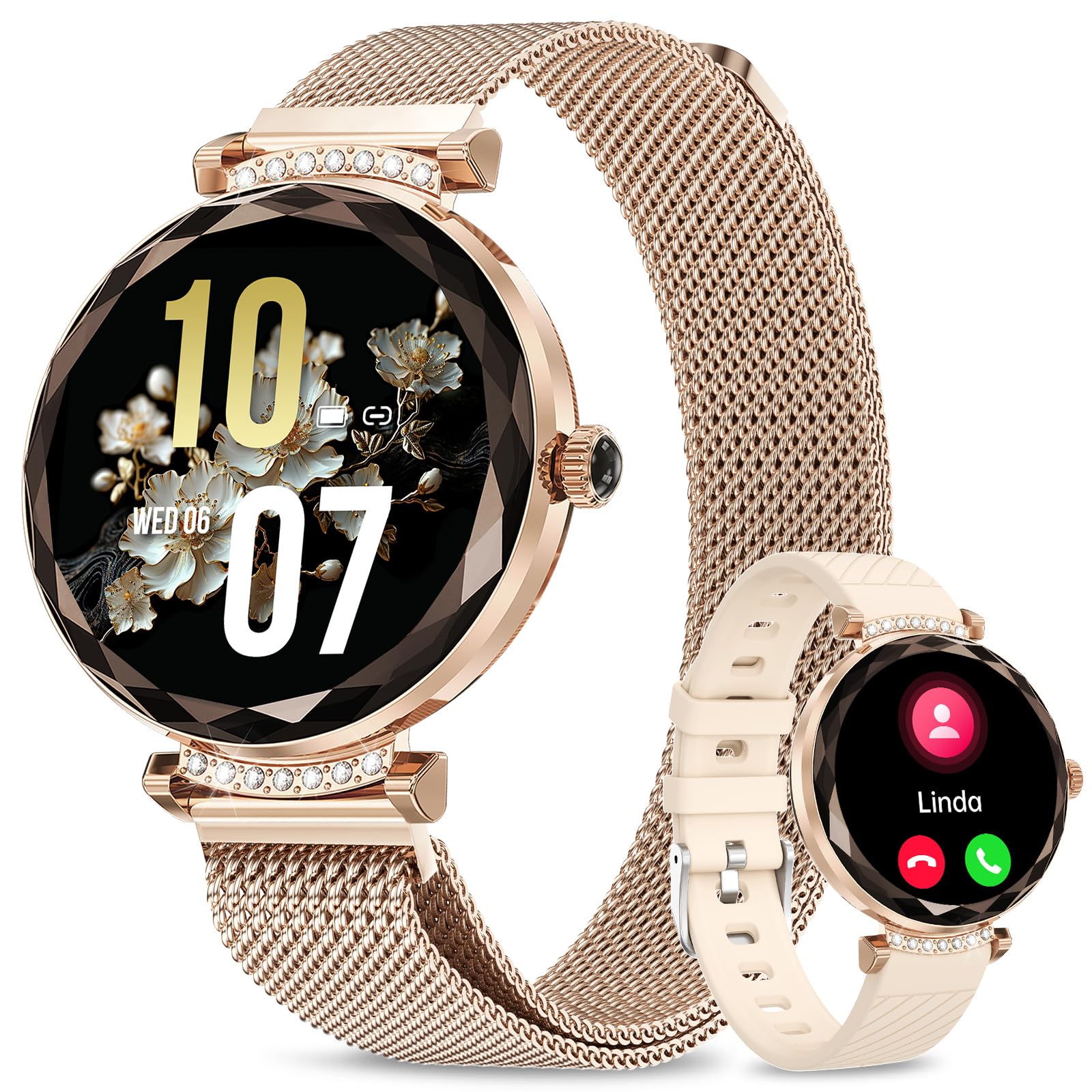
The Fitonme 1.19" AMOLED Smartwatch, featuring a rose gold finish and a vibrant display.
1. Setup and Initial Use
1.1 What's in the Box
- Fitonme Smartwatch
- Stainless Steel Strap
- Silicone Strap
- Charging Cable
1.2 Charging the Smartwatch
Before first use, fully charge your smartwatch. Connect the magnetic charging cable to the charging points on the back of the watch and plug the USB end into a power adapter (not included).
- Charging Time: Approximately 2 hours.
- Battery Life: 5-7 days of typical use.
- Standby Time: Up to 30 days.

The smartwatch connected to its magnetic charging cable, illustrating the charging process and battery specifications.
1.3 App Installation and Pairing
To unlock all features, download and install the "Fitcloudpro" app on your smartphone.
- Scan the QR code in the watch manual or search for "Fitcloudpro" in your phone's app store (iOS 10.0+ or Android 5.0+).
- Open the app and create an account or log in.
- Enable Bluetooth on your smartphone.
- In the "Fitcloudpro" app, navigate to "Device" and select "Add Device".
- Choose your Fitonme smartwatch from the list of available devices to pair.
- Confirm the pairing request on both your phone and the smartwatch.

Illustration of the smartwatch connecting to a smartphone via the Fitcloudpro app, showing compatibility with Android and iOS.
2. Operating Instructions
2.1 Basic Navigation
- Touchscreen: Swipe left/right, up/down to navigate menus and functions. Tap to select.
- Side Button: Press to wake the screen, return to the home screen, or access the main menu.
2.2 Customizing Watch Faces
The smartwatch features a 1.19" AMOLED HD display with 390x390 resolution. You can personalize your watch face:
- Via App: In the "Fitcloudpro" app, browse over 200 online watch faces.
- Custom Photos: Upload your favorite photos through the app to set as your watch face.

A selection of customizable watch faces available for the Fitonme smartwatch, demonstrating personalization options.
2.3 Bluetooth Calling and Notifications
With a built-in HD microphone and speaker, you can manage calls directly from your smartwatch.
- Making/Receiving Calls: Once connected via Bluetooth, you can dial numbers or answer incoming calls on the watch.
- Contact Sync: Synchronize your phone contacts to the smartwatch for easy access.
- Message Notifications: Receive alerts for messages from apps like WhatsApp, Facebook, Instagram, Twitter, Skype, and Line. Notifications are displayed on the watch screen with sound or vibration alerts.

The smartwatch screen showing an active Bluetooth call, demonstrating its communication capabilities.
3. Health Monitoring
The Fitonme smartwatch is equipped with an advanced HX3602 sensor and STK8321 gravity sensor for comprehensive health tracking.
3.1 Heart Rate Monitoring
Monitor your heart rate in real-time throughout the day. Access historical data in the "Fitcloudpro" app.

The smartwatch showing a heart rate reading, indicating its continuous monitoring feature.
3.2 Blood Oxygen (SpO2) Monitoring
Track your blood oxygen levels to gain insights into your respiratory health.

The smartwatch displaying a blood oxygen saturation (SpO2) reading.
3.3 Sleep Monitoring
The smartwatch automatically monitors your sleep patterns, including deep sleep, light sleep, and sleep duration. Analyze your sleep quality in the "Fitcloudpro" app to promote healthier habits.

The smartwatch interface showing sleep monitoring data, including sleep stages and duration.
3.4 Breath Training & Menstrual Cycle Tracking
- Breath Training: Utilize guided breath training exercises for relaxation and stress reduction.
- Menstrual Cycle Tracking: The smartwatch supports tracking of menstrual periods, safe periods, and ovulation periods, providing reminders based on your data.

The smartwatch displaying a menstrual cycle tracking calendar, assisting with women's health management.
4. Sports Modes and Activity Tracking
The smartwatch supports over 100 sports modes and automatically tracks your daily activity.
4.1 Activity Tracking
Automatically monitors daily steps, distance, and calories burned. View detailed statistics in the "Fitcloudpro" app.
4.2 Multi-Sport Modes
Choose from over 100 sports modes, including:
- Walking
- Running
- Cycling
- Football
- Climbing
- Yoga
- And many more.
The "Fitcloudpro" app records your exercise data in real-time, allowing you to monitor progress and adjust your training plan.

The smartwatch interface showing various sport modes and automatic workout detection features.
4.3 Water Resistance (IP68)
The smartwatch is IP68 waterproof (5ATM), suitable for daily use like hand washing and light rain. Note: Not suitable for sauna, hot water (above 45°C), or diving.

An image demonstrating the smartwatch's 5 ATM water resistance, suitable for various water activities.
5. Other Practical Features
Your Fitonme smartwatch offers a variety of convenient functions:
- Alarm Clock: Set multiple alarms.
- Stopwatch & Timer: For precise timing.
- Calculator: Perform basic calculations.
- Music Control: Control music playback on your smartphone.
- Weather Forecast: Get real-time weather updates.
- Sedentary Reminder: Alerts you to move after periods of inactivity.
- Find Phone: Locate your paired smartphone.
- Calendar: View dates and schedule.
- Camera Control: Remotely control your phone's camera.
- Brightness Adjustment: Adjust screen brightness.
- Always On Display: Keep essential information visible.

A collage of smartwatch screens demonstrating various practical features like calculator, music control, weather, and camera remote.
6. Maintenance
6.1 Cleaning Your Smartwatch
- Wipe the screen and body with a soft, damp cloth.
- For the straps, use a mild soap solution and rinse thoroughly. Ensure the watch is dry before wearing.
- Avoid using harsh chemicals or abrasive materials.
6.2 Strap Adjustment
The smartwatch comes with both a stainless steel mesh strap and a silicone strap. Ensure the strap is adjusted for a comfortable and secure fit to ensure accurate health monitoring.

Illustration showing the correct and incorrect way to wear the smartwatch strap for optimal comfort and sensor accuracy.
6.3 Storage
When not in use for extended periods, store the smartwatch in a cool, dry place away from direct sunlight and extreme temperatures.
7. Troubleshooting
| Problem | Possible Solution |
|---|---|
| Smartwatch won't turn on. | Ensure the watch is fully charged. Connect it to the charger for at least 10 minutes. |
| Cannot pair with smartphone. |
|
| Inaccurate health data. |
|
| Notifications not received. |
|
| Short battery life. |
|
8. Technical Specifications
| Feature | Detail |
|---|---|
| Model Number | 1-Rose Gold |
| Display | 1.19 inch AMOLED HD Touchscreen |
| Resolution | 390 x 390 pixels |
| Connectivity | Bluetooth 5.0 |
| Battery Capacity | 170 mAh Lithium Polymer |
| Charging Time | Approx. 2 hours |
| Battery Life (Typical Use) | 5-7 days |
| Standby Time | Up to 30 days |
| Water Resistance | IP68 (5ATM, up to 50 meters) |
| Compatibility | iOS 10.0+ / Android 5.0+ |
| App | Fitcloudpro |
| Sensors | HX3602 (Heart Rate, SpO2), STK8321 (Gravity) |
| Memory | 128 MB Storage, 10 MB RAM |
| Case Material | Alloy Steel |
| Strap Material | Stainless Steel, Silicone |
| Dimensions (Package) | 28.2 x 10 x 1.9 cm |
| Weight (Package) | 180 g |

A visual representation of the smartwatch's dimensions and included accessories.
9. Warranty and Support
Fitonme provides a comprehensive warranty and dedicated customer support for your smartwatch.
- 24-Month Warranty: Your smartwatch is covered by a 24-month warranty from the date of purchase.
- 30-Day Return Policy: Enjoy a 30-day return policy for a full refund.
- 24-Hour Online Customer Service: If you encounter any quality issues or have operational questions, please contact our professional after-sales service team. We are available to assist you within 24 hours.

Icons representing 24-hour customer service, 30-day return policy, and a 2-year warranty.