
NEWTRENDS Smart Ring User Manual
Model: ZY-CGJZ SL 10
Introduction
This manual provides essential instructions for setting up, operating, and maintaining your NEWTRENDS Smart Ring, Model ZY-CGJZ SL 10. Please read this guide thoroughly to ensure proper use and to maximize the benefits of your device.
Package Contents
- 1 x NEWTRENDS Smart Ring
- 1 x Charging Cable
- 1 x User Manual (This document)
Product Overview
The NEWTRENDS Smart Ring is a wearable fitness tracker designed to monitor various health metrics. Key features include:
- Heart Rate Monitoring: Advanced dynamic monitoring for real-time heart rate tracking.
- Blood Oxygen Monitoring: Optical sensor for quick SpO2 detection.
- Sleep Monitoring: Records sleep structure, including light and deep sleep phases.
- Multi-Sport Mode: Tracks data for various activities like walking, running, cycling, and step counting.
- APP Connectivity: Connects via Bluetooth to the QRing app for data viewing and management.
- Remote Camera Control: Allows remote activation of your phone's camera.
- IP68 Waterproof: Suitable for swimming, diving, and showering.
- Lightweight Design: Crafted from ceramic and stainless steel for comfort and durability.
Getting Started
1. Ring Sizing
To ensure accurate readings and comfortable wear, select the correct ring size. Refer to the standard ring size chart provided.

Image: A diagram showing how to measure finger circumference with a string and ruler, alongside an international ring size comparison table (USA, UK, Japan, Germany, France, Switzerland, China) with corresponding lengths and diameters. Available sizes are 8, 9, 10, 11.
2. Charging the Device
Before first use, fully charge your Smart Ring.
- Connect the magnetic charging cable to the charging port on the ring.
- Connect the other end of the cable to a USB power source.
- The ring typically charges fully in approximately 1 hour.
- Monitor the battery level via the QRing app.
Important:
Regularly clean the charging port to prevent charging issues caused by dirt or debris.

Image: A close-up of the smart ring connected to its magnetic charging cable, with text indicating "Magnetic fast charging" and charging times (1 hour for full charge, 6 days normal use, 8-12 days standby).
3. App Installation and Pairing
The NEWTRENDS Smart Ring connects to your smartphone via the QRing application.
- Download the "QRing" app from your device's app store (compatible with Android 5.0+ and iOS 8.0+).
- Enable Bluetooth on your smartphone.
- Open the QRing app and follow the on-screen instructions to pair your Smart Ring.
- Ensure the ring is charged and within Bluetooth range during pairing.
Note:
Grant necessary permissions to the app for full functionality and notifications.
Operating the Smart Ring
1. Heart Rate Monitoring
The ring continuously tracks your heart rate. View real-time and historical data in the QRing app.

Image: A person wearing the smart ring while cycling, with a smartphone screen displaying heart rate data (current BPM, average, minimum, maximum) and a graph of heart rate over time within the QRing app.
2. Blood Oxygen Monitoring
The optical sensor allows for real-time blood oxygen (SpO2) detection.
- Access the blood oxygen monitoring feature within the QRing app.
- Follow any prompts to initiate a measurement or view scheduled readings.
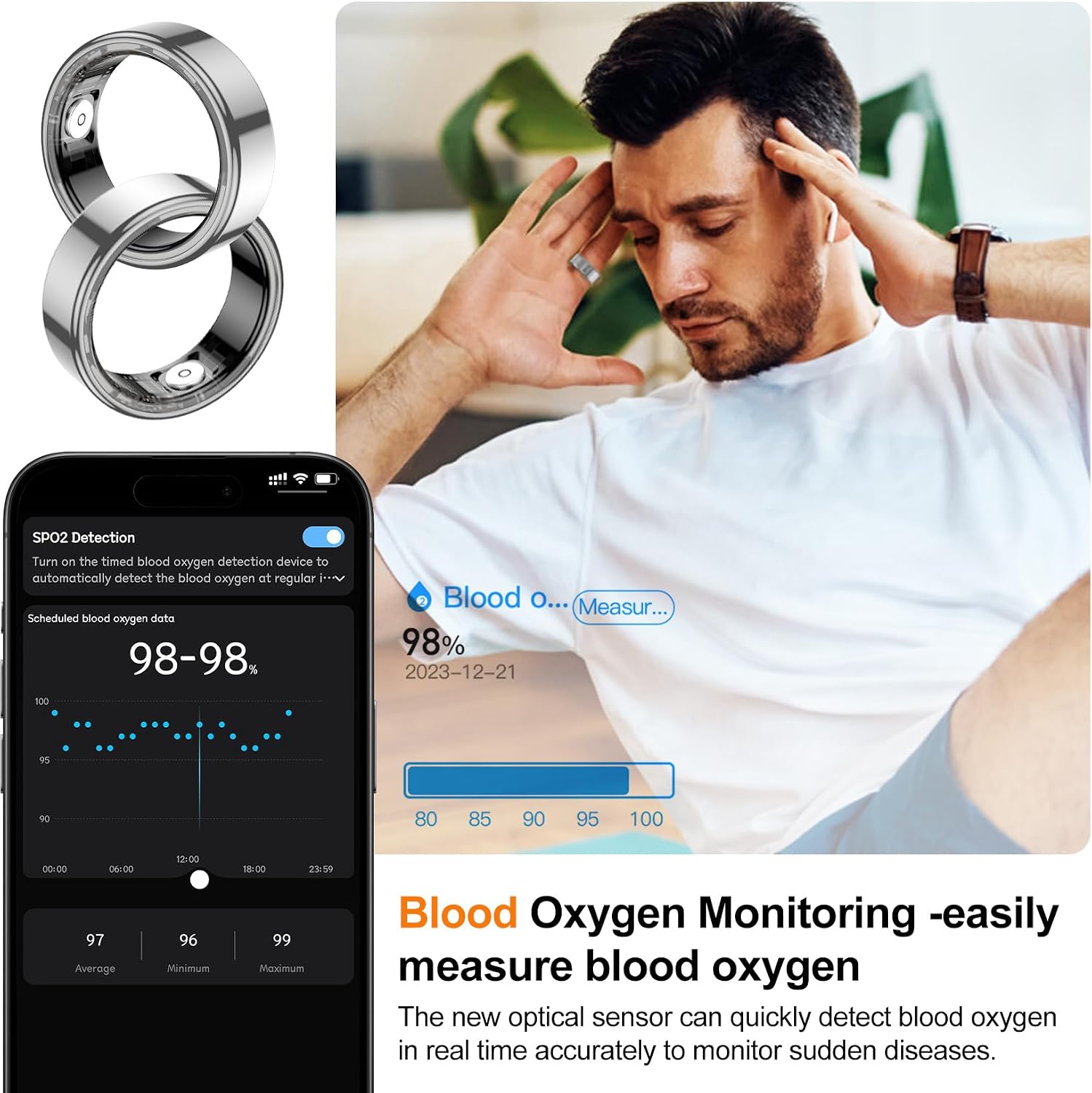
Image: A smartphone screen showing blood oxygen detection data (98-98% scheduled, 98% current) with a graph of SpO2 levels over time in the QRing app. A person is shown holding their head, implying health monitoring.
3. Sleep Monitoring
Wear the ring during sleep to record your sleep patterns. The app provides a detailed analysis of your sleep structure, including light and deep sleep.

Image: A person sleeping with the smart ring on, alongside smartphone screens displaying sleep data from the QRing app, including total sleep duration, light sleep, deep sleep, sleep efficiency, and average heart rate during sleep.
4. Multi-Sport Mode and Step Counting
The ring supports tracking for various sports and daily activities.
- Select your desired sport mode within the QRing app.
- The app records exercise data such as time, distance, heart rate changes, and calorie consumption.
- Daily step count is automatically tracked.

Image: A woman running outdoors with the smart ring on, next to smartphone screens showing various sport modes (walk, run, cycling, hiking, yoga, etc.) and daily activity data including steps, distance, and calories burned.
5. Remote Camera Control
Use the smart ring to remotely control your phone's camera for easy photo capture.
- Open your phone's camera app.
- Follow the QRing app instructions to enable remote control.
- A simple hand gesture can trigger the camera shutter.

Image: A group of friends taking a selfie, with a hand wearing the smart ring positioned to suggest remote camera activation. A smartphone screen shows the camera interface.
Maintenance
1. Waterproofing
The NEWTRENDS Smart Ring features an IP68 waterproof rating, allowing it to be worn during swimming, diving, snorkeling, and showering.

Image: A woman in a swimming pool, wearing the smart ring, demonstrating its IP68 waterproof capability. Insets show the ring's classical design and lightweight (4.4g, 2.7mm thickness).
2. Cleaning
To maintain optimal performance and hygiene, regularly clean your Smart Ring.
- Wipe the ring with a soft, damp cloth.
- Ensure the charging contacts are free of dirt and debris to prevent charging issues.
- Avoid using harsh chemicals or abrasive materials.
Troubleshooting
1. Connectivity Issues
If the ring fails to connect to the QRing app:
- Ensure Bluetooth is enabled on your smartphone.
- Verify the ring is charged.
- Restart the QRing app and your phone's Bluetooth.
- Try unpairing and re-pairing the device in the app settings.
2. Inaccurate Readings
If health data appears inconsistent:
- Ensure the ring is worn correctly and snugly on your finger.
- Avoid excessive movement during measurements.
- Calibrate the device if an option is available in the app.
- Compare readings with other reliable devices if concerns persist.
3. Charging Problems
If the ring is not charging:
- Check that the magnetic charging cable is securely attached.
- Clean the charging contacts on both the ring and the cable.
- Try a different USB power source.
4. No Low Battery Notifications
Some users may experience a lack of low battery notifications. It is recommended to regularly check the battery status within the QRing app to avoid unexpected power loss.
Specifications
| Feature | Detail |
|---|---|
| Model Name | ZY-CGJZ SL 10 |
| Brand | NEWTRENDS |
| Product Dimensions | 0.3 x 0.1 x 0.1 inches |
| Item Weight | 2.82 ounces (80 Grams) |
| Batteries | 1 Lithium Polymer battery (included) |
| Battery Capacity | 17 mAh |
| Charging Time | Approx. 1 hour (Magnetic Fast Charging) |
| Normal Usage Time | Up to 6 days |
| Standby Time | 8-12 days |
| Waterproof Level | IP68 |
| Connectivity | Bluetooth |
| App Compatibility | Android 5.0+, iOS 8.0+ |
| Operating Temperature | 0-50°C |
| Material | Stainless Steel, Ceramic, Resin |

Image: A visual summary of key specifications for the NEWTRENDS Smart Ring, including APP name (QRing), battery type, chipset, compatibility, battery capacity, weight, life time, waterproof level, magnetic charging, and product material.
Warranty and Support
For warranty information or technical support, please refer to the contact details provided with your purchase or visit the official NEWTRENDS website. Keep your purchase receipt for warranty claims.