
1. Introduction
Thank you for choosing the Philips Neopix 550 Home Cinema Video Projector. This manual provides essential information for setting up, operating, and maintaining your projector to ensure optimal performance and longevity. Please read this manual thoroughly before using the device.

The Philips Neopix 550 Home Cinema Video Projector in white, showcasing its sleek design and lens.
2. Safety Instructions
To prevent fire or electric shock, do not expose this appliance to rain or moisture. Do not open the casing. Refer servicing to qualified personnel only.
- Do not block ventilation openings.
- Use only attachments/accessories specified by the manufacturer.
- Unplug this apparatus during lightning storms or when unused for long periods.
- Keep the projector away from direct sunlight, heat sources, and excessive dust.
3. Package Contents
Verify that all items are present in your package:
- Philips Neopix 550 Projector
- Remote Control
- User Manual
- Power Adapter
4. Product Overview
4.1. Key Features
- Full HD 1080p Resolution for immersive viewing.
- Advanced LED Light Source with 500 ANSI lumens for brilliant colors and long-lasting performance (over 30,000 hours).
- Wi-Fi Mirror Mode for wireless content sharing.
- Built-in Stereo Speakers for enhanced audio.
- Advanced Image Correction: Auto Vertical Keystone and 4-Corner Correction.
- LuminOS with integrated smart applications.
- Bluetooth 4.2 connectivity.
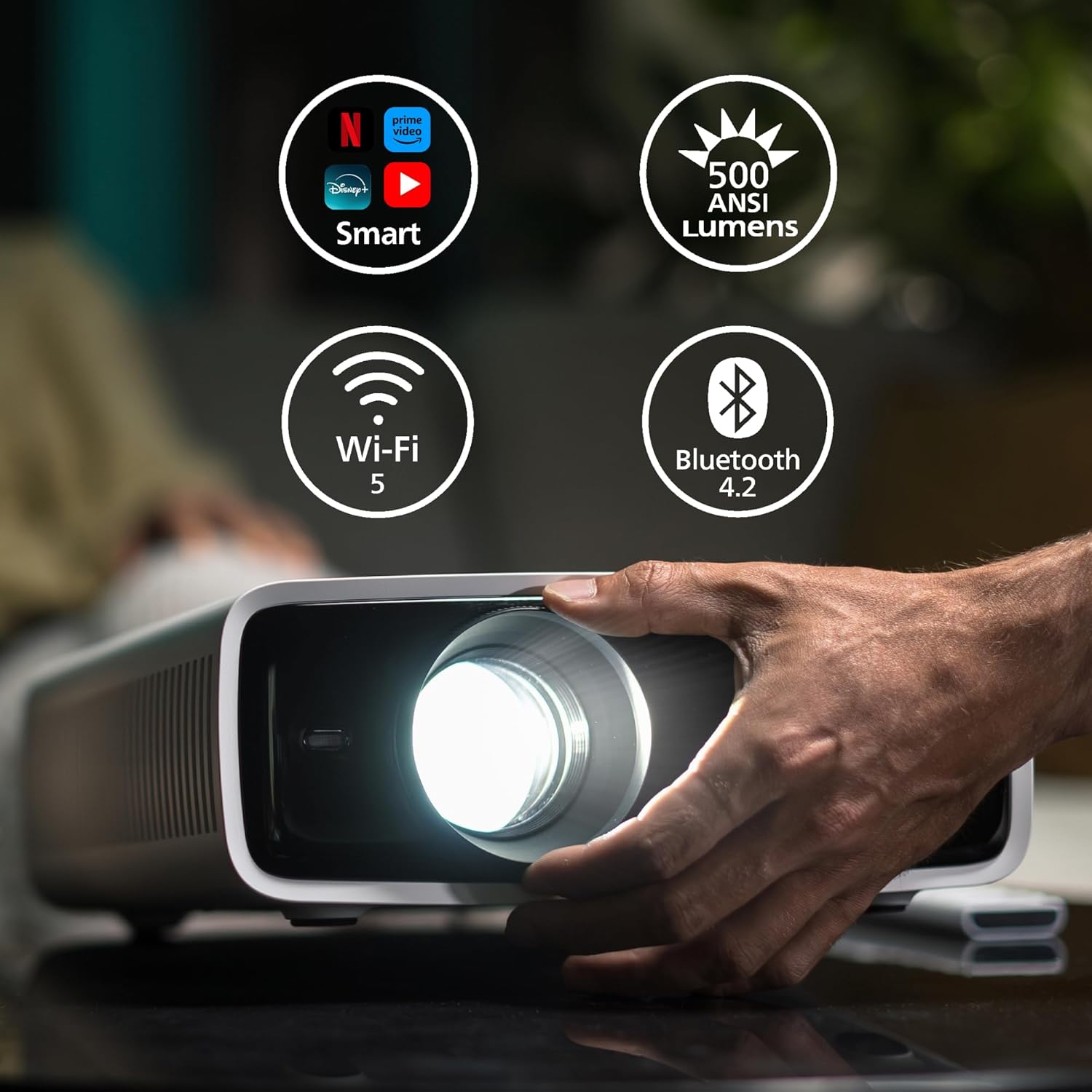
The projector highlighting its smart capabilities, 500 ANSI lumens brightness, Wi-Fi 5, and Bluetooth 4.2 connectivity.
4.2. Ports and Controls
Familiarize yourself with the input/output ports and control buttons on your projector.

Rear view of the Philips Neopix 550 showing its connectivity options: Power button, IR receiver, USB (5V/1.5A), HDMI, Audio Out (3.5mm), and USB-C ports.
The top panel features navigation buttons and an OK button for menu control, along with a power button and focus ring for manual adjustments.

A hand demonstrating the manual focus adjustment on the projector lens.
5. Setup
5.1. Placement
Place the projector on a stable, flat surface. Ensure there is adequate ventilation around the device. The optimal projection distance varies based on desired screen size.

A diagram illustrating recommended projection distances for various screen sizes, showing how to achieve a large image up to 100 inches.
5.2. Power Connection
Connect the provided power adapter to the DC IN port on the projector, then plug the adapter into a power outlet.
5.3. Focus and Keystone Adjustment
After powering on, adjust the focus ring on the lens until the image is clear. The projector features automatic vertical keystone correction. For further image alignment, use the 4-corner correction feature via the on-screen menu.

An image demonstrating the projector's auto keystone and 4-corner correction capabilities, ensuring a perfectly rectangular image even when projected at an angle.
6. Operating the Projector
6.1. Connecting Devices
The Neopix 550 offers various connectivity options:
- HDMI: Connect Blu-ray players, game consoles, or laptops.
- USB: Play media files directly from a USB drive.
- USB-C: Connect compatible devices for video and audio output.
- Wi-Fi Mirroring: Wirelessly mirror content from your smartphone, tablet, or laptop. Navigate to the Wi-Fi Mirroring option in the projector's menu and follow the on-screen instructions.
- Bluetooth: Connect external Bluetooth speakers or headphones for enhanced audio.

An illustration of the projector's versatile connectivity, including HDMI, USB, AUX, Wi-Fi, and Bluetooth.
6.2. Smart Features and LuminOS
The projector runs on LuminOS, providing access to various smart applications for streaming content directly. Use the remote control to navigate the interface.

The LuminOS interface displayed on a projected screen, showing various streaming applications like Netflix, Disney+, and YouTube.
6.3. Remote Control Usage
The included remote control allows for easy navigation of menus, volume adjustment, input selection, and power control.

A hand holding the white Philips remote control, ready to operate the projector.
7. Maintenance
7.1. Cleaning
- Lens: Use a soft, lint-free cloth specifically designed for optical lenses. Do not use abrasive cleaners.
- Casing: Wipe the projector casing with a soft, dry cloth. For stubborn marks, use a slightly damp cloth and mild detergent, then wipe dry.
- Ventilation: Regularly check and clean the ventilation openings to ensure proper airflow and prevent overheating.
7.2. Storage
When not in use for extended periods, store the projector in a cool, dry place, away from direct sunlight and extreme temperatures. Use the original packaging or a protective case to prevent dust accumulation and damage.
8. Troubleshooting
If you encounter issues with your projector, refer to the following common problems and solutions:
| Problem | Possible Cause | Solution |
|---|---|---|
| No image displayed | Power cable loose; Incorrect input source; Device not connected | Check power connection; Select correct input (HDMI, USB, etc.); Ensure device is properly connected and powered on |
| Image blurry | Focus not adjusted; Projector too close/far | Adjust focus ring; Refer to placement guidelines for optimal distance |
| No sound | Volume too low; External audio device not connected; Incorrect audio output selected | Increase volume; Connect external speakers via 3.5mm or Bluetooth; Check audio settings on projector and source device |
| Wi-Fi mirroring issues | Network issues; Device incompatibility | Ensure both devices are on the same Wi-Fi network; Restart projector and source device; Check device compatibility for mirroring |
9. Specifications
Detailed technical specifications for the Philips Neopix 550 Projector:
- Brand: PHILIPS
- Model: Neopix 550 (NPX550/INT)
- Display Resolution: 1920 x 1080 (Full HD 1080p)
- Light Source: Advanced LED
- Brightness: 500 ANSI Lumens
- Light Source Lifetime: Over 30,000 hours
- Connectivity Technology: Wi-Fi (Wi-Fi 5), Bluetooth (Bluetooth 4.2), HDMI, USB, USB-C, 3.5mm Audio Out
- Special Features: Advanced Image Correction (Auto Keystone, 4-Corner Correction), Stereo Sound, Wi-Fi Mirror Mode, LuminOS Smart System
- Recommended Uses: Home Cinema
- Item Weight: Approximately 6.6 pounds (3.0 kg)
- Color: White
- Dimensions: Approximately 10.79 x 11.57 x 4.21 inches (274 x 294 x 107 mm)
10. Warranty and Support
For warranty information and technical support, please refer to the warranty card included with your product or visit the official Philips Projection website. Keep your purchase receipt as proof of purchase for warranty claims.
Online Support: www.philips.com/support