
TODIMART G2
TODIMART G2 Electric Scooter User Manual
Model: G2-500W-10.4Ah(argento)
1. Introduction
Welcome to the user manual for your new TODIMART G2 Electric Scooter. This manual provides essential information for the safe assembly, operation, maintenance, and troubleshooting of your scooter. Please read it thoroughly before your first ride to ensure optimal performance and safety.
What's in the Box
- TODIMART G2 Electric Scooter
- User Manual
- Charger
- Tools for assembly
2. Safety Guidelines
Your safety is paramount. Always adhere to the following guidelines:
- Always wear a helmet and appropriate safety gear (knee pads, elbow pads).
- Familiarize yourself with local laws and regulations regarding electric scooter use.
- Do not ride in heavy rain or through puddles deeper than 2 cm. The scooter is not fully waterproof.
- Ensure all bolts and quick releases are securely tightened before each ride.
- Maintain a safe speed and distance from other vehicles and pedestrians.
- Avoid riding on slippery surfaces, steep inclines, or uneven terrain.
- Do not allow children under the recommended age (Adults) to operate the scooter.
- Maximum load capacity: 130-150 kg. Do not exceed this limit.
- Perform regular brake checks.
- Use the front and rear lights for visibility, especially at night.
- Utilize turn indicators when changing direction.
3. Setup and Initial Assembly
The TODIMART G2 Electric Scooter comes partially assembled. Follow these steps for quick setup:
- Unpacking: Carefully remove the scooter and all accessories from the packaging.
- Handlebar Installation: Lift the handlebar stem to its upright position. Secure the folding mechanism firmly until it clicks into place. Ensure the handlebar is straight and aligned with the front wheel.
- Handlebar Tightening: Use the provided tools to tighten any loose bolts on the handlebar and stem. Ensure the handlebar is stable and does not wobble.
- Initial Charge: Before first use, fully charge the scooter's battery. Connect the charger to the charging port and plug it into a power outlet. The charging indicator on the charger will change color when fully charged (approx. 6-8 hours).
- Tire Check: Inspect the 10-inch pneumatic tires for proper inflation. Refer to the tire sidewall for recommended pressure.
- Brake Adjustment: Test both front and rear brakes to ensure they are responsive and effective. Adjust if necessary according to the brake system instructions.

Image: The TODIMART G2 Electric Scooter in its unfolded state, with an inset showing its compact folded form. This illustrates the scooter's design and portability.
4. Operating Your Scooter
Power On/Off
Press and hold the power button on the display to turn the scooter on or off.
Display Functions
The color LCD display provides real-time information:
- Speed: Current riding speed.
- Range: Estimated remaining distance.
- Battery Status: Current battery charge level.
- Speed Mode: Indicates the active speed setting.
- Odometer: Total distance traveled.

Image: Close-up of the TODIMART G2 Electric Scooter's intelligent HD multifunctional LED display, showing speed, battery, and mode indicators. This highlights the user interface.
Speed Modes
The scooter features 3 adjustable speed modes. Press the mode button to cycle through them. The maximum speed is locked at 25 km/h for compliance with regulations.
Braking System
The G2 is equipped with a dual integrated braking system (front and rear brakes) for efficient stopping power. Apply both brakes gently and evenly for controlled deceleration.
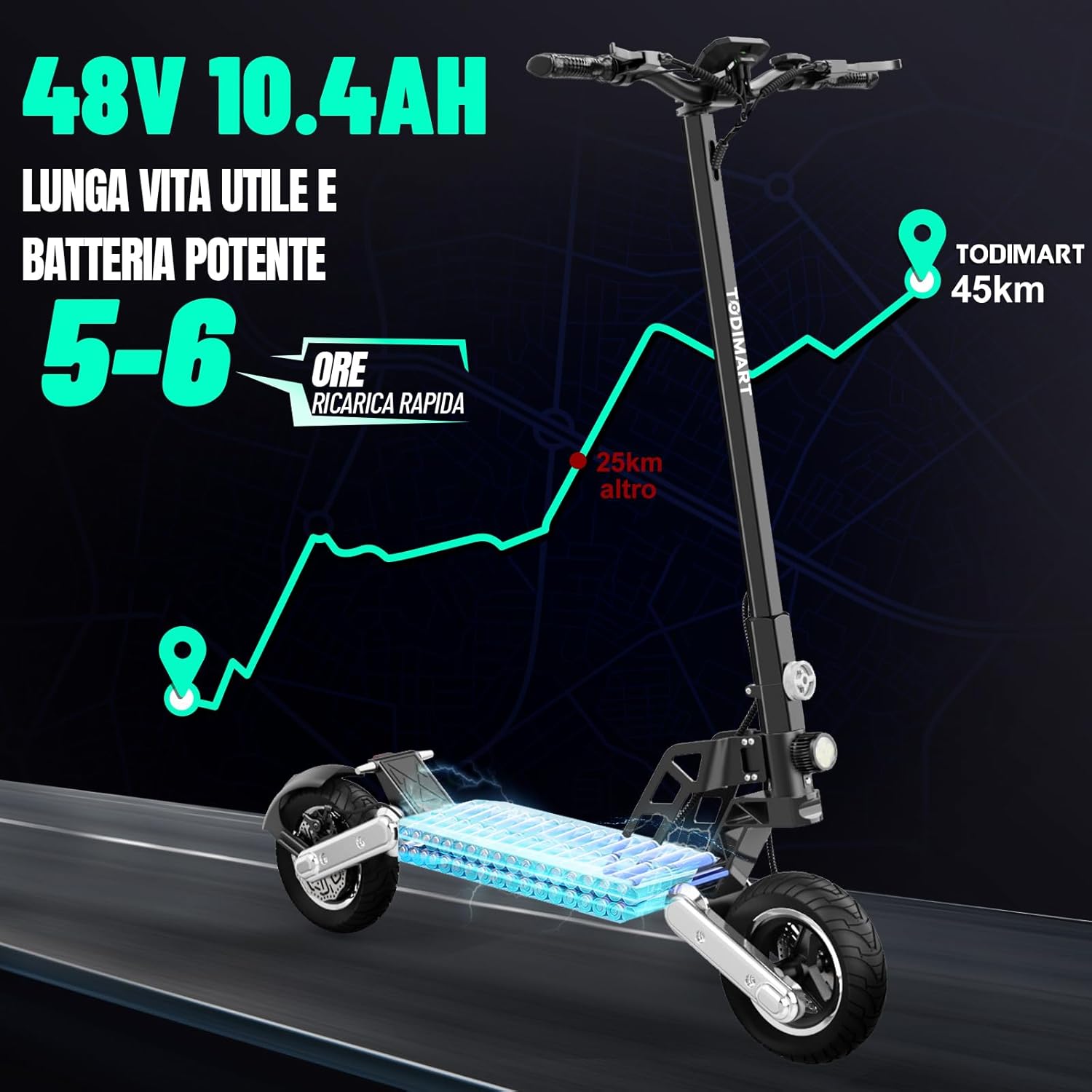
Image: The TODIMART G2 Electric Scooter showcasing its 10-inch pneumatic tires and dual suspension system, designed for all terrains and efficient shock absorption. This emphasizes ride comfort and stability.
Folding Mechanism
The scooter features an ultra-compact 3-second folding design for easy transport and storage. Locate the folding latch on the stem, release it, and fold the stem down until it locks into place.
5. Maintenance
Battery Care
- Charge the battery fully before first use and after each ride.
- Avoid completely draining the battery.
- If storing the scooter for an extended period, charge the battery to 50-70% every 2-3 months.
- Use only the original charger provided.
Tire Maintenance
- Regularly check the pressure of the 10-inch pneumatic tires. Proper inflation ensures optimal range and ride comfort.
- Inspect tires for wear and tear, and replace if necessary.
Brake System
- Periodically check the front and rear disc brakes for proper function and wear.
- Ensure brake levers are responsive and cables are not frayed.
Cleaning and Storage
- Clean the scooter with a damp cloth. Do not use high-pressure water jets.
- Store the scooter in a cool, dry place, away from direct sunlight and extreme temperatures.
6. Troubleshooting
| Problem | Possible Cause | Solution |
|---|---|---|
| Scooter does not power on | Low battery; Loose connections; Power button issue | Charge battery; Check all visible connections; Contact support |
| Reduced range/speed | Low battery; Overload; Tire pressure; Steep terrain | Fully charge; Reduce load; Inflate tires; Ride on flatter surfaces |
| Brakes not effective | Worn brake pads; Loose brake cable; Misaligned calipers | Inspect/replace pads; Adjust cable tension; Adjust calipers (professional help recommended) |
| Unusual noises | Loose components; Debris in wheel; Motor issue | Check all bolts; Clear debris; Contact support |
7. Product Specifications
| Feature | Detail |
|---|---|
| Model | G2-500W-10.4Ah(argento) |
| Motor Power | 500W Brushless Motor |
| Battery | 48V 10.4Ah Lithium Battery |
| Max Range | 40-45 KM (depending on conditions) |
| Charging Time | 6-8 hours |
| Max Load | 130-150 kg |
| Tire Size | 10-inch Pneumatic Tires |
| Braking System | Dual Integrated (Front/Rear) |
| Suspension | Dual Suspension |
| Frame Material | High-Quality Aluminum Alloy |
| Product Dimensions | 120 x 62 x 116 cm (unfolded) |
| Product Weight | 22 kg |
| Special Features | Digital Display, Headlights, Foldable, Rechargeable, Turn Indicators, Buzzer |
8. Warranty and Support
TODIMART is committed to providing high-quality products and excellent customer service. Your TODIMART G2 Electric Scooter comes with a manufacturer's warranty. Please refer to the warranty card included in your package for specific terms and conditions.
For any technical assistance, warranty claims, or general inquiries, please contact TODIMART customer support. We have warehouses in Europe for quick deliveries and impeccable after-sales service.
Contact Information: Refer to the contact details provided on the product packaging or the official TODIMART website.