
1. Introduction
Thank you for choosing the Jumper 12V 3A Charger. This manual provides essential information for the safe and efficient use of your new charger. Please read these instructions carefully before using the product and retain them for future reference.
2. Safety Instructions
To ensure safe operation and prevent damage, please observe the following safety precautions:
- Do not expose the charger to water, rain, or excessive moisture.
- Avoid using the charger in extremely hot or cold environments.
- Do not disassemble, modify, or attempt to repair the charger yourself. Refer all servicing to qualified personnel.
- Ensure the power outlet voltage matches the charger's input requirements.
- Keep the charger away from children and pets.
- Unplug the charger from the power outlet when not in use or during electrical storms.
- Do not use the charger if the cable or plug is damaged.
3. Package Contents
Please check the package for the following items:
- 1 x Jumper 12V 3A Charger
- 1 x AC Power Cord
4. Product Overview
The Jumper 12V 3A Charger is designed to provide reliable power to compatible laptops. It features a compact design for portability and ease of use.
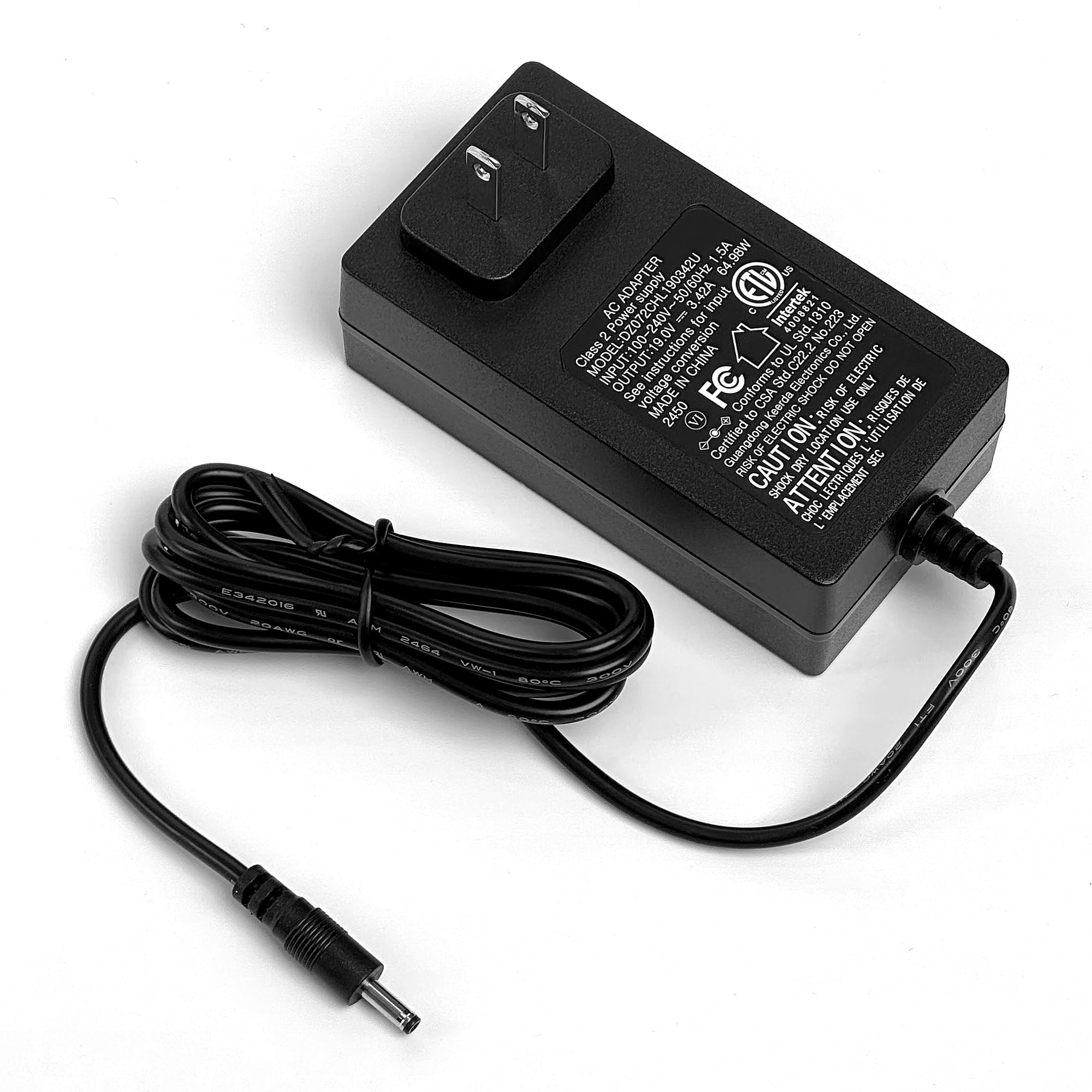
Figure 1: Jumper 12V 3A Charger. This image displays the charger unit with its power input and output cables, featuring a MagSafe-type connector for laptop compatibility.
5. Setup Instructions
- Connect the AC Power Cord: Plug one end of the AC power cord into the charger's power input port.
- Connect to Power Outlet: Plug the other end of the AC power cord into a standard wall power outlet.
- Connect to Laptop: Carefully insert the MagSafe connector of the charger's output cable into the charging port of your compatible laptop. Ensure a secure connection.
- Verify Connection: Some laptops or chargers may have an indicator light that illuminates when charging. Observe your laptop's charging status.
6. Operating Instructions
Once properly set up, the Jumper 12V 3A Charger will automatically begin charging your compatible laptop. The charging process is typically indicated by a light on your laptop or the charger itself (if equipped).
- Charging Status: Refer to your laptop's operating system or indicator lights for the current charging status.
- Disconnecting: To disconnect, gently pull the MagSafe connector straight out from your laptop's charging port. Then, unplug the charger from the wall outlet.
7. Maintenance
Proper maintenance ensures the longevity and optimal performance of your charger:
- Cleaning: Disconnect the charger from all power sources before cleaning. Use a soft, dry cloth to wipe the surface. Do not use liquid cleaners or aerosols.
- Storage: Store the charger in a cool, dry place when not in use. Avoid wrapping the cable too tightly around the charger to prevent damage.
- Cable Care: Do not bend, twist, or pinch the power cable excessively. Avoid placing heavy objects on the cable.
8. Troubleshooting
If you encounter issues with your Jumper 12V 3A Charger, please refer to the following common solutions:
| Problem | Possible Cause | Solution |
|---|---|---|
| Charger not powering on / Laptop not charging | No power from outlet; Loose connection; Damaged cable/charger | Check power outlet with another device; Ensure all connections are secure; Inspect cable and charger for visible damage. If damaged, discontinue use. |
| Charger feels hot during use | Normal operation; Poor ventilation; Overload | A slight warmth is normal. Ensure the charger is in a well-ventilated area. If excessively hot, disconnect immediately and contact support. |
| Laptop charges slowly | High power consumption by laptop; Incorrect charger specifications | Close unnecessary applications on your laptop. Verify that the charger's specifications (12V 3A) match your laptop's requirements. |
9. Specifications
| Feature | Detail |
|---|---|
| Brand | Jumper |
| Model | 12V 3A Charger |
| Input Voltage | 12 Volts |
| Amperage | 3 Amps |
| Connector Type | MagSafe |
| Compatible Devices | Laptops |
| Item Weight | 7.8 ounces |
| Package Dimensions | 6.89 x 3.74 x 2.13 inches |
| Manufacturer | jumper |
| Date First Available | February 23, 2021 |
10. Warranty and Support
The Jumper 12V 3A Charger comes with a standard manufacturer's warranty. For detailed warranty information, technical support, or service inquiries, please refer to the warranty card included with your product or visit the official Jumper website. Please retain your proof of purchase for warranty claims.
For further assistance, you may contact Jumper customer support through their official channels.
