
1. Introduction
This manual provides instructions for the WDZP Universal Remote Control, designed for use with Xiaomi TVs. It features voice control functionality and is compatible with various Xiaomi TV models.

Figure 1: Front and back view of the WDZP Universal Remote Control. The front features various control buttons and a voice assistant button. The back shows a smooth, ergonomic design.
2. Setup
2.1 Battery Installation
The remote control requires two (2) 1.5V AAA batteries (not included). Ensure correct polarity when inserting the batteries.

Figure 2: Guide for installing two AAA batteries. The image indicates that batteries are not included and shows the battery compartment.
2.2 Pairing Instructions
To enable full functionality, including voice control, the remote must be paired with your Xiaomi TV. Follow these steps:
- Step 1: Open the remote control package and visually inspect the remote for any damage.
- Step 2: Install the required 2 AAA batteries (additional purchase required).
- Step 3: Press the Volume Up (+) and OK (Circle) buttons simultaneously. Point the remote at the center of your TV screen during this process.
- Step 4: If pairing is successful, a confirmation message should appear on your TV. If pairing fails, repeat the process. For persistent issues, contact WDZP support.

Figure 3: Visual pairing guide for the remote control. It illustrates the four steps for successful pairing, emphasizing the simultaneous press of the Volume Up and OK buttons.
3. Operating the Remote Control
3.1 Voice Control Functionality
Once paired, the remote's voice function allows for hands-free control of your Xiaomi TV. Press the dedicated voice button (often indicated by a microphone or assistant icon) and speak your command clearly.

Figure 4: The remote control actively listening for voice commands. Examples of commands include 'Turn off the TV', 'Play a movie', 'Lower the voice', and 'Play music'.
3.2 General Button Functions
The remote includes standard buttons for navigation, volume control, channel selection, and direct access to popular streaming services like Netflix and Prime Video.
4. Maintenance
To ensure the longevity and optimal performance of your remote control, follow these maintenance guidelines:
- Keep the remote clean by wiping it with a soft, dry cloth. Avoid abrasive cleaners or liquids.
- Do not expose the remote to extreme temperatures, direct sunlight, or high humidity.
- If the remote will not be used for an extended period, remove the batteries to prevent leakage.
5. Troubleshooting
5.1 Remote Not Responding
- Check if the batteries are correctly installed and have sufficient charge. Replace if necessary.
- Ensure there are no obstructions between the remote and the TV's infrared receiver.
- Re-pair the remote control with your TV using the instructions in Section 2.2.
5.2 Voice Control Not Working
- Confirm that the remote is successfully paired with your TV. Voice functionality requires pairing.
- Speak clearly and directly into the remote's microphone.
- Ensure your TV's settings allow for voice control input.
If issues persist, refer to the warranty and support information in Section 7.
6. Specifications
| Feature | Specification |
|---|---|
| Brand | WDZP |
| Compatibility | Universal for Xiaomi TVs |
| Material | High-quality ABS |
| Control Technology | Infrared (IR3.0 Advanced Technology) |
| Control Distance | Up to 12 meters (40 feet) |
| Control Angle | 180 degrees |
| Power Source | 2 x 1.5V AAA Batteries (not included) |
| Dimensions (L x W x H) | 6.38 x 1.77 x 0.47 inches |
| Item Weight | 1.76 ounces |
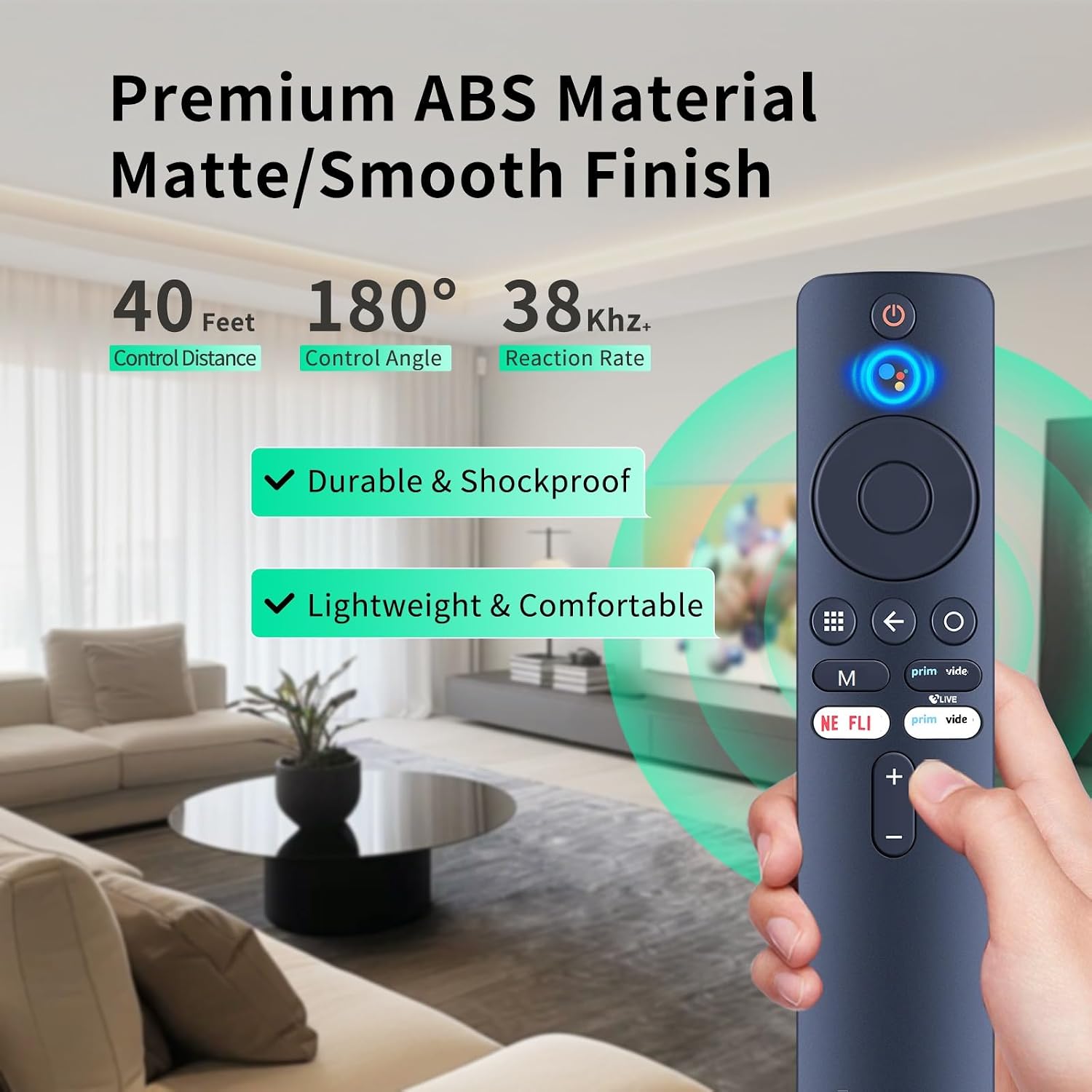
Figure 5: Key features of the remote control, including its durable ABS material, 40-foot control distance, and 180-degree control angle.
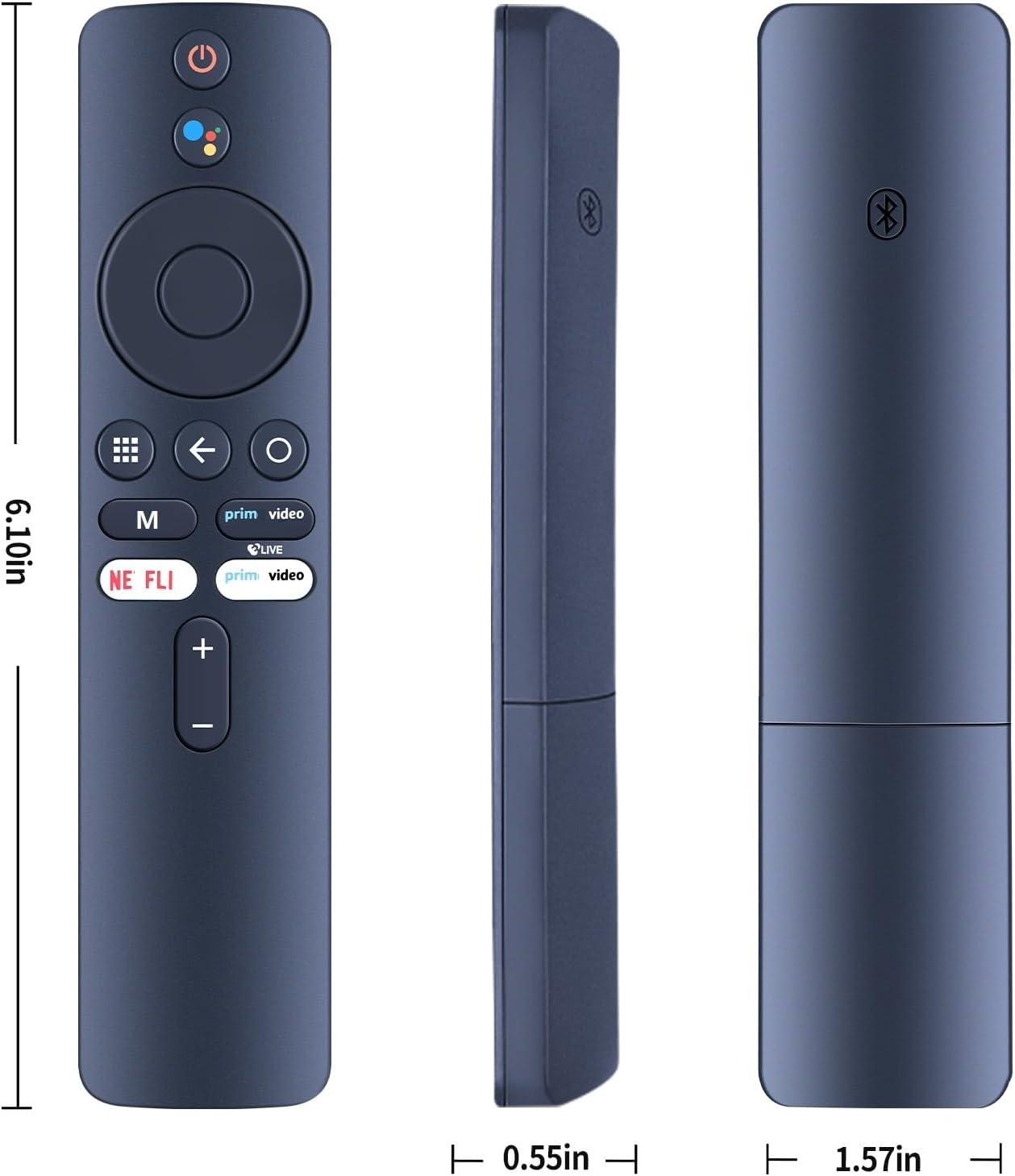
Figure 6: Detailed dimensions of the remote control, illustrating its length, width, and thickness.

Figure 7: Illustration of the remote's advanced IR3.0 chip technology, indicating improved data transfer speed.
7. Warranty and Support
The WDZP Universal Remote Control comes with a 6-month warranty. This warranty covers manufacturing defects and allows for free exchange or refund in case of quality problems.
For any issues, questions, or support needs, please contact WDZP customer service. Refer to the product packaging or purchase documentation for contact details.