
BPMIO B20
BPMIO B20 Robot Vacuum and Mop User Manual
Model: B20
1. Product Overview
The BPMIO B20 Robot Vacuum and Mop is an intelligent cleaning device designed to efficiently vacuum and mop various floor types. It features advanced navigation, strong suction power, and app control for a customized cleaning experience.

Figure 1: BPMIO B20 Robot Vacuum and Mop with its charging dock, side brushes, mop pads, cleaning tool, and a smartphone displaying the control app with a mapped home layout.
2. Package Contents
Please check the package contents upon unboxing to ensure all components are present:
- BPMIO B20 Robot Vacuum and Mop
- Charging Dock
- Power Adapter
- Side Brushes (2 pairs)
- Mop Pads (2)
- Cleaning Tool
- User Manual (this document)
3. Setup Guide
3.1 Charging Dock Placement
Place the charging dock against a wall in an open, uncluttered area. Ensure there is at least 0.5 meters (1.6 feet) of clear space on both sides of the dock and 1.5 meters (4.9 feet) in front of it. Connect the power adapter to the dock and plug it into a power outlet.
3.2 Initial Charge
Place the robot onto the charging dock. Ensure the charging contacts on the robot align with those on the dock. The robot will begin charging automatically. For first-time use, fully charge the robot before operation, which typically takes 4-5 hours.

Figure 2: The BPMIO B20 robot vacuum automatically returning to its charging base when battery is low, illustrating its recharge and resume function.
3.3 App Installation and Connection
Download the BPMIO app from your smartphone's app store. Follow the in-app instructions to connect your robot to your home Wi-Fi network. The robot supports 2.4GHz networks only.

Figure 3: A hand holding a smartphone displaying the BPMIO robot vacuum app, showing a mapped floor plan with different rooms, indicating customized cleaning options.
4. Operating Instructions
4.1 Starting a Cleaning Cycle
Press the power button on the robot or use the BPMIO app to start a cleaning cycle. The robot will automatically map your home and begin cleaning.
4.2 Suction Power Adjustment
The BPMIO B20 offers 4 levels of suction power adjustment, with a maximum of 5500 Pa. It also features Auto Boost Suction Technology, which intelligently increases suction power when carpets are detected, ensuring thorough deep cleaning.

Figure 4: The BPMIO B20 robot vacuum transitioning from a hard floor to a carpet, illustrating its Auto Boost Suction Technology which increases power from 2500Pa to 5500Pa for deeper cleaning.

Figure 5: An illustration of the BPMIO B20 robot vacuum demonstrating its 5500Pa strong suction power, effectively lifting dirt and debris from the floor.
4.3 Mopping Function
To use the mopping function, fill the water tank and attach the mop pad. The robot will vacuum and mop simultaneously. Ensure the mop pad is clean before each use for optimal results.
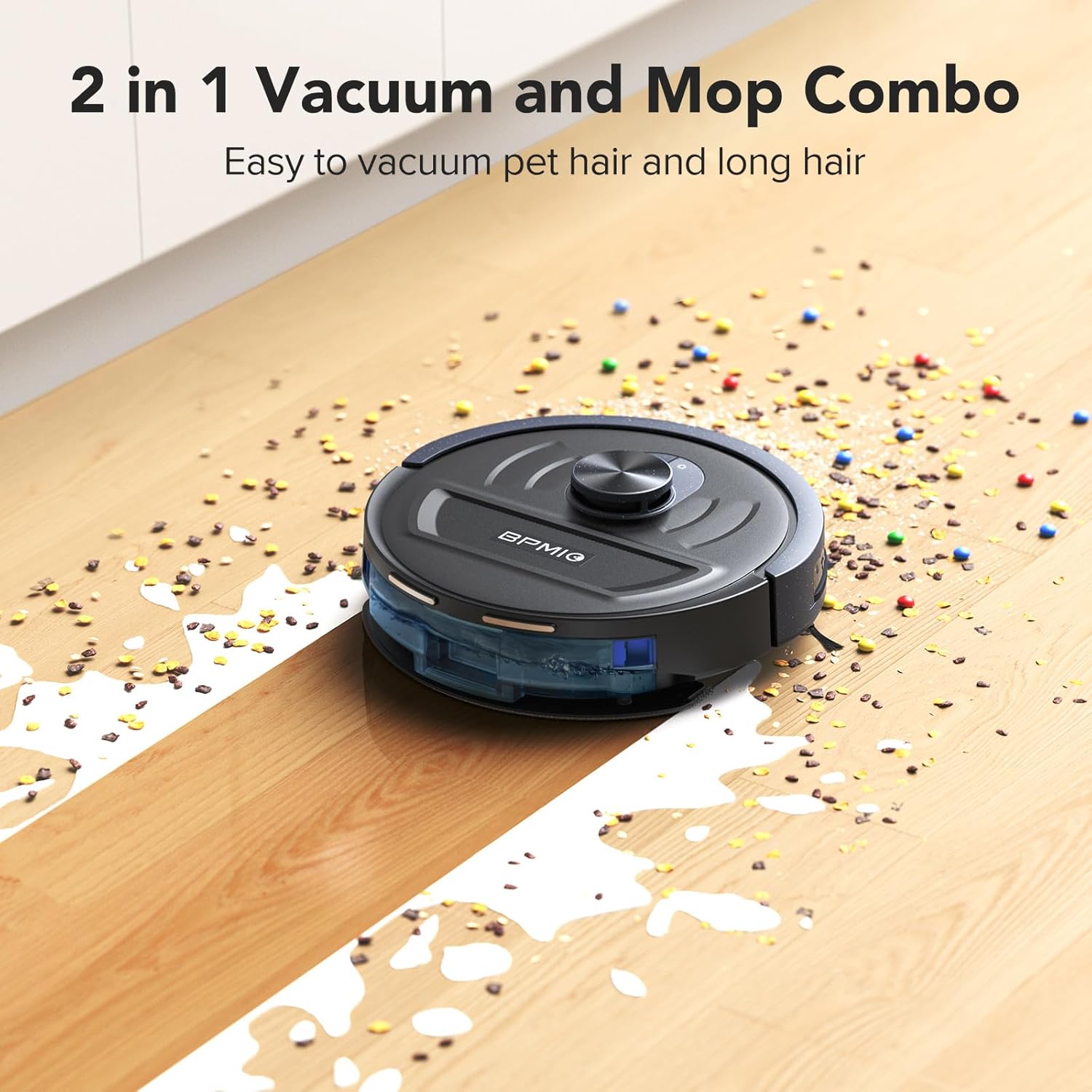
Figure 6: The BPMIO B20 robot vacuum operating on a hard floor, demonstrating its 2-in-1 vacuum and mop combo feature, effectively cleaning both dry debris and wet spills.
4.4 Smart Navigation and Mapping
The B20 utilizes advanced LIDAR technology for precise mapping and smart navigation, ensuring efficient and thorough cleaning of your space. It can create and store up to 5 editable maps and allows setting up to 30 editable no-go zones or invisible walls to restrict access to certain areas.

Figure 7: The BPMIO B20 robot vacuum navigating a living room, illustrating its precise mapping and smart navigation capabilities using LIDAR technology to efficiently clean the space.

Figure 8: The BPMIO B20 robot vacuum avoiding a designated "No-Go Zone" and an "Invisible Wall" set up to protect a child's play area, demonstrating its ability to adhere to customized cleaning boundaries.
4.5 Edge Cleaning
With its low profile and side brush, the B20 is designed to effectively clean edges, corners, and under-furniture areas, ensuring comprehensive coverage.

Figure 9: The BPMIO B20 robot vacuum cleaning along the edge of a wall and under furniture, highlighting its low profile and side brush for effective edge cleaning and ultra reach.
5. Maintenance
Regular maintenance ensures optimal performance and extends the lifespan of your BPMIO B20 robot vacuum.
5.1 Dustbin and Filter Cleaning
Empty the dustbin after each cleaning cycle. Clean the HEPA filter regularly by tapping it against a trash can to remove debris. Do not wash the HEPA filter with water. Replace the filter every 3-6 months depending on usage.
5.2 Main Brush and Side Brush Cleaning
Remove the main brush and use the cleaning tool to cut and remove any tangled hair or debris. Clean the side brushes regularly and replace them if they are worn or damaged.
5.3 Mop Pad Cleaning
Remove and wash the mop pad after each mopping session. Allow it to air dry completely before reattaching.
5.4 Sensor Cleaning
Wipe the cliff sensors, wall sensors, and charging contacts with a clean, dry cloth periodically to ensure proper operation and prevent falls.
6. Troubleshooting
| Problem | Possible Cause | Solution |
|---|---|---|
| Robot does not turn on. | Low battery; Power button not pressed. | Place robot on charging dock; Press and hold power button. |
| Robot cannot find charging dock. | Dock is obstructed; Dock is unplugged. | Clear area around dock; Ensure dock is plugged in. |
| Poor cleaning performance. | Dustbin full; Brushes tangled; Filter clogged. | Empty dustbin; Clean brushes; Clean/replace filter. |
| Robot gets stuck frequently. | Obstacles on floor; Cliff sensors dirty. | Clear obstacles; Clean sensors. |
| App connection issues. | Incorrect Wi-Fi password; Not 2.4GHz network. | Verify password; Ensure 2.4GHz network is used. |
7. Specifications
| Feature | Detail |
|---|---|
| Brand | BPMIO |
| Model Number | B20 |
| Color | Light Black |
| Dimensions (L x W x H) | 32.49 x 32.49 x 9.68 cm (12.79 x 12.79 x 3.81 inches) |
| Weight | 3.3 kg (7.28 lbs) |
| Water Tank Capacity | 260 Milliliters |
| Voltage | 14.4 Volts |
| Noise Level | 55 dB |
| Max Suction Power | 5500 Pa |
| Battery Life | Up to 120 minutes |
| Filter Type | HEPA |
| Navigation Type | LIDAR |
| Control Type | App Control |
| Surface Recommendation | All Floors |
| Special Features | Anti-fall, Auto Boost Suction, Recharge & Resume, Multi-map support, No-Go Zones |
8. Warranty and Support
Information regarding specific warranty terms for the BPMIO B20 is not available in the provided product details. For warranty claims, technical support, or inquiries about spare parts, please contact BPMIO customer service directly through their official website or the contact information provided with your purchase documentation.
Please note that information on spare parts availability was not provided in the product details.
Related Documents - B20
 |
Intelligent Digital Measuring Pen B20 User Guide Comprehensive user guide and technical specifications for the B20 Intelligent Digital Measuring Pen, covering features, operation, and electrical measurement capabilities. |
 |
Durhand Toolbox - Model B20-084V Series User Guide User guide for the Durhand toolbox, model series B20-084V, providing operating instructions and detailed contact information for customer support across multiple regions. |
 |
DURHAND Iron Handheld Toolbox User Manual (B20-079 Series) User manual and safety guide for the DURHAND iron handheld cantilever toolbox (Models B20-079, B20-079V00, B20-079V01). Includes safety warnings, operation instructions, and maintenance tips. |
 |
JP-B20 Thermal Label Printer User Manual | Guangdong Gilong Technology Comprehensive user manual for the Guangdong Gilong Technology Co., Ltd. JP-B20 Thermal Label Printer. This guide covers printer setup, paper loading, button functions, LED indicators, configuration parameters, connection methods (USB, Bluetooth), troubleshooting common issues, and FCC compliance information. Includes detailed descriptions of diagrams and visual elements. |
 |
DURHAND Toolbox Safety and Maintenance Guide Comprehensive safety instructions, maintenance guidelines, and storage recommendations for the DURHAND toolbox. Includes global customer support contact details. |
 |
DURHAND B20-056 Tool Chest Assembly Instructions and Parts List Official assembly instructions and parts list for the DURHAND B20-056 tool chest. Includes component identification and assembly guidance for workshop and garage use. |
Ask a question about this manual
Ask about setup, troubleshooting, compatibility, parts, safety, or missing instructions. Manuals+ will review the question and use this page’s manual context to help answer it.