
YUERLT YUER200WLT
YUER LED 200W Spot Beam Moving Head Light User Manual
Model: YUER200WLT | Brand: YUERLT
Introduction
The YUER LED 200W Spot Beam Moving Head Light is a professional lighting fixture designed for various events such as stage performances, dance floors, clubs, weddings, parties, festivals, and holiday celebrations. This manual provides essential information for the safe and effective operation, setup, and maintenance of your moving head light.
It features a powerful 200W white LED light source, delivering a focused 14° beam. The unit offers a wide range of dynamic effects including multiple gobos (fixed and rotating), a full-color spectrum, prism effects, and dimming capabilities. Control options include DMX RDM and music-reactive modes, ensuring versatile integration into any lighting setup.
Safety Information
Please read all safety instructions carefully before installing, operating, or servicing this product. Failure to comply with these instructions may result in electric shock, fire, or serious injury.
- Electrical Safety: Ensure the power supply matches the specified voltage (AC100-240V 50/60Hz). Always disconnect power before cleaning or servicing.
- Ventilation: Do not block ventilation openings. Ensure adequate airflow around the fixture to prevent overheating.
- Mounting: Securely mount the fixture using appropriate clamps and safety cables. Ensure the mounting surface can support the weight of the fixture.
- Eye Protection: Avoid direct eye exposure to the light beam. The intense light output can cause eye damage.
- Environment: Do not expose the fixture to rain, moisture, or extreme temperatures. Operate in a dry environment.
- Servicing: Refer all servicing to qualified personnel. Do not attempt to repair the unit yourself.
Product Features
- Powerful Lighting: 200W white LED lamp beads deliver an intense 14° spot beam.
- Versatile Effects: Features 7 fixed gobos, 6 rotating gobos, 7 colors + white, and prism effects (6+12 prism optional).
- Dynamic Movement: Equipped with rotating gobos and a music-reactive mode for synchronized lighting effects.
- Durable Build: Sturdy housing suitable for professional events and demanding environments.
- Flexible Setup: Compatible with DMX/RDM control protocols, operating on AC 100-240V power. Includes a 6.6 ft (2 m) power cable.
- Dimming: Smooth electronic dimming from 0-100%.
- Control Modes: DMX512, Auto, Sound Active, Master/Slave.
Components and Overview
Familiarize yourself with the main components of your YUER LED Moving Head Light.

Figure 1: Front view of the YUER LED 200W Spot Beam Moving Head Light, showcasing its main body and base with control panel.
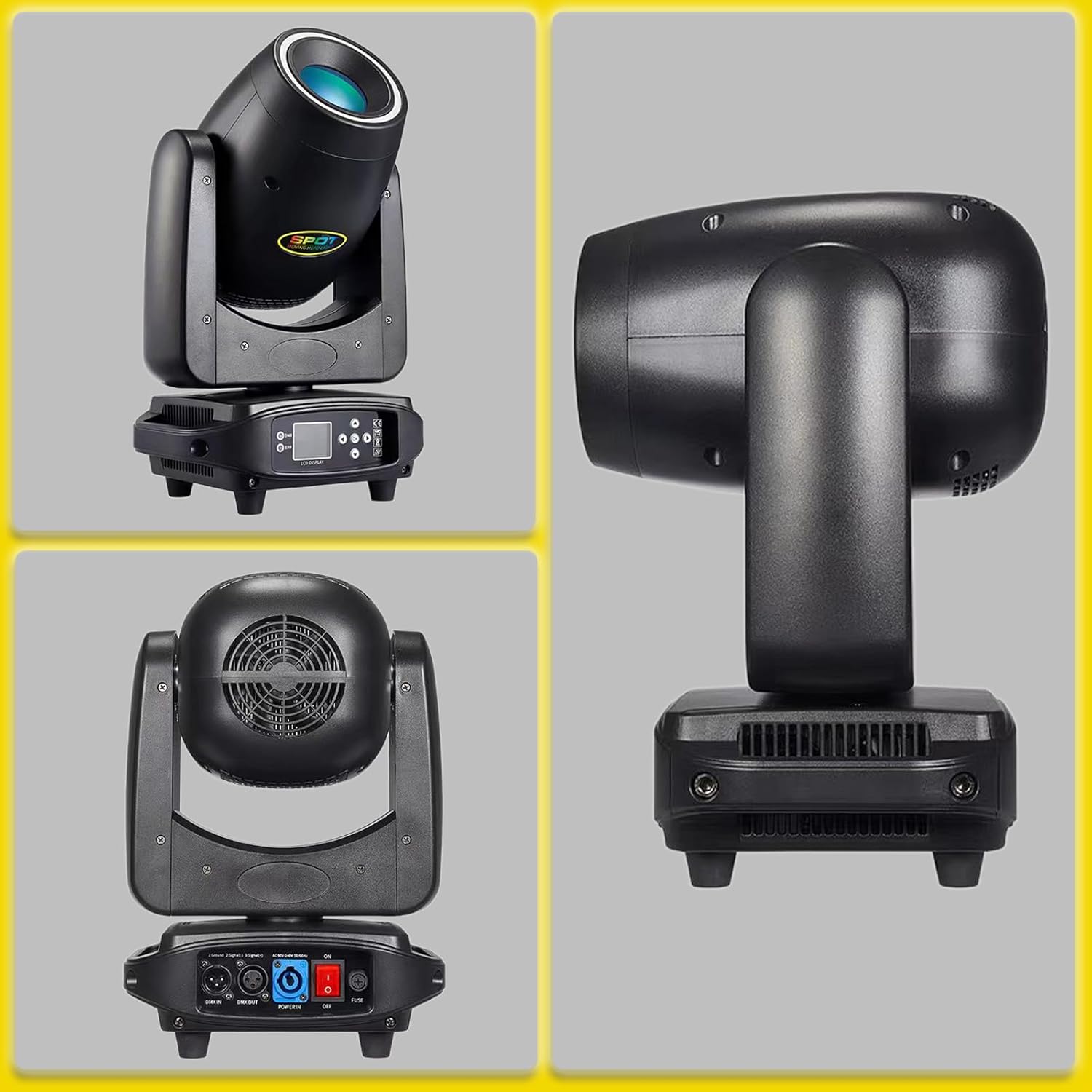
Figure 2: Various angles of the moving head light, including front, side, and rear views, highlighting the ventilation and connection ports on the base.

Figure 3: Diagram illustrating the approximate dimensions of the moving head light: 32cm width, 22cm depth, and 49cm height.
Control Panel and Connections:
- LCD Display: For menu navigation and settings.
- Buttons: Menu, Up, Down, Enter for navigating the display.
- DMX IN/OUT: 3-pin XLR connectors for DMX control.
- Power IN/OUT: PowerCon compatible connectors for power input and daisy-chaining.
- Fuse: Integrated fuse for circuit protection.
- Power Switch: On/Off toggle.
Setup
Unpacking:
Carefully unpack the fixture and inspect it for any damage during transit. Retain the original packaging for future transport or storage.

Figure 4: The YUER LED Moving Head Light packaged in its protective carton, ready for transport or storage.
Mounting:
- Choose a stable location that can support the weight of the fixture and any additional equipment.
- Ensure proper ventilation around the unit. Maintain at least 10 cm (4 inches) of space from walls or other objects.
- Use appropriate mounting clamps (not included) to secure the fixture to a truss or stand.
- Always attach a safety cable (not included) to the designated safety cable attachment point on the fixture, ensuring it can hold the full weight of the unit.
Power Connection:
Connect the provided power cable to the "Power IN" connector on the fixture and then to a suitable power outlet (AC100-240V 50/60Hz). For multiple units, you may daisy-chain power using the "Power OUT" connector to another fixture's "Power IN" (check maximum load for daisy-chaining).
DMX Connection (Optional):
If using DMX control, connect a 3-pin DMX cable from your DMX controller's output to the "DMX IN" connector on the first fixture. For multiple fixtures, connect the "DMX OUT" of the first fixture to the "DMX IN" of the next, and so on. Terminate the last fixture in the chain with a DMX terminator (120 Ohm resistor between pins 2 and 3 of the last DMX OUT).
Operating Instructions
Control Panel Navigation:
Use the buttons on the control panel to navigate the LCD menu:
- MENU: Access the main menu or go back to the previous level.
- UP/DOWN: Scroll through menu options or adjust values.
- ENTER: Select an option or confirm a setting.
Operating Modes:
The fixture supports several operating modes:
- DMX512 Mode: For professional control via a DMX controller. Set the DMX address using the menu. Refer to the DMX channel chart (not provided in this manual, typically found in a separate DMX protocol sheet).
- Auto Mode: The fixture runs pre-programmed internal shows. Select from various auto programs via the menu.
- Sound Active Mode: The fixture reacts to sound detected by its built-in microphone. Adjust sound sensitivity via the menu.
- Master/Slave Mode: Link multiple fixtures where one acts as the master (running Auto or Sound Active mode) and others as slaves, mirroring the master's behavior.
Light Effects Overview:
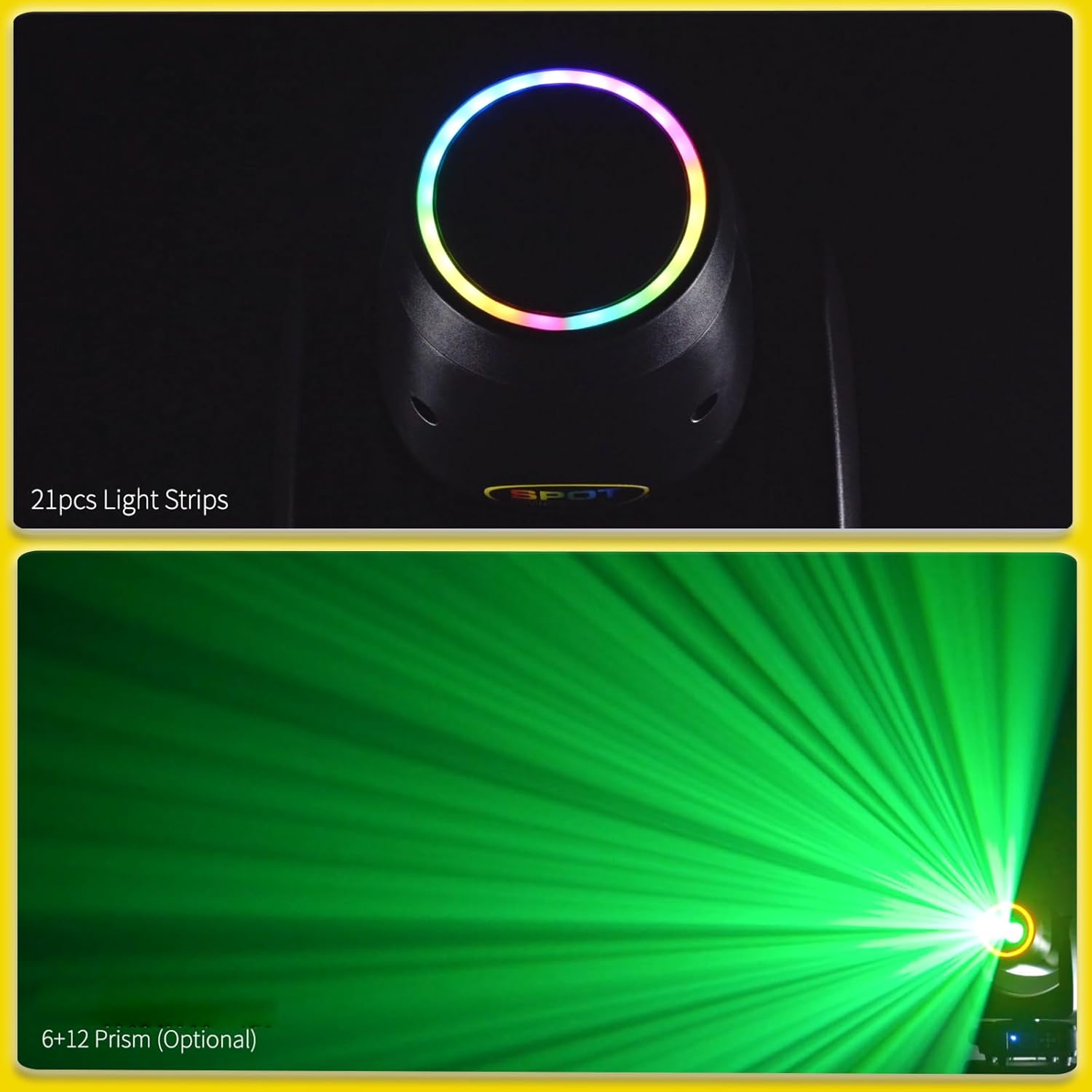
Figure 5: Top image shows the 21pcs light strips around the lens, providing a colorful halo effect. Bottom image demonstrates the 6+12 prism effect, creating multiple beam patterns.

Figure 6: Examples of the colorful halo effects with functions like running horses, chasing, and color changing. The image also indicates a 22-channel DMX mode.

Figure 7: Top image shows the focused 14° light angle. Bottom image displays the 7 colors plus white, with half-color and rainbow flowing effects.

Figure 8: Top image illustrates the 7 fixed gobos plus open. Bottom image shows the 6 interchangeable rotating gobos plus open, allowing for dynamic pattern projection.
Maintenance
Regular maintenance ensures optimal performance and extends the lifespan of your fixture.
- Cleaning: Periodically clean the lens and exterior with a soft, lint-free cloth. For stubborn dirt, use a mild glass cleaner. Ensure the fixture is powered off and cool before cleaning.
- Ventilation: Keep ventilation openings clear of dust and debris. Use compressed air to clear vents if necessary.
- Inspection: Regularly inspect power cables, DMX cables, and mounting hardware for any signs of wear or damage. Replace damaged components immediately.
- Storage: When not in use, store the fixture in its original packaging or a suitable flight case in a dry, dust-free environment.
Troubleshooting
| Problem | Possible Cause | Solution |
|---|---|---|
| No power | Power cable disconnected, faulty outlet, blown fuse. | Check power connections. Test outlet. Replace fuse if blown (ensure correct rating). |
| No DMX control | Incorrect DMX address, faulty DMX cable, no DMX terminator, DMX controller issue. | Verify DMX address. Test/replace DMX cables. Ensure terminator is used on last fixture. Check DMX controller output. |
| Fixture not moving/responding | Incorrect mode selected, motor calibration issue. | Ensure DMX or Auto mode is selected. Power cycle the unit. Check for any obstructions. |
| Light output is dim or flickering | Overheating, LED issue, power supply problem. | Ensure proper ventilation. Power cycle the unit. If problem persists, contact support. |
Specifications
| Parameter | Value |
|---|---|
| Model Number | YUER200WLT |
| Light Source | 200W White LED |
| Power Supply | AC100-240V, 50/60Hz |
| Light Output Angle | 14° |
| Fixed Gobo Plate | 7 fixed patterns + open |
| Rotating Gobo Plate | 6 replaceable rotating patterns + open |
| Color Plate | 7 colors + white, half-color, rainbow water effect |
| Prism | 6+12 prism (optional) |
| Dimming | 0-100% electronic dimming |
| Control Modes | DMX512, Auto, Sound Active, Master/Slave |
| DMX Channels | Typically 22 channels (refer to DMX chart for details) |
| Product Dimensions (L x W x H) | 30.5 x 20.3 x 48.3 cm (approx. 12 x 8 x 19 inches) |
| Material | Plastic (housing) |
| Color | Black/Silver |
| Manufacturer | YUERLT |
Warranty and Support
For warranty information and technical support, please refer to the documentation provided with your purchase or contact YUERLT customer service directly. Keep your proof of purchase for warranty claims.
Contact Information: Please visit the official YUERLT website or your point of purchase for the most up-to-date contact details for support and service.
Ask a question about this manual
Ask about setup, troubleshooting, compatibility, parts, safety, or missing instructions. Manuals+ will review the question and use this page’s manual context to help answer it.