
Night Owl FWR8-64GB-B44L
Night Owl Wi-Fi Home Security System User Manual
Model: FWR8-64GB-B44L
Brand: Night Owl
1. Introduction
This manual provides comprehensive instructions for the setup, operation, and maintenance of your Night Owl Wi-Fi Video Home Security Hub with Battery-Powered Wi-Fi 2K HD Indoor/Outdoor Spotlight Cameras. This system is designed to offer reliable surveillance and peace of mind for your home or business.

Image 1.1: The Night Owl Wi-Fi Home Security System, including the central hub and four battery-powered 2K HD cameras.

Image 1.2: Key features of the Night Owl Security System, highlighting its 8-channel capability, 4 included cameras, 64GB microSD card, and 2K resolution.
2. What's Included
Your Night Owl Wi-Fi Home Security System package contains the following components:
Wi-Fi NVR (Hub) Components:
- 1 x 8 Channel Wi-Fi Hub with 64GB microSD Card
- 1 x Hub Power Adapter
- 1 x RJ-45 Cable (Ethernet)
- 1 x Support Material Packet
Battery-Powered Wi-Fi Camera Components:
- 4 x Wire Free Cameras
- 8 x Rechargeable Batteries (2 per Camera Required)
- 1 x Type-C USB Charging Cable
- 4 x Mounting Hardware and Screw Packets
3. Setup Guide
3.1 Initial Battery Charging
Before installation, fully charge all camera batteries using the provided Type-C USB charging cable. Each camera requires two rechargeable batteries. A full charge can take approximately one day.
3.2 Hub Setup
- Connect the Wi-Fi Hub to power using the included Hub Power Adapter.
- (Optional) Connect the Hub to your router using the RJ-45 Ethernet cable for a wired network connection.
- Ensure the 64GB microSD card is properly inserted into the Hub for local storage.

Image 3.1: The Night Owl Hub demonstrating its local storage capabilities with an included 64GB microSD card and an optional 2.5" SATA HDD (sold separately).
3.3 Camera Installation and Pairing
The cameras are designed for easy installation. They connect wirelessly to the Wi-Fi Hub, creating a secure network.
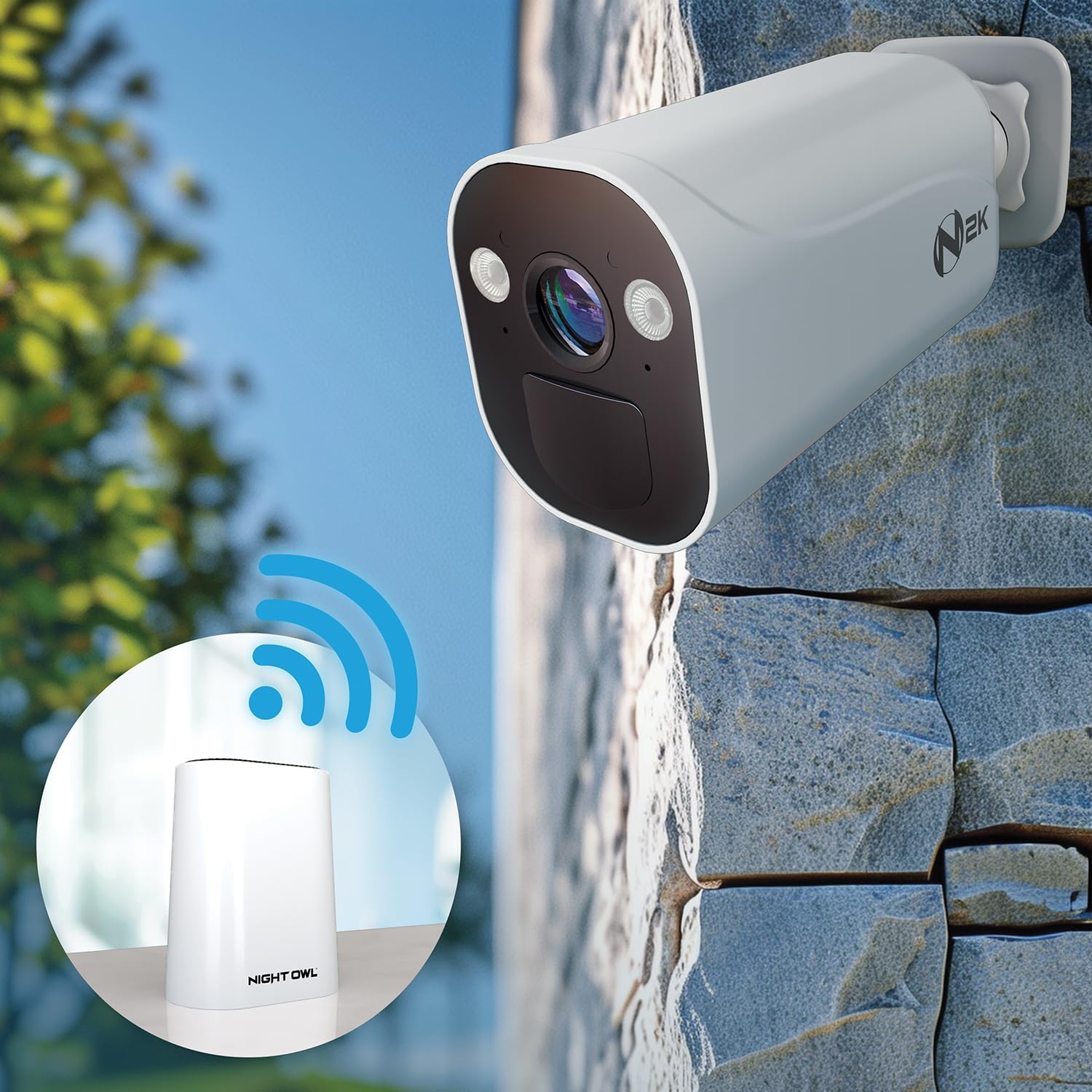
Image 3.2: A Night Owl camera establishing a wireless connection with the central Wi-Fi Hub, illustrating the system's wire-free setup.
- Insert the charged batteries into each camera.
- Download the Night Owl Protect App from your device's app store.
- Follow the in-app instructions to add your Wi-Fi Hub and pair each camera. The app will guide you through the process.
- Mount the cameras in desired indoor or outdoor locations using the provided mounting hardware. Ensure cameras are within range of the Wi-Fi Hub (up to 100 feet maximum range).
4. Operating Your System
4.1 Night Owl Protect App
The Night Owl Protect App is your primary interface for managing and monitoring your security system. It allows you to view live feeds, review recordings, and adjust settings from anywhere.

Image 4.1: The Night Owl Protect App interface on a smartphone, displaying a live camera feed and emphasizing the absence of monthly fees.
4.2 Live View and Recording
Access live video streams from your cameras through the app. The system records events based on motion detection, with advanced AI capabilities to distinguish between humans and vehicles.

Image 4.2: Illustration of Night Owl's AI detection capabilities, identifying both human and vehicle movement, accompanied by a smartphone notification.
4.3 Two-Way Audio
Each camera is equipped with two-way audio, allowing you to listen and speak through the camera using the mobile app. This feature is useful for communicating with visitors or deterring unwanted activity.
4.4 Spotlight Functionality
The cameras feature integrated spotlights that can be activated manually via the app or automatically upon motion detection to enhance visibility and deter intruders.

Image 4.3: A Night Owl 2K HD camera with its integrated spotlight illuminated, showcasing its deterrence capability.
4.5 HDMI Spot Out View
Connect your Wi-Fi Hub to a TV or monitor via HDMI to view your camera feeds on a larger screen. Note that cameras may enter a "sleep" mode during live view to conserve battery, which can be re-initiated via the app.
5. Maintenance
5.1 Battery Management
The battery-powered cameras offer flexible operation. With two rechargeable batteries, each camera can operate for up to 3 months. Adding two more batteries (total of four) can extend operation up to 6 months. Recharge batteries as needed using the Type-C USB charging cable.

Image 5.1: Battery life illustration for Night Owl cameras, showing that two batteries provide up to 3 months of charge, while four batteries extend it to up to 6 months.
5.2 Cleaning and Care
Regularly inspect and clean the camera lenses and housing to ensure optimal performance. Use a soft, damp cloth. Avoid abrasive cleaners or solvents.
5.3 Storage Management
The system includes a 64GB microSD card for local storage. For increased storage capacity, a compatible 2.5" SATA hard drive (sold separately) can be added to the Wi-Fi Hub. Manage recorded footage and storage settings through the Night Owl Protect App.
6. Troubleshooting
If you encounter issues with your Night Owl security system, consider the following common solutions:
- No Live View/Connectivity Issues: Ensure the Wi-Fi Hub is powered on and connected to your network. Check camera battery levels. Verify cameras are within the effective wireless range of the Hub.
- Short Battery Life: Ensure batteries are fully charged. Reduce the frequency of live view access and motion events if possible. Consider adding two more batteries per camera for extended life.
- False Motion Alerts: Adjust motion detection sensitivity settings in the app. Utilize the human and vehicle detection filters to minimize alerts from non-relevant motion.
- Poor Video Quality: Ensure camera lenses are clean. Check network signal strength between the camera and the Hub.
- Storage Full: Review and delete old recordings from the app. Consider installing a larger 2.5" SATA hard drive in the Hub for more storage.
For further assistance, refer to the support material packet included with your system or contact Night Owl customer support.
7. Specifications
| Feature | Detail |
|---|---|
| Brand | Night Owl |
| Model Number | FWR8-64GB-B44L |
| Video Capture Resolution | 2K HD |
| Connectivity Technology | Wireless |
| Power Source | Battery Powered (Cameras), AC Powered (Hub) |
| Battery Life (Cameras) | Up to 3 months (2 batteries), Up to 6 months (4 batteries) |
| Maximum Wireless Range | 100 Feet |
| Storage | 64GB microSD Card (Included), Expandable with 2.5" SATA HDD (Sold Separately) |
| Special Features | 2-Way Audio, Spotlight, Human/Vehicle Detection AI, Free Mobile App |
| Dimensions (Hub) | Approximately 11.41 x 8.46 x 7.28 inches (Product Dimensions) |
| Item Weight | 3 Pounds |
| UPC | 816522027018 |
8. Warranty and Support
8.1 Warranty Information
Night Owl products typically come with a limited manufacturer's warranty. Please refer to the support material packet included with your purchase or visit the official Night Owl website for specific warranty terms and conditions.
8.2 Customer Support
For technical assistance, troubleshooting, or any questions regarding your Night Owl security system, please contact Night Owl customer support. Contact information can usually be found in your support material packet or on the official Night Owl website. Online resources, FAQs, and video tutorials may also be available.

Image 8.1: Night Owl's commitment to property and data privacy, highlighting secure connections, local storage, US-hosted servers, and the Night Owl Guarantee.
Ask a question about this manual
Ask about setup, troubleshooting, compatibility, parts, safety, or missing instructions. Manuals+ will review the question and use this page’s manual context to help answer it.