
1. Introduction
This manual provides essential information for the safe and efficient operation of your Lanlily PowerFlex 4 AC Drive, Model 22A-A3P6N113. This Variable Frequency Drive (VFD) is designed for industrial applications requiring precise motor speed control. Please read this manual thoroughly before installation, operation, or maintenance to ensure proper use and to prevent potential hazards.
Safety Information
Always observe all local and national electrical codes and safety regulations. Installation, wiring, and maintenance should only be performed by qualified personnel. Ensure power is disconnected before performing any work on the drive or connected equipment. High voltage can cause severe injury or death.
2. What's in the Box
Upon unpacking, verify that all components are present and undamaged. If any items are missing or damaged, contact your supplier immediately.
- One (1) Lanlily PowerFlex 4 AC Drive (Model: 22A-A3P6N113)
- This instruction manual
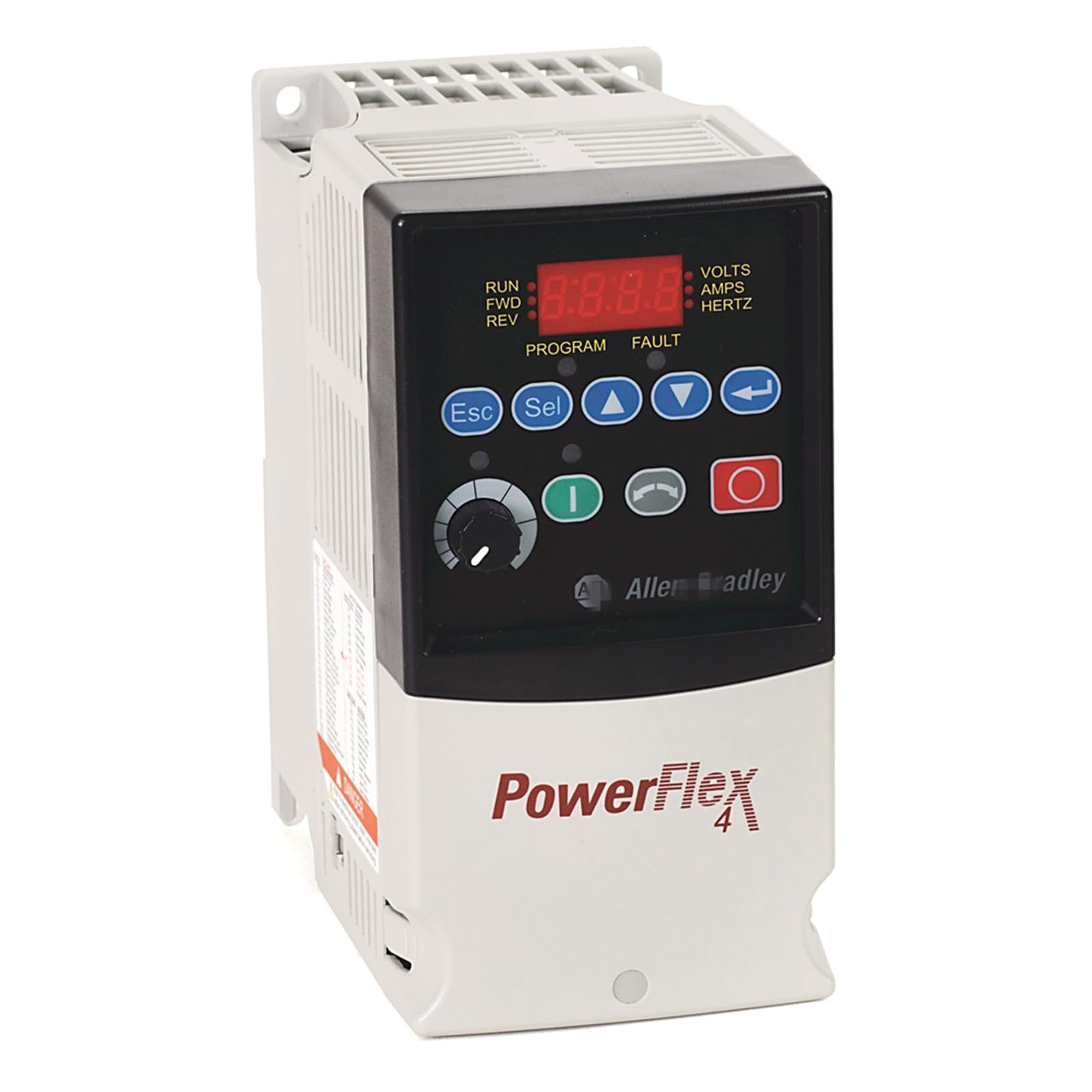
Image 1: Front view of the Lanlily PowerFlex 4 AC Drive, Model 22A-A3P6N113. This image displays the compact design of the variable frequency drive, typically used for motor control in industrial settings.
3. Setup and Installation
3.1 Mounting
Mount the AC drive vertically on a flat, stable surface in an environment free from excessive dust, moisture, and corrosive gases. Ensure adequate clearance around the drive for proper ventilation and heat dissipation. Refer to the drive's dimensions for specific spacing requirements.
3.2 Wiring
All wiring must comply with local and national electrical codes. Connect the incoming AC power supply to the designated input terminals (L1, L2, L3 for three-phase, or L1, L2 for single-phase). Connect the motor leads to the output terminals (T1, T2, T3). Ensure proper grounding of the drive and motor. Use shielded cables for control wiring to minimize electrical noise interference.
3.3 Initial Power-Up
Before applying power, double-check all wiring connections. Apply power to the drive. The display should illuminate, indicating the drive is ready for configuration. Refer to the programming section for initial parameter settings.
4. Operating Instructions
4.1 Basic Operation
The PowerFlex 4 AC Drive allows for control of motor speed and direction. Operation typically involves:
- Start/Stop Control: Initiating and halting motor operation via control terminals or the drive's keypad.
- Speed Reference: Adjusting the motor speed using a potentiometer, analog input, or digital input commands.
- Direction Control: Changing the motor's rotation direction, if configured.
4.2 Parameter Programming
The drive features a keypad and display for setting various operational parameters. Common parameters include:
- Motor Nameplate Data (Voltage, Current, Frequency, RPM)
- Acceleration/Deceleration Times
- Minimum/Maximum Frequencies
- Control Source (Keypad, Terminal, Serial Communication)
Refer to the detailed programming manual (typically a separate document) for a complete list of parameters and their functions.
5. Maintenance
Regular maintenance ensures the longevity and reliable operation of your AC drive. Always disconnect power before performing any maintenance.
5.1 Cleaning
Periodically clean the exterior of the drive and ensure cooling fins are free from dust and debris. Use a soft, dry cloth. Do not use liquid cleaners or solvents. For internal cleaning, use compressed air to remove dust from heat sinks and circuit boards, ensuring proper ventilation.
5.2 Inspection
Regularly inspect the drive for:
- Loose connections or damaged wiring.
- Signs of overheating (discoloration, burnt smell).
- Environmental contamination (dust, moisture, corrosion).
- Proper fan operation (if applicable).
6. Troubleshooting
This section provides general guidance for common issues. For detailed fault codes and specific troubleshooting steps, refer to the drive's comprehensive technical manual.
| Problem | Possible Cause | Solution |
|---|---|---|
| Drive does not power on | No input power; Blown fuse; Internal fault | Check power supply; Inspect fuses; Contact support if fault persists. |
| Motor does not run | Incorrect wiring; No run command; Parameter misconfiguration; Motor fault | Verify motor and control wiring; Ensure run command is active; Check motor parameters; Inspect motor. |
| Drive trips on overcurrent | Motor overload; Short circuit in motor/cables; Incorrect acceleration time | Reduce motor load; Check motor and cables for shorts; Increase acceleration time; Verify motor parameters. |
| Drive trips on overvoltage | High input voltage; Regenerative braking without braking resistor; Incorrect deceleration time | Check input voltage; Install braking resistor if needed; Increase deceleration time. |
7. Specifications
The following are key specifications for the Lanlily PowerFlex 4 AC Drive, Model 22A-A3P6N113:
- Model: 22A-A3P6N113
- Type: AC Drive (Variable Frequency Drive - VFD)
- Power Rating: 0.75 kW (1 Hp)
- Brand: Lanlily
- Material: Copper (likely internal components)
- UPC: 732367570697
- Included Components: 1PCS 22A-A3P6N113
- ASIN: B0D79GFPR8
- GTIN: 732367570697
Note: For detailed electrical specifications, input/output voltage ranges, current ratings, and environmental conditions, please refer to the product's technical datasheet.
8. Warranty Information
This Lanlily PowerFlex 4 AC Drive, Model 22A-A3P6N113, comes with a 1-year warranty from the date of purchase. This warranty covers defects in materials and workmanship under normal use. It does not cover damage resulting from improper installation, misuse, unauthorized modification, or external causes such as accidents, abuse, or power surges.
To claim warranty service, please retain your proof of purchase and contact the seller or manufacturer's support team.
9. Customer Support
If you encounter any issues not covered in this manual or require further assistance, please contact your supplier or the manufacturer's customer support. When contacting support, please have your product model number (22A-A3P6N113) and purchase details readily available.
For additional resources, including detailed technical documentation and software, please visit the official Lanlily website or contact their technical support department.