
Introduction
Thank you for purchasing the WUCOTC Digital Voice Recorder, Model Z1. This device is designed for high-quality audio recording with advanced features such as voice activation, noise reduction, and extensive storage capacity. Please read this manual carefully to ensure proper use and optimal performance of your new device.

Image: The WUCOTC Digital Voice Recorder, Model Z1, showcasing its sleek design, front display, control buttons, and side ports including the TF card slot and USB-C port.
Package Contents
Upon unboxing, please verify that all items listed below are present:
- 1 x WUCOTC Digital Voice Recorder (8GB built-in memory)
- 1 x 256GB TF Card (pre-inserted)
- 1 x Type-C Charging Cable
- 1 x User Manual (this document)
Setup
1. Initial Charging
Before first use, fully charge the device. Connect the provided Type-C charging cable to the recorder's Type-C port and the other end to a USB power adapter (not included) or a computer's USB port. The charging indicator will show the charging status. A full charge typically takes approximately 2 hours and provides up to 100 hours of continuous recording or 48 hours of headphone playback.
2. TF Card Installation (Pre-installed)
The 256GB TF card is pre-installed in your recorder. If you need to remove or re-insert it, locate the TF card slot on the side of the device. Gently push the card to eject it, or insert it until it clicks into place.
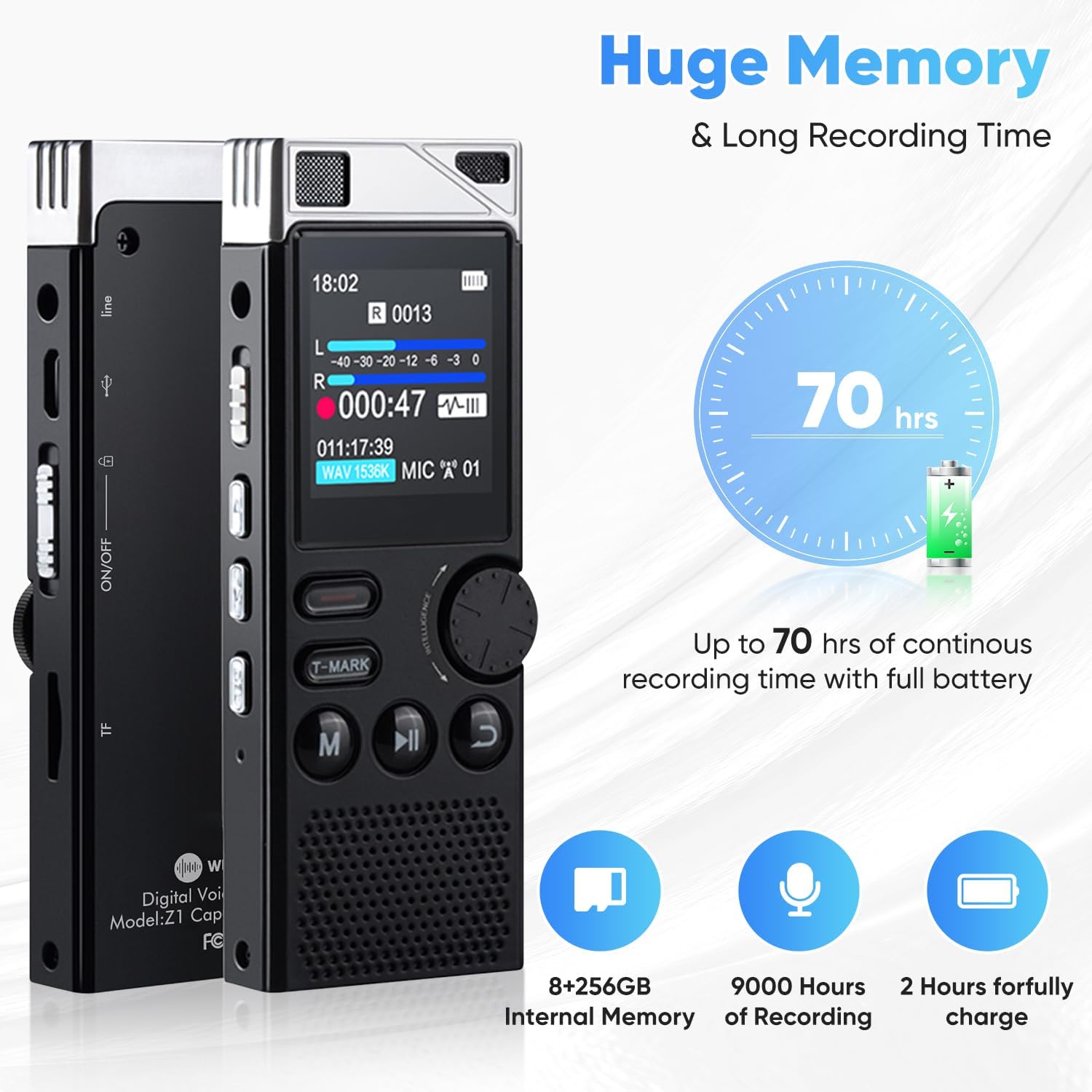
Image: The recorder's impressive memory capacity (8GB internal + 256GB TF card) and long recording duration, capable of storing 9000 hours of recordings and offering extended battery life.
Operating Instructions
1. Power On/Off
Locate the ON/OFF switch on the side of the device. Slide it to the 'ON' position to power on the recorder. Slide it to the 'OFF' position to power off.
2. Recording Functions
One-Click Recording
To start recording quickly, simply slide the ON/OFF switch to the 'ON' position. The device will automatically begin recording. To stop and save the recording, slide the switch back to the 'OFF' position.
High Definition Recording & Noise Reduction
The recorder features a third-generation audio processing control chip for high-fidelity, 1536kbps stereo recording with intelligent noise reduction. This ensures clear audio capture even in challenging environments.

Image: Visual representation of the recorder's clear PCM recording capabilities, highlighting the professional audio chip, 7 levels of recording gain, adjustable noise reduction, and clear stereo audio.
Voice Activated Recording (VAR)
The powerful voice control function allows the recorder to automatically start recording when sound reaches a set decibel level and pause when there is no sound. This saves memory space and listening time. You can adjust the sensitivity level through the device's menu settings.

Image: Illustration of the Voice Activated Recording feature, demonstrating how the device captures sound only when it reaches a specified decibel level, with 7 adjustable sensitivity levels.
Timing Auto Recording
This feature allows you to schedule recordings to start and stop automatically at specific times. Refer to the device's menu for setting up timed recordings.
3. Playback Functions
Use the navigation buttons (Play/Pause, Fast Forward, Rewind) to control playback. Connect 3.5mm headphones to the headphone jack for private listening.
A-B Repeat
During playback, you can mark a starting point (A) and an ending point (B) to repeatedly play a specific segment of the audio. This is useful for language learning or transcribing.
Variable Speed Playback
Adjust the playback speed to listen to recordings faster or slower without altering the pitch. This feature is accessible through the playback menu.
MP3 Player Functionality
The device can also function as an MP3 player. Transfer your audio files to the device's memory, and use the playback controls to enjoy your music.

Image: An overview of the recorder's diverse functionalities, including voice activation, password protection, variable speed playback, A-B repeat, MP3 player, built-in speaker, timing auto recording, and file transfer capabilities.
4. File Management
Timestamp Naming
Recorded audio files are automatically saved with timestamps (YYYY-MM-DD-HH-MM-SS.WAV), making it easy to identify and organize your recordings.

Image: The recorder's display illustrating how recorded files are automatically named using a timestamp format, facilitating easy organization and retrieval.
File Transfer
Connect the recorder to your computer using the Type-C cable. The device will appear as a removable disk, allowing you to easily transfer, copy, or delete audio files.
5. Additional Features
Bookmark Function (T-MARK)
During recording or playback, you can press the 'T-MARK' button to insert a bookmark. This allows you to quickly jump to key content paragraphs during playback, eliminating the need to fast-forward or rewind extensively.

Image: The T-MARK bookmark function illustrated, showing how users can mark important sections within a recording for quick navigation during playback.
Password Protection
For enhanced security, you can set a password to protect your recordings and prevent unauthorized access to the device.
Dial Button for Volume/Menu Navigation
The unique "dial button" provides a user-friendly way to adjust volume and navigate through menu options, offering precise control.
Maintenance
To ensure the longevity and optimal performance of your WUCOTC Digital Voice Recorder, follow these maintenance guidelines:
- Cleaning: Use a soft, dry cloth to clean the device. Do not use liquid cleaners or aerosols.
- Storage: Store the recorder in a cool, dry place away from direct sunlight, extreme temperatures, and high humidity.
- Battery Care: To preserve battery life, avoid fully discharging the battery frequently. Charge the device regularly, even if not in use for extended periods.
- Avoid Impacts: Protect the device from drops and impacts, which can damage internal components.
Troubleshooting
If you encounter issues with your recorder, please refer to the following common solutions:
| Problem | Possible Cause / Solution |
|---|---|
| Device does not power on. | Battery might be depleted. Connect to charger and try again. Ensure the ON/OFF switch is in the 'ON' position. |
| Cannot record. | Check if the device has sufficient memory space. Ensure the recording function is activated (e.g., by sliding the ON/OFF switch to ON). |
| Poor recording quality. | Ensure the microphone is not obstructed. Reduce background noise. Adjust noise reduction settings if available in the menu. |
| Device not recognized by computer. | Try a different USB port or cable. Ensure the device is powered on when connected. Restart your computer. |
| Playback issues (no sound, distorted). | Check volume level. Ensure headphones are properly connected if using them. Try playing a different file. |
Specifications
| Feature | Detail |
|---|---|
| Model Number | Z1 |
| Memory Storage Capacity | 8GB Built-in + 256GB TF Card (Total 264GB) |
| Recording Format | WAV (1536kbps) |
| Audio Format (Playback) | MP3 Audio |
| Battery Type | 1 Lithium Ion battery (800mAh) |
| Continuous Recording Time | Up to 100 hours (512kbps) |
| Headphone Playback Time | Up to 48 hours |
| Charging Time | Approx. 2 hours |
| Microphone Form Factor | Built-In |
| Microphone Operation Mode | Stereo |
| Headphones Jack | 3.5 millimeters |
| Hardware Interface | USB 3.0 Type C |
| Item Weight | 7.2 ounces |
| Package Dimensions | 5.43 x 3.54 x 1.49 inches |
Warranty and Support
Your WUCOTC Digital Voice Recorder comes with a one-year warranty from the date of purchase. This warranty covers manufacturing defects and ensures reliable operation of your device.
For technical support, troubleshooting assistance, or warranty claims, please contact our customer service. We offer 24-hour service to address your inquiries promptly.
Please retain your purchase receipt as proof of purchase for warranty purposes.