
TXL 11colours-rgb-bluetooth&remote-night Light
TXL 13.7" Bluetooth Large LED Digital Wall Clock User Manual
Model: 11colours-rgb-bluetooth&remote-night Light
Introduction
Thank you for choosing the TXL 13.7" Bluetooth Large LED Digital Wall Clock. This clock is designed to provide accurate timekeeping, versatile display options, and convenient features for your home or office. With its large LED display, Bluetooth automatic time synchronization, adjustable RGB colors, and multiple functions including a timer and alarm, it offers both functionality and aesthetic appeal. Please read this manual carefully to ensure proper setup and operation of your new clock.
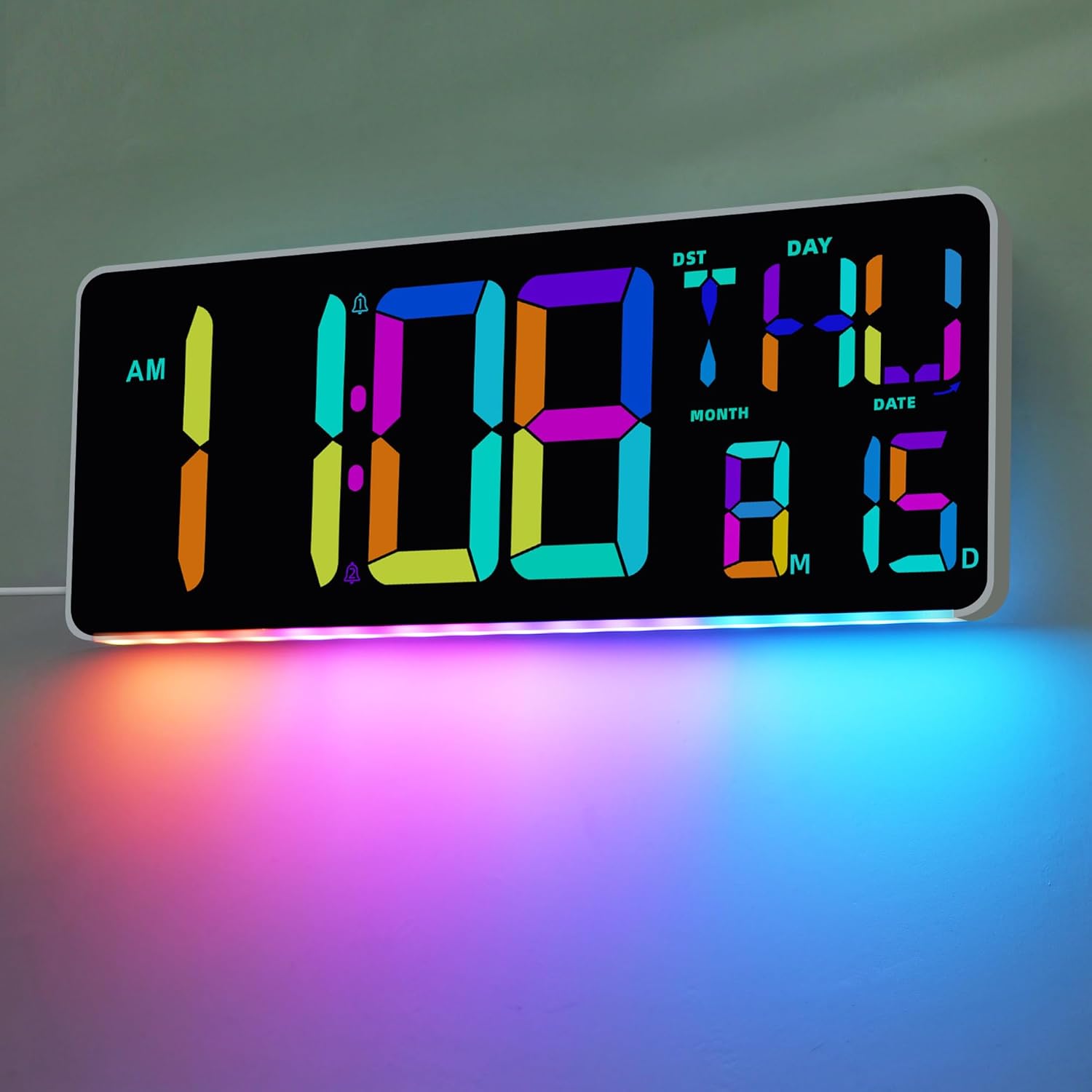
Image: The TXL 13.7" Bluetooth Large LED Digital Wall Clock showcasing its multi-color display for time, day, date, and temperature, along with its ambient bottom lighting.
Package Contents
Please verify that all items are present in your package:
- TXL 13.7" Bluetooth Large LED Digital Wall Clock
- Remote Control (requires 2 AAA batteries, included)
- Power Adapter
- User Manual (this document)

Image: The TXL digital clock, its remote control, and the power adapter, illustrating the main components included in the product package.
Product Features
- Bluetooth 5.1 Automatic Time Synchronization: Eliminates manual time setting by pairing with your smartphone.
- 11 RGB Color Digital Display: Offers 5 RGB color modes and 6 monochrome modes for customization.
- 9 RGB Night Light Colors: Provides ambient lighting options.
- Adjustable Brightness: Features 4 levels of adjustable brightness and an automatic brightness mode.
- 13.7" Large LED Display: Clearly shows time, day, date, and temperature.
- Auto DST: Automatic Daylight Saving Time adjustment.
- 29-Hour Digital Timer: Count up and count down functions with voice announcement option.
- Multifunction Modes: Clock mode, Timer mode, and Alarm clock mode.
- Multi-language Day Display: Supports 8 languages (English, Italian, French, Dutch, Spanish, Danish, Russian, German).
- Temperature Display: Shows indoor temperature in °F/°C.
- Mounting Options: Wall-mounted or desktop placement.
- Remote Control: For convenient operation.
Setup
1. Power Connection
- Connect the provided power adapter to the DC input port on the back of the clock.
- Plug the power adapter into a standard electrical outlet. The clock will power on and display default settings.
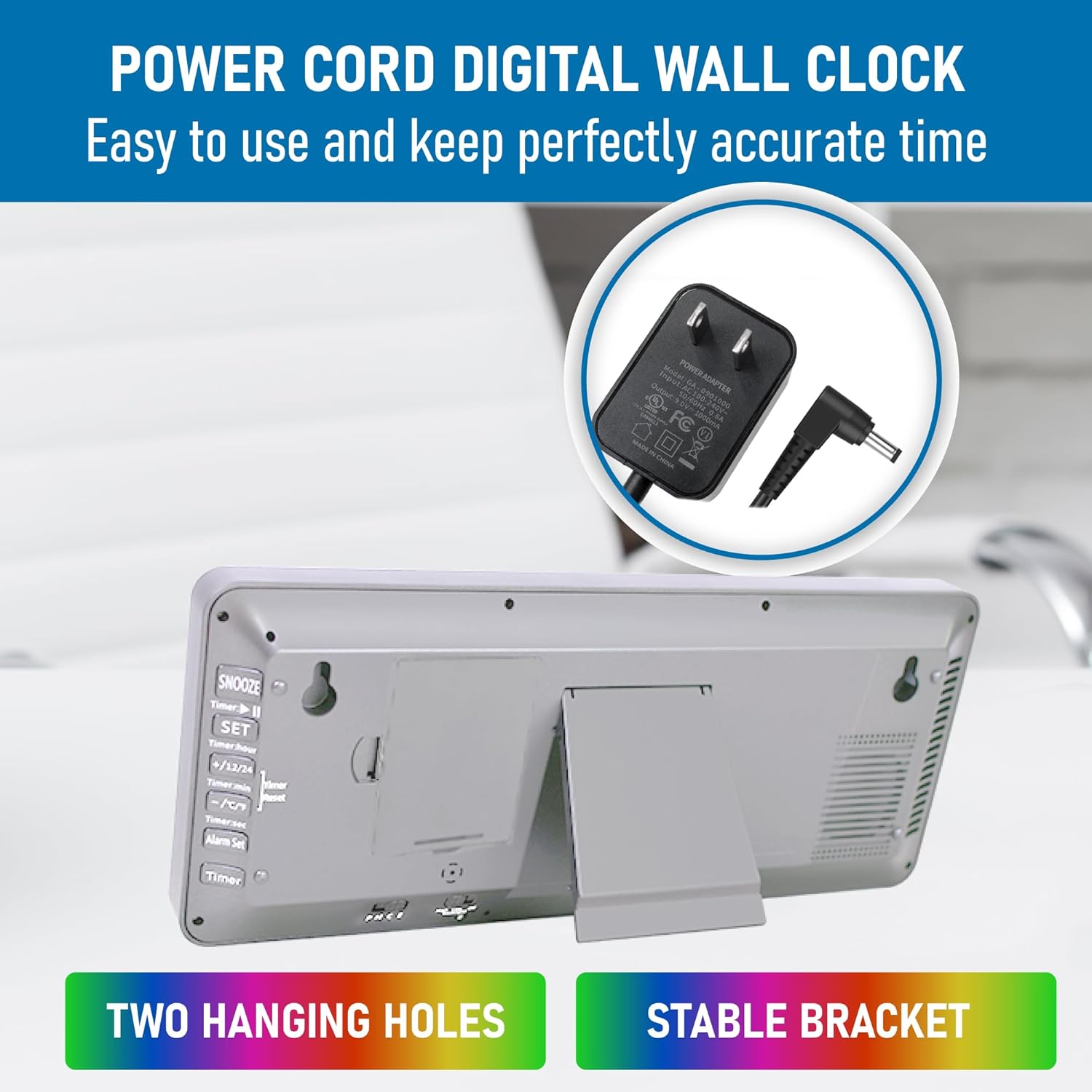
Image: The rear view of the TXL clock, highlighting the power cord connection point, two hanging holes for wall mounting, and a stable bracket for tabletop placement.
2. Remote Control Battery Installation
- Locate the battery compartment on the back of the remote control.
- Open the compartment and insert two AAA batteries, ensuring correct polarity (+/-).
- Close the battery compartment securely.
3. Mounting Options
- Desktop Placement: Extend the integrated kickstand on the back of the clock to place it on a desk, shelf, or nightstand.
- Wall Mounting: Use the two hanging holes on the back of the clock to securely mount it on a wall. Ensure appropriate wall anchors and screws are used for stability (not included).
Operating Instructions
1. Bluetooth Automatic Time Synchronization
The clock utilizes Bluetooth 5.1 for automatic time synchronization with your smartphone.
- Ensure Bluetooth is enabled on your smartphone.
- The clock will automatically attempt to pair and synchronize time upon power-up or when Bluetooth is activated.
- Once paired, the clock will automatically set the correct time and sync daily.

Image: The TXL clock demonstrating its Bluetooth synchronization feature, showing the clock's display alongside a smartphone indicating a successful Bluetooth connection and time calibration.
2. Time, Date, and Temperature Display
The large LED screen displays the current time, day of the week, date (month/day), and indoor temperature. The display cycles through these elements or can show them simultaneously depending on the mode.
- 12/24 Hour Format: Toggle between 12-hour (with AM/PM indicator) and 24-hour formats using the remote control or buttons on the clock.
- Temperature Unit: Switch between Celsius (°C) and Fahrenheit (°F) for temperature display.
- Daylight Saving Time (DST): The clock supports automatic DST adjustment. This feature can be toggled ON/OFF via the remote control.
3. Brightness Adjustment and Night Light
The clock offers adjustable brightness for the main display and a separate night light feature.
- Display Brightness: There are 4 levels of adjustable brightness. Use the remote control to cycle through these levels. An automatic brightness mode is also available, which adjusts based on ambient light.
- RGB Night Light: The clock features 9 RGB colors for the bottom night light. Use the remote control to select your preferred color or cycle through them.

Image: The TXL clock demonstrating its adjustable brightness, with examples of high and low light settings, suitable for nighttime viewing in a bedroom environment.
4. Timer Function (Count Up/Down)
The clock includes a versatile timer with a range of up to 29 hours, 59 minutes, and 59 seconds.
- Activate Timer Mode: Press the "Timer" button on the remote control or the clock's back panel.
- Set Time: Use the number buttons or arrow keys on the remote to set the desired count-down time.
- Start/Stop: Press the "Start/Stop" button to begin or pause the timer.
- Reset: Press the "Reset" button to clear the timer.
- Voice Announcement: The 10-second countdown voice announcement can be turned ON/OFF.
- The clock automatically saves the last timing set value.
5. Alarm Clock Function
Set up to two independent alarms with customizable ringtones.
- Activate Alarm Mode: Press the "Alarm" button on the remote control or the clock's back panel.
- Set Alarm Time: Use the number buttons or arrow keys to set the desired alarm time.
- Select Ringtone: Choose from 25 available ringtones.
- Enable/Disable Alarm: Toggle the alarm ON or OFF.
- Snooze Function: When the alarm sounds, press any button (except OFF) to activate snooze.
6. Language Settings
The day of the week can be displayed in 8 different languages.
- Access the language settings menu via the remote control.
- Select your preferred language from the options: English, Italian, French, Dutch, Spanish, Danish, Russian, and German.

Image: A visual representation of the TXL clock's three primary modes: Timer for activities, Clock for daily timekeeping, and Alarm for scheduled wake-ups.
Maintenance
- Cleaning: Wipe the clock's surface with a soft, dry cloth. Avoid using abrasive cleaners or solvents.
- Power: Ensure the clock is always connected to a stable power source. Unplug during electrical storms or prolonged periods of non-use.
- Remote Control: Replace AAA batteries in the remote control when its functionality diminishes. Dispose of old batteries responsibly.
- Placement: Avoid placing the clock in direct sunlight or near heat sources, as this may affect its performance and lifespan.
Troubleshooting
| Problem | Possible Cause | Solution |
|---|---|---|
| Clock does not power on. | No power supply; faulty adapter. | Ensure power adapter is securely plugged into the clock and a working outlet. Try a different outlet. |
| Time is incorrect. | Bluetooth not connected; manual setting error. | Ensure smartphone Bluetooth is ON and within range for synchronization. Manually set time if Bluetooth sync fails. |
| Remote control not working. | Dead batteries; obstruction; remote out of range. | Replace AAA batteries in the remote. Ensure no obstructions between remote and clock. Operate within effective range. |
| Display is too dim/bright. | Brightness setting incorrect. | Adjust brightness levels using the remote control. Check if auto-brightness mode is enabled. |
| Timer/Alarm not functioning. | Incorrect settings; not activated. | Verify timer/alarm settings and ensure they are activated. Check volume settings for alarms. |
Specifications
| Feature | Detail |
|---|---|
| Brand | TXL |
| Model | 11colours-rgb-bluetooth&remote-night Light |
| Display Type | Multi-display LED |
| Product Dimensions | 13"W x 5.12"H (approximately 33cm W x 13cm H) |
| Item Weight | 1.01 pounds (approximately 0.46 kg) |
| Power Source | Corded Electric |
| Material | Plastic |
| Special Features | Adjustable Brightness, Corded, Large Display, Temperature Display, Timer, Bluetooth, RGB Color Changing, Night Light, Auto DST |
| Remote Control Batteries | 2 AAA batteries (included) |
| Mounting Type | Tabletop and Wall Mount |
| Languages Supported (Day) | English, Italian, French, Dutch, Spanish, Danish, Russian, German |
Warranty and Support
TXL products are manufactured with quality and reliability in mind. For specific warranty information, please refer to the documentation included with your purchase or contact TXL customer support.
If you encounter any issues or have questions regarding your TXL Digital Wall Clock, please contact our customer support team. Details for contacting support can typically be found on the product packaging or the official TXL website.
For the latest information and support, please visit the TXL Store on Amazon.