
1. Introduction and Overview
This manual provides detailed instructions for the safe and efficient operation of your Live4Future CHINT DDSU666 Mobile Electric Meter. This device is designed for monitoring electricity consumption in various outdoor and mobile applications, including recreational vehicles (RVs), electric vehicle (EV) charging, and balcony photovoltaic (PV) systems. Its robust IP65 housing and IP44 Schuko connectors ensure reliable performance in challenging outdoor conditions.
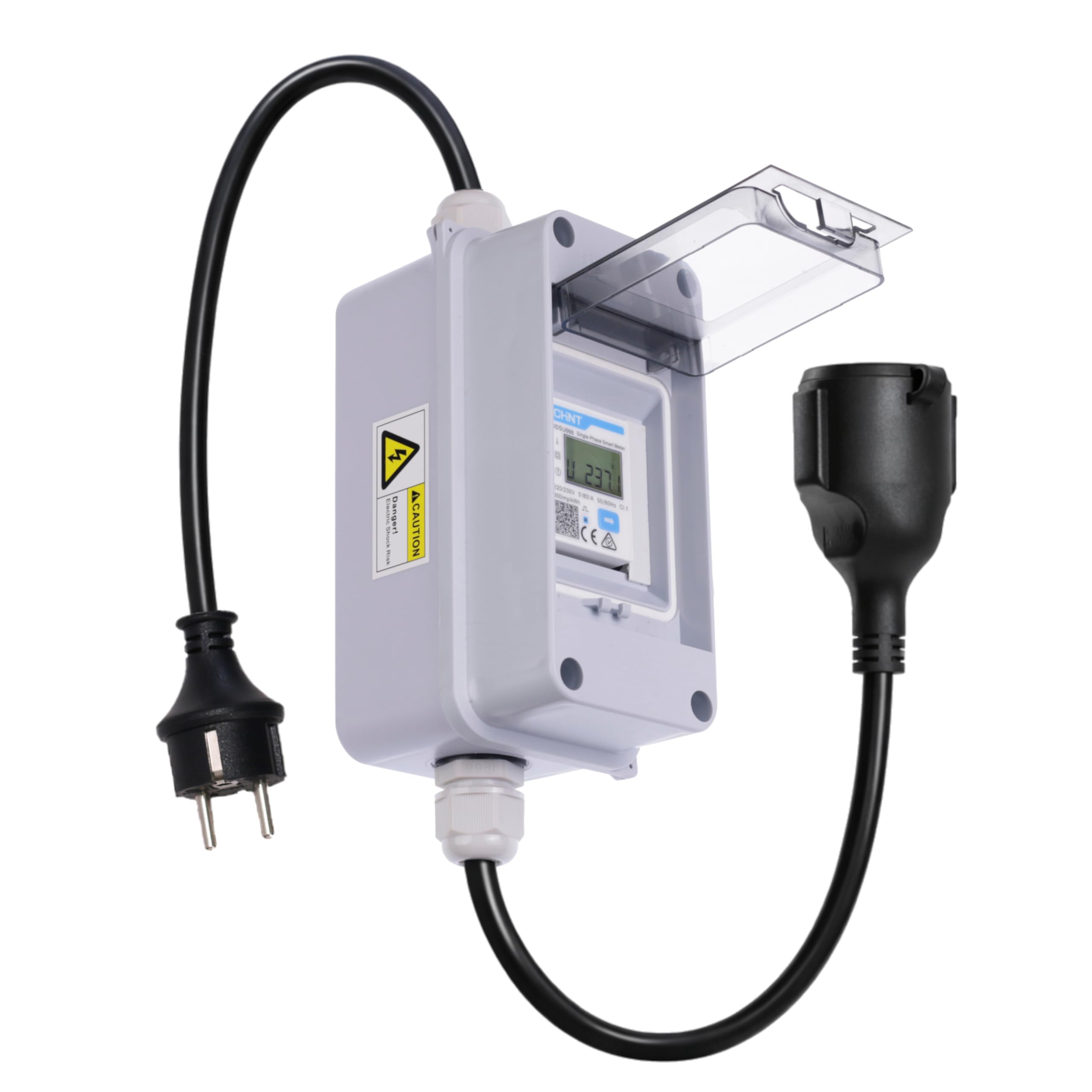
Image: The Live4Future CHINT DDSU666 Mobile Electric Meter, showing the integrated smart meter, Schuko plug, and Schuko socket.
2. Safety Information
- Always ensure the device is disconnected from the power source before performing any maintenance, cleaning, or inspection.
- Do not open the device housing. Refer all servicing to qualified personnel.
- Ensure proper grounding for all connected equipment to prevent electrical shock.
- Avoid exposing the device to extreme physical shock, excessive moisture, or temperatures outside its specified operating range (-25 °C to +60 °C).
- Do not exceed the maximum current rating of 16A. Overloading can cause damage to the device and connected equipment, and poses a fire hazard.
- Keep out of reach of children.
3. Package Contents
Verify that all the following items are included in your package:
- 1x Live4Future CHINT DDSU666 Mobile Electric Meter (Model LF-WME44)
- 1x User Manual
- Mounting accessories (e.g., screws, wall plugs)

Image: Contents of the product package, showing the meter, user manual, and small bag of mounting accessories.
4. Product Features
- IP65 Waterproof Housing: Provides optimal protection against dust and water jets, making it ideal for outdoor use in demanding conditions.
- Powerful Electrical Specifications: Operates at 220-240V~ with a maximum current of 16A, suitable for various outdoor applications with high power requirements.
- Wide Operating Temperature Range: Functions reliably in extreme temperatures from -25 °C to +60 °C.
- Robust Cabling: Equipped with a H07RN-F 3G 1.5mm² cable, specifically designed for outdoor applications to ensure flexibility and durability.
- Easy Plug and Play: Features Schuko connectors (IP44 rated) for quick and secure connection to outdoor power sources.

Image: Key features of the meter, including its smart capabilities, precision, IP65 rating, and Schuko connections.
5. Setup
- Unpack the device and verify that all components listed in Section 3 are present and undamaged.
- Identify the input (male Schuko plug) and output (female Schuko socket) connections on the device.
- Connect the device's male Schuko plug to a suitable 220-240V~, 16A max power outlet. Ensure the outlet is properly grounded.
- Connect your appliance or system (e.g., RV power cable, EV charger, balcony PV inverter) to the device's female Schuko socket.
- Ensure all connections are secure. If using outdoors, ensure the IP44 protective cover on the socket is properly closed when not in use or when connected to maintain splash protection.
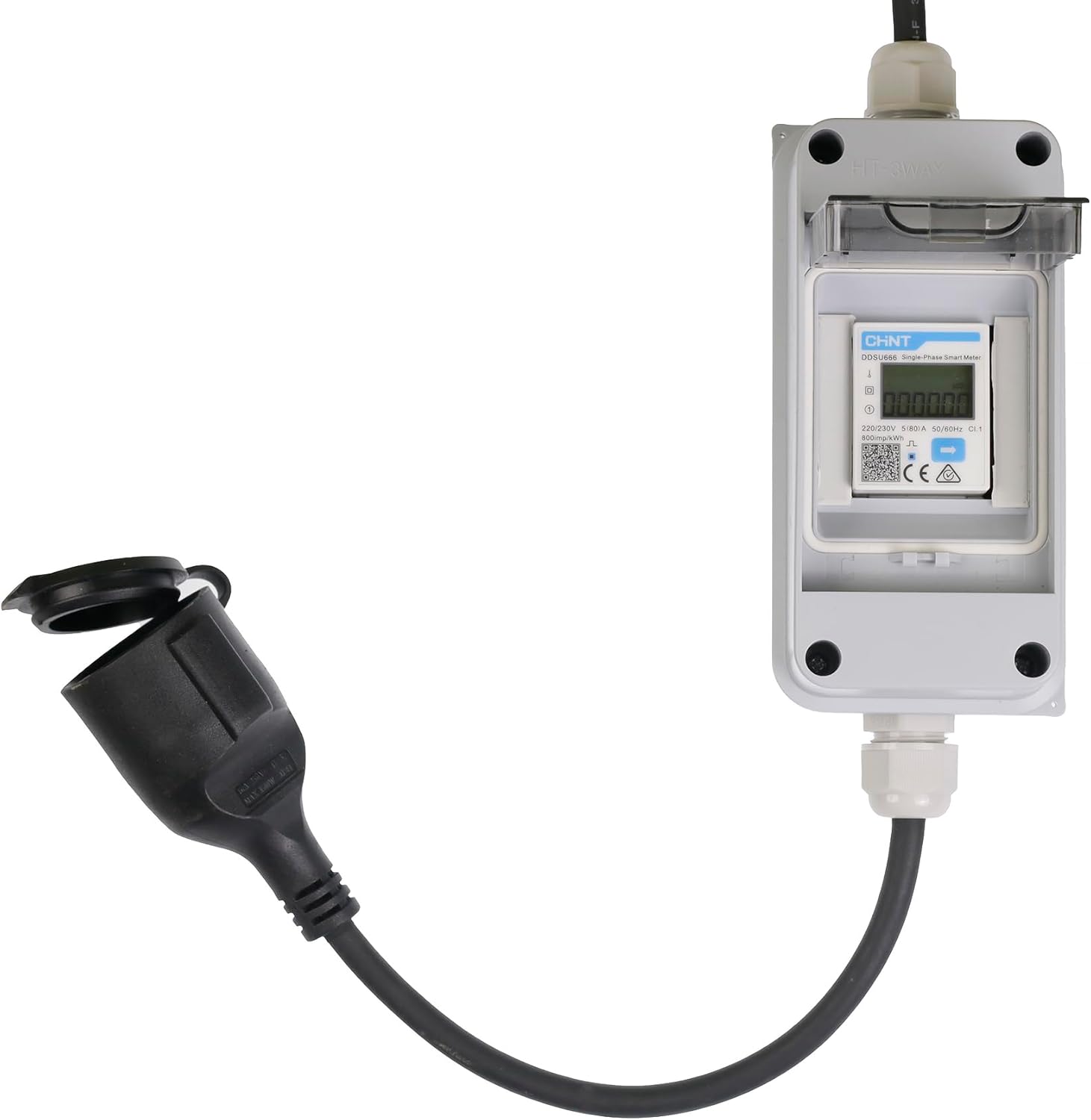
Image: The meter's Schuko socket with its protective cover open, ready for connection.
6. Operating Instructions
Once properly connected to a power source and a load, the meter will automatically power on and begin displaying data. The LCD screen will cycle through various measurement modes by default. To manually cycle through different data displays, press the blue button located on the front of the meter.

Image: The meter's display showing various electrical parameters and the button for cycling through them.
7. Display Information
The meter's LCD screen can display the following parameters:
- Combined active energy (kWh): Total energy consumed or produced.
- Positive active energy (kWh): Energy consumed from the grid.
- Reverse active energy (kWh): Energy fed back into the grid (e.g., from PV systems).
- Voltage (V): The current voltage of the electrical supply.
- Current (A): The current flowing through the circuit.
- Active power (W): The instantaneous real power being consumed or produced.
- Power factor: A measure of how effectively electrical power is being used.
- Frequency (Hz): The frequency of the AC power supply.
8. Applications
The Live4Future CHINT DDSU666 Mobile Electric Meter is versatile and suitable for various applications:
- Recreational Vehicles (RVs) and Campers: Monitor energy consumption while connected to campsite power.
- Electric Vehicle (EV) Charging: Track the electricity used for charging your EV.
- Balcony Photovoltaic (PV) Systems: Measure energy input and output from small solar installations.
- Outdoor Power Monitoring: Ideal for monitoring power usage of outdoor tools, equipment, or temporary setups.
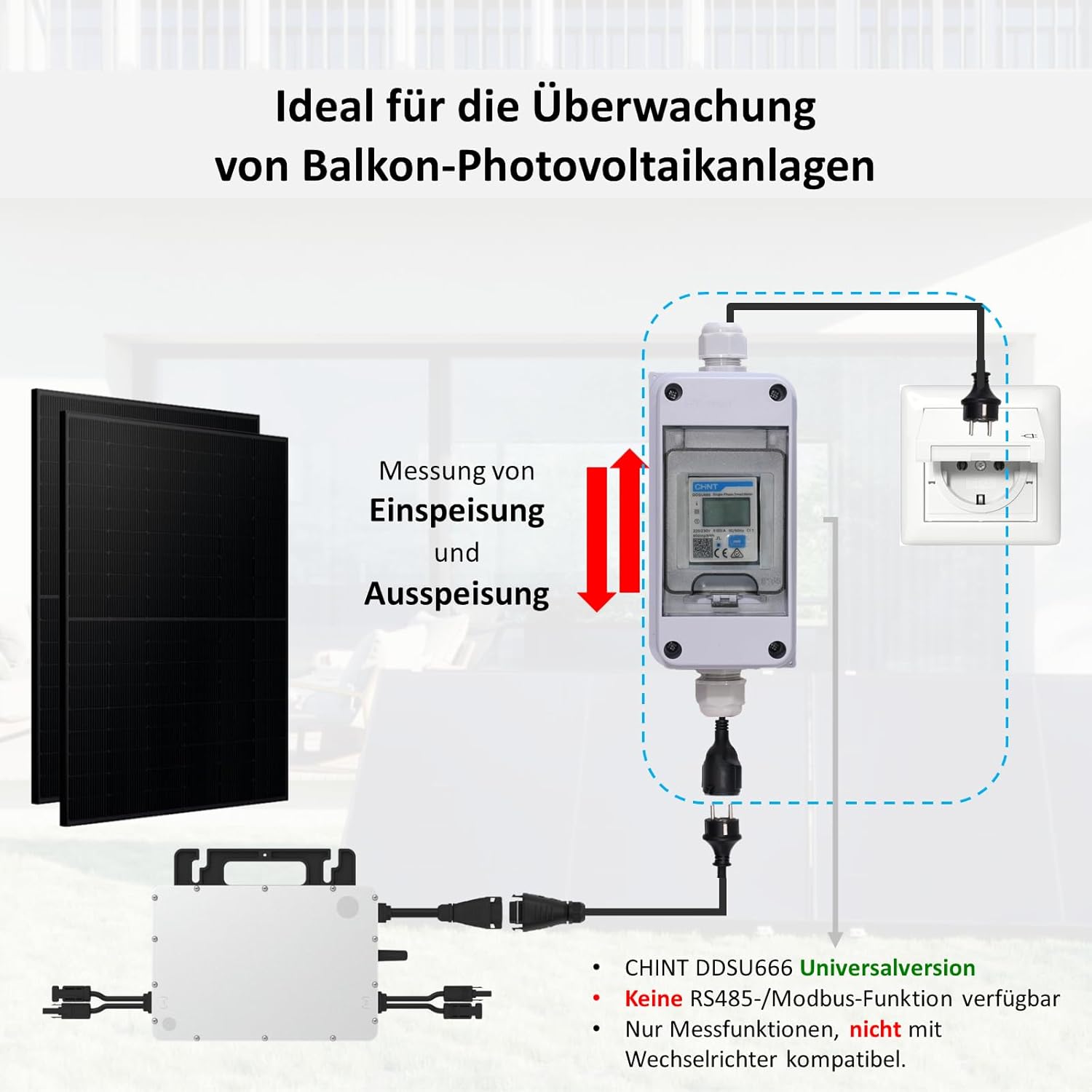
Image: The meter integrated into a balcony photovoltaic system setup, demonstrating its use for energy monitoring.
9. Maintenance
- Regular Inspection: Periodically inspect the cables, plug, and socket for any signs of damage, wear, cracks, or corrosion. Replace if damaged.
- Cleaning: Keep the device clean. Wipe the exterior with a soft, dry, or slightly damp cloth. Do not use abrasive cleaners, solvents, or harsh chemicals, as these can damage the housing or display.
- Seal Integrity: Ensure the IP65 housing remains sealed and the IP44 protective cover on the socket is properly closed when not in use to maintain its waterproof and dustproof rating.
- Storage: When not in use for extended periods, store the device in a dry, cool place, away from direct sunlight and extreme temperatures.
10. Troubleshooting
- No Display / Device Not Powering On:
- Check that the male Schuko plug is fully inserted into a live power outlet.
- Verify that the power outlet itself is functional (test with another appliance).
- Inspect the cable and plug for any visible damage. If damaged, discontinue use and contact support.
- No Readings / Incorrect Readings:
- Ensure the appliance or system is correctly connected to the device's female Schuko socket and is powered on.
- Verify that the load connected does not exceed the maximum current rating of 16A.
- If readings appear inaccurate, try disconnecting and reconnecting the device. If the issue persists, contact support.
- Water Ingress / Damage:
- If you suspect water has entered the device or if it shows signs of physical damage, immediately disconnect it from the power source. Do not attempt to use it. Contact support.
11. Specifications
| Manufacturer | Live4Future |
| Model Number | LF-WME44 (CHINT-DDSU666-1P2W) |
| Product Dimensions (L x W x H) | 28.5 x 9.3 x 13.5 cm |
| Weight | 800 grams |
| Operating Voltage | 220-240V~ |
| Maximum Current | 16A |
| Frequency | 50/60Hz |
| Ingress Protection (Housing) | IP65 (Dustproof, Water Jet Protected) |
| Ingress Protection (Schuko Connectors) | IP44 (Splashproof) |
| Operating Temperature | -25 °C to +60 °C |
| Cable Type | H07RN-F 3G 1.5mm² |
| Batteries Required | No |
| Spare Parts Availability | 2 Years |
12. Warranty and Support
The Live4Future CHINT DDSU666 Mobile Electric Meter is designed for durability and reliability. Spare parts are available for a period of 2 years from the date of purchase.
For warranty claims, technical assistance, or any questions regarding the operation or maintenance of your device, please contact Live4Future customer service. You can typically find contact information through the retailer where the product was purchased or on the official Live4Future website.
Please have your model number (LF-WME44) and proof of purchase ready when contacting support.