
1. Introduction
Thank you for choosing the sogesfurniture 55-inch Floating TV Stand. This manual provides detailed instructions for the safe assembly, operation, and maintenance of your new entertainment center. Please read all instructions carefully before beginning assembly and retain this manual for future reference.
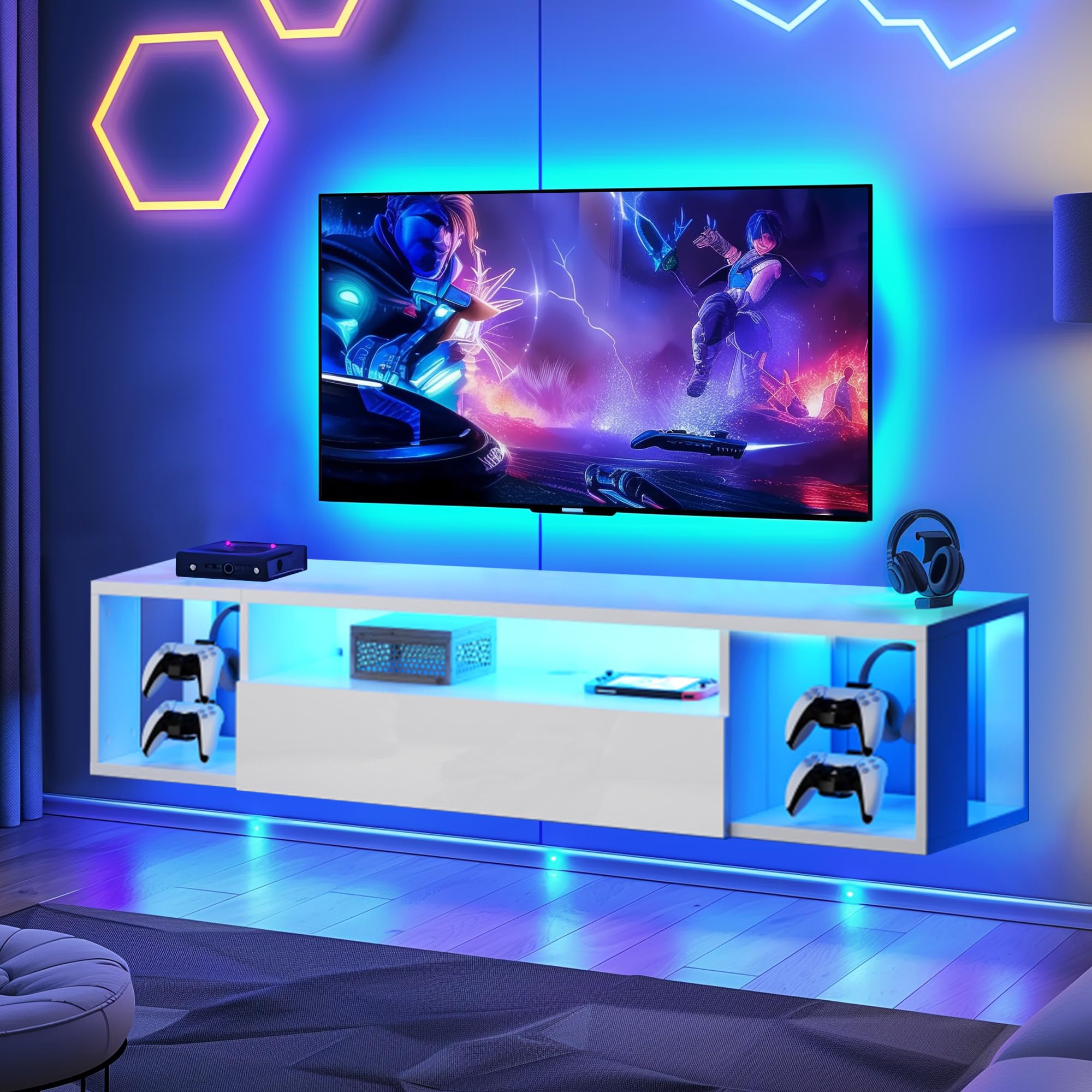
Image: Front view of the sogesfurniture 55-inch Floating TV Stand.
2. Safety Information
WARNING: Ensure the TV stand is securely mounted to the wall to prevent tip-over. Always follow the assembly instructions carefully to ensure safe use. Failure to do so may result in serious injury or property damage.
- Do not overload the shelves. Refer to specifications for weight limits.
- Keep small parts away from children during assembly.
- Use appropriate tools and follow all steps in the correct order.
- Verify wall type before mounting to ensure proper anchors and fasteners are used.
3. Parts List
Before assembly, ensure all parts are present and undamaged. Refer to the included hardware pack and diagrams for identification.
- TV Stand components (Engineered Wood panels)
- Mounting hardware (screws, anchors, brackets)
- LED light strip and power adapter
- RF Wireless Remote Control
- Detachable hooks (for controllers/headphones)
- Cable management grommets

Image: Close-up of product details showing cable hole and detachable hooks.
4. Setup and Installation
The sogesfurniture Floating TV Stand requires wall mounting. Detailed steps and diagrams are provided in the separate assembly instructions included with your product. Please follow them carefully to ensure a secure and stable installation.
- Prepare the Wall: Identify a suitable wall location. Ensure the wall material (solid brick, concrete, or wooden stud) can support the weight of the TV stand and its contents. Use a stud finder if mounting to drywall.
- Mark Mounting Points: Using a level and measuring tape, mark the precise locations for the mounting brackets on the wall according to the assembly instructions.
- Install Brackets: Drill pilot holes and securely attach the mounting brackets to the wall using the provided hardware. For drywall, use appropriate wall anchors.
- Assemble TV Stand Sections: Follow the step-by-step diagrams to assemble the main sections of the TV stand.
- Mount the Stand: Carefully lift the assembled TV stand and hook it onto the installed wall brackets. Ensure it is level and securely seated.
- Install LED Lights: Adhere the LED light strip to the designated areas on the TV stand. Connect the power adapter and remote receiver.
- Cable Management: Utilize the integrated cable holes to route and organize your device cables, maintaining a clean appearance.
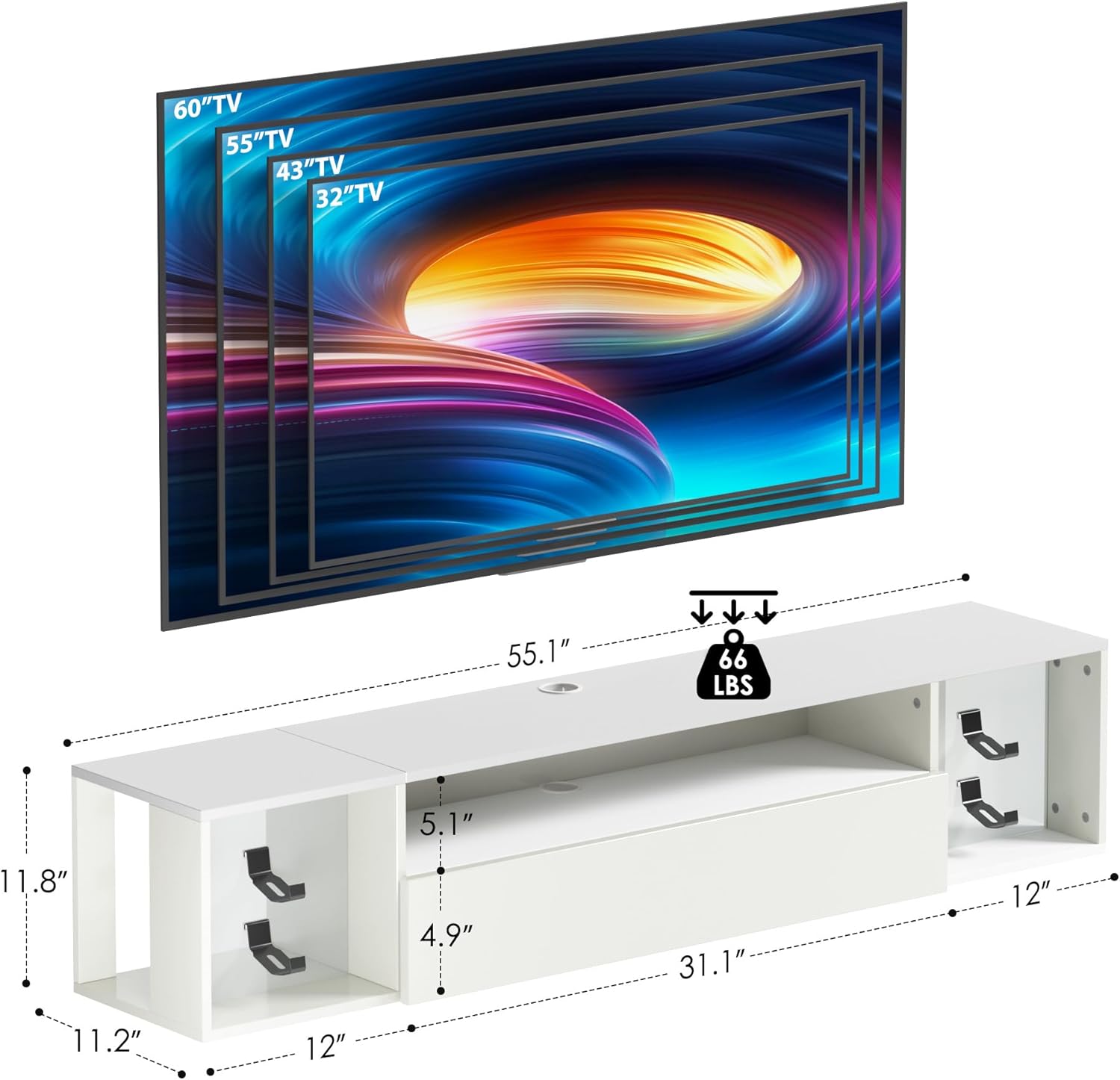
Image: Dimensional diagram of the TV stand, indicating compatibility with various TV sizes up to 60 inches and a weight capacity of 66 lbs.

Image: The floating TV stand mounted on a wall, demonstrating its space-saving design.
5. Operating Instructions
5.1 LED Lighting System
Your TV stand features integrated LED lighting with a remote control for customization.

Image: RF Wireless Remote Control for LED lights, illustrating various control options.
- Power On/Off: Press the power button on the remote to turn the lights on or off.
- Color Selection: Use the color buttons to choose from 20 static colors.
- Dynamic Modes: Select from 19 dynamic modes (e.g., flash, strobe, fade, smooth) using the 'MODE' button.
- Speed Adjustment: Increase or decrease the speed of dynamic modes using the 'SPEED +/-' buttons.
- Brightness Control: Adjust the brightness of static colors or dynamic modes using the 'BRIGHT +/-' buttons (5 brightness levels).
Ensure the remote control has fresh batteries and is pointed towards the LED receiver for optimal functionality.
Video: Floating TV Stand with LED Lights in action
Video: A short demonstration of the floating TV stand with its LED lights, showcasing various color options and the overall aesthetic. Note: This is a short preview video.
6. Maintenance
- Cleaning: Wipe surfaces with a soft, damp cloth. Avoid harsh chemicals or abrasive cleaners that may damage the finish.
- Dusting: Regularly dust the stand to prevent buildup.
- Hardware Check: Periodically check all mounting hardware and screws to ensure they remain tight and secure. Retighten if necessary.
- LED Lights: If LED lights malfunction, check the power connection and remote control batteries.
7. Troubleshooting
| Problem | Possible Cause | Solution |
|---|---|---|
| TV Stand feels unstable after mounting. | Improper installation; loose hardware; unsuitable wall type. | Verify all mounting hardware is securely tightened. Ensure appropriate wall anchors were used for your wall type. Consult a professional if unsure. |
| LED lights do not turn on. | Power adapter unplugged; remote batteries dead; LED strip connection loose. | Check if the power adapter is securely plugged into an outlet and the LED strip. Replace remote control batteries. Ensure all LED strip connections are firm. |
| Remote control not responding. | Remote batteries dead; remote not pointed at receiver; interference. | Replace remote batteries. Ensure direct line of sight to the LED receiver. Remove any obstructions. |
8. Specifications
- Brand: sogesfurniture
- Model Number: 10CZSMHGS0652
- Color: White
- Material: Engineered Wood
- Mounting Type: Wall Mount
- Item Dimensions (L x W x H): 55 x 12 x 12 inches
- Item Weight: 38 Pounds
- Number of Shelves: 1 (main shelf)
- Special Feature: Floating, Wall-Mounted Design with Integrated LED Lights
- Storage Options: Shelves, compartments
- Required Assembly: Yes
9. Warranty and Support
For warranty information, please refer to the documentation included with your purchase or contact sogesfurniture customer service. Keep your purchase receipt as proof of purchase.
If you encounter any issues or have questions not covered in this manual, please contact our customer support team:
- Customer Service: Refer to your purchase platform or the manufacturer's website for contact details.
- Online Resources: Visit the sogesfurniture store on Amazon for additional product information and support. sogesfurniture Store