
1. Introduction
This manual provides essential information for the safe and efficient operation, maintenance, and care of your SUNDERWELL EX01 Electric Heavy Duty Mobility Scooter. Please read this manual thoroughly before operating the scooter to ensure proper usage and to prevent injury or damage.
The SUNDERWELL EX01 is designed to provide reliable and comfortable mobility for seniors and adults, featuring a robust 4-wheel design and a 500 LBS weight capacity.

Image 1.1: The SUNDERWELL EX01 Electric Heavy Duty Mobility Scooter, showcasing its robust design and blue finish.
2. Safety Information
Important: This mobility scooter is intended for adult and senior use only. Always prioritize safety during operation.
- Pre-Operation Check: Before each use, inspect tires for proper inflation, check brakes for functionality, and ensure all controls are easily accessible and working correctly.
- Weight Capacity: Do not exceed the maximum weight capacity of 500 LBS (227 kg). Exceeding this limit can affect stability and performance.
- Anti-Tipper Wheels: The scooter is equipped with anti-tipper wheels to enhance stability and prevent backward leaning. Ensure these are in good condition.
- Lighting: Utilize the full LED lighting package, including headlights, turn signals, and brake lights, especially in low-light conditions or when operating near traffic.
- Speed Control: Always operate the scooter at a safe speed appropriate for the environment and your skill level.
- Environmental Conditions: Avoid operating the scooter in extreme weather conditions, on excessively steep inclines, or on uneven terrain that could compromise stability.

Image 2.1: View of the scooter's rear, highlighting the full LED lighting package and the anti-tipper wheels designed for enhanced stability.
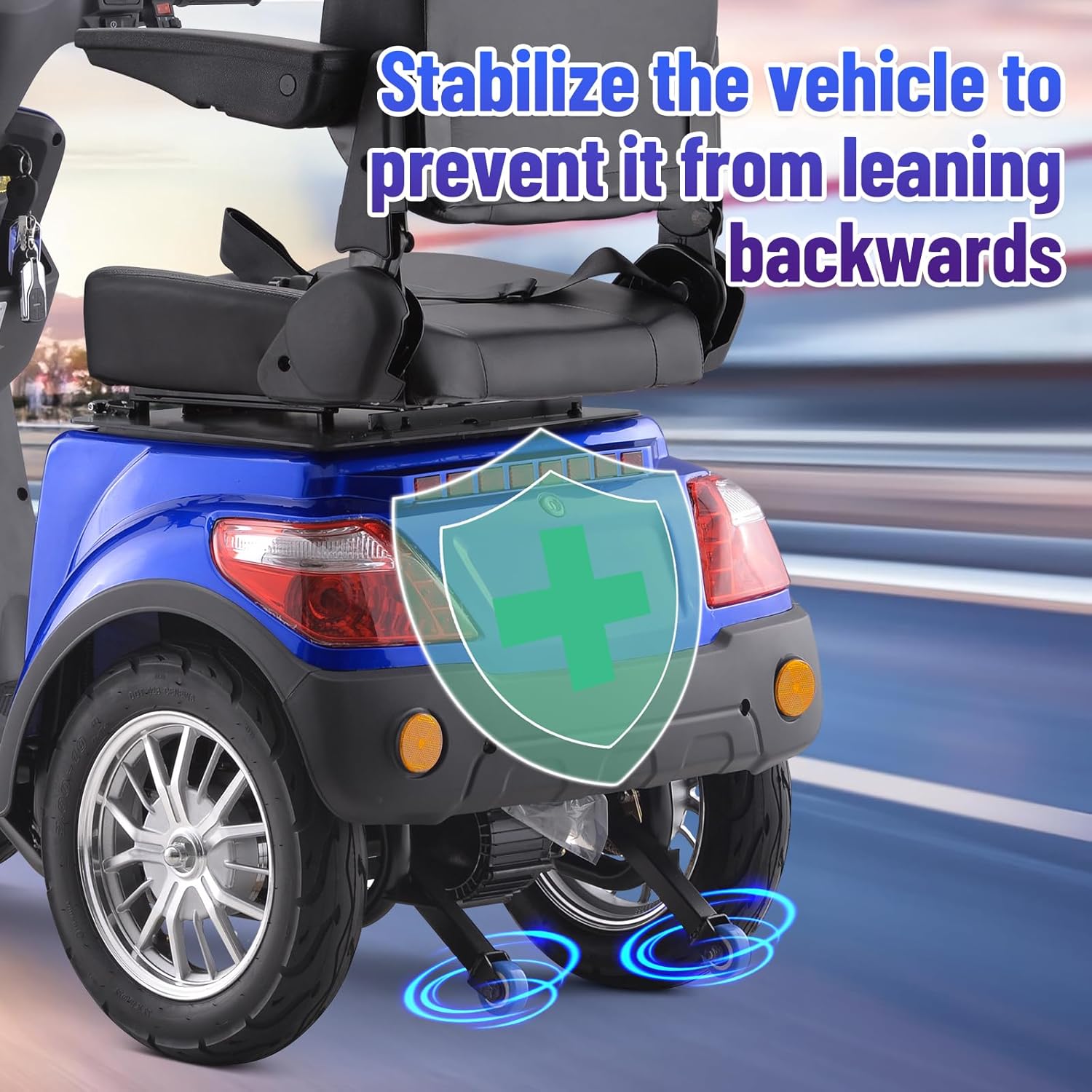
Image 2.2: Detailed view of the anti-tipper wheels, which help stabilize the vehicle and prevent it from leaning backward during operation.
3. Setup and Assembly
The SUNDERWELL EX01 Electric Heavy Duty Mobility Scooter is shipped fully assembled and ready to ride. Upon receiving your scooter, perform the following steps:
- Unpacking: Carefully remove the scooter from its packaging.
- Visual Inspection: Inspect the scooter for any visible damage that may have occurred during shipping. Report any damage to the retailer immediately.
- Initial Charge: Before the first use, fully charge the battery according to the instructions in the 'Battery Information' section.
- Familiarization: Sit on the scooter and familiarize yourself with the controls before attempting to drive.
4. Operating Instructions
4.1. Control Panel Overview
The intuitive control panel allows for effortless operation. It displays key information for safe and informed riding.

Image 4.1: The scooter's operation board, detailing the digital display for speed, battery indicator, and range.
- Speed Indicator (1): Displays your current speed in MPH.
- Battery Indicator (2): Shows the current battery charge level.
- Range (3): Indicates the estimated remaining travel distance.
4.2. Handlebar Controls
The handlebars feature essential controls for driving and safety.

Image 4.2: Close-up of the handlebar controls, showing buttons for headlights, turn signals, and the horn.
- Headlight Button: Activates the front headlight.
- Turn Signal Switch: Use to indicate left or right turns.
- Horn Button: Press to sound the horn.
- Speed Adjuster: Located on the handlebar, this control allows you to adjust the maximum speed of the scooter.
- Remote Key: The scooter includes a remote key for convenient locking/unlocking and starting/stopping the scooter. Refer to the remote key's specific instructions for detailed functions.
4.3. Starting and Driving
- Power On: Insert the key into the ignition and turn it to the 'ON' position, or use the remote key to power on.
- Select Speed: Use the speed adjuster to set your desired maximum speed.
- Accelerate: Gently press the throttle lever (typically on the right handlebar) to begin moving.
- Braking: Release the throttle and apply the brake levers (on both handlebars) to slow down or stop.
- Turning: Use the handlebars to steer and the turn signal switch to indicate your direction.
- Power Off: Turn the key to the 'OFF' position or use the remote key to power off the scooter when finished.
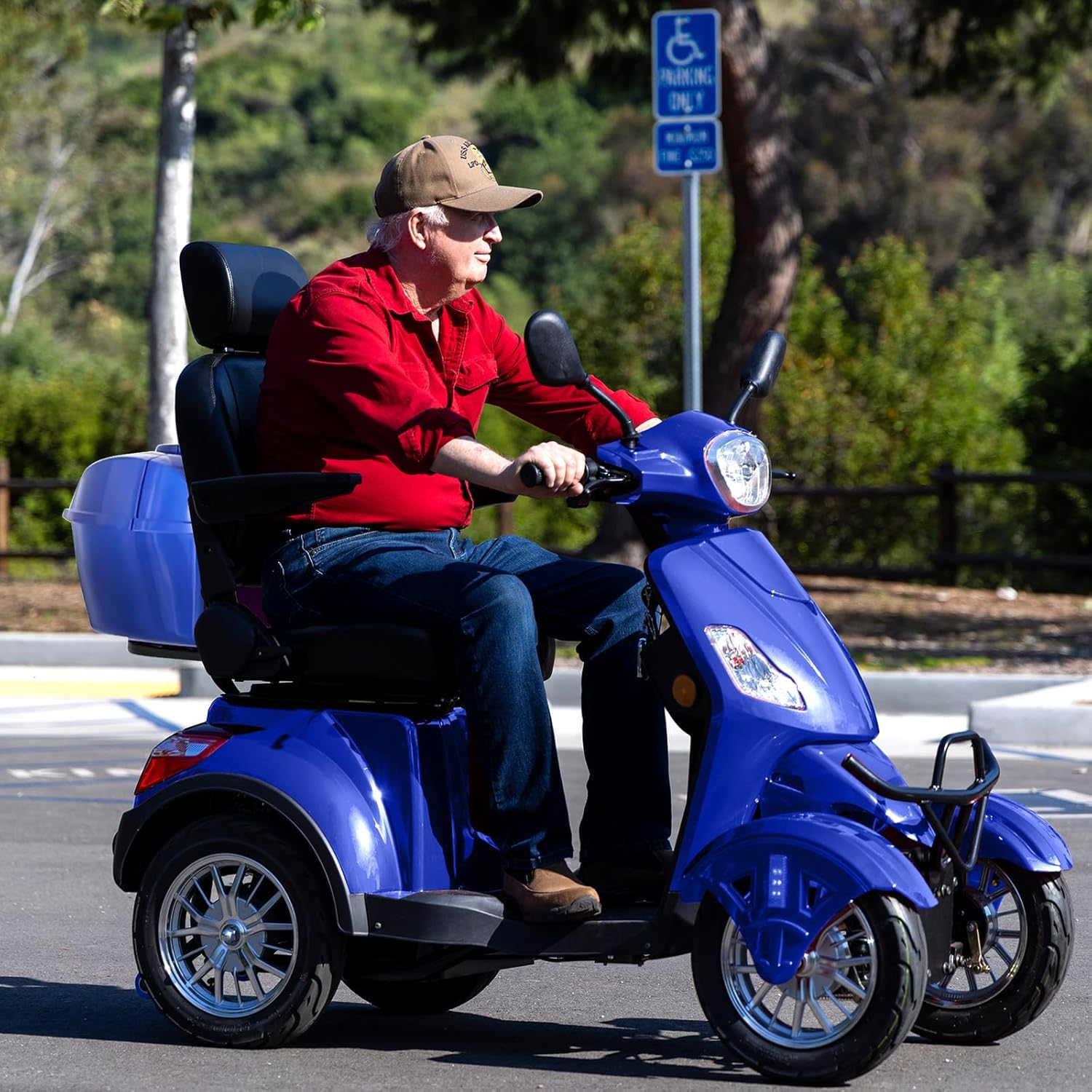
Image 4.3: An individual operating the SUNDERWELL EX01 scooter on a paved path, demonstrating typical use.
5. Battery Information and Charging
The SUNDERWELL EX01 is equipped with a 48V/20AH battery, providing a drive mileage of 25-31 miles on a full charge.
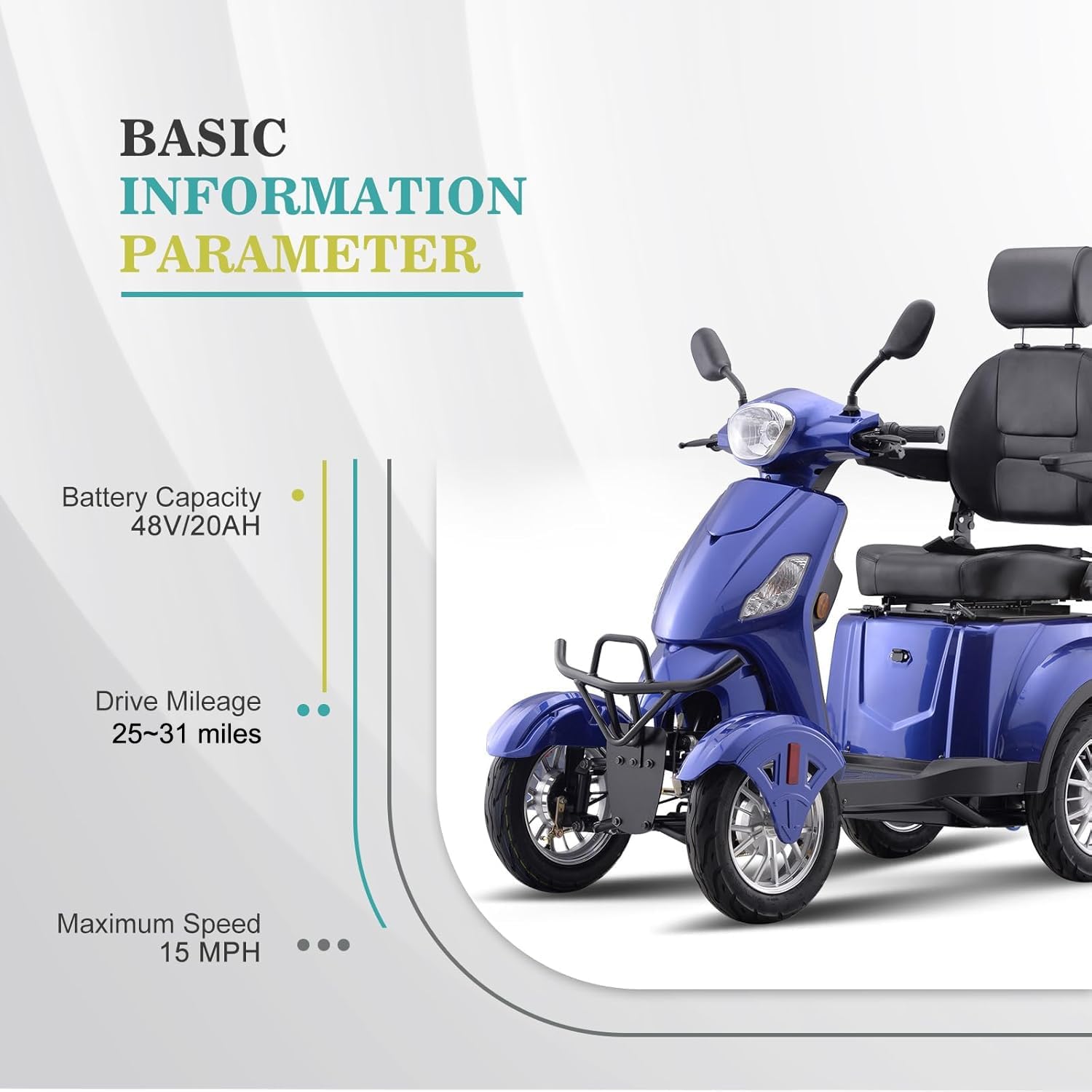
Image 5.1: Basic information parameters for the scooter, including battery capacity (48V/20AH), drive mileage (25-31 miles), and maximum speed (15 MPH).
- Charging: Connect the charger to the scooter's charging port and then to a standard electrical outlet. The charging indicator on the charger will show the charging status.
- Charging Time: Allow sufficient time for a full charge, typically several hours. Refer to the charger's instructions for specific charging times.
- Battery Care: To prolong battery life, avoid fully discharging the battery frequently. Charge the battery regularly, even if the scooter is not in use for extended periods.
- Storage: Store the scooter and battery in a cool, dry place.
6. Maintenance
Regular maintenance ensures the longevity and safe operation of your scooter.
- Cleaning: Clean the scooter regularly with a damp cloth. Avoid using high-pressure water jets directly on electrical components.
- Tire Pressure: Check tire pressure periodically and inflate to the recommended PSI (refer to tire sidewall for specifications).
- Brakes: Inspect brake pads and cables for wear and proper adjustment. Have brakes serviced by a qualified technician if performance degrades.
- Fasteners: Periodically check all nuts, bolts, and fasteners to ensure they are tight.
- Professional Service: For complex repairs or electrical issues, consult with a qualified service technician.
7. Troubleshooting
This section addresses common issues you might encounter with your SUNDERWELL EX01 scooter.
- Scooter Does Not Power On:
- Ensure the key is fully inserted and turned to the 'ON' position.
- Check if the battery is charged. Recharge if necessary.
- Verify all electrical connections are secure. - Motor Does Not Engage:
- Confirm the scooter is powered on.
- Check if the throttle lever is fully engaged.
- Ensure the brake levers are not partially engaged. - Reduced Range or Speed:
- The battery may not be fully charged or may be aging. Ensure a full charge.
- Check tire pressure; underinflated tires can reduce efficiency.
- Operating on inclines or carrying heavy loads will reduce range and speed. - Brakes Feel Weak:
- Inspect brake pads for wear.
- Check brake cable tension. Adjustment or replacement may be needed by a technician.
If you experience persistent issues not covered here, please contact SUNDERWELL customer support.
8. Specifications
The following table outlines the key specifications for the SUNDERWELL EX01 Electric Heavy Duty Mobility Scooter.
| Feature | Specification |
|---|---|
| Model Number | EX01 |
| Brand | SUNDERWELL |
| Product Dimensions (L x W x H) | 61" x 28.7" x 55.1" (155 cm x 73 cm x 140 cm) |
| Item Weight | 270 Pounds (122.5 kg) |
| Weight Capacity | 500 LBS (227 kg) |
| Battery Capacity | 48V/20AH |
| Drive Mileage | 25-31 miles (40-50 km) |
| Maximum Speed | 15 MPH (24 km/h) |
| Color | Blue |
| Lighting | Full LED (Headlight, Turn Signals, Brake Lights) |
| Safety Features | Anti-Tipper Wheels |
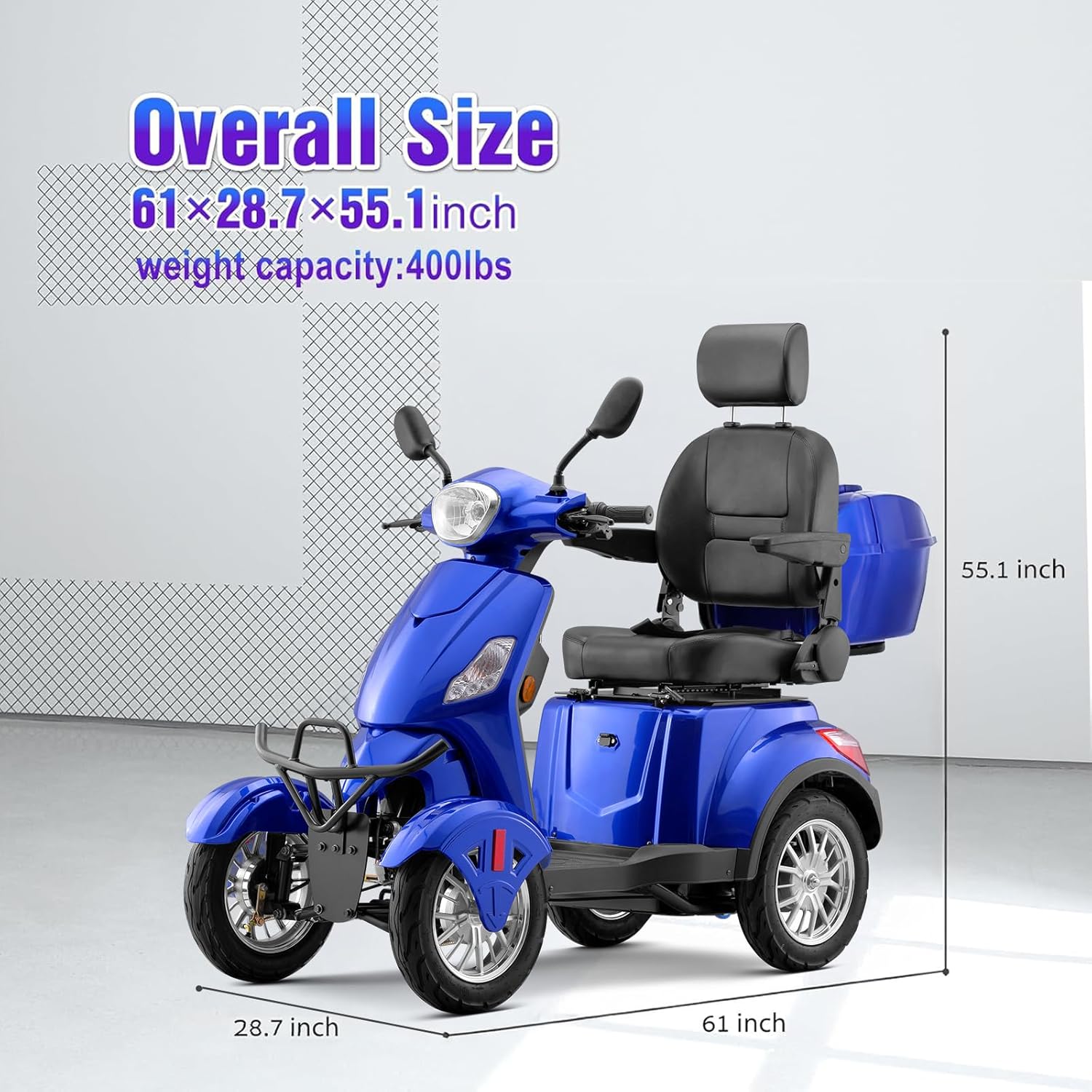
Image 8.1: Diagram illustrating the overall dimensions of the SUNDERWELL EX01 scooter.
9. Warranty and Support
For warranty information, please refer to the documentation included with your purchase or contact SUNDERWELL customer service. If you require technical assistance, replacement parts, or have questions regarding your scooter, please reach out to SUNDERWELL support through their official channels.
SUNDERWELL Contact Information: Please visit the official SUNDERWELL website or refer to your purchase receipt for the most current contact details.