
1. Product Overview
The JALOKEE Kids Digital Piano Keyboard is a miniature upright wooden piano designed to introduce children to music. It features 37 keys and produces electronically generated sounds, eliminating the need for manual tuning. This instrument is built with solid MDF construction, ensuring durability and stability.
Key features include:
- Wooden construction for a classic aesthetic.
- Superior sound quality for an engaging musical experience.
- 37 keys, suitable for beginner musicians.
- Educational design to foster musical development.
- Digitally tuned for consistent sound.
- Adjustable volume control.

Image 1.1: JALOKEE Kids Digital Piano Keyboard highlighting its wooden construction, superior sound, 37 keys, educational benefits, digital tuning, and music enlightenment focus.
2. Package Contents
Your JALOKEE Kids Digital Piano Keyboard package includes:
- 1 x JALOKEE Kids Digital Piano Keyboard (37 Keys, Oak)
- 1 x Color-illustrated songbook with English lyrics
- 1 x Set of color-coded keyboard stickers

Image 2.1: The JALOKEE Kids Digital Piano Keyboard and its accompanying color-illustrated songbook.

Image 2.2: The JALOKEE Kids Digital Piano Keyboard keys with the included color-coded stickers for easy learning.
3. Setup Instructions
3.1 Battery Installation
The JALOKEE Kids Digital Piano Keyboard requires 3xAA batteries (not included) for operation. Locate the battery compartment on the underside of the piano. Open the compartment, insert the batteries according to the polarity markings (+/-), and securely close the cover.
3.2 Applying Keyboard Stickers
For an enhanced learning experience, apply the provided color-coded keyboard stickers to the corresponding keys. These stickers are designed to help children identify notes and learn songs more easily.
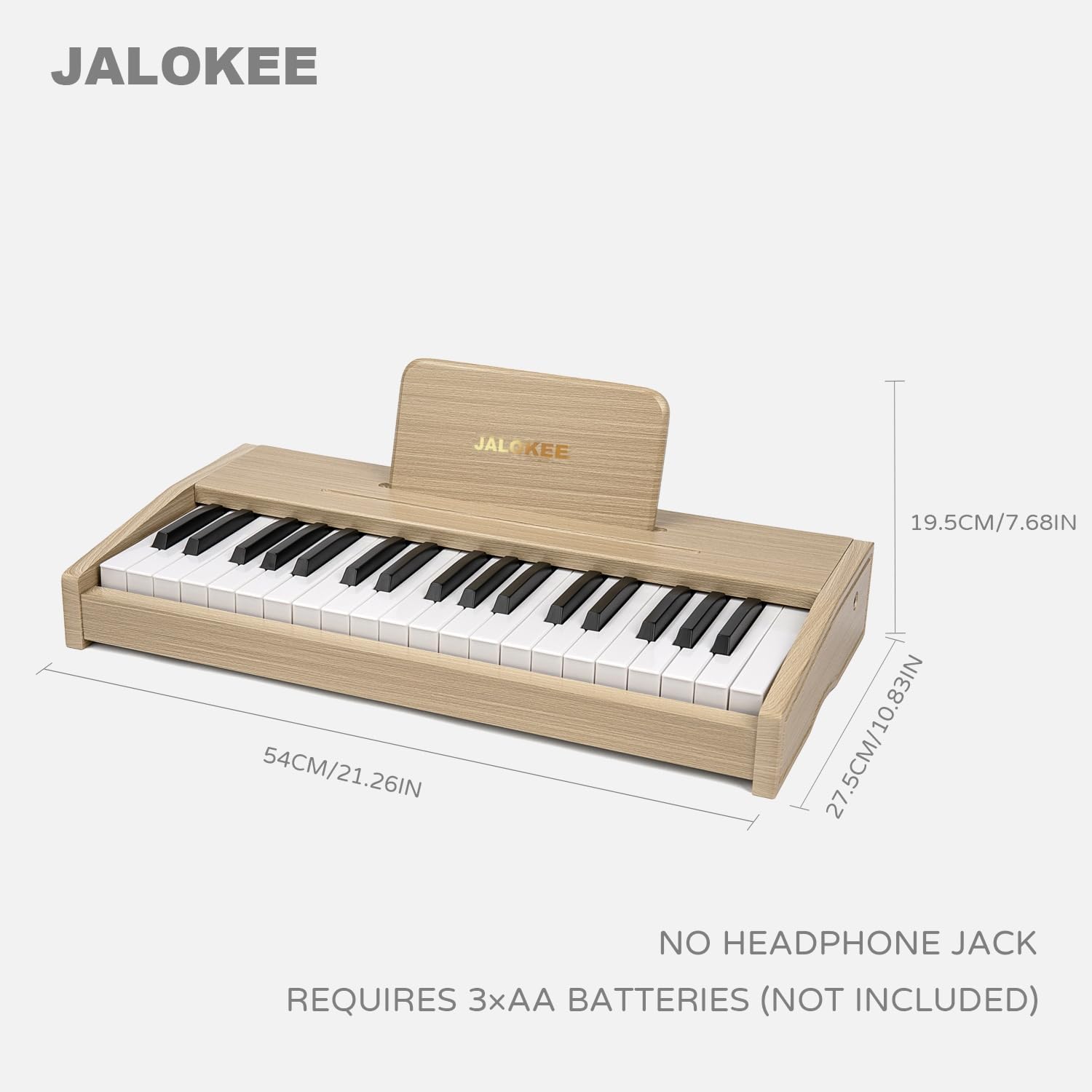
Image 3.1: Dimensions of the JALOKEE Kids Digital Piano Keyboard and a reminder that it requires 3xAA batteries (not included) and has no headphone jack.
4. Operating Instructions
4.1 Power On/Off
Locate the power switch, typically on the side or back of the piano. Slide the switch to the 'ON' position to power on the instrument. To turn off, slide the switch to the 'OFF' position.
4.2 Playing the Piano
Press the keys to produce musical notes. Experiment with different keys to explore the range of sounds. The piano is designed for intuitive play.
4.3 Volume Control
Adjust the volume using the dedicated volume control knob or buttons, usually located on the top panel of the piano. Turn clockwise to increase volume and counter-clockwise to decrease.

Image 4.1: The JALOKEE Kids Digital Piano Keyboard featuring its adjustable volume control.
4.4 Using the Songbook
Refer to the included color-illustrated songbook for simple melodies and guidance on playing. The color-coded stickers on the keys correspond to the notes in the songbook, making it easier to follow along.
Video 4.1: An official video from ZIPPY TOYS showcasing the JALOKEE 37 Keys Piano Keyboard in Oak, demonstrating its appearance and functionality.
5. Maintenance
- Cleaning: Use a soft, dry cloth to wipe the surface of the piano. Avoid abrasive cleaners or solvents.
- Storage: Store the piano in a dry place away from direct sunlight and extreme temperatures.
- Battery Care: Remove batteries if the piano will not be used for an extended period to prevent leakage.
6. Troubleshooting
| Problem | Possible Cause | Solution |
|---|---|---|
| Piano does not power on. | Batteries are dead or incorrectly installed. | Check battery polarity. Replace with fresh 3xAA batteries. |
| Sound is distorted or keys produce incorrect notes. | Low battery power. Internal electronic issue. | Replace batteries. If the issue persists, contact customer support. |
| No sound from the piano. | Volume is too low. Power is off. | Increase the volume. Ensure the power switch is in the 'ON' position. |
7. Specifications
| Feature | Detail |
|---|---|
| Brand | JALOKEE |
| Model Name | SLW3702G |
| Color | Oak |
| Number of Keys | 37 |
| Skill Level | Beginner |
| Special Feature | Portable |
| Connectivity Technology | USB (for power, not data) |
| Power Source | Battery Powered (3xAA) |
| Headphones Jack | No Headphone Jack |
| Item Weight | 4.73 Kilograms |
| Item Dimensions (L x W x H) | 21.26 x 10.83 x 3.54 inches (54 x 27.5 x 9 cm) |
8. Warranty Information
This JALOKEE Kids Digital Piano Keyboard comes with a 1-month manufacturer's warranty. Please retain your proof of purchase for any warranty claims.
9. Support
For further assistance, technical support, or warranty inquiries, please contact JALOKEE customer service through the retailer where the product was purchased or visit the official JALOKEE website for contact information.