
bizv P9 4G
bizv P9 4G LTE Outdoor Cellular Security Camera User Manual
Model: P9 4G
Introduction
This manual provides detailed instructions for the installation, operation, and maintenance of your bizv P9 4G LTE Outdoor Cellular Security Camera. This camera is designed for outdoor surveillance, offering 2K resolution, pan-tilt functionality, night vision, two-way audio, and PIR motion detection, operating on a 4G LTE cellular network without the need for Wi-Fi.
What's in the Box
Please check the package contents to ensure all items are present:
- 1 x bizv P9 4G LTE Outdoor Security Camera
- 1 x SIM Card (requires monthly data plan)
- 1 x User Manual
- 1 x Power Adapter
- 1 x Mounting Bracket
- 2 x Screw Kits
Setup Guide
1. SIM Card and Micro SD Card Installation
Before powering on the camera, install the provided 4G LTE SIM card and an optional Micro SD card (up to 128GB, not included) for local storage.
- Locate the SIM/SD card slot cover on the camera body.
- Carefully open the cover using a small screwdriver.
- Insert the 4G LTE SIM card into the SIM card slot with the gold contacts facing down and the notched corner oriented correctly. Ensure it clicks into place.
- Insert the Micro SD card (if using) into the Micro SD card slot with the gold contacts facing down.
- Close the cover securely to maintain the IP65 weatherproof rating.

Figure 1: Inserting SIM and Micro SD Card. Ensure proper orientation and secure closure of the cover.
2. Power Connection
Connect the provided power adapter to the camera's power input port and then plug it into a standard electrical outlet. The camera will power on and initiate its startup sequence.
3. App Download and Account Creation
Download the official bizv security camera application from your smartphone's app store (iOS or Android). Follow the on-screen instructions to create a new account or log in if you already have one.
4. Camera Pairing
Open the bizv app and follow the in-app instructions to add your new camera. This typically involves scanning a QR code on the camera or manually entering its device ID. Ensure your phone has an active internet connection during this process.
5. Mounting the Camera
Select a suitable outdoor location for mounting. The camera is IP65 weatherproof, but positioning it under an overhang can offer additional protection. Use the provided mounting bracket and screw kits to securely attach the camera to a wall or ceiling.

Figure 2: Mounted Camera. The camera operates on a 4G LTE signal, requiring no Wi-Fi.
Operating Instructions
1. Pan and Tilt Control
The bizv P9 camera offers 355° horizontal pan and 90° vertical tilt capabilities. Use the directional controls within the mobile app to adjust the camera's viewing angle remotely. This allows for comprehensive coverage of your surveillance area.

Figure 3: Pan and Tilt Functionality. Control the camera's movement via the mobile application.
2. 2K Night Vision (Color and Infrared)
The camera features advanced night vision with both infrared (IR) and full-color options. In low-light conditions, the camera automatically switches to IR night vision for clear black and white images up to 65 feet. When motion is detected or manually activated, the built-in spotlights can provide full-color night vision.

Figure 4: 2K Color and IR Night Vision. Toggle between modes for optimal visibility in darkness.
3. PIR Motion Detection and Alerts
The integrated Passive Infrared (PIR) sensor detects human motion, reducing false alarms. Upon detection, the camera can emit a warning tone, activate spotlights, and send instant notifications to your smartphone via the app.

Figure 5: PIR Motion Detection. Receive instant alerts and deter intruders with integrated siren and spotlight.
4. Two-Way Audio
Utilize the built-in microphone and speaker for real-time two-way communication. This feature allows you to speak to visitors, warn off intruders, or communicate with family members through the camera via the mobile app.

Figure 6: Two-Way Talk. Communicate remotely with individuals near the camera.
5. Recording and Storage
The camera supports continuous recording or event-triggered recording. Footage can be stored locally on a Micro SD card (up to 128GB, not included) or securely in the cloud (subscription may be required). All video data is encrypted for privacy.
6. Multi-User Sharing
Share live streams and recorded footage with authorized family members or friends through the bizv app. This allows multiple users to monitor the property and receive alerts simultaneously.

Figure 7: Multi-User Sharing. Grant access to family members for shared monitoring.
7. High Definition Video
The camera captures video in 2K (3MP Ultra High Definition), providing clear and detailed imagery for effective surveillance. This high resolution ensures that important details are visible in both live view and recorded footage.

Figure 8: High Definition Video. Experience enhanced clarity with 2K resolution.
Maintenance
1. Weather Resistance
The bizv P9 camera is rated IP65 weatherproof, designed to withstand rain, dust, and extreme temperatures from -10°C to +50°C. Ensure all covers and seals are properly secured after installation or maintenance to maintain this rating.
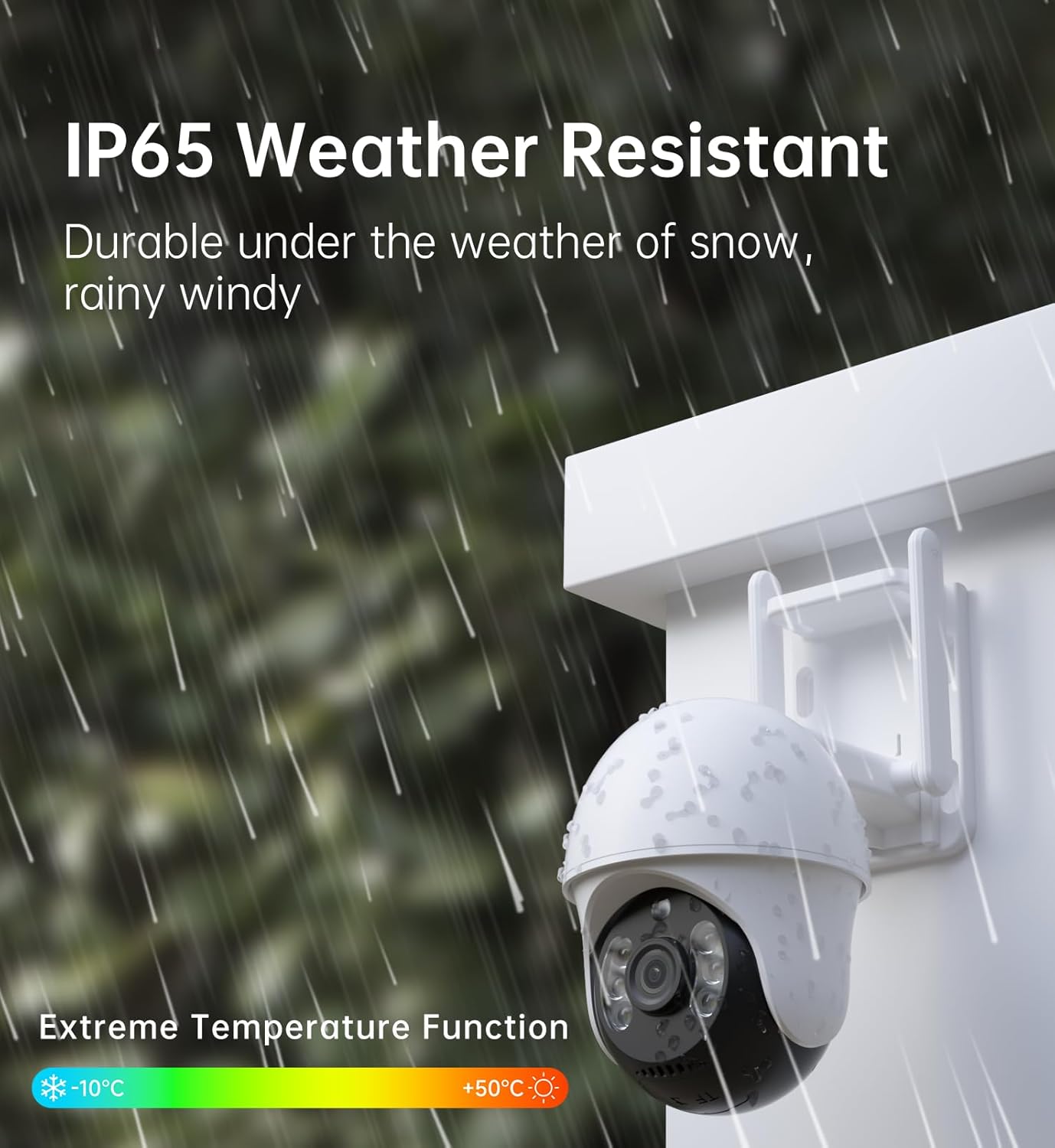
Figure 9: IP65 Weather Resistance. The camera is built to endure various outdoor conditions.
2. Cleaning
Periodically clean the camera lens and housing with a soft, damp cloth to remove dirt, dust, or water spots that may affect image clarity. Do not use harsh chemicals or abrasive materials.
3. Firmware Updates
Regularly check the bizv app for available firmware updates. Keeping your camera's firmware up-to-date ensures optimal performance, security, and access to new features.
Troubleshooting
| Problem | Possible Cause | Solution |
|---|---|---|
| Camera not powering on | Power adapter not connected; power outlet issue. | Ensure power adapter is securely connected to both camera and a working power outlet. Test the outlet with another device. |
| No 4G LTE signal | SIM card not installed correctly; no active data plan; poor cellular coverage. | Verify SIM card installation. Confirm your data plan is active. Relocate the camera to an area with better cellular reception. |
| Cannot connect camera to app | Incorrect pairing steps; app issues; camera not in pairing mode. | Restart the camera and your smartphone. Ensure you are following the in-app pairing instructions precisely. Check for app updates. |
| Poor image quality | Dirty lens; low light conditions; cellular network congestion. | Clean the camera lens. Ensure adequate lighting for color night vision. Check cellular signal strength. |
| Motion alerts not received | PIR sensitivity settings; app notification settings; cellular network issues. | Adjust PIR sensitivity in the app. Enable notifications for the bizv app on your phone. Verify cellular connectivity. |
Specifications
| Feature | Detail |
|---|---|
| Model Name | P9 4G |
| Connectivity Technology | 4G LTE Cellular (No Wi-Fi required) |
| Video Capture Resolution | 2K (3MP Ultra High Definition) |
| Pan/Tilt Range | 355° Horizontal Pan, 90° Vertical Tilt |
| Night Vision | 2K Color Night Vision, IR Night Vision (up to 65ft/30 meters) |
| Audio | Two-Way Audio (Built-in Microphone & Speaker) |
| Motion Detection | AI PIR Human Motion Sensor |
| Storage Options | Micro SD Card (up to 128GB, not included), Cloud Storage (subscription) |
| Weatherproof Rating | IP65 |
| Operating Temperature | -10°C to +50°C |
| Power Source | Corded Electric |
| Compatible Devices | Smartphone (iOS, Android) |
| Dimensions | 6.25 x 4.25 x 8.29 inches |
| UPC | 751787918643 |
| ASIN | B0D73QC9KY |
Warranty and Support
The bizv P9 4G LTE Outdoor Cellular Security Camera comes with a 1-year warranty from the date of purchase. This warranty covers manufacturing defects and malfunctions under normal use.
For technical support, warranty claims, or any questions regarding your product, please contact bizv customer service through the official website or the contact information provided in the product packaging. Please have your model number (P9 4G) and purchase details ready when contacting support.
For more information, visit the bizv product page.
Ask a question about this manual
Ask about setup, troubleshooting, compatibility, parts, safety, or missing instructions. Manuals+ will review the question and use this page’s manual context to help answer it.