
Introduction
This user manual provides detailed instructions for the safe and effective operation of your OKAIDI OD8060 Baby Monitor with Camera and Audio. This device is designed to provide clear visual and audio monitoring of your baby, ensuring peace of mind with its advanced features and secure, non-WiFi connection. Please read this manual thoroughly before use and retain it for future reference.
What's in the Box
Upon unboxing your OKAIDI OD8060 Baby Monitor, you will find the following components:
- Parent Unit (Monitor with 6-inch IPS screen)
- Baby Unit (Remote Pan-Tilt-Zoom Camera)
- Power Adapters (2 units, for Parent Unit and Baby Unit)
- Mounting Hardware (Screws and wall anchors for camera installation)
- User Manual
Video: Unboxing the OKAIDI OD8060 Baby Monitor. This video demonstrates the contents of the package and initial setup steps, including connecting the power adapters and positioning the camera and monitor.
Setup Instructions
- Charge the Parent Unit: Connect the Parent Unit to a power outlet using one of the provided power adapters. Allow it to charge fully before first use to ensure optimal battery performance.
- Position the Baby Unit (Camera): Place the Baby Unit in a location that provides a clear view of your baby. Ensure it is at a safe distance from the crib (at least 3 feet / 0.9 meters) and that the power cord is out of reach of children to prevent strangulation hazards. The camera can be placed on a flat surface or mounted on a wall using the included hardware.
- Connect the Baby Unit: Plug the second power adapter into the Baby Unit and then into a power outlet. The camera will automatically power on.
- Pairing (if necessary): The Parent Unit and Baby Unit are pre-paired at the factory. If they do not connect automatically, refer to the "Troubleshooting" section for manual pairing instructions.
- Adjust Viewing Angle: Once powered on, use the controls on the Parent Unit to remotely pan, tilt, and zoom the camera to achieve the desired viewing angle.

Image: The OKAIDI Baby Monitor Parent Unit and Camera. This image shows both components of the baby monitor system, ready for setup.
Operating Instructions
Parent Unit Overview
The Parent Unit features a large 6-inch IPS screen and intuitive controls for managing all monitor functions.
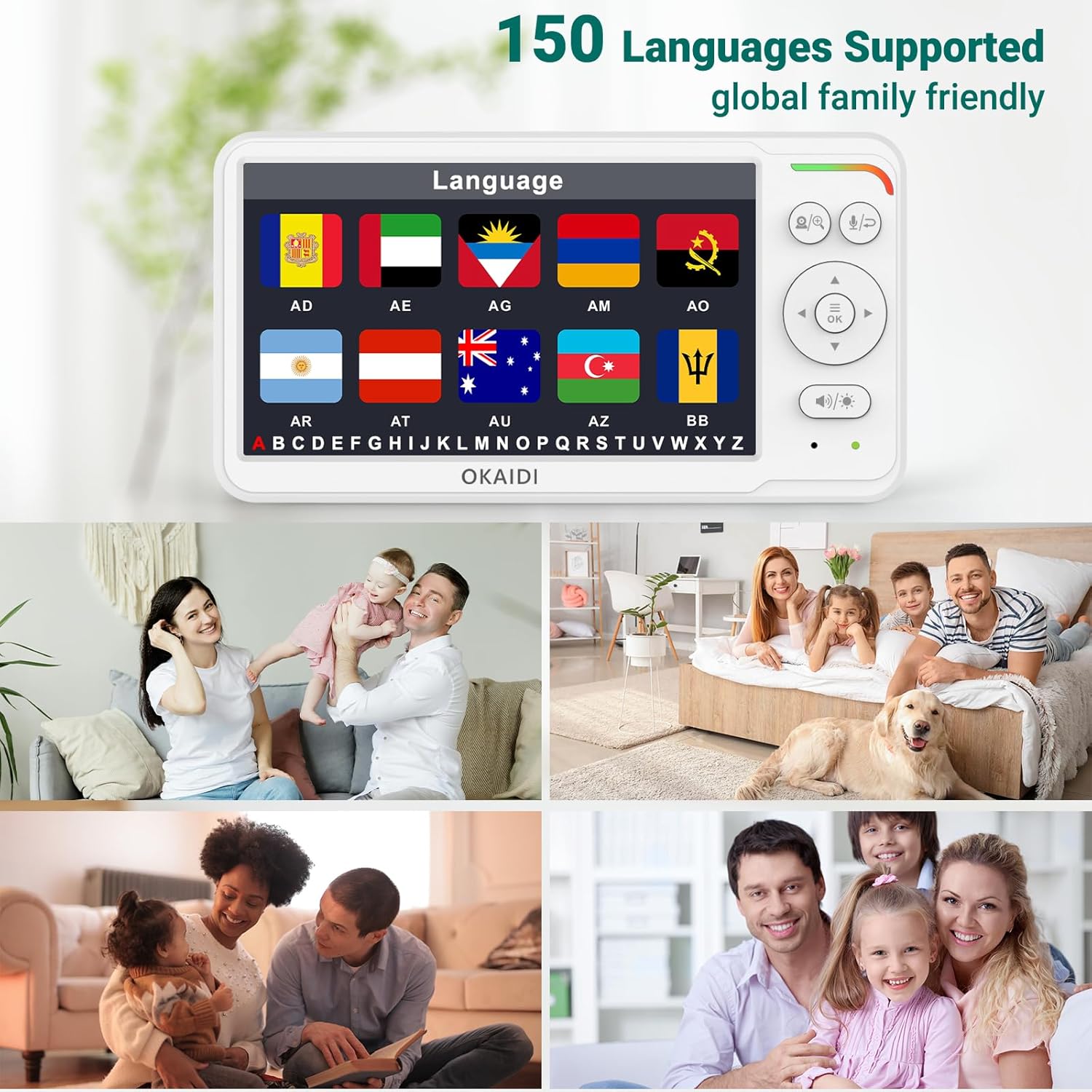
Image: Close-up of the OKAIDI Baby Monitor Parent Unit, highlighting the 6-inch IPS screen and control buttons.
Key Functions:
- Power On/Off: Press and hold the power button on the Parent Unit to turn it on or off.
- Volume Control: Use the dedicated volume buttons to adjust the audio level from the Baby Unit.
- Brightness Adjustment: Adjust screen brightness for comfortable viewing in various lighting conditions.
- Remote Pan, Tilt, and Zoom: Use the directional buttons on the Parent Unit to remotely adjust the camera's viewing angle (320° pan, 120° tilt) and zoom in/out.
- Two-Way Talk: Press and hold the microphone button on the Parent Unit to speak to your baby through the Baby Unit's speaker. Release the button to listen.
- Night Vision: The monitor automatically switches to infrared night vision in low-light conditions, providing clear black-and-white video.
- ECO Mode: Activate ECO mode to conserve battery. In this mode, the screen and audio will turn off when no sound is detected, reactivating when sound is picked up.
- Lullabies: Select from 8 pre-programmed lullabies to soothe your baby.
- Temperature Monitoring: The Parent Unit displays the room temperature detected by the Baby Unit. Set alerts for temperature fluctuations.
- Language Support: The monitor supports 150 country languages. Navigate to the settings menu to change the display language.
- Timer: Set a timer for various needs, such as feeding or sleep schedules.
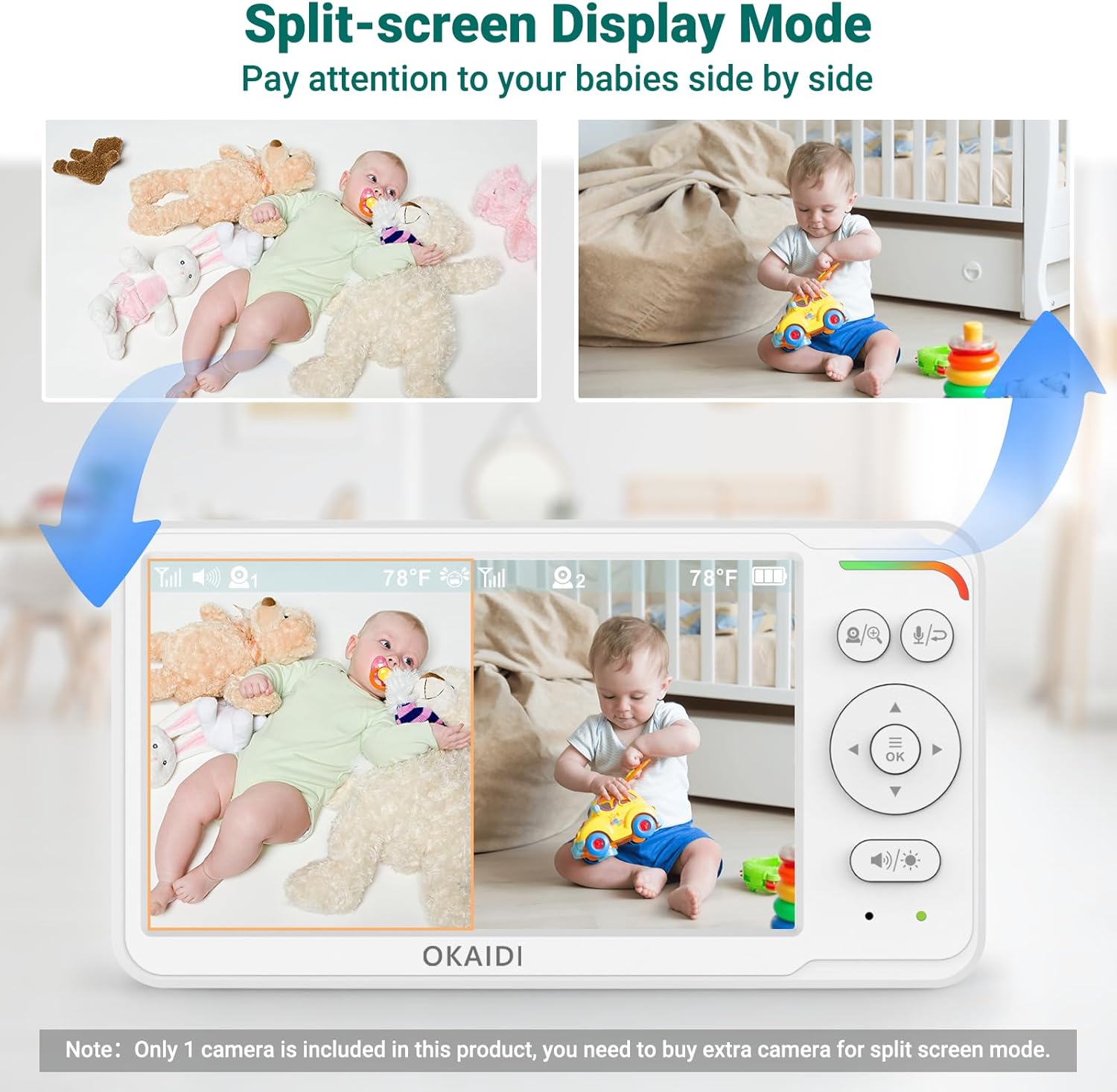
Image: The Parent Unit's menu interface, displaying options for camera, temperature, lullaby, ECO mode, timer, and language settings.
Features
- Large 6-inch IPS Screen: Provides clear, high-quality visuals with comfortable viewing angles, reducing eye strain.
- 30H Ultra-Long Battery Life: The 4000mAh battery supports up to 30 hours of monitoring in ECO mode or 16 hours with the screen always-on, ideal for travel or power outages.
- Remote 320° Pan & 120° Tilt with Wide-Angle Lens: Offers comprehensive coverage of the nursery, allowing you to view every corner remotely.
- Secure and Easy 2.4GHz FHSS Connection: Operates without Wi-Fi, ensuring a secure, hack-free connection with a 1000ft open-range coverage.
- Advanced Infrared Night Vision: Automatically activates in low light, providing clear images of your baby without disturbing their sleep.
- Two-Way Talk Feature: Allows you to communicate with your baby from another room, offering comfort and reassurance.
- Room Temperature Monitoring: Built-in sensor monitors the nursery temperature with customizable alerts.
- 8 Soothing Lullabies: Play gentle melodies to help your baby fall asleep.
- 150 Language Support: User-friendly interface with multiple language options.
- LED Sound Indicators: Visual alerts for sound detection, even when the volume is low.
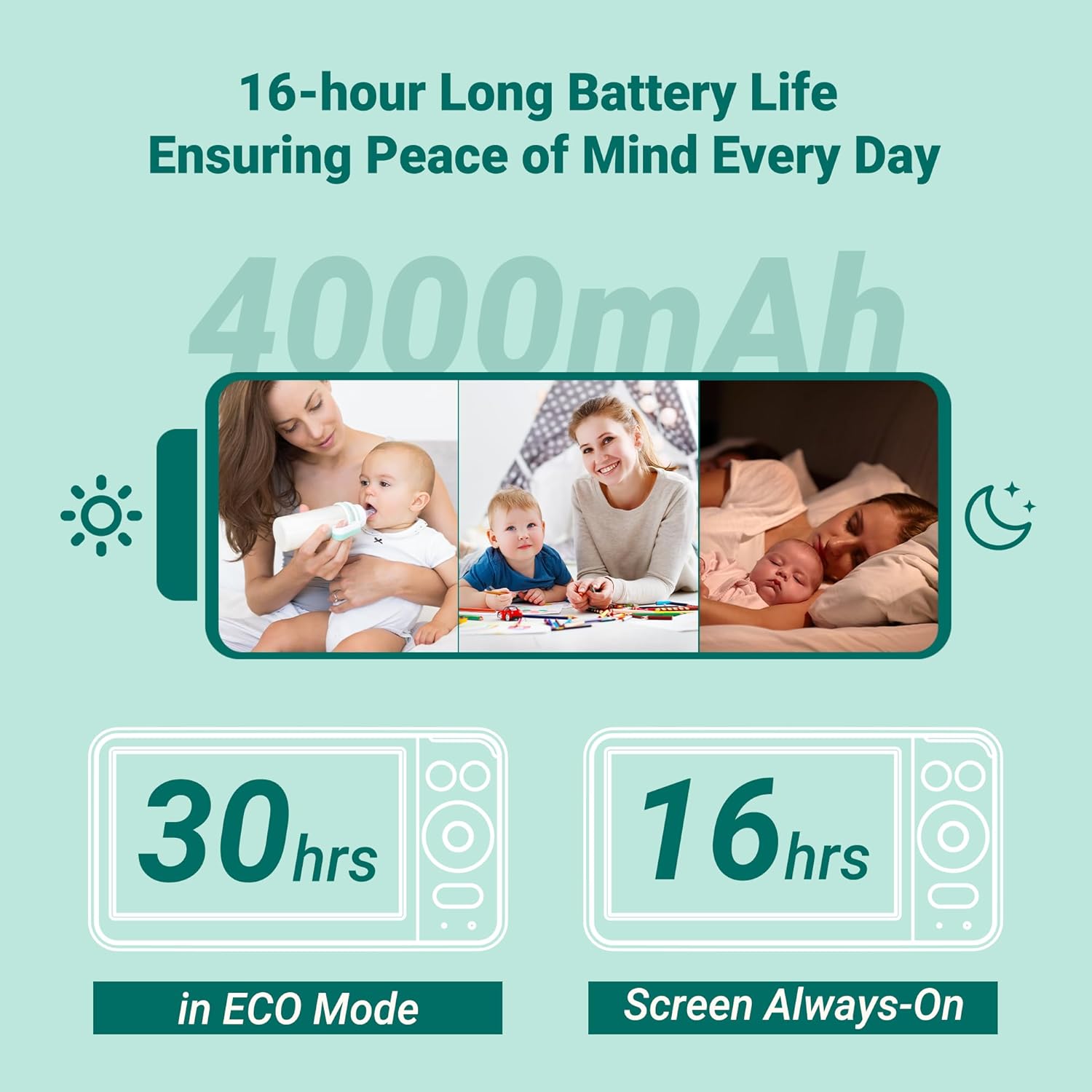
Image: The split-screen display mode of the OKAIDI Baby Monitor, showing two camera feeds simultaneously. Note: Only one camera is included; an extra camera must be purchased separately for split-screen functionality.
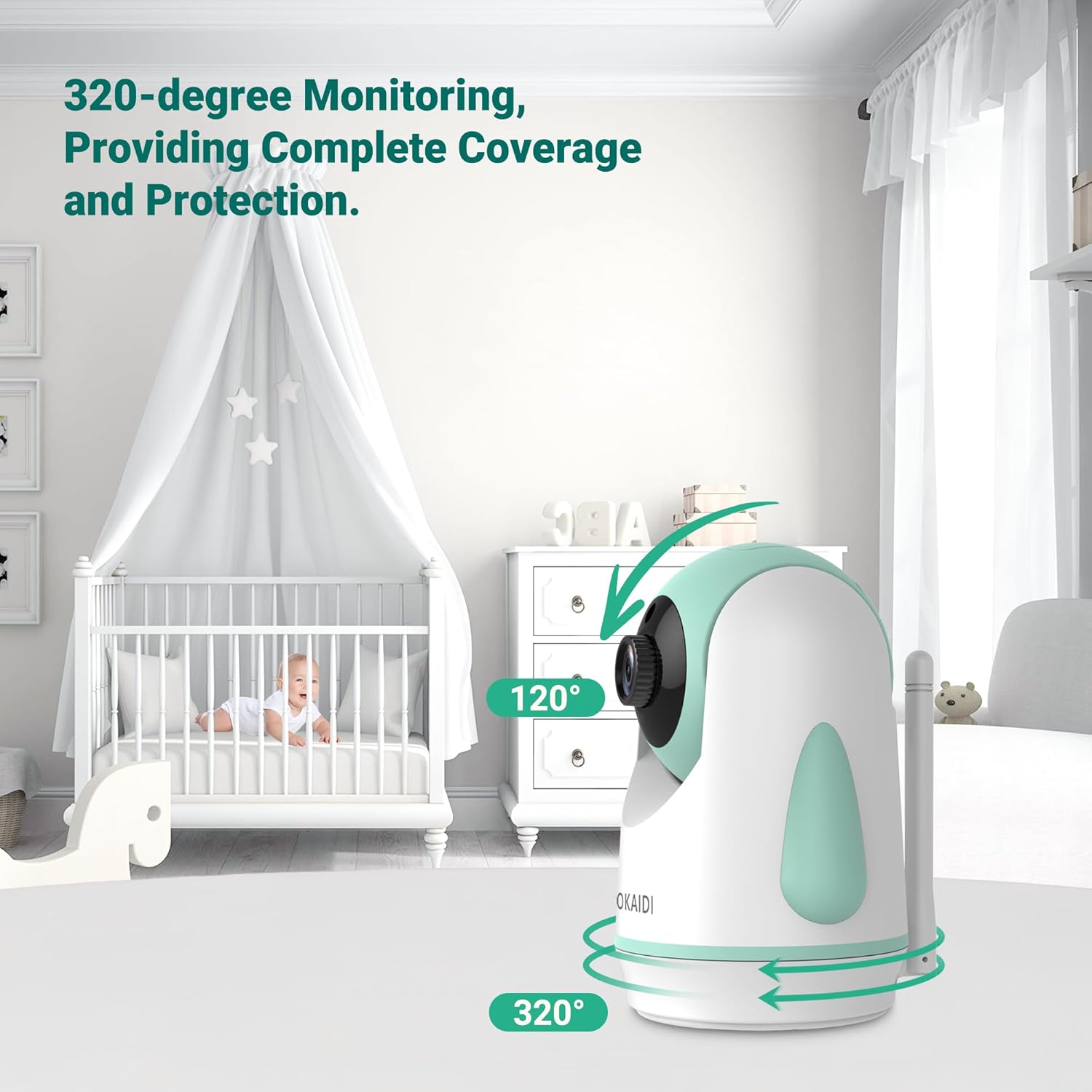
Image: The OKAIDI Baby Monitor camera unit, illustrating its 320-degree pan and 120-degree tilt capabilities for comprehensive room coverage.

Image: The OKAIDI Baby Monitor's IPS screen, demonstrating its wide 178-degree viewing angles for clear visibility from various positions.
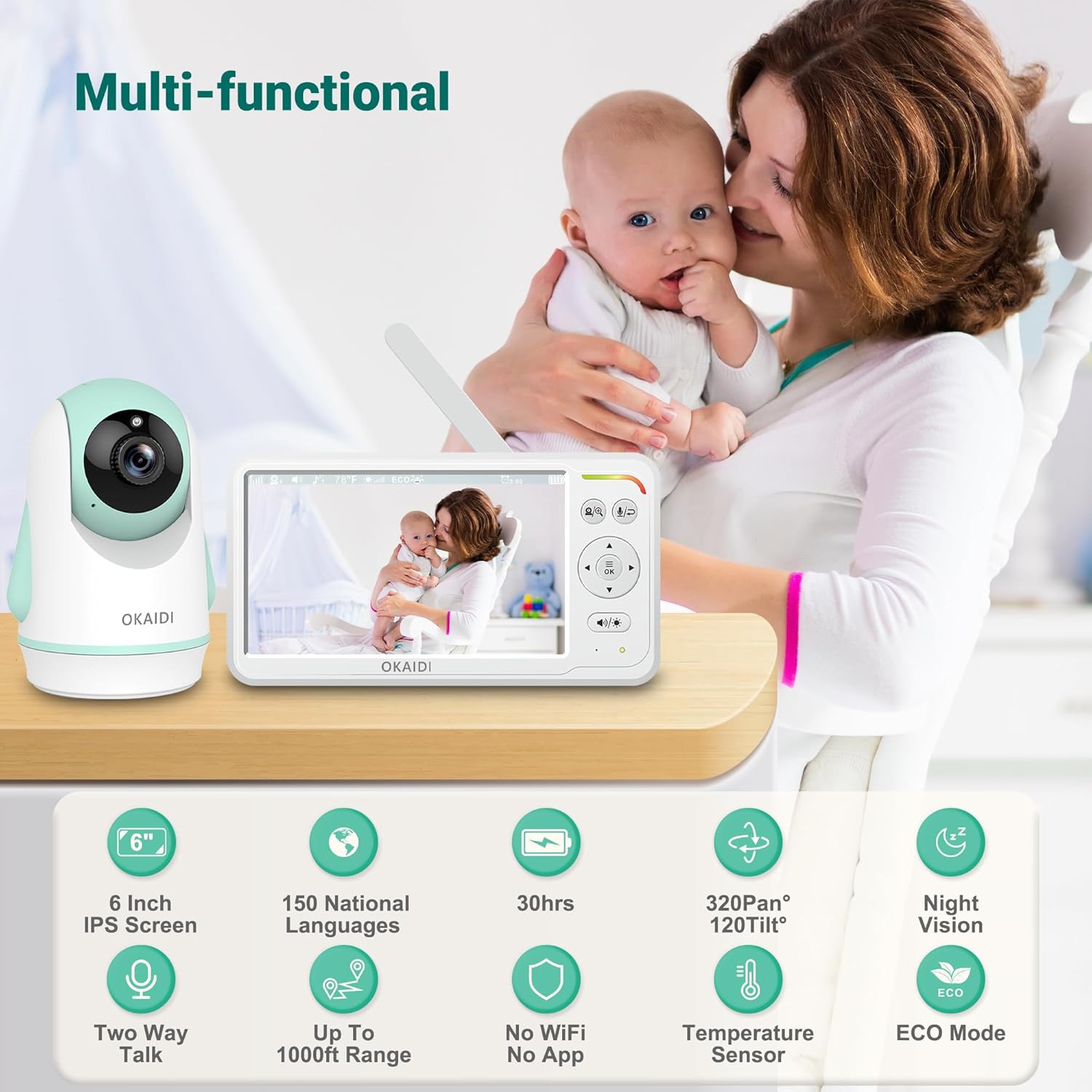
Image: An infographic summarizing the key features of the OKAIDI OD8060 Baby Monitor, including screen size, battery life, pan/tilt, night vision, and two-way talk.
Maintenance
- Cleaning: Use a soft, dry cloth to clean the monitor and camera units. Do not use abrasive cleaners or solvents.
- Battery Care: To prolong battery life, avoid fully discharging the Parent Unit frequently. Charge it regularly.
- Storage: If storing the monitor for an extended period, ensure both units are fully charged and stored in a cool, dry place.
- Cable Safety: Regularly inspect power cords for any damage. Replace immediately if damaged. Keep cords out of reach of children.
Troubleshooting
| Problem | Possible Solution |
|---|---|
| No image/sound on Parent Unit. |
|
| Poor image quality. |
|
| Interference or static. |
|
| Battery drains quickly. |
|
Specifications
- Model Name: OD8060
- Screen Size: 6-inch IPS
- Battery Capacity: 4000mAh (Parent Unit)
- Battery Life: Up to 30 hours (ECO Mode), 16 hours (Screen Always-On)
- Wireless Technology: FHSS 2.4GHz
- Range: Up to 1000ft (open space)
- Camera Pan/Tilt: 320° Pan, 120° Tilt
- Night Vision: Infrared
- Two-Way Talk: Supported
- Temperature Sensor: Included
- Lullabies: 8 melodies
- Connectivity: Operates without Wi-Fi for enhanced security and privacy.
- Power Source: Corded Electric
Warranty and Support
Your OKAIDI OD8060 Baby Monitor comes with a manufacturer's warranty. For detailed warranty information, product support, or to purchase additional accessories (such as extra cameras for split-screen mode), please refer to the warranty card included in your package or visit the official OKAIDI website. You may also contact customer support via the information provided on the product packaging or the brand's Amazon store page.

