
Introduction
Thank you for choosing the Vannect Mini Stepper Model 8708. This manual provides essential information for the safe and effective use of your new fitness equipment. Please read it thoroughly before your first use and retain it for future reference. This mini stepper is designed to offer a low-impact, high-efficiency aerobic workout, targeting various muscle groups with its unique twist action and integrated resistance bands.
Safety Information
Your safety is paramount. Please adhere to the following guidelines:
- This device is intended for adult use only.
- Consult a physician before starting any new exercise program, especially if you have pre-existing conditions such as knee or hip injuries.
- Ensure the stepper is placed on a stable, level surface before use.
- The maximum user weight capacity for this stepper is 330 pounds (approximately 150 kg). Do not exceed this limit.
- Keep children and pets away from the equipment during operation.
- Stop exercising immediately if you feel dizzy, faint, or experience any pain.
- Allow the hydraulic tubes to rest for at least 20 minutes after every 20 minutes of continuous exercise to prevent overheating and ensure longevity.

Image: The Vannect Mini Stepper features an original air + oil powered system for security, smooth operation, reduced noise, and durability, distinguishing it from traditional pulley-driven steppers.
Setup
The Vannect Mini Stepper Model 8708 arrives 100% pre-assembled, requiring no complex installation. Simply follow these steps:
- Carefully remove the stepper from its packaging.
- Place the stepper on a flat, stable, and non-slip surface. Ensure there is adequate space around the unit for safe movement.
- If included, attach the resistance bands to the designated points on the stepper. These are typically hooks or loops located near the base.
- Verify that all components are securely in place before beginning your workout.

Image: The Vannect Mini Stepper is delivered pre-assembled and is compact and portable, making it easy to unbox, move, and store in various home environments.
Operating Instructions
Basic Stepping Motion
Stand on the pedals with your feet centered. Begin a stepping motion, pressing down alternately with each foot. The hydraulic system will provide resistance, simulating stair climbing. Maintain a steady rhythm and upright posture.
Twist Action
The stepper features a unique twist action that engages your core and waist muscles. As you step, your hips will naturally rotate slightly, providing an additional workout for your waistline.
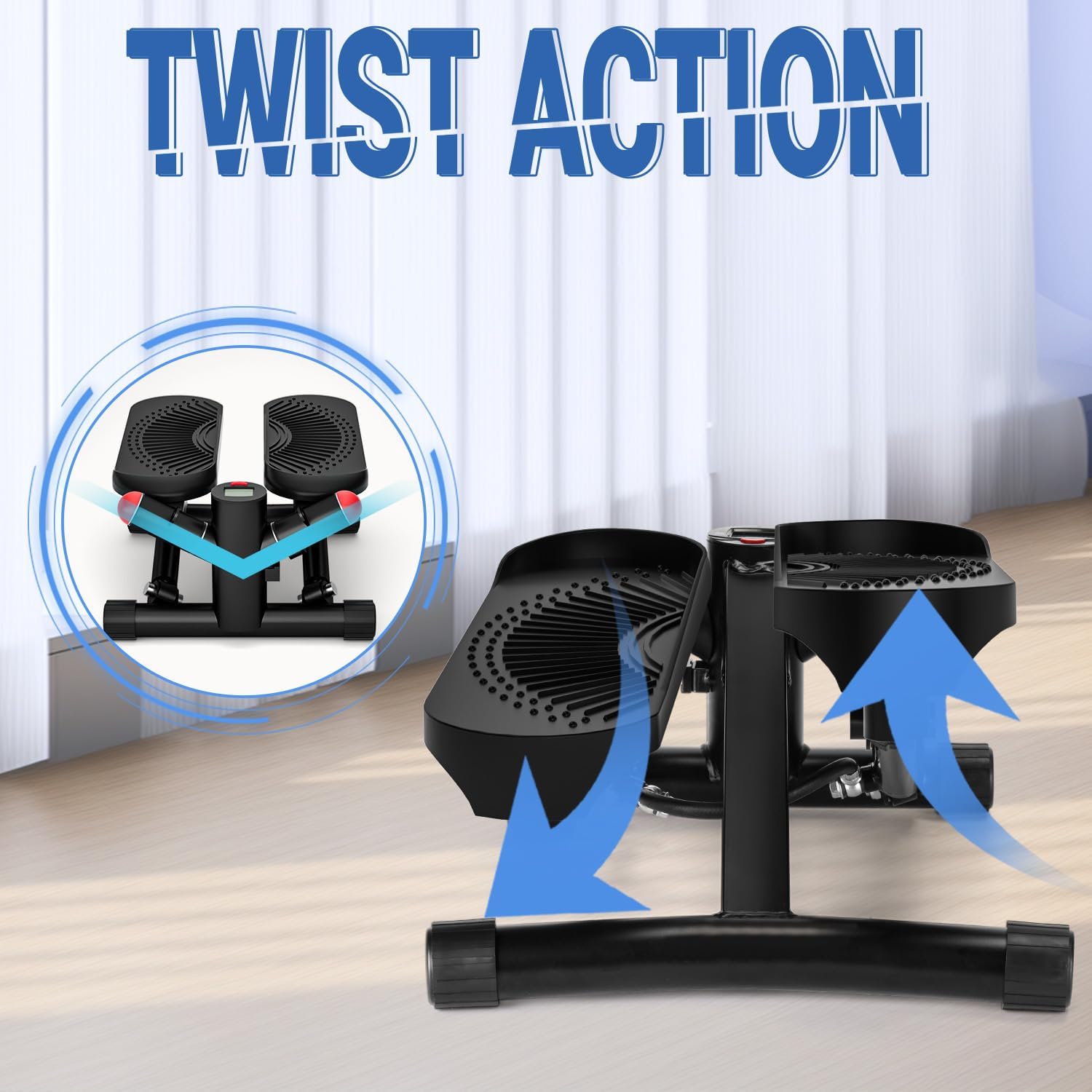
Image: A close-up view of the stepper pedals illustrating the 'Twist Action' movement, which helps engage core muscles during exercise.
Using Resistance Bands
For a full-body workout, utilize the detachable resistance bands. Hold one band in each hand while stepping. Perform arm exercises such as bicep curls, tricep extensions, or shoulder presses to engage your upper body muscles simultaneously.
LCD Display Functions
The integrated LCD display helps you track your workout progress:
- COUNT: Displays the total number of steps taken.
- TIME: Shows the duration of your current workout session.
- CALORIE: Estimates the calories burned during your workout.
- STRIDES/MIN (or REPS/MIN): Indicates your stepping pace.
- SCAN: Cycles through all metrics automatically.

Image: The LCD display on the Vannect Mini Stepper clearly shows various sports data, including count, time, calories burned, and strides per minute, to help users track their progress.
Workout Recommendations
Engage in low-impact aerobic exercise for approximately 15 minutes to target calves, thighs, glutes, abdomen, back, arms, and shoulders. Remember to allow the hydraulic system to rest for 20 minutes after every 20 minutes of use to maintain optimal performance and prevent overheating.

Image: A user demonstrating high aerobic exercise on the Vannect Mini Stepper, highlighting its benefits for thigh twisting, butt lifting, waist shaping, and fat burning.
Maintenance
Proper maintenance ensures the longevity and performance of your Vannect Mini Stepper:
- Cleaning: Wipe down the stepper with a damp cloth after each use to remove sweat and dust. Avoid abrasive cleaners.
- Hydraulic System: The dual hydraulic drive system is designed for quiet operation. It is crucial to allow the hydraulic tubes to cool down. After 20 minutes of continuous use, rest the stepper for at least 20 minutes. This prevents overheating and extends the lifespan of the hydraulic components.
- General Inspection: Periodically check all screws and connections to ensure they are tight. Inspect the pedals and frame for any signs of wear or damage.
- Storage: Store the stepper in a cool, dry place away from direct sunlight and extreme temperatures. Its compact size allows for easy storage.

Image: The Vannect Mini Stepper operates with minimal noise (around 10dB), making it suitable for use in quiet environments without disturbing others, such as a sleeping child.
Troubleshooting
If you encounter any issues with your Vannect Mini Stepper, refer to the following common problems and solutions:
- Stepper feels stiff during initial use: This is normal. The hydraulic system may require a few uses to loosen up and provide smoother resistance. Continue using it, and it should become easier.
- Pistons/Hydraulic tubes get hot: This is expected during use, especially during longer or more intense sessions. Ensure you adhere to the recommended 20-minute rest period after every 20 minutes of exercise to prevent overheating.
- LCD display is not working or is intermittent:
- Check if the battery needs replacement. The display typically uses a small button cell battery.
- Ensure the sensor cable (if applicable) is securely connected.
- If the issue persists, contact customer support.
- Unusual noises (creaking): Ensure all bolts and nuts are tightened. If the noise continues, inspect the moving parts for any obstructions or damage.
Specifications
| Feature | Detail |
|---|---|
| Brand | Vannect |
| Model Number | 8708 |
| Color | Black |
| Material Type | Solid Alloy |
| Maximum Weight Capacity | 330 pounds (approx. 150 kg) |
| Dimensions (Shipping) | 43.2 x 35.2 x 19.4 cm |
| Weight (Shipping) | 5.52 kg |
| Display | LCD (Time, Count, Calories, Strides/Min, Scan) |
| Resistance System | Dual Hydraulic |
| Assembly Required | None (Pre-assembled) |
| UPC | 734257410137 |
Warranty
Vannect products are manufactured to high-quality standards. For specific warranty details, please refer to the warranty information provided with your product packaging or contact the retailer from whom you purchased the item. Keep your proof of purchase for any warranty claims.
Customer Support
If you have any questions, require assistance, or need to report an issue that cannot be resolved using the troubleshooting guide, please contact Vannect customer service or your retailer. Provide your product model number (8708) and ASIN (B0D73LNBJW) when seeking support to ensure efficient service.
