
1. Introduction and Overview
Thank you for choosing the EooCoo Digital Kitchen Timer. This versatile timer is designed for precision and ease of use in various environments, including kitchens, classrooms, and workout spaces. It features a large, bright display, intuitive controls, and a strong magnetic back for convenient placement.

Image: The EooCoo Digital Kitchen Timer, showcasing its clear digital display and sleek design.
2. Product Features
- Large & Clear Display: Features a bright, large digital display with easy-to-read numbers, visible even from a distance.
- Intuitive Operation: Easily switch between countdown and count-up modes. The dial allows for quick and precise time setting.
- Strong Magnetic Backing: Securely attaches to metal surfaces like refrigerators, stove hoods, and whiteboards.
- Adjustable Alarm: Loud, adjustable alarm ensures alerts are heard in various environments, with options for high, low, or silent (flashing light) volume.
- Energy Saving: Automatic brightness reduction and sleep function extend battery life.
- Countdown Memory Function: Remembers the last countdown setting for efficient repeated use.
- Versatile Placement: Includes a built-in stand for desktop use and a magnetic back for vertical surfaces.

Image: The EooCoo Digital Kitchen Timer in a kitchen environment, demonstrating its practical application.
3. Setup
3.1 Battery Installation
- Locate the battery compartment on the back of the timer.
- Open the compartment cover.
- Insert two AAA batteries (not included), ensuring correct polarity (+/-).
- Close the battery compartment cover securely.
3.2 Initial Power On
Upon battery installation, the timer display will illuminate, indicating it is ready for use. The display brightness will automatically adjust to conserve battery life.
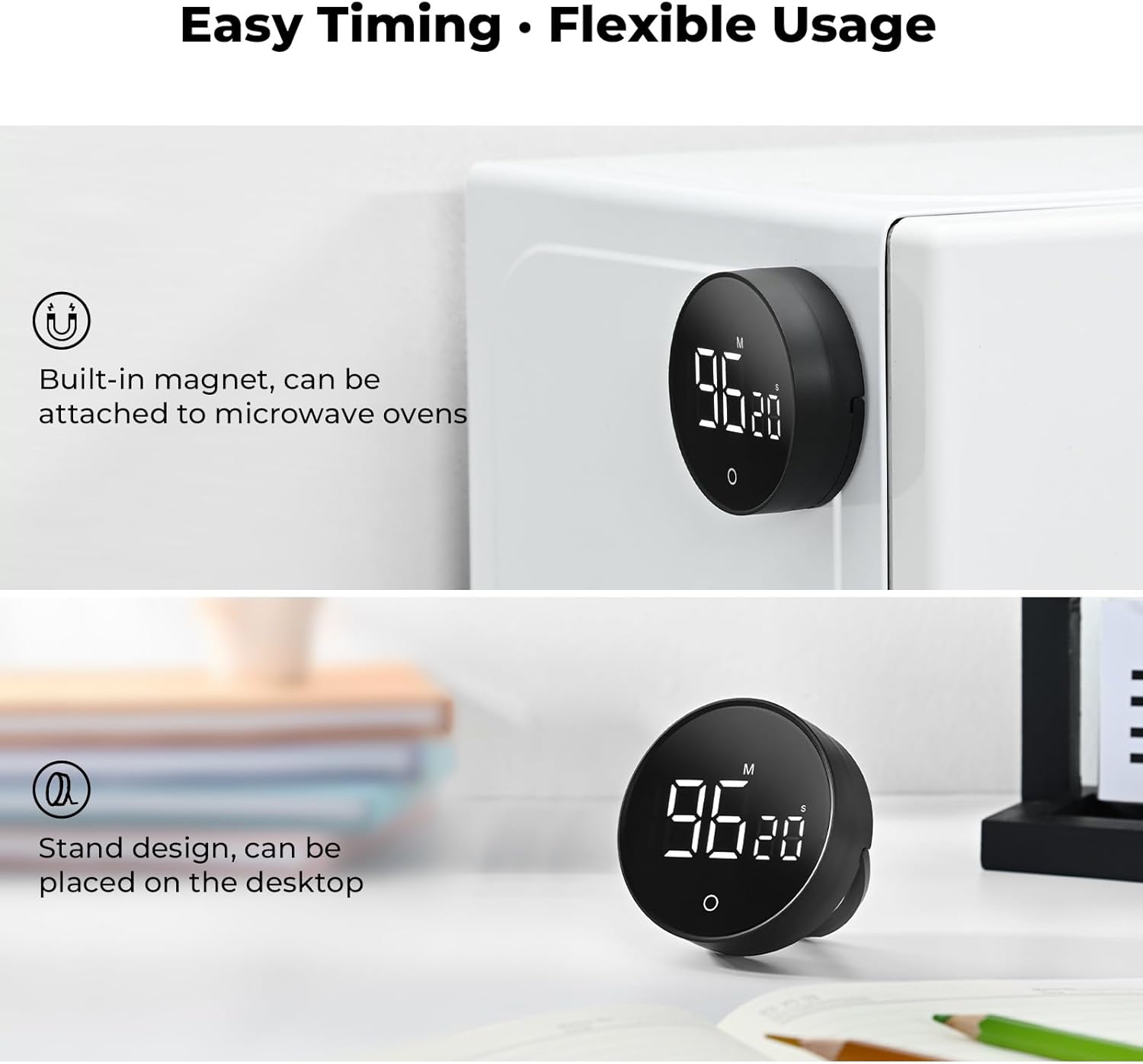
Image: The back of the timer, highlighting its magnetic feature and integrated stand for flexible positioning.
4. Operating Instructions
4.1 Setting the Timer (Countdown Mode)
- Ensure the timer is in countdown mode (indicated by 'M' and 'S' for minutes and seconds). If it's in count-up mode, press and hold the central button (circle icon) for 3 seconds to switch modes.
- Rotate the outer dial clockwise to increase the time and counter-clockwise to decrease it.
- Rotate slowly to adjust seconds.
- Rotate quickly to adjust minutes. The maximum setting is 199 minutes and 55 seconds.
- Once the desired time is set, press the central button (circle icon) once to start the countdown.
- To pause the countdown, press the central button again. Press it once more to resume.
- When the countdown reaches zero, the alarm will sound.

Image: A hand demonstrating how to rotate the outer dial to set the desired time for the timer.
4.2 Using the Count-Up Timer (Stopwatch Mode)
- If the timer is displaying a countdown, press and hold the central button (circle icon) for 3 seconds to switch to count-up mode (display will show 00:00).
- Press the central button once to start the count-up.
- To pause the count-up, press the central button again. Press it once more to resume.
- To reset the count-up timer to 00:00, pause the timer and then press and hold the central button for 3 seconds.
4.3 Adjusting Alarm Volume
The timer offers adjustable alarm volume settings. On the back of the timer, locate the volume switch. You can select between High Volume, Low Volume, or Silent (flashing light only) modes to suit your environment.
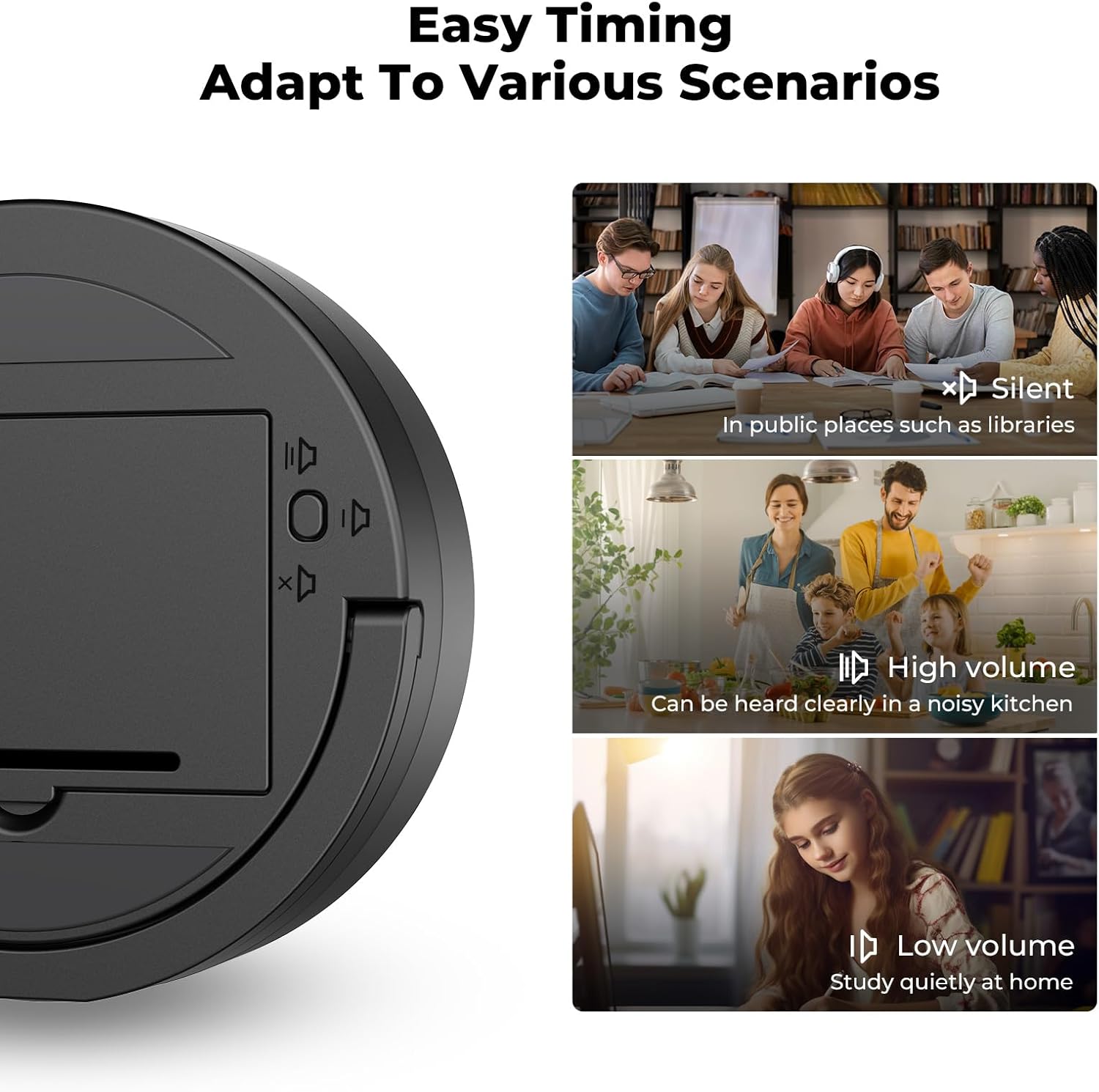
Image: The rear of the timer, illustrating the switch for adjusting alarm volume settings.
4.4 Countdown Memory Function
The timer automatically remembers your last countdown setting. After a countdown completes and the alarm sounds, or if you stop a countdown, the display will revert to the last set time. To reuse this time, simply press the central button to start the countdown again.

Image: The timer showing a previously set time, illustrating its memory function for convenience.
5. Maintenance
5.1 Cleaning
Wipe the timer with a soft, damp cloth. Do not use abrasive cleaners or immerse the timer in water.
5.2 Battery Replacement
When the display dims significantly or the timer functions become erratic, it is time to replace the batteries. Follow the battery installation steps in Section 3.1.
5.3 Storage
If storing the timer for an extended period, remove the batteries to prevent leakage and potential damage.
6. Troubleshooting
- Timer not turning on or display is blank: Ensure batteries are correctly installed and are not depleted. Replace with fresh AAA batteries if necessary.
- Timer not starting/stopping: Press the central button firmly. If unresponsive, check batteries.
- Display shows '18888' or other erratic numbers: This often indicates low battery power or a need for a reset. Replace batteries. If the issue persists, remove batteries for 1 minute and reinsert.
- Alarm is too quiet or not sounding: Check the volume switch on the back of the timer and adjust to 'High Volume' or 'Low Volume'. If set to 'Silent', the timer will flash instead of sounding an alarm.
- Timer not adhering to magnetic surfaces: Ensure the surface is metallic and clean. The magnetic backing is designed for strong adhesion to suitable surfaces.
7. Specifications
| Brand | EooCoo |
| Model | 199 Minute Countdown Countup Digital Timer |
| Color | Black |
| Material | Acrylonitrile Butadiene Styrene |
| Product Dimensions | 3.08"D x 3.08"W x 1.05"H (7.8cm D x 7.8cm W x 2.6cm H) |
| Item Weight | 50 Grams (1.76 ounces) |
| Power Source | 2 x AAA Batteries (not included) |
| Max Time Setting | 199 Minutes, 55 Seconds |
8. Warranty and Support
EooCoo is committed to providing high-quality products. For any questions, concerns, or technical support regarding your EooCoo Digital Kitchen Timer, please contact our customer service team through the retailer's platform or the official EooCoo website. Please retain your proof of purchase for warranty claims.