
WILLFITME H79
WILLFITME Kids Fitness Tracker Smart Watch User Manual
Model: H79
Introduction
This manual provides detailed instructions for the WILLFITME Kids Fitness Tracker Smart Watch (Model H79). This smartwatch is designed to encourage healthy activity in children aged 6-14, offering features such as activity tracking, heart rate monitoring, sleep analysis, and various useful tools without distracting games.
Please read this manual thoroughly before using the device to ensure proper operation and to maximize its benefits.
Package Contents
Upon opening the package, please verify that all the following items are included:
- 1 x WILLFITME Kids Smart Watch
- 1 x USB Charging Cable
- 1 x User Manual
- 1 x Package Case
Initial Setup
1. Charging the Device
Before first use, fully charge your smartwatch. Connect the magnetic charging cable to the charging points on the back of the watch and plug the USB end into a standard USB power adapter (not included) or a computer USB port.
A full charge typically takes approximately 2 hours and provides up to 6 days of battery life, depending on usage.
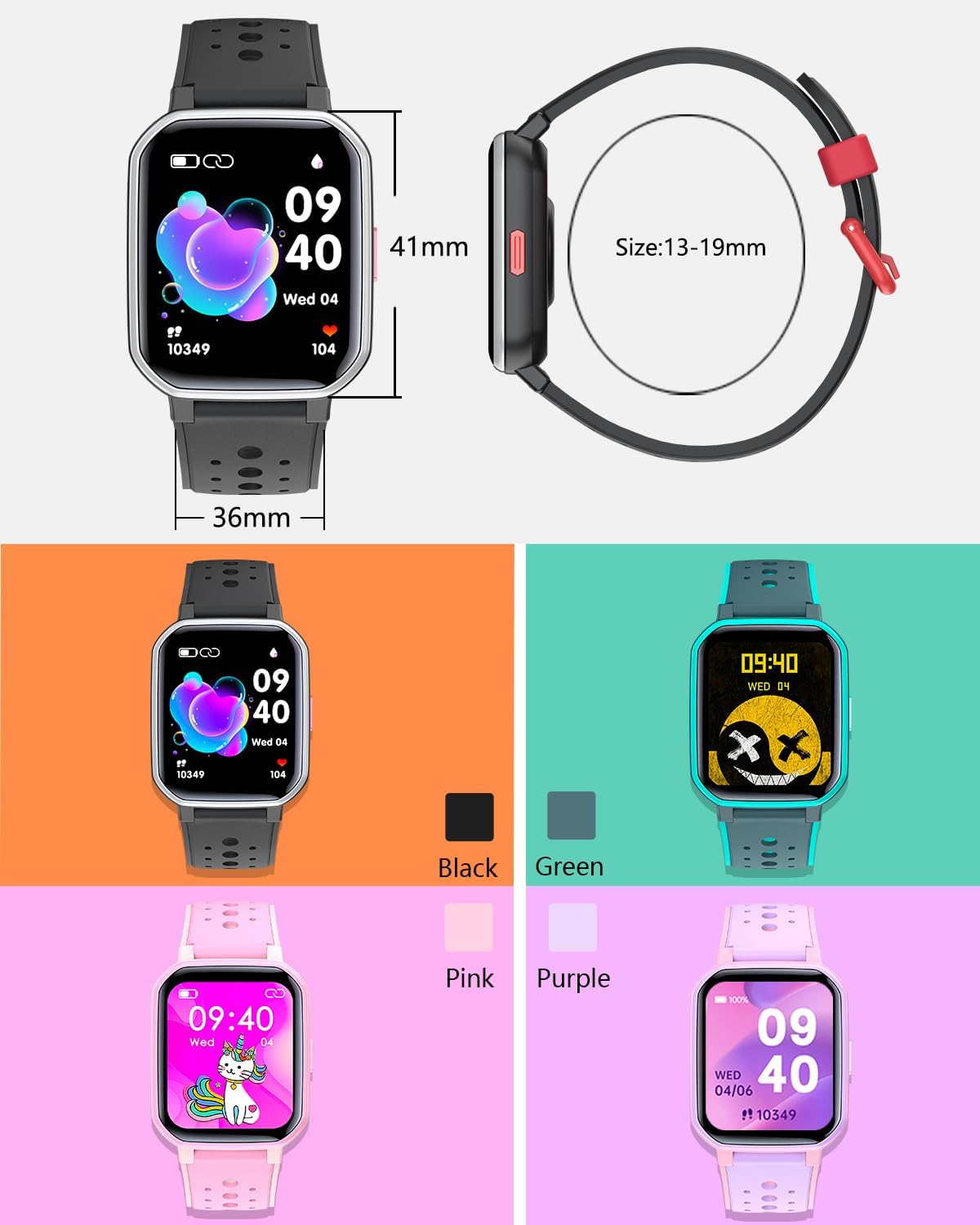
Image: The WILLFITME Kids Smart Watch connected to its magnetic charging cable, illustrating the charging process.
2. Connecting to the App (FitCloudPro)
To unlock the full functionality of your smartwatch, download and connect to the "FitCloudPro" application on your smartphone.
- Download the App: Search for "FitCloudPro" in your smartphone's app store (App Store for iOS or Google Play Store for Android) and install it.
- Enable Bluetooth: Ensure Bluetooth is enabled on your smartphone.
- Pair the Device: Open the FitCloudPro app, navigate to the device pairing section, and select your WILLFITME H79 smartwatch from the list of available devices. Follow the on-screen prompts to complete the pairing process.
Note: For optimal performance and to receive notifications, it is recommended to keep the "FitCloudPro" app running in the background on your smartphone. If you experience issues with notifications, check your phone's system settings and any third-party security software to ensure the app is whitelisted and has necessary permissions.

Image: A smartphone displaying the FitCloudPro application, illustrating the interface for device connection and management.
Operating Instructions
1. Activity Tracking (Pedometer, Distance, Calories)
The smartwatch automatically tracks your child's daily steps, distance covered, and calories burned. This data can be viewed directly on the watch or in more detail within the FitCloudPro app.
The watch supports 20 activity modes, including walking, running, cycling, basketball, and skipping rope, allowing for specific tracking during various exercises.
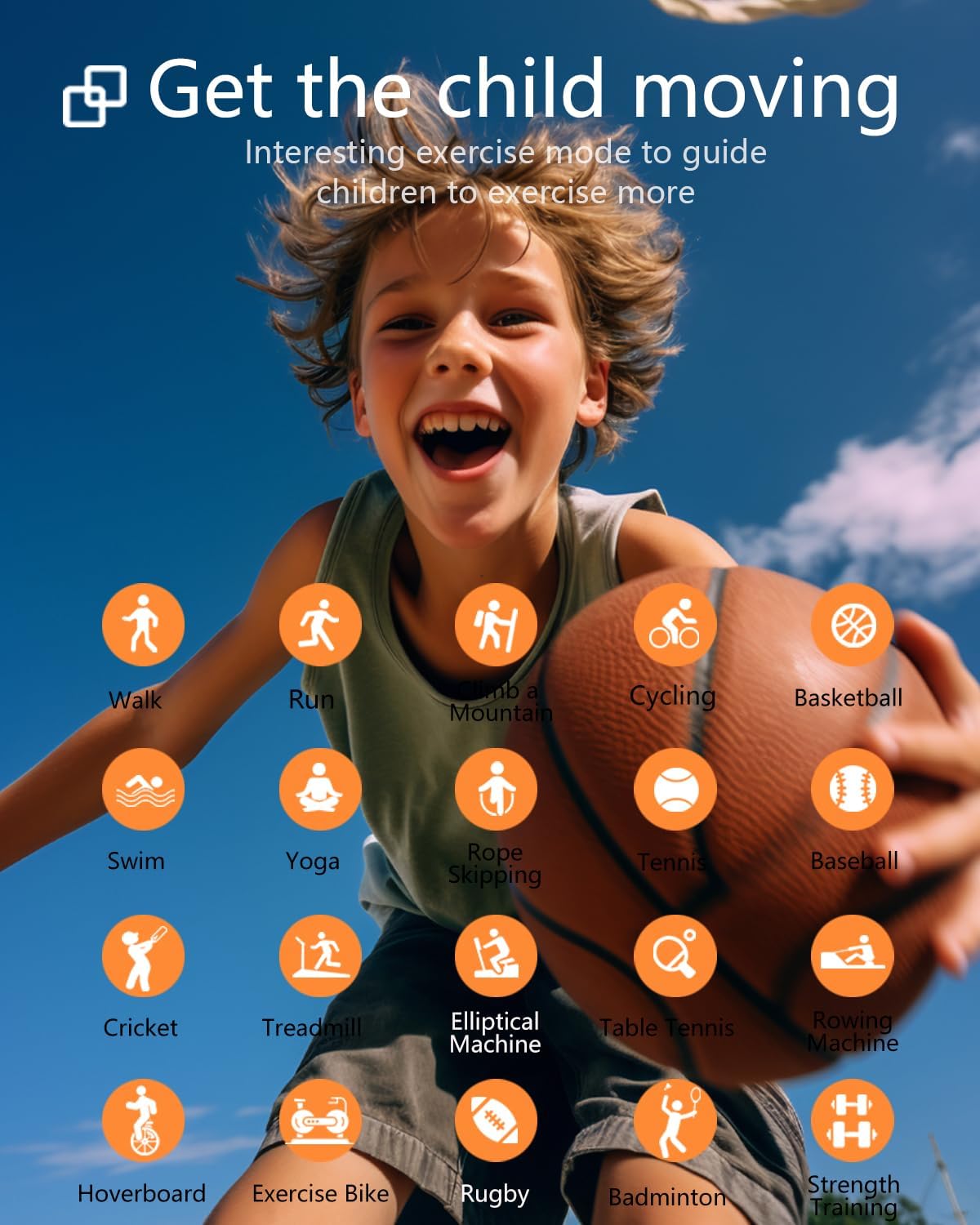
Image: A child engaged in sports, with icons representing various activity modes like walking, running, cycling, and swimming, highlighting the watch's multi-sport tracking capabilities.
2. Heart Rate Monitoring
Equipped with a precision heart rate sensor, the watch monitors and records your child's heart rate throughout the day. You can view real-time heart rate data on the watch and analyze trends over 24 hours via the FitCloudPro app.

Image: The smartwatch screen showing current heart rate and a historical graph, indicating its continuous heart rate monitoring function.
3. Sleep Monitoring
The smartwatch automatically tracks your child's sleep patterns, recording total sleep duration and sleep quality. Detailed sleep data, including deep sleep and light sleep, can be accessed and analyzed through the FitCloudPro app to help establish healthy sleep habits.

Image: A child asleep, with the smartwatch displaying sleep duration and quality metrics, illustrating the sleep monitoring feature.
4. Notifications
When connected to your smartphone, the smartwatch can provide vibrating alerts and display notifications for incoming calls, messages (SMS), emails, and social media updates. This ensures important information is not missed.
You can also check real-time weather updates and control music playback directly from the smartwatch.
5. Watch Faces and Customization
The 1.54-inch HD color touchscreen allows for adjustable brightness. Users can choose from multiple pre-installed watch faces or customize their own using photos from their phone's album via the FitCloudPro app.

Image: A collage of different watch faces available through the app, including options for custom photo backgrounds, showcasing personalization features.
6. Puzzle Games
The smartwatch includes 5 classic puzzle games designed to cultivate logical thinking. These games offer an engaging way for children to interact with the device without promoting excessive screen time or addictive gaming habits.
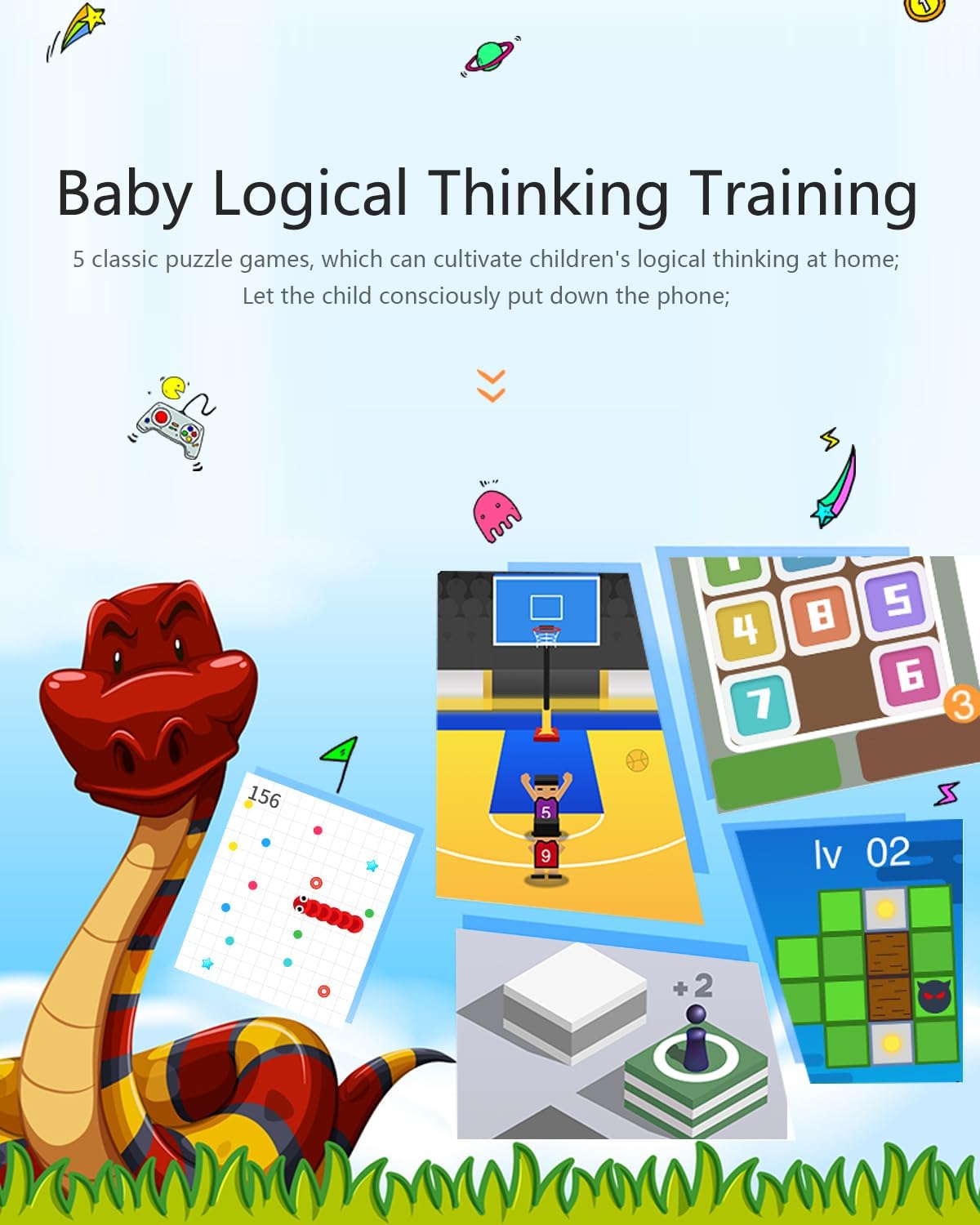
Image: Examples of the built-in puzzle games on the smartwatch screen, demonstrating the educational and entertainment features.
Care and Maintenance
- Cleaning: Wipe the watch and strap regularly with a soft, damp cloth. Avoid using harsh chemicals or abrasive cleaners.
- Water Resistance: The watch is IP68 waterproof, meaning it is resistant to dust and can withstand immersion in water up to 1.5 meters for 30 minutes. It is suitable for daily use, hand washing, and swimming. However, it is not recommended for hot showers, saunas, or diving.
- Storage: Store the watch in a cool, dry place when not in use.
- Strap Care: The comfortable and durable silicone strap is designed for longevity. Ensure the buckle is securely fastened during wear.
Troubleshooting
If you encounter issues with your WILLFITME Kids Fitness Tracker Smart Watch, please refer to the following common problems and solutions:
- Q: The watch does not turn on.
- A: Ensure the watch is fully charged. Connect it to the charging cable and a power source for at least 30 minutes before attempting to turn it on again.
- Q: The watch cannot connect to the FitCloudPro app.
- A:
- Ensure Bluetooth is enabled on your smartphone.
- Make sure the watch is within Bluetooth range of your phone.
- Restart both the watch and your smartphone.
- Try unpairing and re-pairing the device through the FitCloudPro app.
- Check if the FitCloudPro app has all necessary permissions enabled in your phone's settings.
- Q: I am not receiving notifications (calls, messages) on the watch.
- A:
- Ensure the watch is successfully paired with the FitCloudPro app.
- Verify that notification permissions are granted to the FitCloudPro app in your phone's settings.
- Make sure the FitCloudPro app is running in the background and not being closed by your phone's system or power-saving settings.
- Check the notification settings within the FitCloudPro app to ensure specific app notifications are enabled.
- Q: Activity data (steps, heart rate, sleep) is inaccurate or not syncing.
- A:
- Ensure the watch is worn correctly on the wrist, not too loose or too tight.
- Confirm the watch is connected to the FitCloudPro app for data synchronization.
- Update the FitCloudPro app to the latest version.
- Restart the watch and the app.
Product Specifications
| Feature | Specification |
|---|---|
| Brand | WILLFITME |
| Model | H79 |
| Model Name | H37 Kids Fitness Smartwatch |
| Display Size | 1.54 Inches |
| Display Type | LCD |
| Battery Capacity | 170 mAh (Lithium Polymer) |
| Charging Time | Approx. 1-2 Hours |
| Battery Life | Up to 6 days (typical use) |
| Connectivity | Bluetooth |
| Water Resistance | IP68 |
| Compatible Devices | Smartphone |
| Product Dimensions | 23 x 5 x 1 cm |
| Item Weight | 100 Grams |
| Special Features | Multisport Tracker, Heart Rate Monitor, Sleep Monitor, Alarm Clock, Music Player, Weather Forecast, Notifications |

Image: A visual representation of the smartwatch's dimensions and available color variants (Green, Pink, Purple, Black).
Warranty and Support
This product is covered by a standard return policy. For specific details regarding warranty coverage and return procedures, please refer to the purchase platform or contact the seller directly.
For technical support or further assistance, please reach out to WILLFITME customer service through the contact information provided on the product packaging or the official WILLFITME store page on Amazon.
Seller: WILLFITME
Return Policy: 30 days (as per Amazon's standard return policy for this product)
Ask a question about this manual
Ask about setup, troubleshooting, compatibility, parts, safety, or missing instructions. Manuals+ will review the question and use this page’s manual context to help answer it.