
1. Introduction
Thank you for choosing the TIPRE MS01 Analog Mechanical Bathroom Scale. This manual provides essential information for the proper setup, operation, and maintenance of your scale. Please read these instructions carefully before use to ensure accurate measurements and product longevity.

Image 1.1: Top-down view of the TIPRE MS01 Analog Mechanical Bathroom Scale.
2. Safety Information
- Always place the scale on a hard, flat, and stable surface. Uneven or soft surfaces (like carpet) can affect accuracy.
- Do not use the scale on slippery surfaces when wet.
- Step onto the scale gently and stand still in the center for an accurate reading.
- Keep the scale clean and dry. Avoid immersing it in water.
- This scale is designed for personal body weight measurement. Do not use it for commercial or medical diagnostic purposes.
- Do not attempt to disassemble or repair the scale yourself. Contact customer support if issues arise.
3. Product Overview
The TIPRE MS01 is a mechanical analog scale featuring a large dial for easy reading, a wide anti-slip platform, and a simple calibration mechanism. It operates without batteries, ensuring consistent functionality.
- Weighing Platform: The surface where you stand. Features a diamond-patterned anti-slip texture.
- Analog Dial: Displays weight in both kilograms (kg) and pounds (lb). Includes a BMI color chart on the outer ring.
- Pointer: Indicates the measured weight on the dial.
- Calibration Wheel: Located underneath the scale, used to adjust the pointer to zero.
- Stainless Steel Base: Provides stability and durability.

Image 3.1: Key features of the TIPRE MS01 scale, including its anti-slip platform, stainless steel base, and BMI indicator.
4. Setup
4.1 Unpacking
Carefully remove the scale from its packaging. Inspect for any visible damage. Retain packaging for future storage or transport if needed.
4.2 Placement
Place the scale on a firm, flat, and level surface. Avoid carpets, rugs, or uneven flooring, as these can lead to inaccurate readings.
4.3 Initial Calibration
Before first use, and periodically thereafter, the scale must be calibrated to zero. This ensures accuracy.
- Place the scale on a flat, hard surface.
- Observe the pointer on the dial. It should rest exactly on the '0' mark.
- If the pointer is not at '0', locate the small calibration wheel underneath the scale.
- Gently turn the calibration wheel until the pointer aligns precisely with the '0' mark.
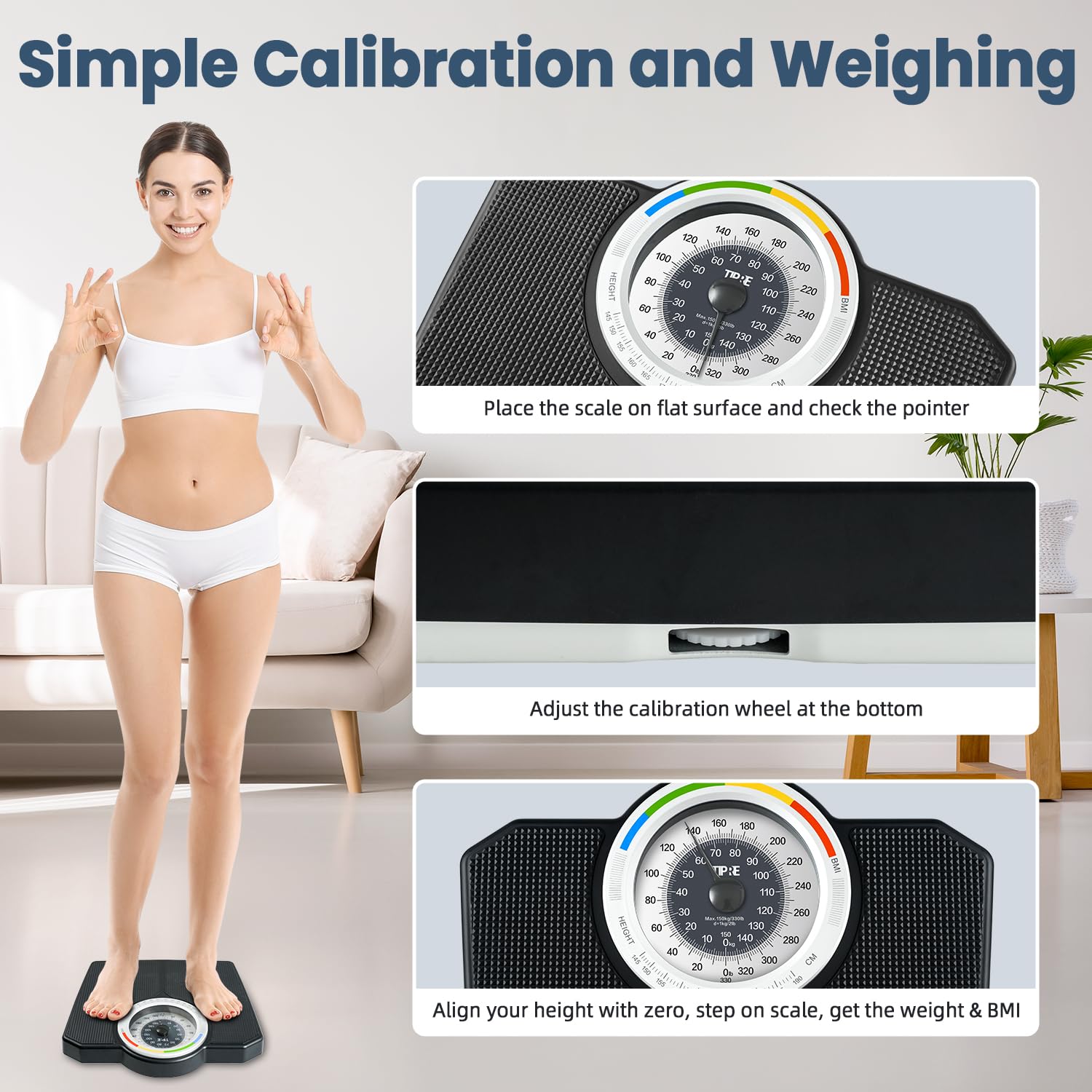
Image 4.1: Visual guide for calibrating the scale to zero using the wheel located at the bottom.
5. Operating Instructions
5.1 Measuring Body Weight
- Ensure the scale is placed on a hard, flat surface and is calibrated to '0'.
- Step onto the center of the weighing platform with bare feet for best results.
- Stand still and balanced. The pointer will move and settle on your weight.
- Read your weight from the dial. The scale displays weight in both kilograms (kg) and pounds (lb).
- Step off the scale. The pointer will return to '0'.
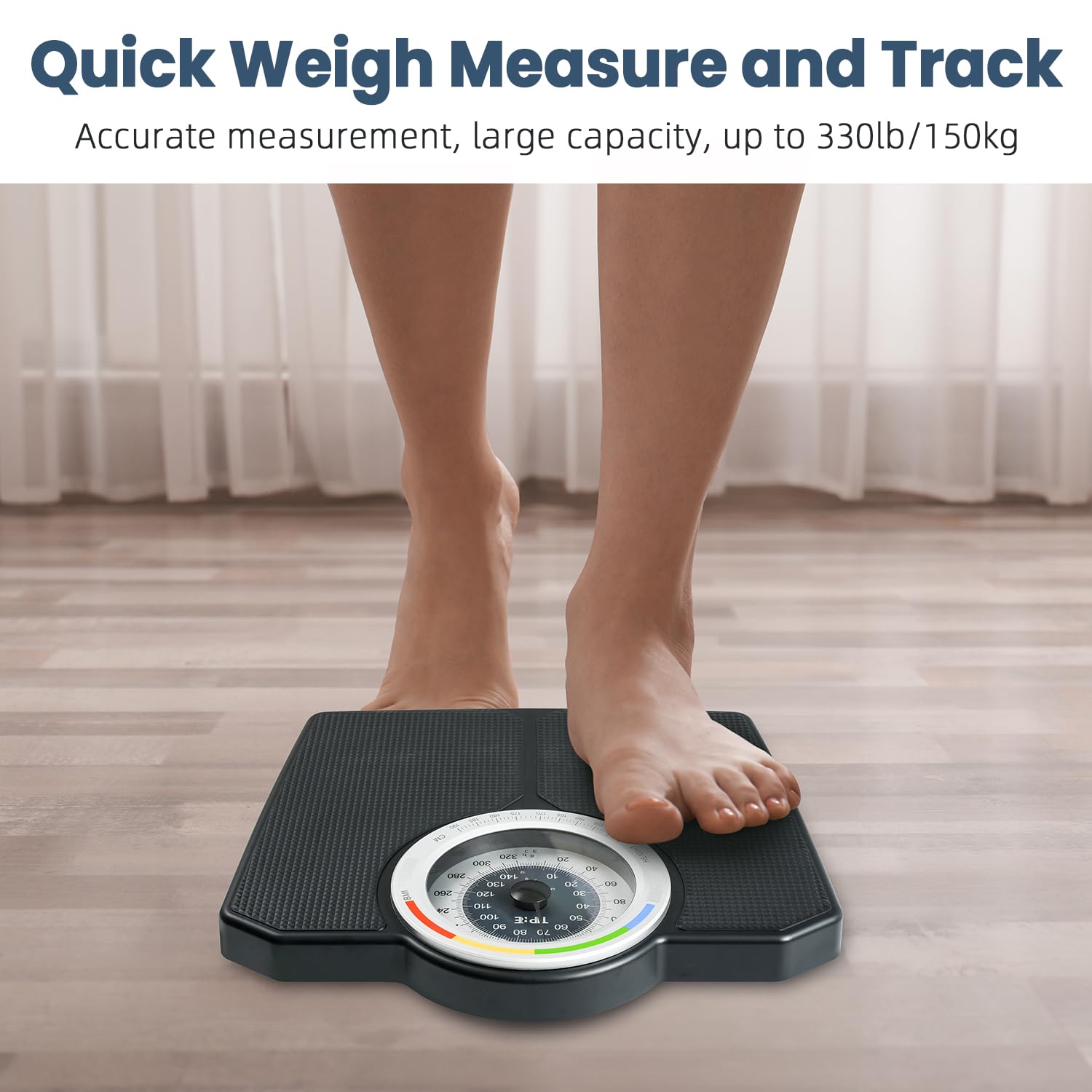
Image 5.1: A user demonstrating how to stand on the scale for a quick and accurate weight measurement.
5.2 Reading the Dial and BMI Indication
The large 6.3-inch dial is designed for clear readability. It features dual units, with kilograms on the inner ring and pounds on the outer ring. The enlarged figures assist users of all heights in easily seeing the readings.
The outer ring of the dial includes a BMI color chart. To use this feature:
- Align your height (in cm) with the zero mark on the weight pointer.
- Step onto the scale and read your weight.
- The weight pointer will fall within a colored BMI range on the outer ring. The green area indicates a healthy BMI range.

Image 5.2: Detailed view of the scale's dial, highlighting the dual unit display and the integrated BMI color chart for health status indication.
6. Maintenance
6.1 Cleaning
To clean the scale, wipe it with a damp cloth and a mild detergent. Do not use abrasive cleaners or immerse the scale in water. Ensure the scale is completely dry before storage or next use.
6.2 Storage
Store the scale in a cool, dry place away from direct sunlight and extreme temperatures. Avoid placing heavy objects on the scale when not in use.
7. Troubleshooting
- Inaccurate Readings:
- Ensure the scale is on a hard, flat, and level surface.
- Re-calibrate the scale to '0' using the calibration wheel before each use.
- Stand still and centered on the platform.
- Pointer Not Returning to Zero:
- Check for any obstructions under or around the scale.
- Adjust the calibration wheel to manually set the pointer to '0'.
- Scale Not Functioning:
- As a mechanical scale, it does not require batteries. If it's not functioning, ensure no parts are jammed or damaged.
- If issues persist, contact customer support.
8. Specifications
| Feature | Specification |
|---|---|
| Model | MS01 |
| Capacity | 150 kg / 330 lb |
| Graduation | 1 kg / 2.2 lb |
| Display Type | Analog Dial (6.3-inch) |
| Units | Kilograms (kg), Pounds (lb) |
| Platform Dimensions | 14.1 x 12.2 x 2.5 inches |
| Weight | 6.48 Pounds |
| Material | Powder-coated steel base, wear-resistant vinyl pads |
| Special Features | Manual Calibration, Non-Slip Platform, BMI Indication |
| Power Source | No batteries required |

Image 8.1: Dimensional overview of the TIPRE MS01 scale.
9. Warranty and Support
For warranty information or technical support, please refer to the documentation included with your purchase or contact TIPRE customer service directly. Keep your purchase receipt as proof of purchase.
For further assistance, please visit the official TIPRE store or contact their support channels.