1. Introduction
Welcome to the HENGTO Kids SmartWatch W99 user manual. This guide provides comprehensive instructions for setting up, operating, and maintaining your new smartwatch. Designed for children aged 6-16, this smartwatch offers a variety of features to encourage an active and healthy lifestyle, including activity tracking, heart rate monitoring, sleep analysis, and smart notifications.
What's in the Box
- HENGTO Kids SmartWatch W99 (Blue)
- USB Magnetic Charging Cable
- User Manual (this document)

Figure 1: HENGTO Kids SmartWatch W99 (Blue)
2. Safety Information
- Do not attempt to disassemble or modify the device.
- Keep the device away from extreme temperatures and direct sunlight.
- Avoid exposing the device to strong impacts or drops.
- Use only the provided USB magnetic charging cable for charging.
- Consult a medical professional before starting any new exercise regimen, especially if you have pre-existing health conditions.
- The heart rate monitoring feature is for reference only and should not be used for medical diagnosis.
3. Product Overview
The HENGTO Kids SmartWatch W99 features a 1.5-inch HD full touch screen and a user-friendly interface. It is equipped with various sensors to track daily activities and health metrics.
Key Features:
- Sleep and Heart Rate Monitoring: Automatically tracks daily real-time activity, heart rate, and sleep patterns. Vibrating alarm helps establish good sleep habits.
- Waterproof Activity Tracker (IP68): Supports 20 sports modes, measures heart rate, steps, calories, and exercise distance. Suitable for hand washing and daily exercise.
- Smart Notifications: Receives alerts for incoming calls and messages from apps like Facebook, WhatsApp, etc. (Note: Does not support SIM card).
- Full Touch Screen & Easy Operation: 1.5-inch HD full touch screen with intuitive controls. Supports 9 languages.
- Long Battery Life: Offers extended usage on a single charge.

Figure 2: Multi-Functions of the HENGTO Kids SmartWatch
4. Setup
4.1 Initial Charging
Before first use, fully charge the smartwatch. Connect the included USB magnetic charging cable to the charging points on the back of the watch and to a USB power source (e.g., computer USB port, wall adapter). A full charge typically takes approximately 2 hours.

Figure 3: SmartWatch Charging and Battery Usage
4.2 App Connection
To unlock the full potential of your smartwatch, download the companion application on your smartphone. The app allows for data synchronization, notification management, and additional settings. Refer to the watch's display or the included quick start guide for the QR code to download the app.
- Scan the QR code on the watch or in the quick start guide to download the app.
- Open the app and follow the on-screen instructions to create an account or log in.
- Enable Bluetooth on your smartphone.
- In the app, search for your device (HENGTO W99) and pair it.
- Once connected, the watch will synchronize time and data with your phone.
5. Operating Instructions
5.1 Basic Navigation
- Power On/Off: Press and hold the side button to power on or off.
- Wake Screen: Tap the screen or raise your wrist.
- Main Screen: Displays time, date, and activity summary (distance, steps, calories).
- Swipe Up: Access quick settings (brightness, do not disturb, battery status, connection status).
- Swipe Down: View notifications.
- Swipe Left/Right: Navigate through different feature screens (Pedometer, Heart Rate, Sleep, etc.).
- Side Button Press: Returns to the main screen or accesses the main menu (long press).
5.2 Activity Tracking
The smartwatch automatically tracks your child's daily activity.
- Pedometer: Tracks the number of steps taken, distance covered, and calories burned.
- Heart Rate Monitoring: Provides 24/7 real-time heart rate data. Swipe to the Heart Rate screen to view your current heart rate.
- Sleep Monitor: Automatically tracks sleep duration and quality (deep sleep, light sleep, awake time). Data can be viewed in the app.

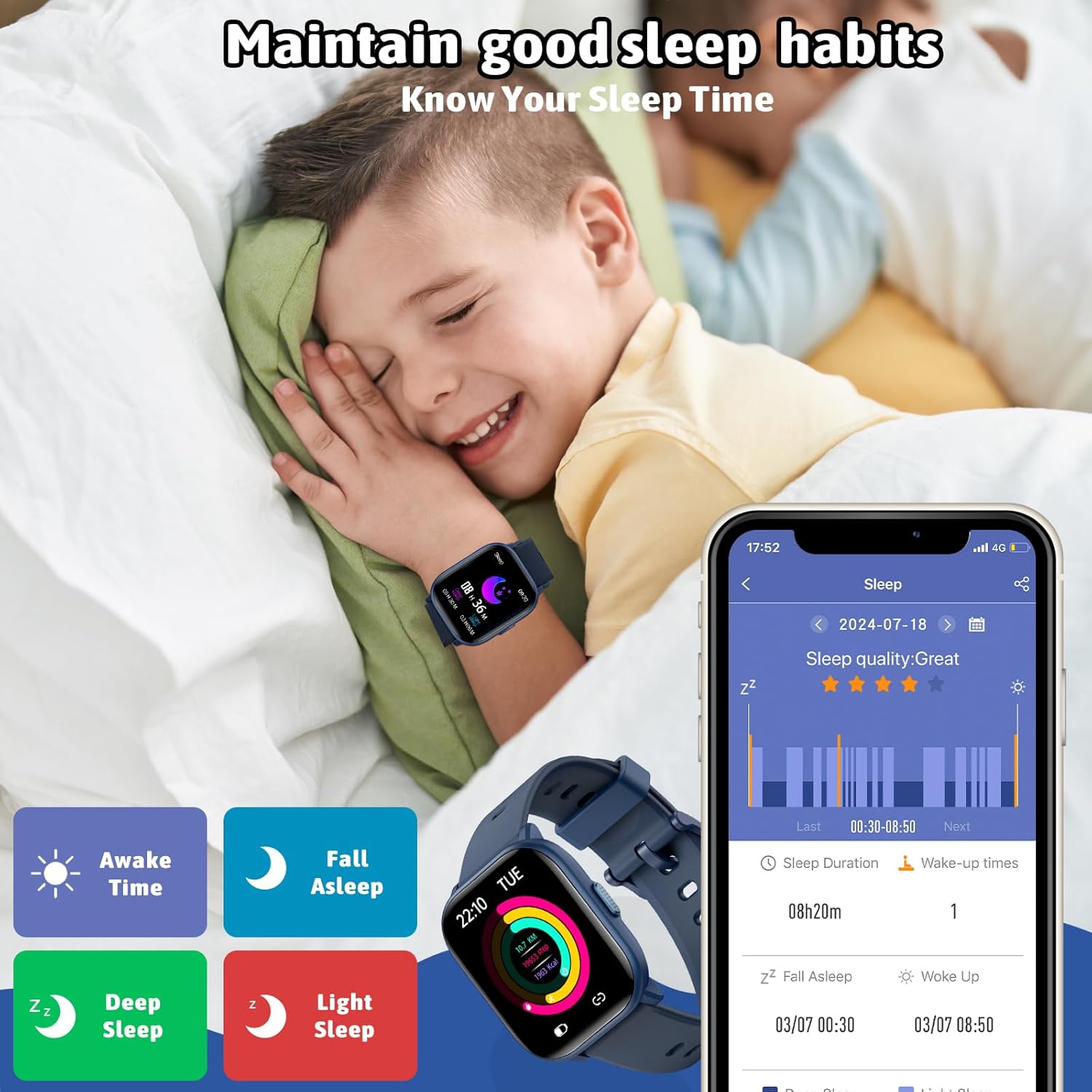
Figure 4: Heart Rate Tracking and Sleep Monitoring
5.3 Sports Modes
The watch supports 20 different sports modes to track specific activities. To access: Long press the side button to enter the main menu, then select "Workouts".
- Includes: Running, Jumping Rope, Basketball, Walking, Cycling, Climbing, Table Tennis, Badminton, Baseball, Swimming, and more.
- During a workout, the watch displays real-time data such as heart rate, steps, calories, and distance.

Figure 5: 20 Sport Modes for Active Play
5.4 Smart Notifications
Receive alerts directly on your watch when connected to your smartphone via the app.
- Incoming Call Alerts: The watch will vibrate and display caller ID.
- Message Alerts: Receive notifications from social media apps (e.g., Facebook, WhatsApp) and SMS messages.
- To enable or disable notifications, adjust settings within the companion app.
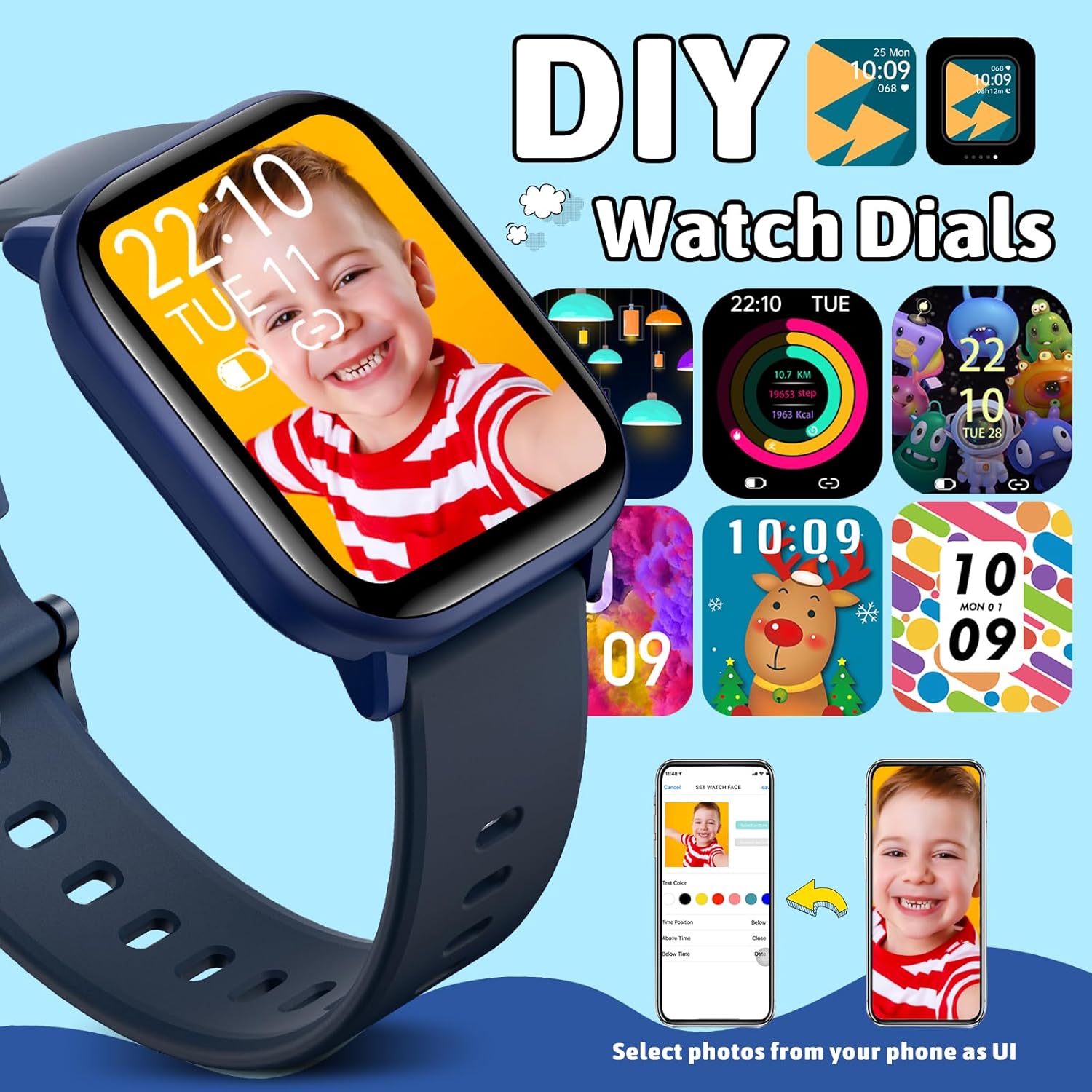
Figure 6: Message & Call Reminders
5.5 Additional Functions
- Alarm: Set vibrating alarms through the app to wake up or remind your child of tasks.
- Stopwatch & Timer: Useful for timing activities or setting countdowns. Access via the main menu.
- Music Control: Control music playback on your connected smartphone (play, pause, skip tracks).
- Find Phone: Use the watch to make your connected phone ring, helping you locate it.
- Camera Remote: Remotely trigger your smartphone's camera shutter from the watch.
- DIY Watch Dials: Customize the watch face with personal photos or choose from various pre-installed designs via the app.

Figure 7: DIY Watch Dials
6. Maintenance
6.1 Cleaning and Care
- Wipe the watch screen and strap regularly with a soft, dry cloth.
- If necessary, use a slightly damp cloth with mild soap, then wipe dry.
- Avoid using abrasive cleaners or solvents, as they may damage the watch.
6.2 Waterproofing (IP68)
The HENGTO Kids SmartWatch W99 is IP68 waterproof, meaning it is resistant to dust and can withstand immersion in water up to 1.5 meters for up to 30 minutes. It is suitable for:
- Washing hands
- Rainy days
- Swimming (shallow water, not suitable for diving or high-pressure water activities)
Important: Do not press any buttons while the watch is submerged in water. Avoid exposing the watch to hot water, steam, or strong detergents, as this may compromise its waterproof seal.

Figure 8: IP68 Waterproof Feature
7. Troubleshooting
If you encounter issues with your HENGTO Kids SmartWatch, please refer to the following common solutions:
- Watch not turning on: Ensure the watch is fully charged. Connect it to the charging cable and a power source for at least 30 minutes.
- Unable to pair with phone:
- Ensure Bluetooth is enabled on your phone and the watch is within range.
- Restart both the watch and your phone.
- Make sure the companion app is installed and updated to the latest version.
- Forget the device in your phone's Bluetooth settings and try pairing again through the app.
- Notifications not appearing:
- Check notification settings within the companion app.
- Ensure the app has necessary permissions on your phone to access notifications.
- Verify that the watch is properly connected via Bluetooth.
- Inaccurate activity data:
- Ensure the watch is worn snugly on the wrist, not too loose or too tight.
- Calibrate the watch through the app if a calibration option is available.
- Screen unresponsive: Try restarting the watch by long-pressing the side button. If unresponsive, allow the battery to fully drain and then recharge.
8. Specifications
| Feature | Specification |
|---|---|
| Model Name | kids watch |
| Item Model Number | W99 |
| Brand | HENGTO |
| Color | Blue |
| Screen Size | 1.5 Inches |
| Display Type | HD Full Touch Screen |
| Connectivity Technology | USB, Bluetooth |
| Water Resistance | IP68 |
| Battery Type | Lithium Polymer (included) |
| Item Weight | 3.84 ounces |
| Package Dimensions | 9.96 x 5.39 x 0.75 inches |
| Age Range (Description) | Kid (6+ years old recommended) |
9. Warranty and Support
For warranty information and customer support, please refer to the contact details provided on the product packaging or the official HENGTO website. Keep your purchase receipt as proof of purchase for any warranty claims.
If you require further assistance or have questions not covered in this manual, please contact HENGTO customer service.


