
1. Introduction
The Cubilux AS-X1 is a passive 1-input to 4-output stereo XLR audio selector designed to manage multiple audio destinations from a single source. This device allows you to route a balanced XLR audio signal from one source to any of four different XLR-compatible output devices, such as amplifiers, speakers, or mixers. Its passive design ensures signal integrity without requiring external power.
2. Features
- 1-Input to 4-Output XLR Switching: Connect one audio source to up to four different audio destinations.
- Passive Operation: Requires no external power supply or complex configuration, ensuring a clean signal path.
- Pristine Audio Transmission: Utilizes balanced XLR connections for clear and accurate sound reproduction.
- Phantom Power Pass-Through: Supports microphone signals and allows phantom power to pass through. Note: This device does not provide phantom power; an external source is required for microphones needing it.
- Durable Aluminum Alloy Construction: Provides durability and effective RFI (Radio Frequency Interference) isolation to protect audio signals.
3. Package Contents
- Cubilux AS-X1 Stereo XLR Audio Selector
- User Manual (this document)
4. Product Overview
The Cubilux AS-X1 features a robust design with clearly labeled input and output ports for straightforward connectivity.

Front view of the Cubilux AS-X1 Stereo XLR Audio Selector, showcasing the selector knob and the Cubilux logo.

An illustrative diagram demonstrating how one audio input source (e.g., DAC, CD Player, DVD Player, Microphone) can be routed to one of four different audio output destinations (e.g., AMP, Mixer, DAC) using the AS-X1 selector.
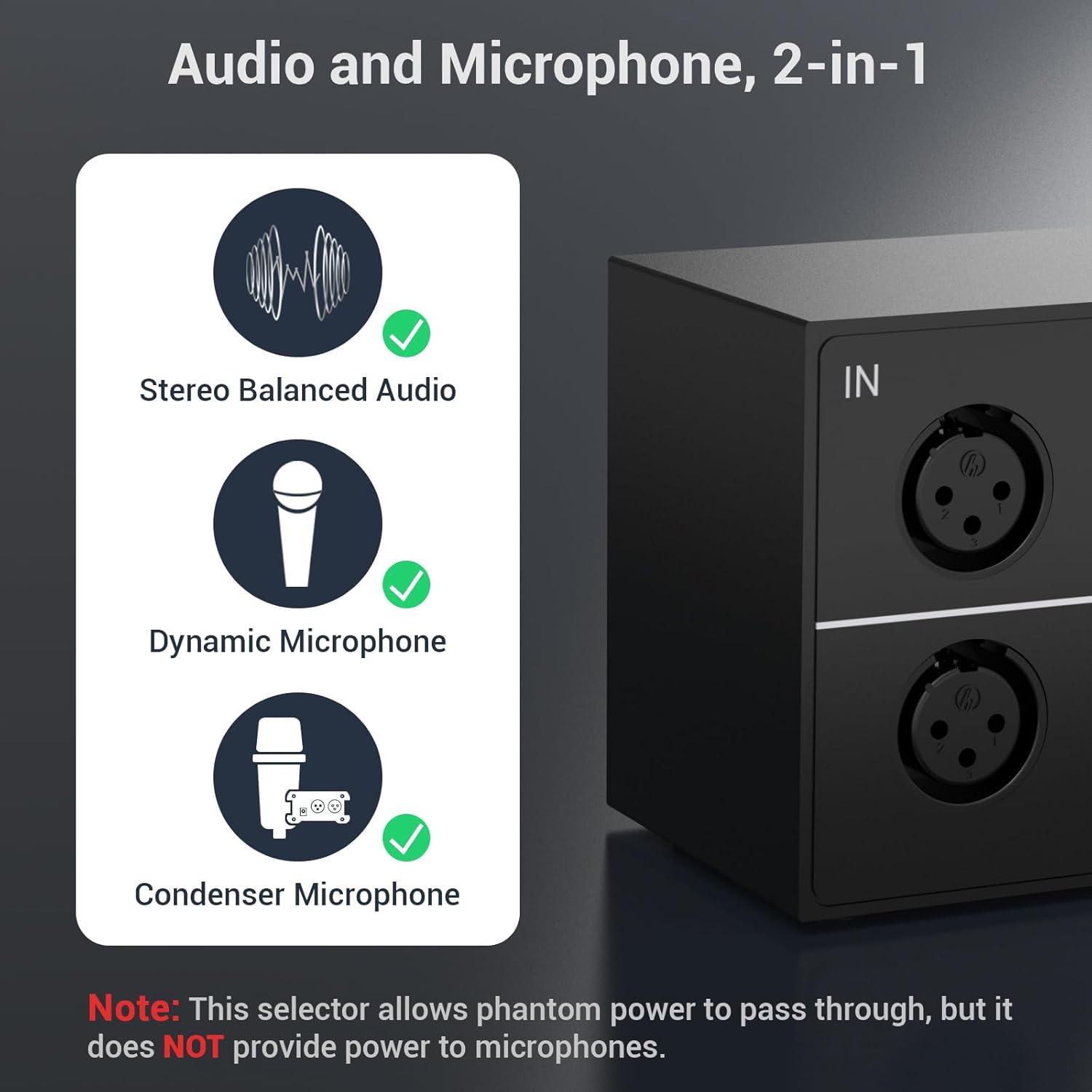
This image highlights the AS-X1's compatibility with stereo balanced audio, dynamic microphones, and condenser microphones. A note clarifies that phantom power passes through but is not supplied by the device.

An illustration depicting the robust full aluminum alloy body of the AS-X1, which contributes to durability and effective radio frequency interference (RFI) isolation.

A detailed view of the Cubilux AS-X1, showing its approximate dimensions: 180mm (7.09 in) length, 77mm (3.03 in) width, and 59mm (2.32 in) height, along with anti-skid pads on the bottom.
5. Setup
- Connect Audio Source: Connect your single balanced XLR audio source (e.g., DAC, CD player, microphone) to the IN ports (L and R) on the rear panel of the AS-X1.
- Connect Audio Destinations: Connect up to four balanced XLR audio destination devices (e.g., amplifiers, powered speakers, mixers) to the OUT1, OUT2, OUT3, and OUT4 ports (L and R for each) on the rear panel.
- Secure Connections: Ensure all XLR cables are securely connected to prevent signal loss or interference.
- No Power Required: The AS-X1 is a passive device and does not require an external power supply.
6. Operation
Operating the Cubilux AS-X1 is straightforward:
- Select Output: Use the rotary knob on the front panel to select the desired output channel (1, 2, 3, or 4). The knob will click into place for each selection.
- Audio Routing: The audio signal from your input source will be routed exclusively to the selected output channel. Only one output channel can be active at a time.
- Microphone Use: If using a microphone that requires phantom power, ensure your microphone's power source (e.g., mixer, audio interface) is active. The AS-X1 will pass this phantom power through to the microphone but does not generate it.
An official overview video demonstrating the key features and functionality of the Cubilux AS-X1 Stereo XLR Audio Selector, including its 1-input to 4-output switching capability and support for various audio signals.
7. Important Notes
- The Cubilux AS-X1 is a passive device. It does not amplify signals or require external power.
- While it supports phantom power pass-through for microphones, it does not generate phantom power itself. An external phantom power source is necessary for condenser microphones.
- The aluminum alloy casing provides effective RFI isolation, helping to maintain signal purity.
8. Troubleshooting
- No Sound Output:
- Ensure all XLR cables are securely connected to both the AS-X1 and your audio devices.
- Verify that the selector knob is set to the correct output channel (1, 2, 3, or 4) corresponding to your active destination device.
- Check the power and volume levels of your audio source and destination devices.
- Distorted or Low Sound:
- Confirm that you are using balanced XLR cables for all connections.
- Inspect cables for damage or loose connections.
- Ensure the input signal level from your source is appropriate and not overdriving the destination device.
- Microphone Not Working (with phantom power required):
- Confirm that your external phantom power source (e.g., mixer, audio interface) is turned on and providing power. The AS-X1 only passes phantom power through, it does not generate it.
- Check microphone connections and ensure the microphone itself is functioning correctly.
9. Specifications
| Model | AS-X1 |
| Type | 1-In-4-Out Stereo XLR Audio Selector |
| Operation | Passive (No external power required) |
| Connector Type | XLR |
| Color | Black |
| Housing Material | Aluminum Alloy |
| Item Weight | 2 pounds (approx. 0.91 kg) |
| Package Dimensions | 8 x 3.5 x 3.2 inches (approx. 20.3 x 8.9 x 8.1 cm) |
| Compatible Devices | Audio sources and destinations with balanced XLR connectivity (e.g., DACs, CD Players, DVD Players, Microphones, Amplifiers, Mixers, Monitors) |
10. Warranty and Support
Cubilux products are designed for reliability and performance. For warranty information, technical support, or assistance with your AS-X1 Stereo XLR Audio Selector, please refer to the official Cubilux website or contact their customer service directly.
Contact Information: Please visit the Cubilux official website for the most up-to-date support resources and contact details.