
1. Introduction
Thank you for choosing the HOLDLAMP DMX Stage Lights RGBW 4in1 LED Par Light. This manual provides essential information for the safe and efficient operation of your new stage light. Please read it thoroughly before installation and use.
This powerful and versatile stage light is designed to create dynamic and vibrant lighting effects for various events, from intimate gatherings to large-scale productions. Its robust construction and advanced features ensure reliable performance in diverse environments.
2. Product Features
- High-Quality LED Lamp Beads: Equipped with 18 high-quality LED lamp beads for ultra-high brightness, stability, and lower power consumption.
- RGBW 4-in-1 LED: Features red, green, blue, and white color options, offering tens of thousands of color combinations. Delivers pure, vibrant colors and adjustable brightness.
- Multiple Working Modes: Includes 8 versatile working modes: Automatic, Voice control, Master-slave, DMX, Strobe, Gradient mode, Jump, and Pulse.
- IP67 Waterproof Rating: Ideal for both indoor and outdoor applications, providing robust protection against dust and water ingress.
- Adjustable Bracket: Designed with an adjustable bracket for convenient carrying and flexible installation.
- Durable Construction: Features a full-cast aluminum shell design, ensuring excellent heat dissipation, aesthetic appeal, durability, and energy efficiency.
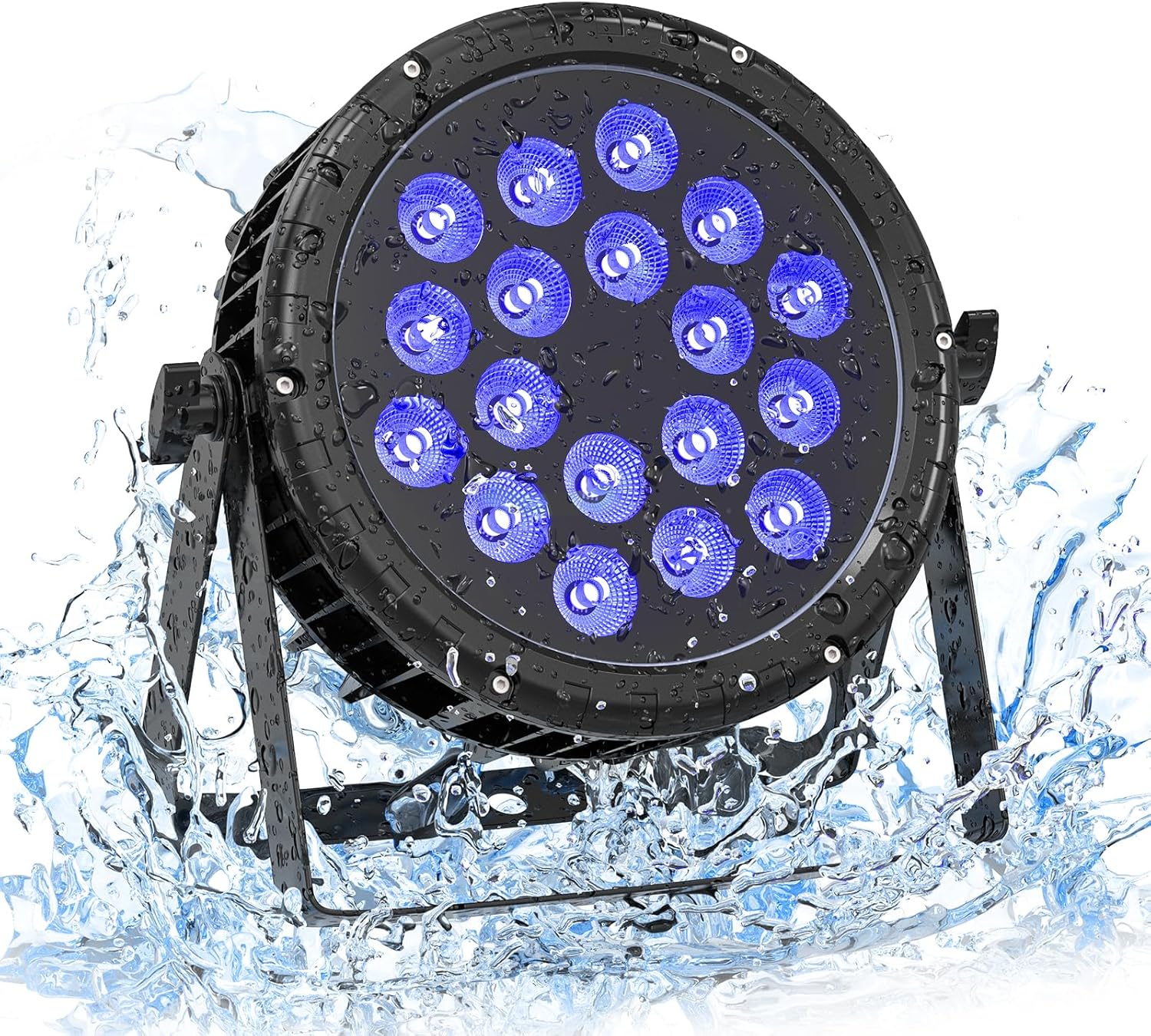
Figure 1: The HOLDLAMP DMX Stage Light showcasing its IP67 waterproof capability.

Figure 2: Demonstration of the vibrant Red, Green, Blue, and White color options.

Figure 3: Illustration of the light's 25-degree beam angle.
3. What's in the Box
Upon opening the package, please ensure all the following components are present:
- Par light x 1
- Screw x 2
- Bracket x 2
- Power cable x 1
- Signal cable x 1
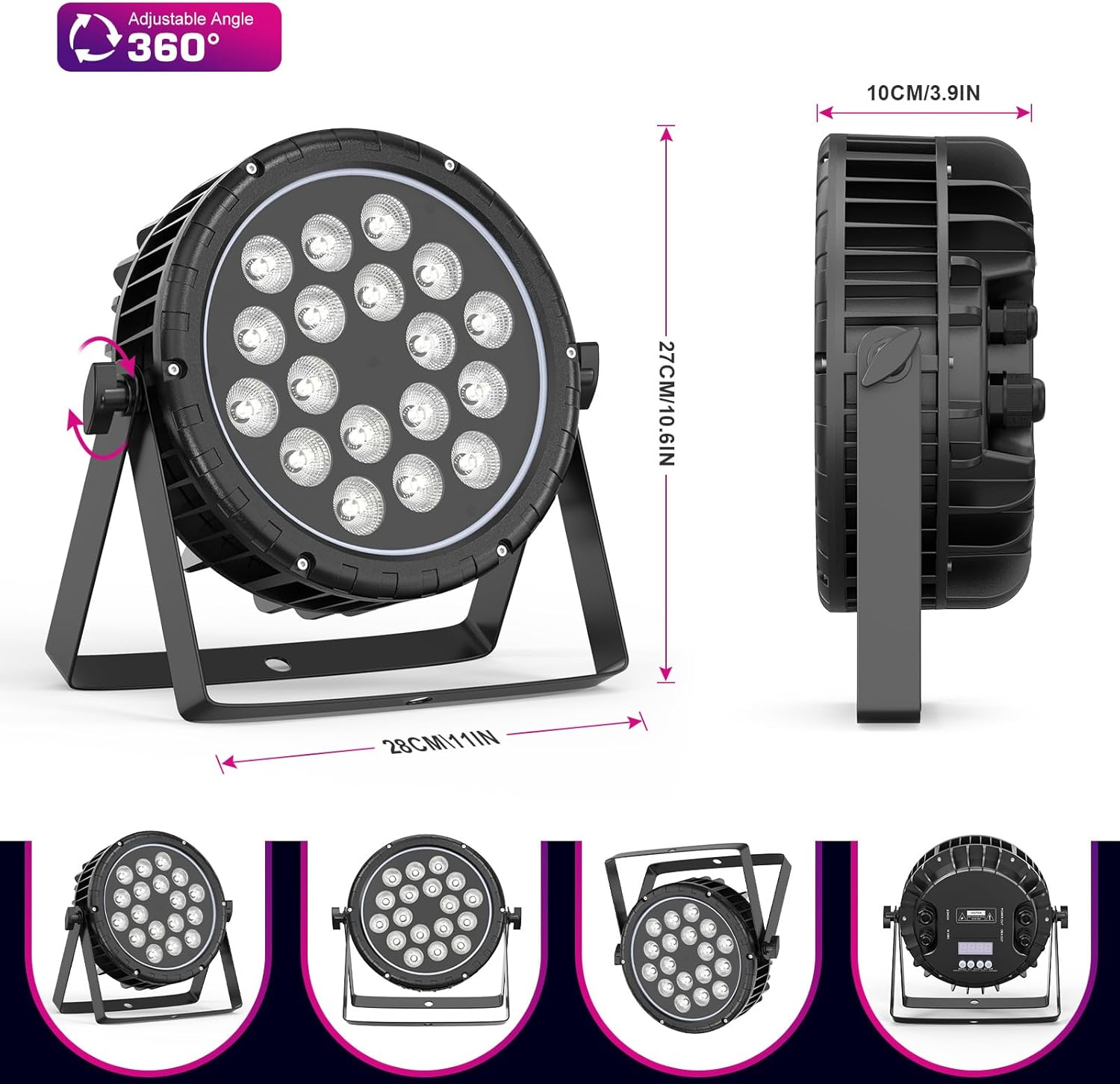
Figure 4: All components included in the product packaging.
4. Setup
- Unpacking: Carefully remove all components from the packaging. Inspect for any damage.
- Attach Brackets: Securely attach the two provided brackets to the sides of the par light using the screws. These brackets allow for versatile positioning.
- Power Connection: Connect the power cable to the "POWER IN" port on the back of the light. Ensure a secure connection.
- DMX Connection (Optional): If using DMX control, connect your DMX controller's output to the "DMX IN" port using the signal cable. For daisy-chaining multiple lights, connect the "DMX OUT" of the first light to the "DMX IN" of the next.
- Positioning: Place the light in the desired location. The adjustable bracket allows for floor standing, wall mounting, or truss mounting.

Figure 5: Adjusting the mounting bracket for desired light angle.

Figure 6: Secure waterproof power and DMX cable connections.
5. Operating Modes
The HOLDLAMP DMX Stage Light offers 8 distinct working modes, accessible via the control panel on the back of the unit:
- Automatic Mode: The light cycles through pre-programmed color changes and effects automatically.
- Voice Control Mode: The light reacts to sound and music, changing effects in sync with the audio.
- Master-Slave Mode: Connect multiple lights, and one master unit controls the others, ensuring synchronized effects.
- DMX Mode: For professional control, connect to a DMX controller to precisely manage colors, brightness, and effects.
- Strobe Mode: Creates a flashing light effect.
- Gradient Mode: Smooth transitions between colors.
- Jump Mode: Abrupt color changes.
- Pulse Mode: Light pulses on and off.
Video 1: Demonstration of the light's waterproof capabilities and various color modes.
Video 2: Quick overview of the super bright waterproof LED Par light in action.
Video 3: Visual demonstration of the waterproof Par Light LED's features.
Video 4: Overview of the waterproof stage lights and their performance.
6. Specifications
| Attribute | Value |
|---|---|
| Brand | HOLDLAMP |
| Model Number | ZQ01417 |
| Color | Black |
| Shape | Round |
| Material | Aluminum |
| Finish Type | Aluminum |
| Light Source Type | Light Emitting Diode |
| Power Source | Corded Electric |
| Voltage | 110 Volts |
| Brightness | 7500 Lumen |
| Light Source Wattage | 8E+1 Watts |
| Bulb Features | RGBW |
| Color Temperature | 6E+3 Kelvin |
| Specification Met | CE, IP 67, RoHS |
| Number of Light Sources | 18 |
| Product Dimensions | 9.4"L x 3.9"W x 10.8"H |
| Beam Angle | 25 Degrees |
| Item Weight | 9.15 pounds |
| Country of Origin | China |
7. Maintenance
- Cleaning: Regularly clean the exterior of the light with a soft, dry cloth. For stubborn dirt, a slightly damp cloth can be used. Ensure the light is unplugged before cleaning.
- Inspection: Periodically inspect power and signal cables for any signs of wear, cuts, or damage. Replace damaged cables immediately.
- Heat Dissipation: Ensure the aluminum shell's cooling fins are free from dust and debris to maintain optimal heat dissipation. Do not block ventilation openings.
- Storage: When not in use for extended periods, store the light in a cool, dry place, away from direct sunlight and extreme temperatures.
8. Troubleshooting
| Problem | Possible Cause | Solution |
|---|---|---|
| Light does not turn on. | No power supply; faulty cable; unit malfunction. | Check power connection and outlet. Inspect power cable for damage. If problem persists, contact support. |
| DMX control not working. | Incorrect DMX address; faulty signal cable; DMX controller issue; DMX XLR plugs not molded correctly (as per customer review). | Verify DMX address settings on the light and controller. Check signal cable connections. Ensure DMX XLR plugs are properly seated and not defective. |
| Colors appear dull or incorrect. | Incorrect mode selected; specific color LED issue. | Cycle through different operating modes. Check if specific colors (e.g., blue) are less vibrant compared to others. |
| Sound activation not responding. | Sound level too low; microphone obstruction; incorrect mode. | Increase music volume. Ensure the light's microphone is not obstructed. Confirm "Voice Control Mode" is active. |
9. Warranty and Support
Specific warranty details are not provided in the product information. For any warranty claims, technical support, or service inquiries, please contact HOLDLAMP customer service directly through their official channels or the retailer where the product was purchased.