Introduction
This manual provides detailed instructions for the safe and efficient operation of your Generic Portable Type-C Rechargeable Fan. Please read this manual thoroughly before use and retain it for future reference.
Product Features
- Portable and Lightweight: Designed for easy transport and use in various locations.
- Type-C Rechargeable: Convenient charging via USB-C port.
- Power Display: Integrated display shows current battery level.
- Ultra-Quiet Operation: Operates at approximately 10 dB, minimizing noise disturbance.
- Adjustable Airflow: Three-speed settings for personalized cooling.
- 360-Degree Rotation: Fan head can be manually adjusted for optimal airflow direction.
- Brushless Motor: Ensures high-speed operation and durability.
Package Contents
- 1 x Generic Portable Type-C Rechargeable Fan
- 1 x USB Charging Cable (Type-C)
- 1 x User Manual
Safety Instructions
To ensure safe operation, please observe the following precautions:
- Do not insert fingers or any objects into the fan grille.
- Keep the fan away from water and moisture. Do not use in wet environments.
- Do not disassemble, repair, or modify the fan yourself. Contact qualified service personnel.
- Keep out of reach of children and pets.
- Use only the provided USB cable or a certified Type-C cable for charging.
- Avoid placing the fan near heat sources or in direct sunlight for extended periods.
- Ensure the fan is placed on a stable, flat surface to prevent tipping.
Setup
- Unpack: Carefully remove the fan and all accessories from the packaging.
- Placement: Place the fan on a stable, flat surface where airflow is desired.
- Initial Charge: Before first use, fully charge the fan using the provided Type-C USB cable.

Image: The white portable fan showing its compact design and digital power display. The fan can rotate 360 degrees for versatile positioning.
Operating Instructions
- Power On/Off: Press the power button located on the front of the fan to turn it on. Press again to cycle through speeds and turn off.
- Adjusting Fan Speed:
- Press the power button once for First Gear (Soft Breeze).
- Press the power button a second time for Second Gear (Natural Wind).
- Press the power button a third time for Third Gear (Strong Wind).
- Press the power button a fourth time to turn the fan off.
- Adjusting Fan Angle: Manually tilt the fan head up or down to adjust the airflow direction. The fan supports 360-degree vertical rotation.

Image: Illustration of the three adjustable wind speeds, demonstrating the airflow intensity for each setting.

Image: The fan demonstrating its 360-degree adjustable angle, allowing users to direct airflow as needed.
Charging
The fan is equipped with a built-in rechargeable battery and a Type-C charging port.
- Connect the provided Type-C USB cable to the fan's charging port.
- Connect the other end of the USB cable to a compatible USB power source (e.g., computer, power bank, AC adapter).
- The digital display will show the charging status and battery percentage.
- A full charge can provide over 8 hours of operation, depending on the selected fan speed.
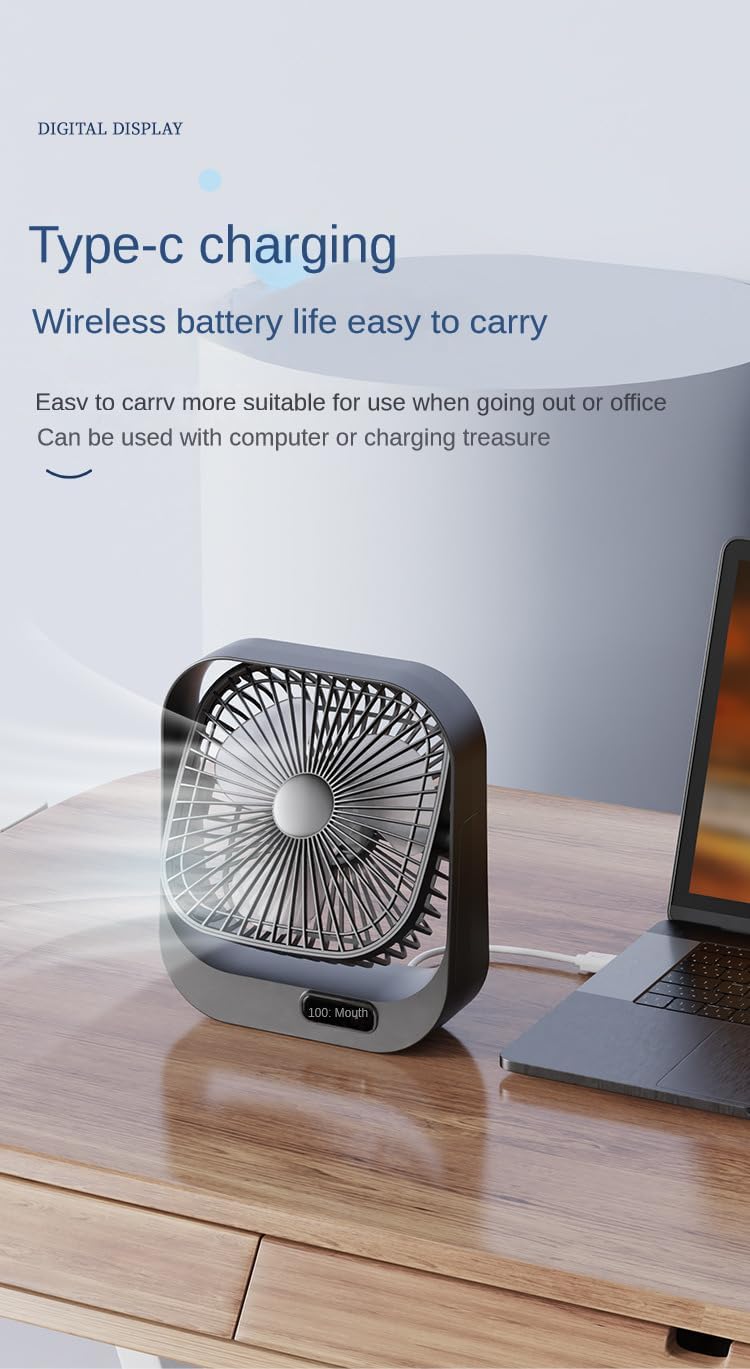
Image: The fan being charged via its Type-C port, connected to a laptop, highlighting its wireless battery life and portability.
Maintenance
- Cleaning: Use a soft, dry cloth to wipe the exterior of the fan. Do not use abrasive cleaners or immerse the fan in water.
- Storage: When not in use for extended periods, store the fan in a cool, dry place, away from direct sunlight.
Troubleshooting
| Problem | Possible Cause | Solution |
|---|---|---|
| Fan does not turn on. | Battery is depleted. | Charge the fan using the Type-C USB cable. |
| Fan runs weakly. | Low battery level. | Recharge the fan. |
| Fan makes unusual noise. | Obstruction in fan blades. | Turn off and unplug the fan. Carefully check for and remove any obstructions. |
| Charging not working. | Faulty cable or power source. | Try a different Type-C USB cable or a different USB power adapter. |
Specifications
| Brand | Generic |
| Model Number | B0D6VRXS6G |
| Color | White |
| Electric Fan Design | Table Fan |
| Power Source | USB Powered |
| Product Dimensions | 5"D x 8"W x 10"H |
| Noise Level | 10 Decibels |
| Wattage | 5 watts |
| Number of Blades | 4 |
| Control Method | Button Control (Touch) |
| Number of Power Levels | 3 |
| Motor Type | Brushless |
| Item Weight | 1 pounds |

Image: An illustration of the fan's brushless motor, highlighting its high-speed and concentrated airflow capabilities.
Warranty and Support
This product comes with a standard manufacturer's warranty. For specific warranty details, please refer to the product packaging or contact the retailer where the product was purchased.
For technical support or customer service inquiries, please contact your retailer or the manufacturer directly using the contact information provided with your purchase.