
BLACK+DECKER REVSV18D1-QW
BLACK+DECKER Reviva 18V 4-in-1 Cordless Vacuum Cleaner User Manual
Model: REVSV18D1-QW
1. Introduction
Thank you for choosing the BLACK+DECKER Reviva 18V 4-in-1 Cordless Vacuum Cleaner. This manual provides important information regarding the safe operation, maintenance, and troubleshooting of your new appliance. Please read it thoroughly before use and keep it for future reference.
The Reviva 18V 4-in-1 is a versatile cordless stick vacuum designed for efficient cleaning throughout your home. Its innovative features include a removable 2Ah battery, FloorSense Technology, and a self-standing design for convenience.
2. Safety Information
Always follow basic safety precautions when using electrical appliances to reduce the risk of fire, electric shock, and personal injury.
- Read all instructions before using the appliance.
- Do not use outdoors or on wet surfaces.
- Do not allow to be used as a toy. Close attention is necessary when used by or near children.
- Use only as described in this manual. Use only manufacturer's recommended attachments.
- Do not use with damaged cord or plug. If appliance is not working as it should, has been dropped, damaged, left outdoors, or dropped into water, return it to a service center.
- Do not pull or carry by cord, use cord as a handle, close a door on cord, or pull cord around sharp edges or corners. Do not run appliance over cord. Keep cord away from heated surfaces.
- Do not unplug by pulling on cord. To unplug, grasp the plug, not the cord.
- Do not handle plug or appliance with wet hands.
- Do not put any object into openings. Do not use with any opening blocked; keep free of dust, lint, hair, and anything that may reduce air flow.
- Keep hair, loose clothing, fingers, and all parts of body away from openings and moving parts.
- Do not pick up anything that is burning or smoking, such as cigarettes, matches, or hot ashes.
- Do not use without dust bag and/or filters in place.
- Turn off all controls before unplugging.
- Use extra care when cleaning on stairs.
- Do not use to pick up flammable or combustible liquids, such as gasoline, or use in areas where they may be present.
- Store the appliance indoors.
- Recharge only with the charger specified by the manufacturer.
- Do not incinerate the appliance even if it is severely damaged. The batteries can explode in a fire.
3. Package Contents
Carefully unpack your BLACK+DECKER Reviva 18V 4-in-1 Cordless Vacuum Cleaner and ensure all items are present and in good condition. If any items are missing or damaged, please contact customer support.
- Main Vacuum Unit (Handheld)
- Extension Wand
- Floor Head with Brush Bar
- Crevice Tool
- 18V 2Ah Removable Battery
- Battery Charger
- Wall Mount Bracket (optional installation)
- User Manual (this document)

Image: All components of the BLACK+DECKER Reviva 18V 4-in-1 Cordless Vacuum Cleaner, including the main unit, extension wand, floor head, crevice tool, battery, and charger.
4. Setup and Assembly
4.1 Charging the Battery
Before first use, fully charge the battery. The battery is partially charged upon delivery but requires a full charge for optimal performance.
- Insert the battery into the charger. Ensure it clicks into place.
- Plug the charger into a standard electrical outlet.
- The charging indicator light on the charger will illuminate, indicating charging is in progress.
- Once fully charged, the indicator light may change color or turn off (refer to charger specific instructions if different). A full charge typically takes approximately 5 hours.
- Disconnect the charger from the outlet and remove the battery.

Image: The removable 18V 2Ah battery and its dedicated charger. This battery is compatible with other BLACK+DECKER 18V POWERCONNECT tools.
4.2 Assembling the Vacuum
The Reviva 18V 4-in-1 vacuum can be assembled in various configurations:
- Stick Vacuum Configuration:
- Attach the extension wand to the main vacuum unit until it clicks securely.
- Attach the floor head to the other end of the extension wand until it clicks securely.
- Insert the charged battery into the slot on the main vacuum unit.
- Handheld Vacuum Configuration:
- Insert the charged battery into the slot on the main vacuum unit.
- Attach the crevice tool directly to the main vacuum unit for targeted cleaning.

Image: Side view of the BLACK+DECKER Reviva vacuum assembled in stick mode, ready for use.

Image: A person demonstrating the BLACK+DECKER Reviva vacuum in handheld mode, using the crevice tool to clean along a baseboard.
5. Operating Instructions
5.1 Powering On/Off and Speed Settings
To turn the vacuum on, press the power button located on the handle. Press it again to cycle through the speed settings (Low/High) or to turn the vacuum off.
- Low Speed: Ideal for everyday cleaning and maximizing battery runtime (up to 40 minutes).
- High Speed: Provides maximum suction for deep cleaning and stubborn dirt.
5.2 FloorSense Technology
The FloorSense Technology automatically adjusts the brush bar speed based on the floor type. This optimizes cleaning performance and battery efficiency.

Image: The vacuum's floor head with integrated LED lights illuminating debris on a carpeted surface.

Image: The vacuum's floor head with integrated LED lights illuminating debris on a hard floor surface.
5.3 4-in-1 Functionality
The versatile design allows for four different cleaning configurations:
- Stick Vacuum: For general floor cleaning (hard floors and carpets).
- Handheld Vacuum: For quick clean-ups, furniture, and car interiors.
- Handheld with Crevice Tool: For tight spaces, corners, and edges.
- Handheld with Extension Wand: For reaching high areas or under furniture without bending.

Image: A person using the BLACK+DECKER Reviva in stick mode to clean carpeted stairs, demonstrating its maneuverability.

Image: A person using the BLACK+DECKER Reviva in handheld mode to clean crumbs from a sofa cushion.
5.4 Self-Standing Feature
The vacuum is designed to stand upright on its own, allowing for convenient temporary storage during cleaning breaks without needing to lean it against a wall or furniture.

Image: The BLACK+DECKER Reviva vacuum standing upright independently in a living room setting, showcasing its self-standing capability.
6. Maintenance
Regular maintenance ensures optimal performance and extends the life of your vacuum cleaner.
6.1 Emptying the Dustbin
Empty the dustbin regularly, ideally after each use, to maintain strong suction power. The dustbin capacity is 500 ml.
- Ensure the vacuum is turned off and the battery is removed.
- Locate the dustbin release button, usually near the handle.
- Press the button to detach the dustbin from the main unit.
- Hold the dustbin over a trash can and open the dustbin flap to empty contents.
- Close the flap and reattach the dustbin to the vacuum until it clicks securely.

Image: A person holding the handheld vacuum unit, clearly showing the transparent dustbin and its contents, indicating it's ready for emptying.
6.2 Cleaning the Filter
The vacuum uses a HEPA filter. Clean the filter regularly to prevent clogging and maintain suction. It is recommended to clean the filter every 2-3 uses, or more frequently with heavy use.
- With the dustbin detached, carefully remove the filter assembly.
- Tap the filter gently over a trash can to remove loose dust and debris.
- For a deeper clean, rinse the filter under cool running water. Do not use hot water or detergents.
- Allow the filter to air dry completely for at least 24 hours before reinserting it into the vacuum. Do not use the vacuum with a wet filter.
- Reassemble the filter and dustbin, then reattach to the main unit.
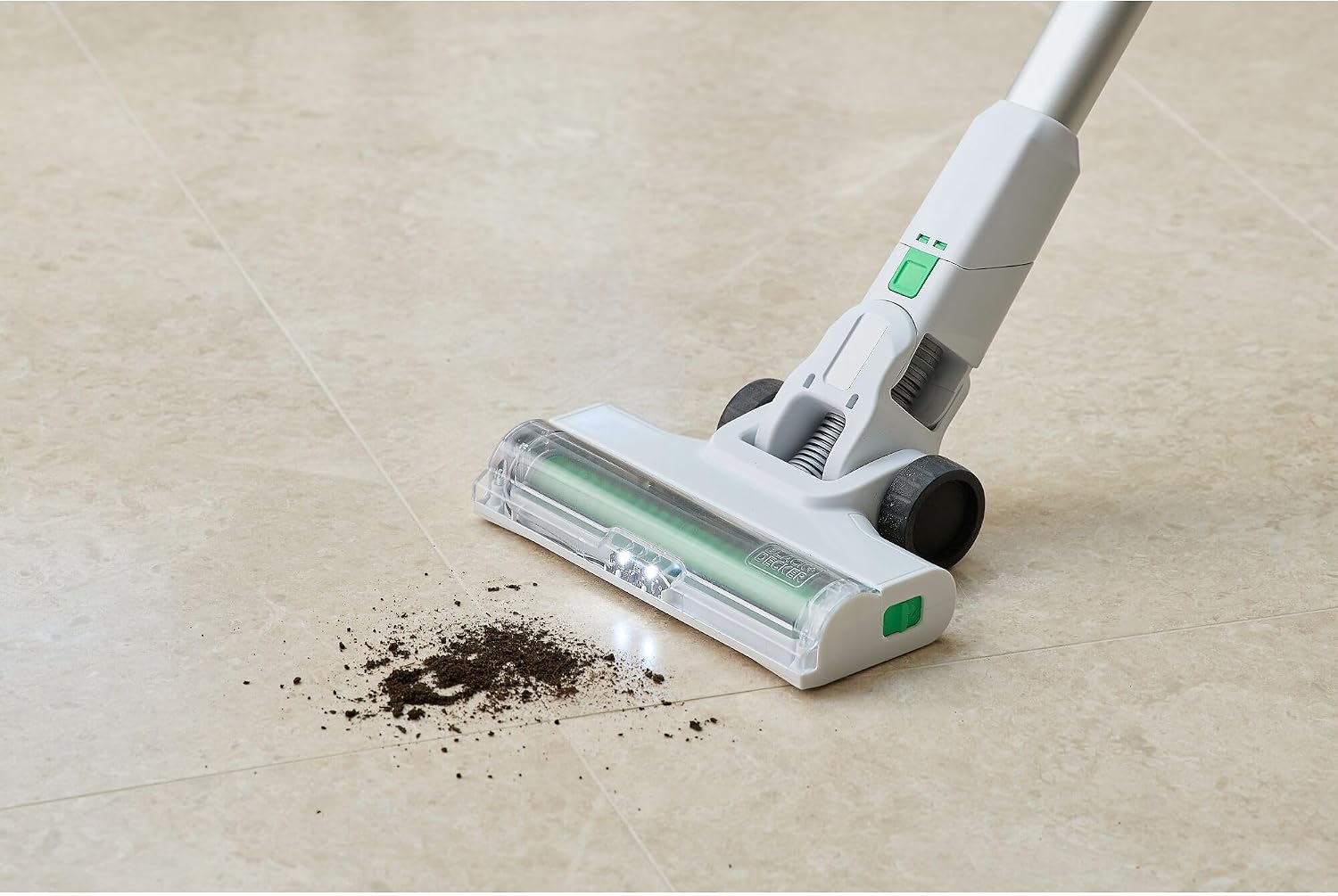
Image: A close-up view of the transparent dustbin and the green HEPA filter element inside the BLACK+DECKER Reviva vacuum, highlighting the filter's position.
6.3 Cleaning the Brush Bar
Periodically check the brush bar for tangled hair or debris. Remove any obstructions to ensure effective cleaning.
- Ensure the vacuum is off and the battery is removed.
- Detach the floor head from the extension wand.
- Locate the brush bar release mechanism (refer to diagrams in the full manual if available).
- Remove the brush bar and use scissors or a brush to cut and remove any tangled hair or fibers.
- Reinsert the brush bar and secure it in place.
7. Troubleshooting
| Problem | Possible Cause | Solution |
|---|---|---|
| Vacuum does not turn on. | Battery not charged or not inserted correctly. | Ensure battery is fully charged and securely inserted. |
| Low suction power. | Dustbin full; Filter clogged; Obstruction in nozzle/hose/brush bar. | Empty dustbin. Clean or replace filter. Remove any obstructions. |
| Brush bar not rotating. | Tangled debris in brush bar; Floor head not properly attached. | Clean brush bar. Ensure floor head is securely attached. |
| Short battery runtime. | Battery not fully charged; Battery nearing end of life. | Ensure battery is fully charged. Consider replacing battery if old. |
8. Specifications
- Brand: BLACK+DECKER
- Model: REVSV18D1-QW
- Type: Cordless Stick Vacuum (4-in-1)
- Battery: 18V 2Ah Removable Lithium-ion
- Runtime: Up to 40 minutes
- Dustbin Capacity: 500 ml
- Filter Type: HEPA Filter
- Speed Settings: 2 (Low, High with FloorSense Technology)
- Weight: Approximately 3 kg
- Special Features: Self-standing, FloorSense Technology, Made with 50% certified recycled material (Tritan Renew)
9. Warranty and Support
BLACK+DECKER products are manufactured to high quality standards and are guaranteed for a period of 24 months from the date of purchase against faulty materials or workmanship. This guarantee does not affect your statutory rights.
For warranty claims, technical support, or to purchase replacement parts, please visit the official BLACK+DECKER website or contact their customer service department. Keep your proof of purchase for warranty validation.
Official Website: www.blackanddecker.com
Ask a question about this manual
Ask about setup, troubleshooting, compatibility, parts, safety, or missing instructions. Manuals+ will review the question and use this page’s manual context to help answer it.