
1. Introduction
Thank you for purchasing the AKONE AK-ZG-02 Portable Bluetooth Speaker. This manual provides essential information for the safe and efficient use of your device. Please read it thoroughly before operation and retain it for future reference.
2. Safety Information
To ensure safe operation and prevent damage, please observe the following guidelines:
- Do not expose the speaker to extreme temperatures or direct sunlight for extended periods.
- Avoid dropping or subjecting the speaker to severe impacts.
- Keep the speaker away from medical devices.
- Do not attempt to disassemble, repair, or modify the speaker yourself. Contact qualified service personnel.
- Ensure all port covers are securely closed when using the speaker near water to maintain its IP67 waterproof rating.
- Use only the provided charging cable or a certified equivalent.
3. Package Contents
Verify that all items are present in your package:
- AKONE AK-ZG-02 Portable Bluetooth Speaker
- USB-C Charging Cable
- 3.5mm AUX Audio Cable
- User Manual (this document)
4. Product Overview
The AKONE AK-ZG-02 is a robust portable Bluetooth speaker designed for outdoor and indoor use, featuring powerful audio output, LED lighting, and multiple connectivity options.

A clear, front-angle view of the AKONE AK-ZG-02 Portable Bluetooth Speaker, showcasing its design with illuminated speaker grilles and integrated handle.
Key Features:
- 80W Peak Output (200 Watts Max Speaker Output Power)
- Deep Bass with Dual Passive Radiators
- IP67 Waterproof and Dustproof Rating
- Dynamic LED Light Shows
- Bluetooth 5.3 Connectivity
- True Wireless Stereo (TWS) Pairing
- 20-Hour Playtime
- USB Disk and 3.5mm AUX Input
- Built-in DSP Chip

Diagram illustrating the internal components of the AKONE AK-ZG-02 speaker, highlighting dual 40W full-range speakers, dual passive radiators, and a built-in DSP chip for enhanced audio performance.
5. Setup
5.1 Charging the Speaker
- Locate the charging port on the speaker, usually protected by a rubber flap.
- Open the protective flap and connect the USB-C charging cable to the speaker.
- Connect the other end of the USB-C cable to a compatible USB power adapter (not included) or a computer's USB port.
- The LED indicator will show charging status. A full charge typically takes several hours.
- Once fully charged, disconnect the cable and securely close the protective flap to maintain waterproofing.

The AKONE AK-ZG-02 speaker in two different outdoor settings (hiking and camping), highlighting its 20-hour playtime and its ability to function as a power bank for mobile phones.
5.2 Power On/Off
- To Power On: Press and hold the Power button for approximately 2-3 seconds until you hear an audible prompt and the LED lights illuminate.
- To Power Off: Press and hold the Power button again for approximately 2-3 seconds until you hear an audible prompt and the LED lights turn off.
5.3 Bluetooth Pairing
- Ensure the speaker is powered on and in Bluetooth pairing mode (indicated by a flashing LED).
- On your mobile device (smartphone, tablet, laptop), enable Bluetooth.
- Search for available Bluetooth devices. The speaker will appear as "AKONE AK-ZG-02" or similar.
- Select the speaker from the list to initiate pairing.
- Once paired, you will hear a confirmation sound, and the LED indicator will become solid.
5.4 True Wireless Stereo (TWS) Pairing
TWS allows you to connect two AKONE AK-ZG-02 speakers for a stereo sound experience.
- Ensure both speakers are powered on and not connected to any other Bluetooth device.
- On one speaker (this will be the primary speaker), press the TWS button (if available, refer to button layout on device) or a combination of buttons as indicated in the quick start guide.
- The speakers will attempt to connect to each other. A confirmation sound will indicate successful TWS pairing.
- Once TWS paired, connect your mobile device to the primary speaker via Bluetooth as described in section 5.3.
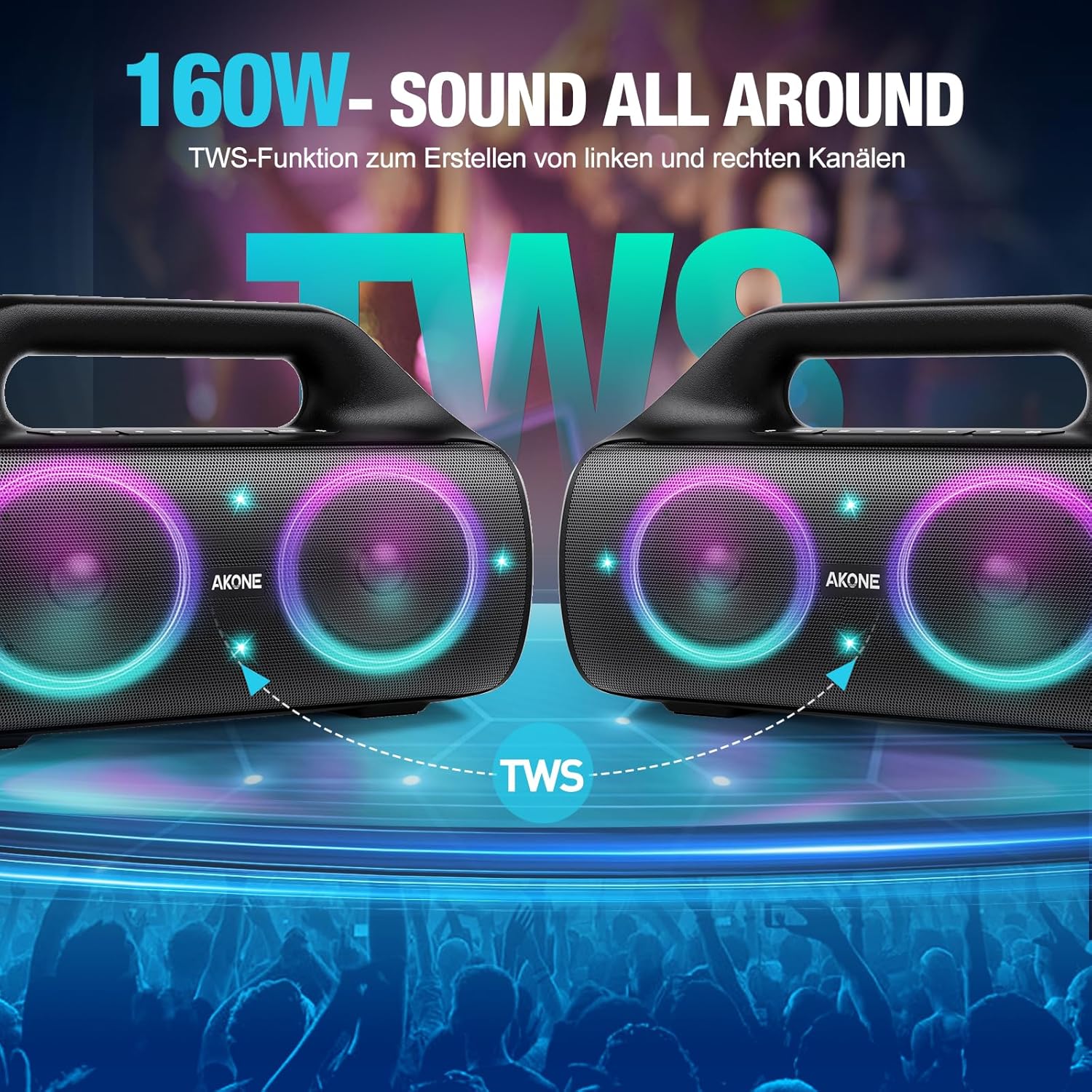
Illustration of two AKONE AK-ZG-02 speakers connected via True Wireless Stereo (TWS) function, demonstrating how they can create a combined 160W stereo sound experience.
5.5 AUX Input
- Connect one end of the 3.5mm AUX audio cable to the speaker's AUX input port.
- Connect the other end of the cable to the audio output jack of your device (e.g., MP3 player, computer).
- The speaker will automatically switch to AUX mode or may require a mode button press.
5.6 USB Disk Playback
- Insert a USB flash drive containing audio files into the speaker's USB port.
- The speaker will automatically detect the USB drive and begin playing audio files, or you may need to select USB mode.

An image depicting the multiple connectivity options of the AKONE AK-ZG-02 speaker: Bluetooth 5.3, 3.5mm AUX input, and USB disk playback. A woman is shown exercising in the background, suggesting portable use.
6. Operating
6.1 Music Playback
- Play/Pause: Press the Play/Pause button once.
- Next Track: Press the 'Next Track' button (often labeled with a forward arrow or '+').
- Previous Track: Press the 'Previous Track' button (often labeled with a backward arrow or '-').
- Volume Up: Press and hold the 'Volume Up' button or repeatedly press the '+' button.
- Volume Down: Press and hold the 'Volume Down' button or repeatedly press the '-' button.
6.2 LED Light Modes
The AKONE AK-ZG-02 speaker features multiple LED light modes. Press the Light Mode button (if available) to cycle through different patterns and colors. Some models may allow you to turn the lights off completely.

The AKONE AK-ZG-02 speaker displaying its dynamic LED light show, with two individuals enjoying music on a beach, illustrating its use in outdoor social settings.
7. Maintenance
7.1 Cleaning
- Ensure the speaker is powered off and disconnected from any power source before cleaning.
- Wipe the exterior with a soft, damp cloth. Do not use abrasive cleaners, alcohol, or solvents.
- For stubborn dirt, a mild soap solution can be used, followed by wiping with a clean, damp cloth.
- Do not immerse the speaker in water for cleaning, despite its waterproof rating, unless specifically instructed for deep cleaning.
7.2 Storage
- Store the speaker in a cool, dry place away from direct sunlight and extreme temperatures.
- If storing for an extended period, charge the battery to approximately 50% every few months to prolong battery life.

Close-up view of the AKONE AK-ZG-02 speaker emphasizing its IP67 waterproof rating, with water splashing over the device and a detail showing the protective cover for ports.
8. Troubleshooting
If you encounter issues with your speaker, refer to the following common problems and solutions:
| Problem | Possible Cause | Solution |
|---|---|---|
| Speaker does not power on. | Low battery; Power button not pressed correctly. | Charge the speaker fully. Press and hold the Power button for 2-3 seconds. |
| Cannot pair via Bluetooth. | Speaker not in pairing mode; Device Bluetooth off; Too far from device. | Ensure speaker is in pairing mode. Enable Bluetooth on your device. Move speaker closer to device (within 10 meters). |
| No sound or low volume. | Volume too low on speaker or device; Incorrect input mode. | Increase volume on both speaker and connected device. Ensure correct input mode (Bluetooth, AUX, USB). |
| TWS pairing fails. | Speakers too far apart; One speaker already connected to another device. | Ensure speakers are close to each other. Disconnect both speakers from any other Bluetooth devices before TWS pairing. |
| LED lights not working. | Lights turned off; Malfunction. | Press the Light Mode button to cycle through modes. If issue persists, contact support. |
9. Specifications
| Feature | Specification |
|---|---|
| Model Name | AK-ZG-02 |
| Brand Name | AKONE |
| Speaker Maximum Output Power | 200 Watts (Peak) |
| Connectivity Technology | Bluetooth 5.3 |
| Audio Output Mode | Stereo |
| Speaker Type | Outdoor |
| Material | Plastic |
| IP Rating | IP67 (Waterproof and Dustproof) |
| Product Dimensions | 31.5 x 11.4 x 17 cm |
| Weight | 2.21 kg |
| Recommended Uses | Outdoor Activities, Smartphones, Tablets |
| Compatible Devices | Laptop, Smartphone, Tablet |
10. Warranty and Support
AKONE products are designed for reliability and performance. For warranty information, please refer to the warranty card included with your purchase or visit the official AKONE website. For technical support, troubleshooting assistance, or service inquiries, please contact AKONE customer support through the contact information provided on our website or your purchase platform.