
Introduction
Thank you for choosing the Tovendor U60A Wrist Blood Pressure Monitor. This device is designed for convenient and accurate measurement of systolic and diastolic blood pressure, as well as pulse rate, at the wrist. Please read this manual thoroughly before use to ensure correct operation and to obtain the most accurate readings. Keep this manual for future reference.

Image: Tovendor U60A Wrist Blood Pressure Monitor and included accessories.
1. Setup
1.1 Package Contents
Before using your blood pressure monitor, please check the package for the following items:
- 1 x Tovendor U60A Wrist Blood Pressure Monitor
- 1 x Portable Carrying Case
- 2 x AAA Batteries
- 1 x Instruction Manual

Image: All items included in the product package.
1.2 Battery Installation
- Open the battery compartment cover on the back of the device.
- Insert the two AAA batteries, ensuring the positive (+) and negative (-) terminals match the indicators inside the compartment.
- Close the battery compartment cover securely.
1.3 Preparing for Measurement
For accurate readings, follow these steps:
- Rest for at least 10 minutes before measurement.
- Avoid eating, drinking alcohol, smoking, and exercising prior to measurement.
- Sit comfortably with your back supported and feet flat on the floor.
- Place the monitor on your left wrist with your palm facing up.
- Ensure the monitor is positioned approximately 0.4 inches (one finger width) from your hand.
- Keep your wrist at the same level as your heart during the measurement.

Image: Correct wrist placement for measurement.
2. Operation
2.1 Taking a Measurement
- After proper cuff placement and preparation, press the START/STOP button.
- The cuff will automatically inflate and then slowly deflate. Remain still and silent during this process.
- The measurement will complete in approximately 35 seconds. Your systolic pressure, diastolic pressure, and pulse rate will be displayed on the LCD screen.
- The device will automatically power off after 1 minute of inactivity.

Image: Large LCD screen with bright backlight for clear readings.
2.2 Understanding the Display
The LCD screen provides various indicators to help you understand your readings:

Image: Function display with labels for each indicator.
- SYS (Systolic Blood Pressure): The top number, indicating the pressure in your arteries when your heart beats.
- DIA (Diastolic Blood Pressure): The bottom number, indicating the pressure in your arteries between beats.
- PUL (Pulse Rate): Your heart rate, measured in beats per minute.
- WHO Classification Indicator: A color-coded bar on the left side of the display indicates your blood pressure category according to WHO guidelines.
- Irregular Heartbeat Symbol: If an irregular heartbeat is detected, a symbol will appear on the display. Consult a medical professional if this occurs frequently.
- Memory Symbol (M): Indicates that the current reading is stored in memory.
- Low Battery Symbol: Appears when batteries need replacement.
2.3 Dual User Mode and Memory Function
The monitor supports two users, each with 90 sets of data memory (total 180 readings). This allows you to track your health status over time.
- To switch between User 1 and User 2, press the SET button, then press the MEM button. The user icon will change.
- To view stored readings, press the MEM button when the device is off. Each press will cycle through the stored readings from most recent to oldest.
- The first reading displayed when checking memory will be the average of the last 3 measurements.
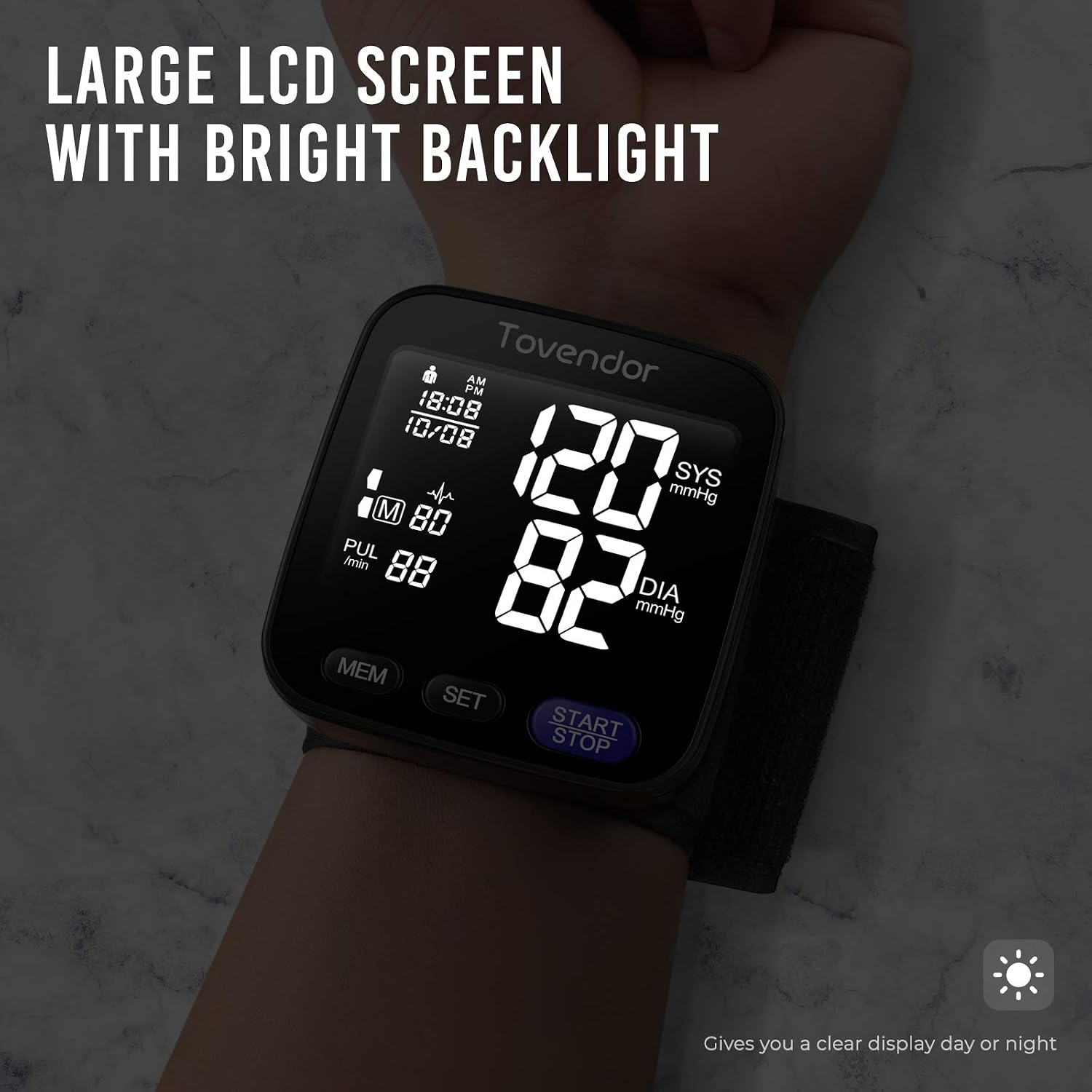
Image: Dual User Mode for tracking two individuals' readings.
2.4 Instructional Video
Video: A detailed guide on how to set up and use the Tovendor Wrist Blood Pressure Monitor, including battery installation, cuff placement, and taking a measurement.
3. Maintenance
3.1 Cleaning
- Wipe the monitor and cuff gently with a soft, dry cloth.
- If necessary, use a cloth lightly dampened with water or a mild detergent, then wipe dry immediately.
- Do not use abrasive cleaners, solvents, or immerse the device in water.
3.2 Storage
- Store the device in its portable carrying case when not in use to protect it from dust and damage.
- Keep the monitor in a cool, dry place, away from direct sunlight, extreme temperatures, and humidity.
- Remove batteries if the device will not be used for an extended period to prevent leakage.
4. Troubleshooting
| Problem | Possible Cause | Solution |
|---|---|---|
| Device does not power on. | Batteries are dead or incorrectly installed. | Replace batteries or ensure correct polarity. |
| Inaccurate readings. | Incorrect cuff placement, movement during measurement, or improper posture. | Ensure correct cuff placement (0.4 inches from hand), remain still, and maintain proper posture with wrist at heart level. Wait 5-10 minutes between measurements. |
| Error message on display. | Cuff not properly applied, excessive movement, or technical issue. | Reapply cuff, ensure stillness, or contact customer support if the issue persists. |
| No readings stored in memory. | Memory is full or user mode not selected. | The device stores 90 readings per user. If full, older readings are overwritten. Ensure correct user mode is selected. |
5. Specifications
- Model: U60A
- Product Dimensions: 3.54 x 3.54 x 4.13 inches
- Item Weight: 7.37 ounces
- Power Source: Battery Powered (2 x AAA batteries)
- Display Type: Digital LCD
- Target Use Body Part: Wrist
- Cuff Size: 5.3 inches - 8.5 inches (13.5-21.5 cm)
- Measurement Method: Oscillometric
- Pressure Accuracy: ±3 mmHg
- Pulse Accuracy: ±5% of reading
- Memory: 2 users, 90 readings each (total 180)
- Automatic Shut-off: Approximately 1 minute
- Manufacturer: Shenzhen Urion Technology Co., Ltd.
6. Warranty & Support
The Tovendor U60A Wrist Blood Pressure Monitor has undergone clinical testing and verification to ensure the accuracy of measurement readings. For specific warranty details and customer support, please refer to the warranty card included with your product or visit the official Tovendor website. Keep your purchase receipt as proof of purchase for any warranty claims.