
Product Overview
The FlareMore Cordless Heated Knee Massager is designed to provide targeted heat and vibration therapy for various body parts, including knees, elbows, and shoulders. This versatile device features multiple heating levels, massage modes, and a timer function for a customizable and soothing experience. Its cordless design ensures portability and convenience.
Important Safety Information
General Safety Warnings
- Avoid direct contact with bare skin when using higher heating levels.
- Do not use the device while charging.
- Use only the original charging cable and an adapter with an output of 5V 2A or higher.
- Consult a healthcare professional before use if you have any pre-existing medical conditions or concerns.
- Keep out of reach of children.
Intended Use
This device is intended for temporary relief of muscle aches, joint stiffness, and localized discomfort. It is not a substitute for professional medical treatment.
What's in the Box
- Heated Knee Massager
- Extension Belt (x2)
- USB Cable
- User Manual

Image: The FlareMore Cordless Heated Knee Massager, showing the main unit, two extension belts, and the USB charging cable.
Setup and Assembly
Attaching the Massager
The FlareMore Heated Knee Massager is designed for use on knees, elbows, and shoulders.
- For Knee Use: Position the main massager unit over your knee. Secure it with the attached Velcro straps. Ensure a snug but comfortable fit.
- For Shoulder or Elbow Use: Attach one or both of the provided extension belts to the main massager unit's Velcro straps to achieve the desired length and fit around your shoulder or elbow. Ensure the control panel is accessible.
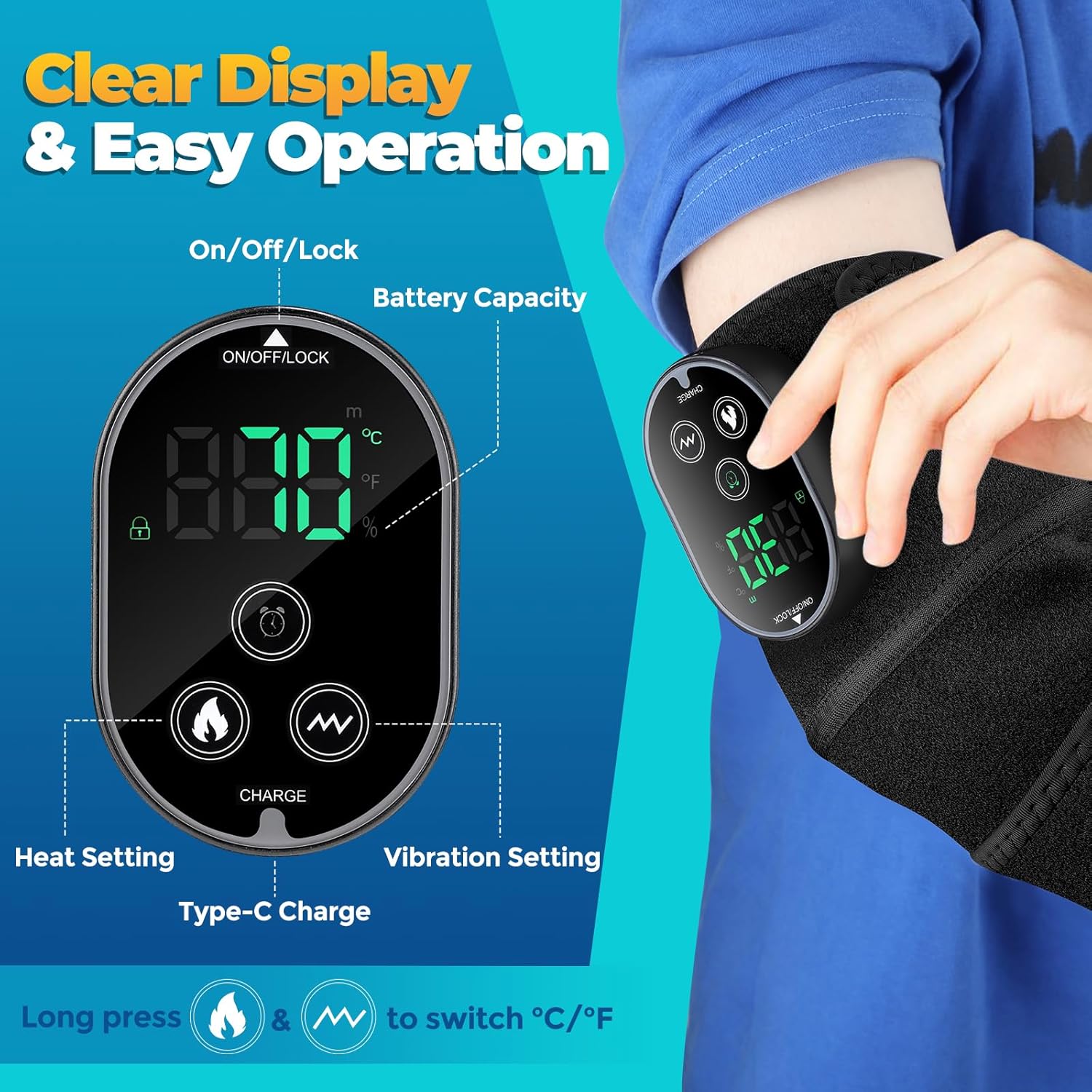
Image: Detailed view of the control panel on the FlareMore massager, highlighting buttons for power/lock, timer, heat, and vibration, along with the display for temperature and battery.
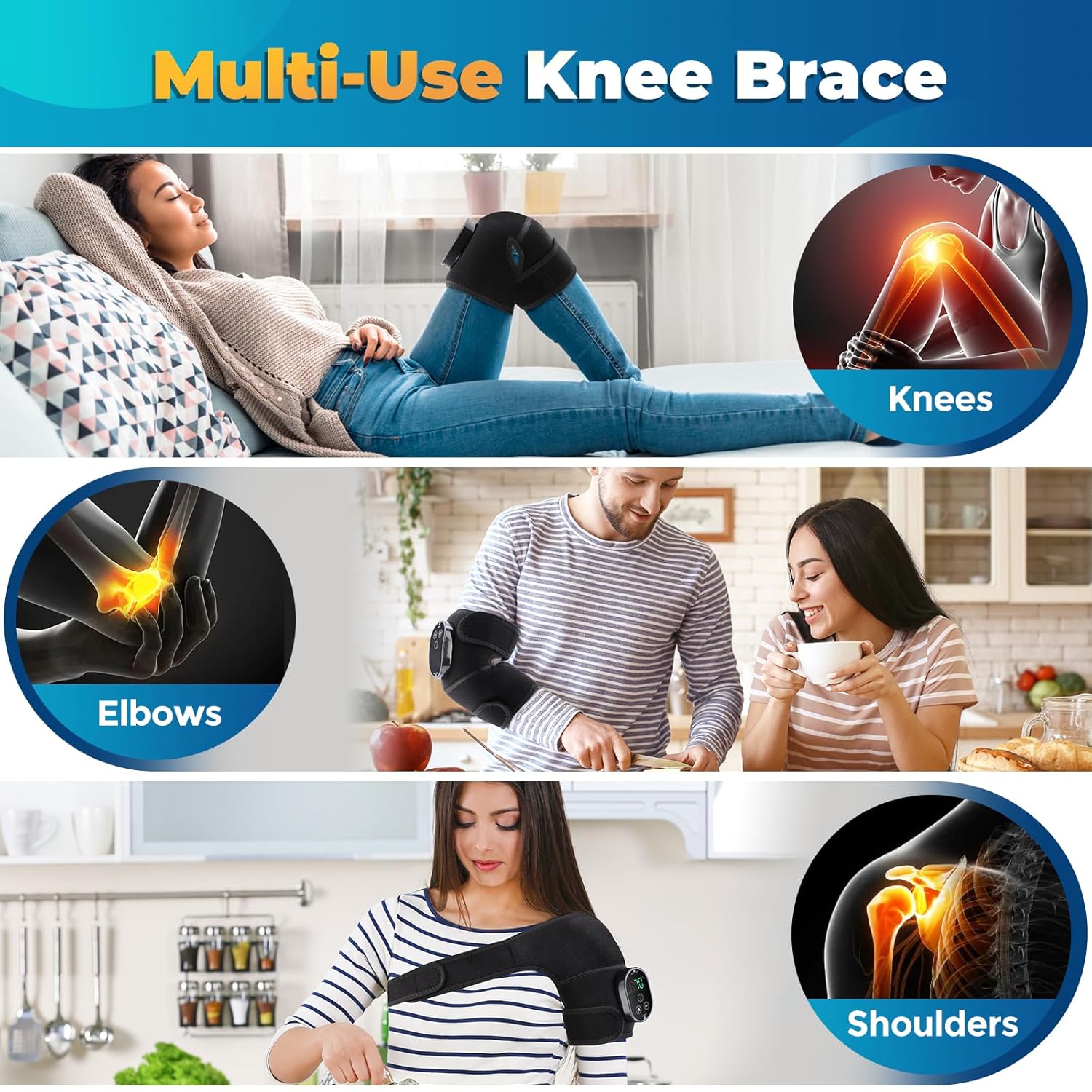
Image: The massager in use on a knee, elbow, and shoulder, illustrating its versatility across different body parts.
Charging Instructions
The device features a built-in rechargeable 3000mAh battery.
- Connect the provided USB charging cable to the Type-C charge port on the massager.
- Connect the other end of the USB cable to an adapter (NOT INCLUDED) with an output power of 5V 2A or higher.
- The battery indicator on the display will show charging progress.
- Avoid using the knee massager while it is charging to prevent potential damage.
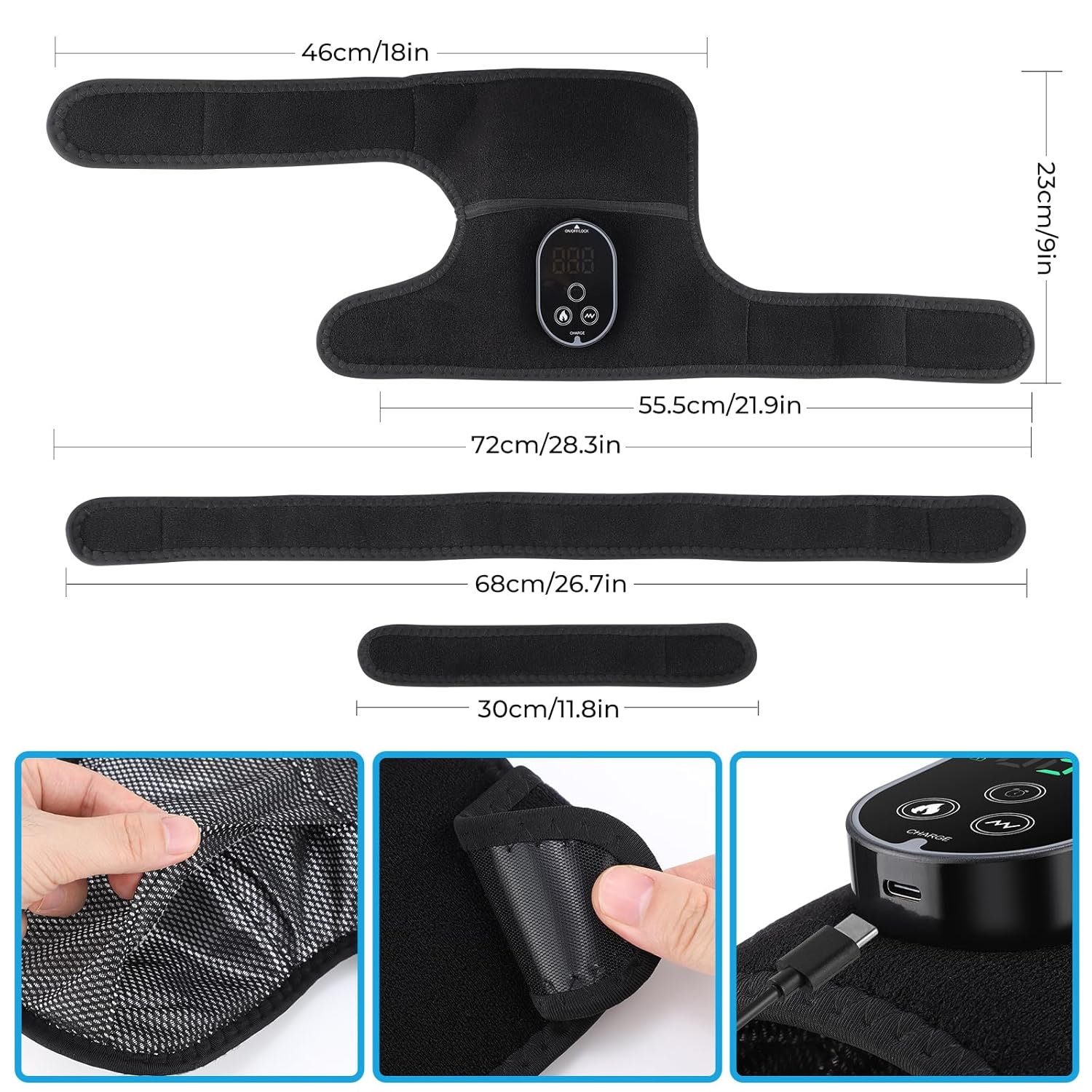
Image: Dimensions of the massager and extension straps, with a close-up of the Type-C charging port.
Operating Instructions
Power On/Off and Lock
To power on the device, press and hold the "ON/OFF/LOCK" button for a few seconds. The display will illuminate. To power off, press and hold the same button. To lock the controls during use, briefly press the "ON/OFF/LOCK" button. Press again to unlock.
Adjusting Heating Levels
The massager offers 6 heating levels, ranging from 45°C to 70°C (113°F to 158°F).
- Press the "Heat Setting" button (flame icon) to cycle through the available temperature levels.
- To switch the temperature display between Celsius (°C) and Fahrenheit (°F), simultaneously press and hold the "Heat Setting" and "Vibration Setting" buttons together for 3 seconds.
- Exercise caution when selecting higher heating levels and avoid direct contact with bare skin.
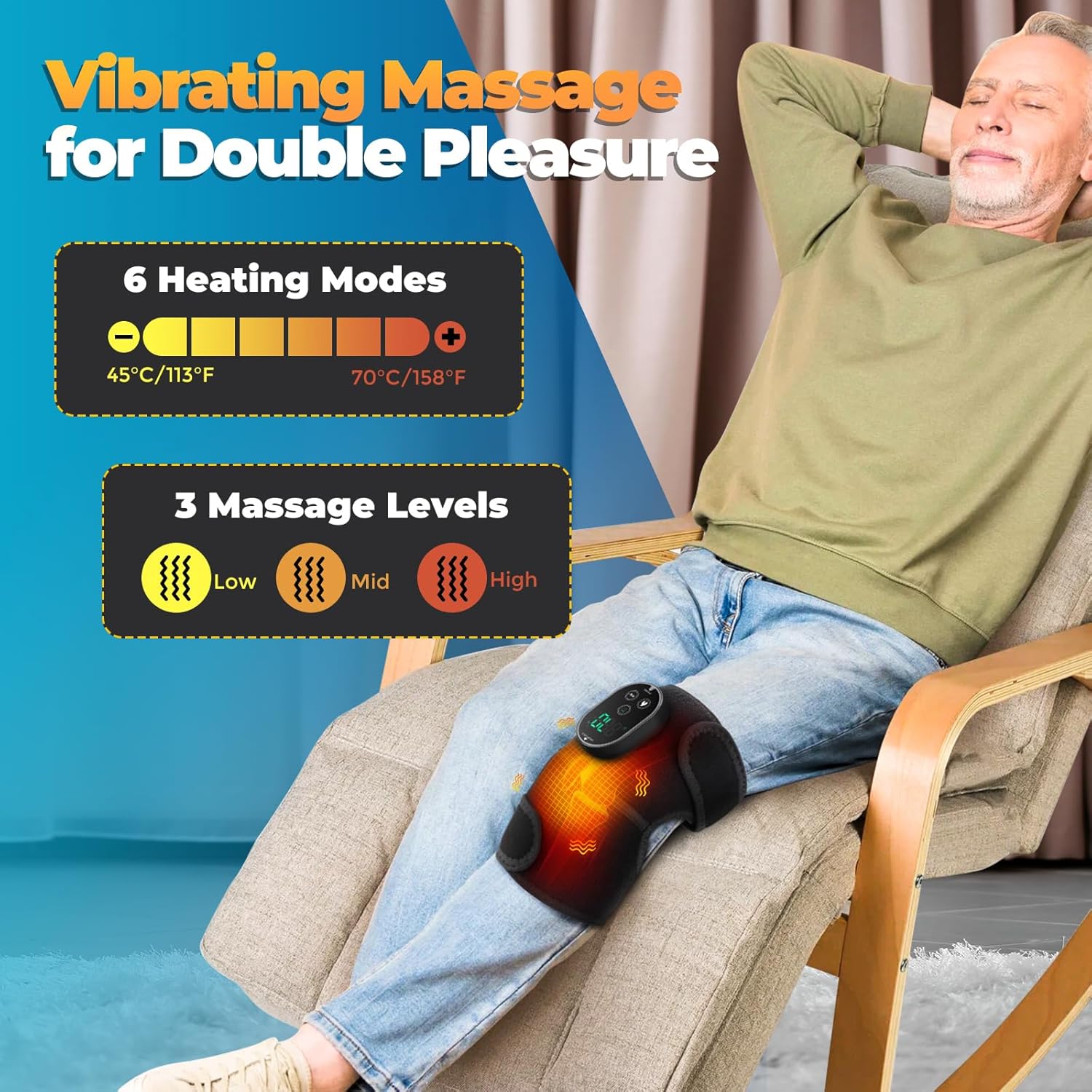
Image: Visual representation of the 6 heating levels and 3 massage modes available on the device.
Adjusting Massage Modes
The device features 3 massage modes.
- Press the "Vibration Setting" button (wave icon) to cycle through the different massage modes.
- Each mode provides a unique vibration pattern for a soothing experience.
Setting the Timer
The massager includes 3 timer settings for automatic shut-off.
- Press the "Timer Setting" button (clock icon) to select a duration of 15, 30, or 45 minutes.
- The device will automatically turn off after the selected time.
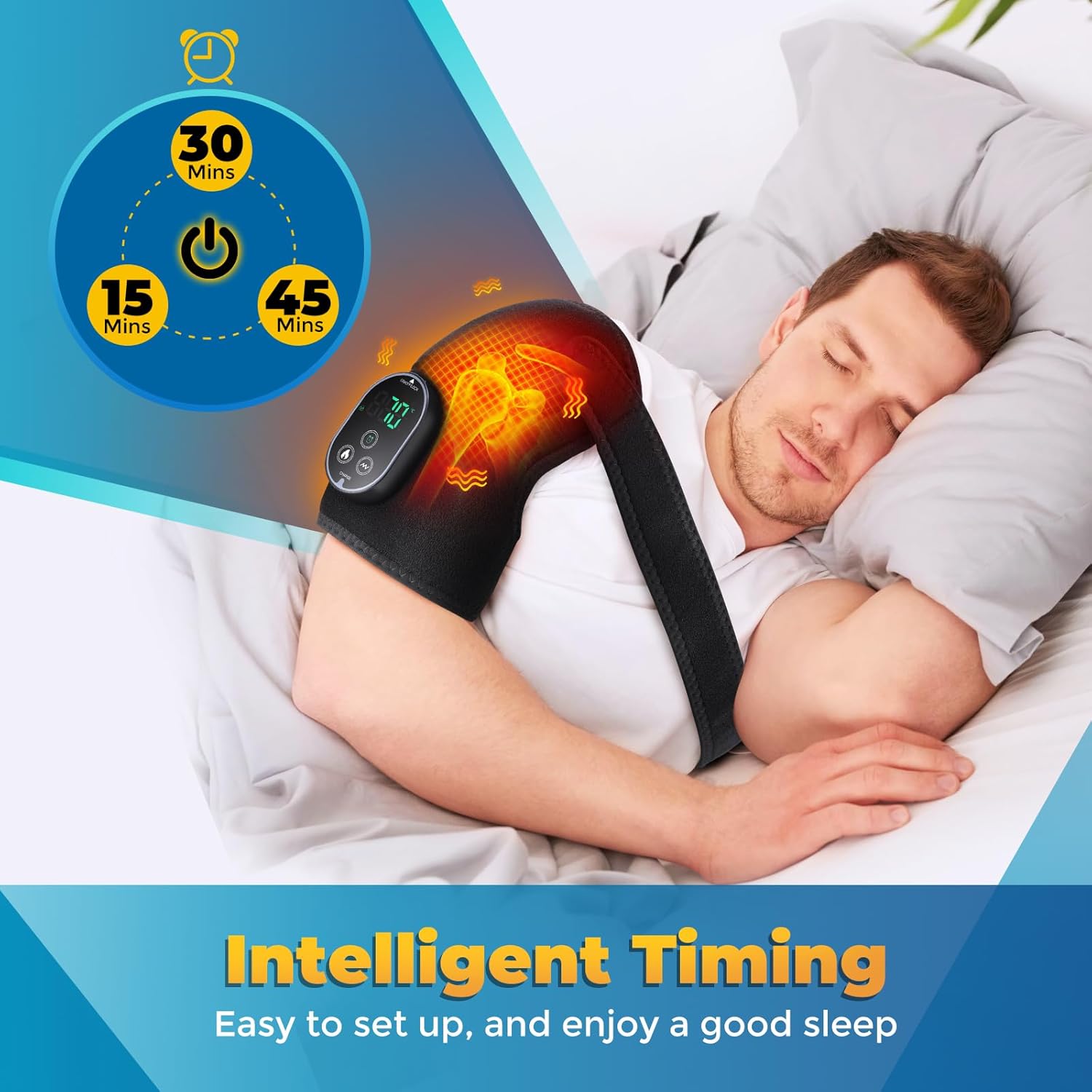
Image: The massager in use with the timer function, indicating settings for 15, 30, and 45 minutes.
Care and Maintenance
- Clean the device with a soft, damp cloth. Do not immerse in water.
- Store the massager in a cool, dry place away from direct sunlight.
- Ensure the device is fully charged before long-term storage to maintain battery health.
- Avoid folding or creasing the heating elements excessively.
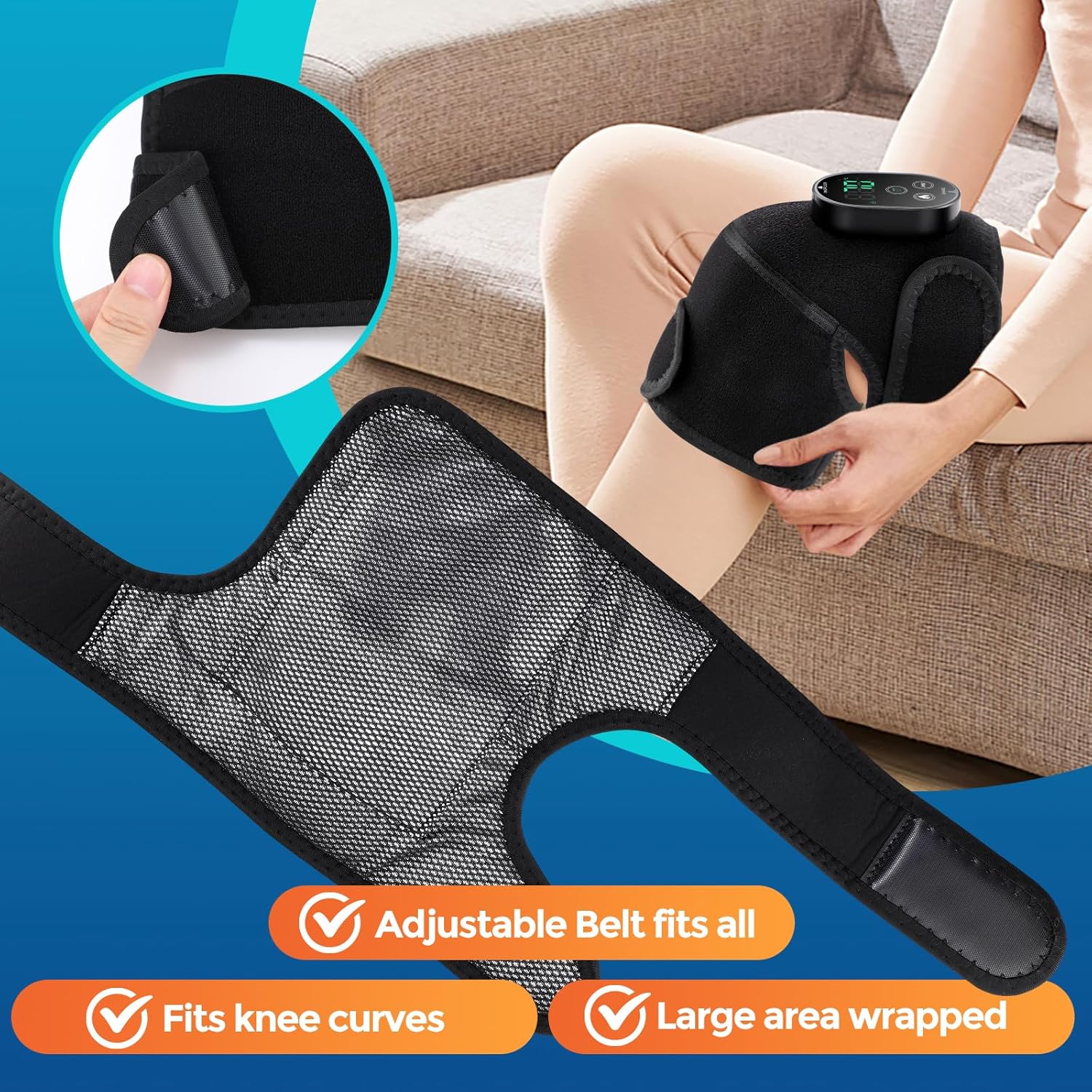
Image: A user adjusting the massager's straps, demonstrating the adjustable fit and coverage.
Troubleshooting
Device Not Turning On
- Ensure the battery is sufficiently charged. Connect to a power source using the correct adapter and cable.
- Press and hold the ON/OFF/LOCK button for a few seconds to power on.
No Heat or Vibration
- Check if the device is powered on and not in lock mode.
- Verify that a heating level or massage mode has been selected on the control panel.
- Ensure the device is not being charged, as it cannot be used simultaneously.
Temperature Display Incorrect
- To switch between Celsius (°C) and Fahrenheit (°F), press and hold the Heat Setting and Vibration Setting buttons simultaneously for 3 seconds.
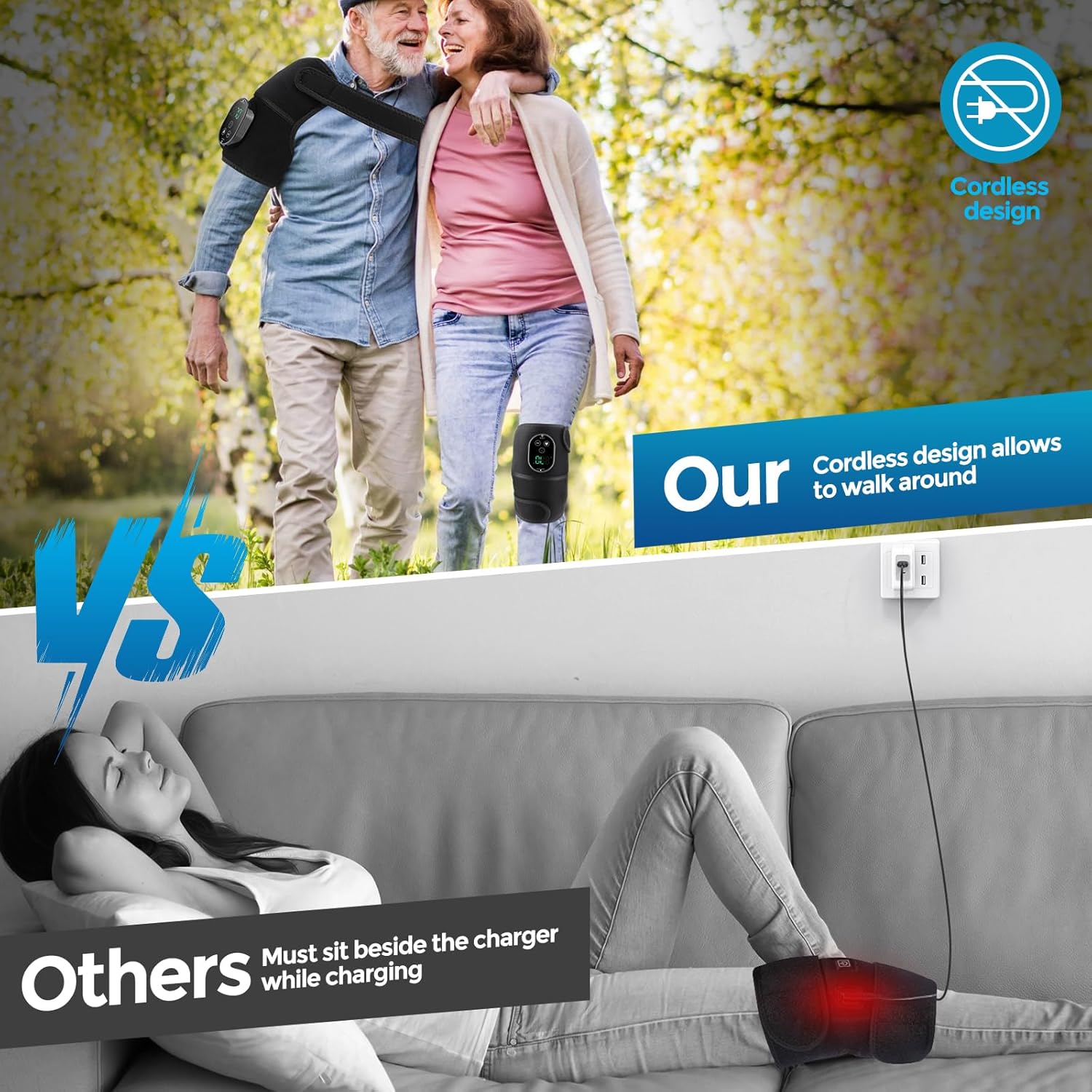
Image: Comparison highlighting the freedom of movement with the cordless design versus being tethered to an outlet.
Specifications
| Feature | Detail |
|---|---|
| Product Dimensions | 0.39 x 0.39 x 0.39 inches |
| Item Weight | 14.9 ounces |
| Manufacturer | FlareMore |
| Model Number | Heated Knee Massager |
| Battery | 1 Lithium Ion battery (included) |
| Heating Levels | 6 levels (45°C to 70°C / 113°F to 158°F) |
| Massage Modes | 3 modes |
| Timer Settings | 15 / 30 / 45 minutes |
| Material | Neoprene |
Warranty and Support
For warranty information or product support, please contact FlareMore Official customer service. Refer to the packaging or the official FlareMore website for contact details.
Official Product Videos
Heated Knee Massager
Video: An official product video from FlareMore, demonstrating the Heated Knee Massager in action.