
Product Overview
The QQH GZ03 is a versatile in-car device that combines a Bluetooth 5.4 FM transmitter, a wireless MP3 player, and a fast car charger. It allows you to stream audio from your smartphone to your car's FM radio, make hands-free calls, and charge multiple devices simultaneously. This manual provides detailed instructions for setup, operation, and maintenance.
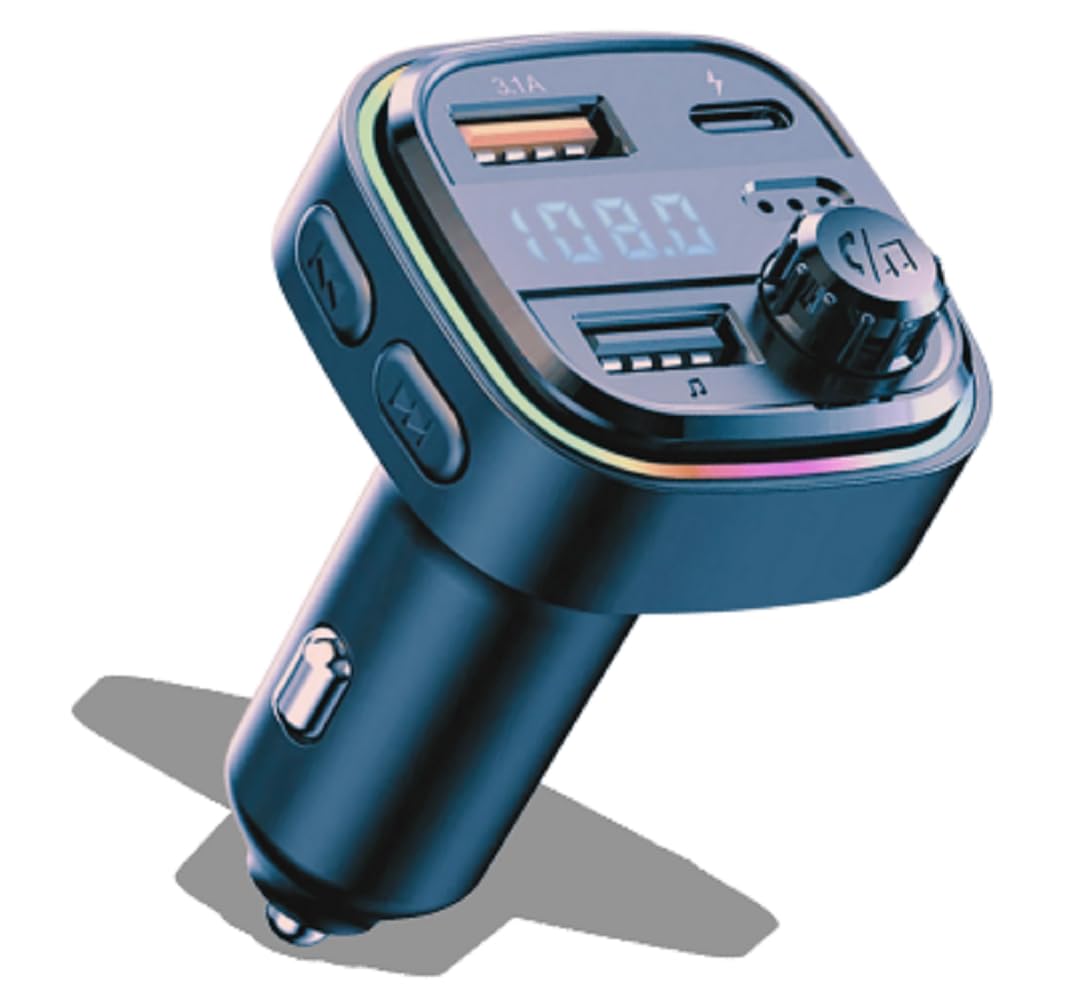
Image: QQH GZ03 Bluetooth 5.4 FM Transmitter Car Charger, showing its compact design and multiple ports.
Product Features
- Bluetooth 5.4 Connectivity: For stable and efficient wireless audio streaming and hands-free calls.
- FM Transmitter: Broadcasts audio to your car's FM radio.
- Dual USB Charging Ports: Includes a USB-A (3.1A) and a USB-C (3.1A) port for fast charging.
- Wireless MP3 Player: Supports music playback from USB flash drives and SD cards.
- Hands-Free Calling: Built-in microphone for clear communication.
- LED Display: Shows FM frequency and charging status.
- Ambient LED Light: Features 7 colored LED lights for customizable ambiance.
- Safety Protections: Overcurrent, overvoltage, high temperature, interference, and short circuit protection.
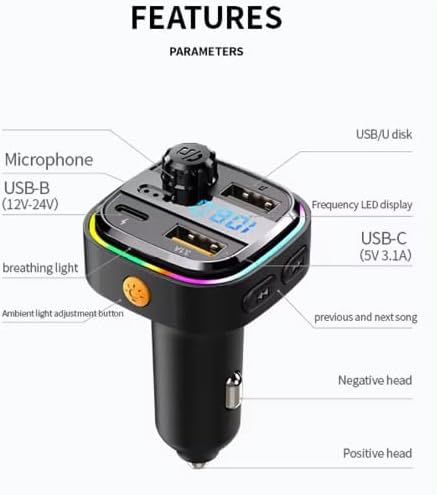
Image: Diagram illustrating the various features and components of the QQH GZ03, including USB ports, microphone, LED display, and ambient light button.
Setup Instructions
- Plug In: Insert the QQH GZ03 into your car's 12V cigarette lighter socket. The LED display will light up, showing the current FM frequency.
- Set FM Frequency:
- Tune your car's FM radio to an unused frequency (one with static or no broadcast).
- On the GZ03, press and hold the multi-function knob until the FM frequency on the LED display starts flashing.
- Rotate the knob left or right to adjust the GZ03's frequency to match your car's radio frequency.
- Press the knob once to confirm the frequency.
- Bluetooth Pairing:
- Once the FM frequency is set, the GZ03 will automatically enter Bluetooth pairing mode. The LED display may show "BT" or a flashing Bluetooth icon.
- On your smartphone, enable Bluetooth and search for available devices.
- Select "BT-CAR-Kit" (or similar name) from the list to pair.
- Once paired, the GZ03 will confirm with an audio prompt, and the LED display will stop flashing.
Video: An overview demonstrating the setup and basic operation of the QQH GZ03 FM transmitter, including frequency matching and Bluetooth connection.
Operating Instructions
Music Playback
- Bluetooth Streaming: After successful Bluetooth pairing, open your music app on your smartphone. Audio will stream wirelessly to your car's FM radio via the GZ03.
- USB/SD Card Playback: Insert a USB flash drive or SD card (via a USB card reader) into the designated USB port. The GZ03 will automatically detect and play MP3/WMA/WAV/FLAC files.
- Controls:
- Press the Previous/Next Track buttons to skip songs.
- Rotate the multi-function knob to adjust the volume.
- Press the multi-function knob once to Play/Pause music.

Image: The QQH GZ03 in use, showing a smartphone connected for music playback and charging, highlighting the device's multi-functionality.
Hands-Free Calling
- Answer/End Call: Press the multi-function knob once to answer an incoming call or end an ongoing call.
- Reject Call: Press and hold the multi-function knob to reject an incoming call.
- Redial: Double-press the multi-function knob to redial the last number.

Image: A hand interacting with the QQH GZ03, demonstrating its one-key operation for hands-free calls, with a phone screen showing an incoming call.
Charging Devices
- Connect your device's charging cable to either the USB-A (3.1A) or USB-C (3.1A) port on the GZ03.
- The GZ03 supports fast charging for compatible devices.

Image: The QQH GZ03 charging multiple devices simultaneously, illustrating its compatibility with various charging protocols and intelligent shunt technology.
Ambient LED Light Adjustment
- Press the "Ambient light adjustment button" (usually a small button near the LED ring) to cycle through the 7 available LED colors.
- Hold the button to turn off the ambient light.
Maintenance and Safety
- Cleaning: Use a soft, dry cloth to clean the device. Do not use liquid cleaners or aerosols.
- Temperature: Avoid exposing the device to extreme temperatures (hot or cold).
- Water: Keep the device away from water and moisture.
- Usage While Driving: Ensure the device is safely mounted and does not obstruct your view or interfere with driving controls. Do not operate complex functions while driving.
- Interference: This device may interfere with other wireless devices. If interference occurs, try adjusting the FM frequency or relocating the device.
- Disassembly: Do not attempt to disassemble or repair the device yourself. This will void the warranty and may cause damage.
Troubleshooting
- No Power:
- Ensure the device is fully inserted into the car's cigarette lighter socket.
- Check your car's fuse for the cigarette lighter socket.
- Poor Sound Quality/Static:
- Adjust the FM frequency on both the GZ03 and your car radio to a clear, unused channel.
- Ensure the volume on your phone and car radio is set appropriately.
- Move the device to a different position in the car to reduce interference.
- Bluetooth Not Connecting:
- Ensure Bluetooth is enabled on your smartphone.
- Forget "BT-CAR-Kit" from your phone's Bluetooth settings and try pairing again.
- Restart both your phone and the GZ03 (by unplugging and replugging).
- Charging Not Working:
- Ensure the charging cable is securely connected to both the GZ03 and your device.
- Try a different charging cable or device to rule out cable/device issues.
- Verify that the car's cigarette lighter socket is receiving power.
Specifications
| Feature | Detail |
|---|---|
| Brand | Quantum Quench Hub (QQH) |
| Model | GZ03 |
| Bluetooth Version | 5.4 |
| Input Voltage | 12 Volts (DC) |
| USB-A Output | 3.1A |
| USB-C Output | 3.1A |
| Supported Media Types | SD Card, USB Flash Drive |
| Audio Input | Bluetooth |
| Audio Output Mode | FM Transmission |
| Control Type | Manual Control (Buttons, Knob) |
| Material | ABS plastic |