
1. Introduction
This manual provides instructions for the Westinghouse Portable 2-in-1 Rechargeable Table Clip Fan, Model WSFDKL2855. This versatile fan is designed for personal cooling, offering both clip-on and tabletop functionality. It features a rechargeable battery for cordless operation and multiple speed settings for customized airflow. Please read this manual thoroughly before use to ensure proper operation and maintenance.

Figure 1: The Westinghouse Portable 2-in-1 Rechargeable Table Clip Fan in its tabletop configuration. This image shows the fan's compact design and the integrated clip base.
2. Important Safety Instructions
To reduce the risk of fire, electric shock, or injury, always follow basic safety precautions when using electrical appliances. Read all instructions before using this fan.
- Do not insert fingers or any other objects through the fan guard when the fan is operating.
- Do not use this fan near water or in damp locations.
- Ensure the power adapter and cable are not damaged before use.
- Keep the fan away from heat sources, direct sunlight, and flammable materials.
- This appliance is not intended for use by persons (including children) with reduced physical, sensory, or mental capabilities, or lack of experience and knowledge, unless they have been given supervision or instruction concerning use of the appliance by a person responsible for their safety.
- Children should be supervised to ensure that they do not play with the appliance.
- Only use the provided charging adapter and Micro USB cable.
- Do not attempt to disassemble or repair the fan yourself. Contact qualified service personnel for repairs.
- Unplug the fan from the power source before cleaning or when not in use for extended periods.
3. Package Contents
Verify that all items are present in the package:
- (1) Westinghouse Portable 2-in-1 Rechargeable Table Clip Fan
- (1) Charging Adaptor (0.5A)
- (1) Micro USB Cable

Figure 2: The retail packaging for the Westinghouse Portable 2-in-1 Rechargeable Table Clip Fan. The box highlights key features such as 2-in-1 design, 3 speed settings, indicator light, USB charging, rechargeable battery, and included adapter.
4. Product Features
The Westinghouse Portable 2-in-1 Rechargeable Table Clip Fan offers the following key features:
- 2-in-1 Clip & Table Design: Easily transitions from a clip-on fan to a tabletop fan.
- 3-Speed Selection: Adjustable settings for personalized airflow (Low, Medium, High).
- Rechargeable Lithium Battery: Equipped with a 3.7V 1800mAh battery for cordless convenience.
- Micro USB Charging: Charges via a 5V USB connection with the included 0.5A adaptor.
- Dual Power Mode: Can be used while connected to AC power or in battery mode for portability.
- Indicator Lights: A blue light indicates the fan is on, and a flashing light signals charging progress.
- Compact & Portable: Sleek white design with dimensions of approximately 4.02 x 3.92 x 5.62 inches.
5. Setup
5.1 Initial Charging
Before first use, fully charge the fan's internal battery. Connect the Micro USB cable to the fan's charging port and the other end to the included 0.5A charging adaptor. Plug the adaptor into a standard wall outlet. The indicator light will flash during charging and turn solid blue when fully charged.
5.2 Converting Between Table and Clip Mode
The fan features a versatile base that functions as both a stable tabletop stand and a sturdy clip. To use as a tabletop fan, ensure the clip is folded inward to form a flat base. To use as a clip-on fan, extend the clip and attach it securely to a surface up to 1.5 inches thick. The fan head can be manually adjusted up and down, and left and right, to direct airflow.

Figure 3: The Westinghouse Portable 2-in-1 Rechargeable Table Clip Fan shown in its clip-on configuration, attached to a surface. This demonstrates its versatility for various placements.
6. Operating Instructions
6.1 Power On/Off and Speed Control
The fan is controlled by a single touch-sensitive button located on the base or rear of the fan (refer to product diagram for exact location).
- To Turn On: Press the power button once. The fan will start at Low speed.
- To Adjust Speed: Press the power button repeatedly to cycle through the speed settings:
- 1st Press: Low Speed
- 2nd Press: Medium Speed
- 3rd Press: High Speed
- To Turn Off: After High speed, pressing the button a fourth time will turn the fan off.
6.2 Indicator Light
- Solid Blue Light: Indicates the fan is powered on and operating.
- Flashing Light: Indicates the fan is currently charging.
7. Charging the Battery
The fan is equipped with a rechargeable lithium battery. When the battery level is low, the fan's performance may decrease. To charge:
- Connect the small end of the Micro USB cable to the charging port on the fan.
- Connect the standard USB end of the cable to the included 0.5A charging adaptor.
- Plug the charging adaptor into a standard electrical outlet.
- The indicator light will flash while charging. Once fully charged, the light will turn solid blue.
- Charging time may vary depending on the remaining battery level.
The fan can be used while it is connected to AC power, even if the battery is not fully charged.
8. Maintenance and Care
Regular cleaning will help maintain the fan's performance and extend its lifespan.
- Cleaning: Before cleaning, ensure the fan is turned off and unplugged from any power source. Use a soft, damp cloth to wipe the exterior surfaces of the fan. Do not use abrasive cleaners or solvents.
- Dust Removal: Use a soft brush or a vacuum cleaner with a brush attachment to gently remove dust from the fan blades and grilles.
- Storage: When not in use for extended periods, store the fan in a cool, dry place, away from direct sunlight and extreme temperatures.
9. Troubleshooting
If you encounter issues with your Westinghouse fan, refer to the following common problems and solutions:
| Problem | Possible Cause | Solution |
|---|---|---|
| Fan does not turn on. | Battery is depleted. Power adapter/cable is not connected or faulty. | Charge the fan fully. Ensure the Micro USB cable and adapter are securely connected and functioning. |
| Fan runs slowly or weakly. | Low battery charge. Obstruction in fan blades. | Recharge the battery. Turn off and unplug the fan, then carefully remove any obstructions from the blades. |
| Indicator light is flashing. | Fan is charging. | This is normal operation during charging. The light will turn solid blue when fully charged. |
| Fan makes unusual noise. | Dust or debris on blades. Fan not on a stable surface. | Clean the fan blades and grilles. Place the fan on a flat, stable surface or ensure the clip is securely attached. |
10. Specifications
| Attribute | Detail |
|---|---|
| Brand | Westinghouse |
| Model Name | Westinghouse Table Clip Fan |
| Model Number | WSFDKL2855 |
| Product Dimensions | 4.02"D x 5.62"W x 3.92"H |
| Item Weight | 2 pounds |
| Color | White |
| Power Source | Battery Powered / AC (via USB) |
| Battery Type | 3.7V 1800mAh Rechargeable Lithium Battery |
| Voltage | 3.7 Volts (Battery) / 5V (USB Input) |
| Wattage | 35 watts |
| Number of Blades | 3 |
| Number of Power Levels | 3 (Low, Medium, High) |
| Control Method | Touch Button |
| Indoor/Outdoor Usage | Indoor |
| UPC | 193862011069 |
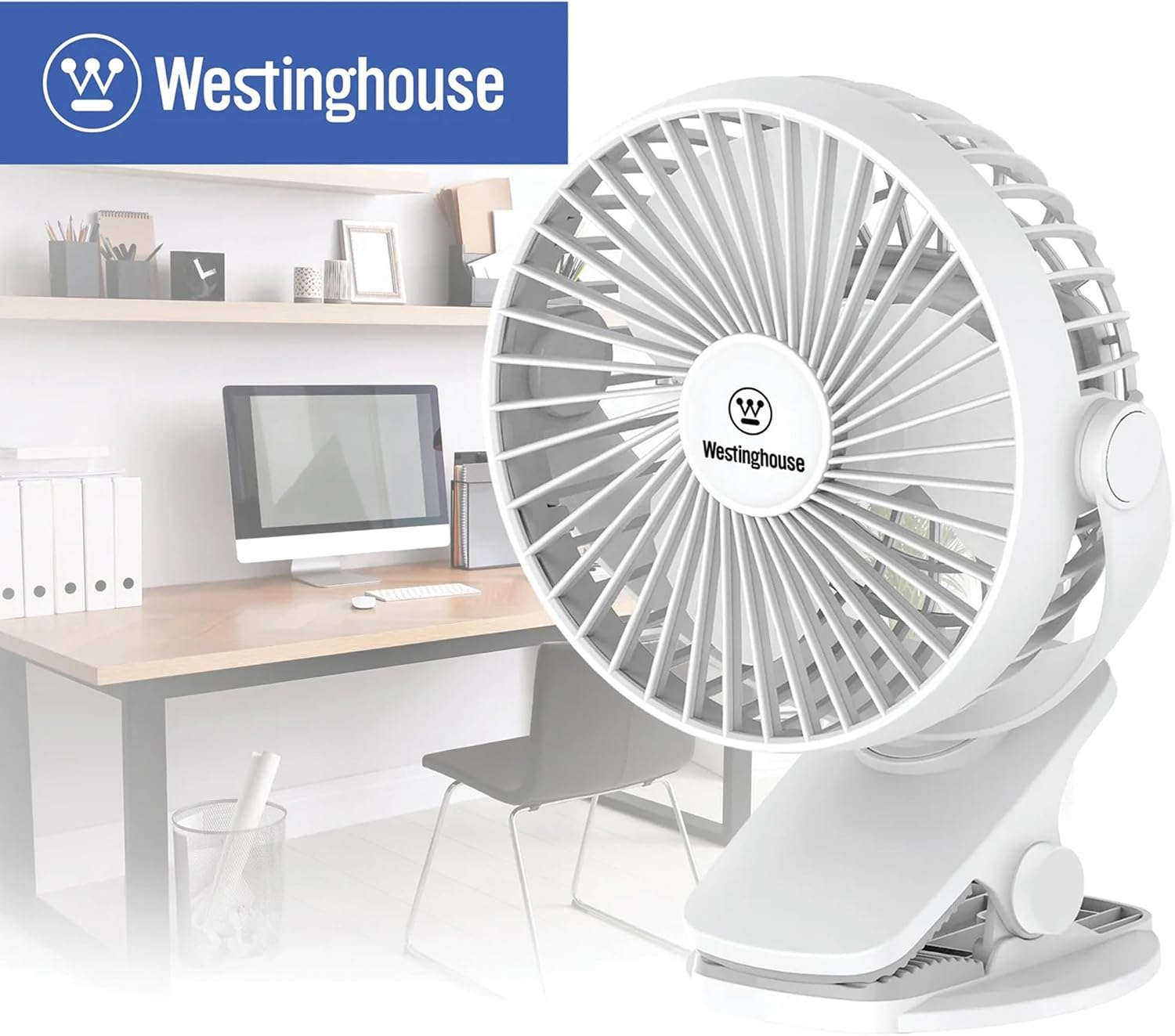
Figure 4: The Westinghouse Portable 2-in-1 Rechargeable Table Clip Fan positioned on a desk, demonstrating its suitability for home office or personal workspace use.
11. Warranty and Support
This Westinghouse product comes with a 1-year limited warranty from the date of purchase. This warranty covers defects in materials and workmanship under normal use. It does not cover damage resulting from misuse, accident, modification, or unauthorized repair.
For warranty claims, technical support, or product inquiries, please visit the official Westinghouse support website or contact customer service. You can find more information and register your product by scanning the QR code below or visiting the provided link:
(Link extracted from product image for support)