This manual provides detailed instructions for the JBL Charge 5 Portable Bluetooth Speaker and the JBL Tune 510BT Wireless On-Ear Headphones. This bundle offers a versatile audio experience, combining powerful room-filling sound with personal, immersive listening.
Image: The JBL Charge 5 Bluetooth speaker (left) and JBL Tune 510BT wireless headphones (right), showcasing the complete audio bundle.
2. JBL Charge 5 Bluetooth Speaker
2.1 Features
Bold JBL Original Pro Sound: Optimized driver, separate tweeter, and dual bass radiators deliver rich, clear audio with deep bass.
20 Hours Playtime: Extended battery life for all-day and all-night music.
IP67 Waterproof and Dustproof: Designed to withstand splashes, spills, and dust, making it ideal for outdoor use.
PartyBoost Compatible: Connect multiple JBL PartyBoost-enabled speakers for an even bigger sound experience.
Built-in Power Bank: Charge your devices directly from the speaker via its USB-A output port.
Image: Angled view of the JBL Charge 5 speaker, highlighting its robust design and fabric finish.
Image: Rear view of the JBL Charge 5, showing the USB-C charging port and the USB-A power bank output port.
Image: Diagram illustrating the internal components of the JBL Charge 5, including the racetrack-shaped driver, tweeter, and dual passive radiators.
2.2 Setup
2.2.1 Charging
Connect the included USB-C cable to the speaker's USB-C port and a compatible USB power adapter (not included). The battery indicator lights will show charging progress. A full charge takes approximately 4 hours.
2.2.2 Bluetooth Pairing
Power on the JBL Charge 5 by pressing the power button.
Press the Bluetooth button on the speaker. The Bluetooth indicator will flash.
On your device (smartphone, tablet, etc.), enable Bluetooth and select "JBL Charge 5" from the list of available devices.
Once connected, the Bluetooth indicator will remain solid.
2.2.3 PartyBoost Connection
To connect multiple PartyBoost-compatible JBL speakers:
Ensure both speakers are powered on and in Bluetooth pairing mode (or already connected to a device).
Press the PartyBoost button on the first speaker.
Press the PartyBoost button on the second speaker within 30 seconds.
The speakers will connect automatically, playing audio in sync.
2.3 Operating
2.3.1 Basic Controls
Power Button: Press to turn on/off.
Bluetooth Button: Press to enter pairing mode.
Volume Buttons (+/-): Press to adjust volume.
Play/Pause Button: Press once to play/pause, twice to skip forward, three times to skip backward.
PartyBoost Button: Press to link with other PartyBoost speakers.
2.3.2 Power Bank Function
To charge an external device, connect it to the USB-A output port on the back of the JBL Charge 5 using a compatible charging cable. The speaker will automatically begin charging the connected device.
2.4 Maintenance
2.4.1 Cleaning
Wipe the speaker with a soft, damp cloth. Do not use harsh chemicals or abrasive materials. Ensure all port covers are securely closed before cleaning or exposing to water.
2.4.2 Storage
Store the speaker in a cool, dry place away from direct sunlight and extreme temperatures. If storing for an extended period, charge the battery to approximately 50% to preserve battery health.
2.4.3 Waterproofing
The JBL Charge 5 is IP67 rated, meaning it can be immersed in up to 1 meter of water for up to 30 minutes. Ensure the USB-C and USB-A port covers are fully sealed before exposing the speaker to water or dust.
2.5 Troubleshooting (JBL Charge 5)
Issue
Possible Solution
Speaker does not turn on.
Ensure the battery is charged. Connect to a power source and try again.
Cannot pair via Bluetooth.
Ensure the speaker is in pairing mode (flashing Bluetooth indicator). Check your device's Bluetooth settings. Move closer to the speaker. Forget the device on your phone and re-pair.
No sound or low volume.
Increase volume on both the speaker and your connected device. Ensure the speaker is not muted.
PartyBoost not connecting.
Ensure both speakers are PartyBoost compatible. Press the PartyBoost button on both speakers within 30 seconds.
Device not charging from power bank.
Ensure the speaker has sufficient battery charge. Check the charging cable and connection.
2.6 Specifications (JBL Charge 5)
Feature
Detail
Connectivity
Wireless (Bluetooth)
Bluetooth Version
5.1
Battery Life
Up to 20 hours
Waterproof/Dustproof
IP67
Power Bank Output
USB-A
3. JBL Tune 510BT Wireless On-Ear Headphones
3.1 Features
JBL Pure Bass Sound: Experience renowned JBL audio performance with powerful bass.
40 Hours Battery Life: Enjoy extended wireless listening on a single charge.
Multi-point Connection: Seamlessly switch between two Bluetooth devices.
Voice Assistant Support: Easily activate your device's voice assistant.
Foldable Design: Compact and portable for easy storage and travel.
Image: Angled view of the JBL Tune 510BT headphones, showing the earcups and headband.
Image: Front view of the JBL Tune 510BT headphones, displaying the overall design.
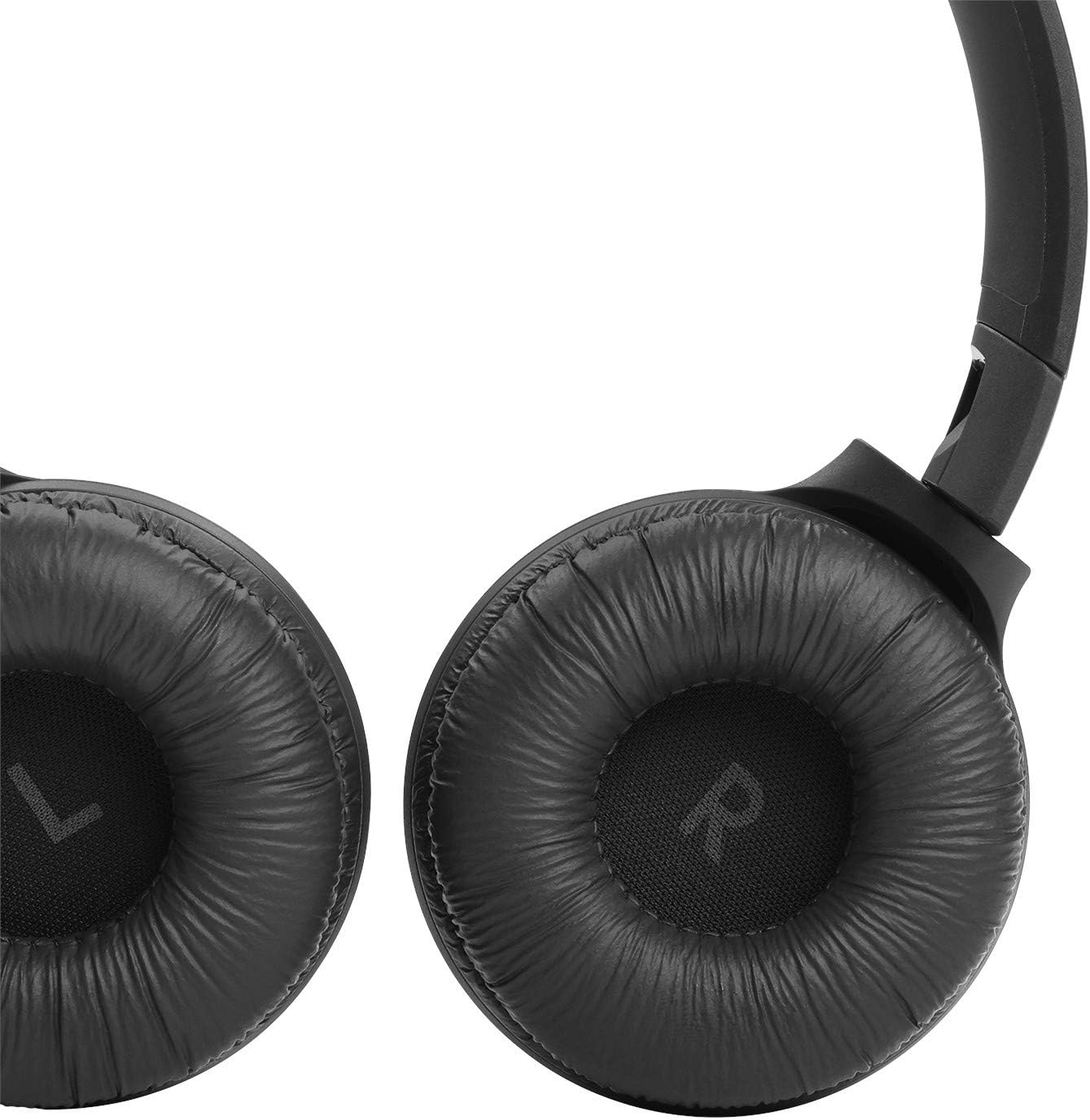
Image: Close-up view of the JBL Tune 510BT earcup, showing the soft padding and JBL logo.
3.2 Setup
3.2.1 Charging
Connect the included USB-C cable to the headphones' charging port and a USB power source. The LED indicator will show charging status. A full charge takes approximately 2 hours.
3.2.2 Bluetooth Pairing
Power on the JBL Tune 510BT headphones by pressing and holding the power button until the LED flashes blue.
On your device, enable Bluetooth and select "JBL Tune 510BT" from the list of available devices.
Once connected, the LED will turn solid blue.
3.3 Operating
3.3.1 Controls
Power Button: Press and hold to turn on/off.
Volume Up/Down: Press +/- buttons to adjust volume.
Multi-function Button (center): Press once to play/pause, answer/end call. Press twice to skip forward, three times to skip backward. Press and hold to activate voice assistant.
3.4 Maintenance
3.4.1 Cleaning
Wipe the headphones with a soft, dry cloth. For earcups, gently wipe with a slightly damp cloth and allow to air dry completely before use. Do not use harsh cleaning agents.
3.4.2 Storage
Fold the headphones for compact storage when not in use. Store in a protective case (if available) in a cool, dry place away from direct sunlight and extreme temperatures. If storing for an extended period, charge the battery to approximately 50%.
3.5 Troubleshooting (JBL Tune 510BT)
Issue
Possible Solution
Headphones do not turn on.
Ensure the battery is charged. Connect to a power source and try again.
Cannot pair via Bluetooth.
Ensure headphones are in pairing mode (flashing blue LED). Check your device's Bluetooth settings. Move closer to the headphones. Forget the device on your phone and re-pair.
No sound or low volume.
Increase volume on both the headphones and your connected device. Ensure headphones are not muted.
Sound cutting in and out.
Move closer to your device. Avoid obstacles between the headphones and device. Reduce interference from other wireless devices.
JBL products are designed for durability and performance. This product bundle is covered by a standard manufacturer's warranty against defects in materials and workmanship. Please refer to the warranty card included in your product packaging for specific terms and conditions, including warranty period and coverage details.
For technical support, troubleshooting assistance, or warranty claims, please visit the official JBL support website or contact their customer service. Keep your proof of purchase for warranty validation.
Customer Service: Refer to your product packaging or the JBL website for regional contact information.
Ask a question about this manual
Ask about setup, troubleshooting, compatibility, parts, safety, or missing instructions. Manuals+ will review the question and use this page’s manual context to help answer it.