
1. Product Overview
The Yamazaki Tower Table Side Smartphone & Cup Holder (Model 1638) is designed to provide convenient storage for your mug and smartphone, optimizing your desk or living space. This versatile holder easily attaches to the side of most tables or chair armrests, offering a dedicated spot for your essentials. It features a design that allows for smartphone charging while stored and includes a cable management solution. The integrated rim helps prevent cups from tipping, making it suitable for various environments, including home offices and outdoor settings.

Image 1.1: The Yamazaki Tower Table Side Smartphone & Cup Holder in use, providing a convenient spot for a mug and smartphone.
2. Package Contents
Please verify that all components are present upon opening the package:
- Yamazaki Tower Table Side Smartphone & Cup Holder (Main Unit)
- Adjustment Screw (pre-attached or separate)
3. Specifications
| Feature | Detail |
|---|---|
| Model Number | 1638 |
| Color | White |
| Material | Alloy Steel (Powder Coated) |
| Product Dimensions (W x D x H) | 9 x 16.5 x 8.2-11 cm (including adjustment screw) |
| Product Weight | 380 g |
| Internal Dimensions (Cup Holder) | W 8.7 x D 8.8 x H 4.9 cm |
| Internal Dimensions (Smartphone Holder) | W 8.7 x D 2.8 x H 4.9 cm |
| Load Capacity (Total) | 1.5 kg |
| Load Capacity (Cup Holder) | 1 kg |
| Load Capacity (Smartphone Holder) | 500 g |
| Compatible Table/Chair Thickness | 1.2 to 4 cm (including apron or pipe structures) |
| Compatible Table/Chair Width | 3 cm or more (excluding legs) |
| Compatible Table/Chair Depth | 4.5 cm or more |

Image 3.1: Product dimensions and internal measurements.
4. Setup Instructions
The Yamazaki Tower Table Side Smartphone & Cup Holder is designed for easy, tool-free installation. Follow these steps to attach it securely:
- Identify a Suitable Location: Choose a flat surface on your desk, table, or chair armrest that meets the compatibility requirements listed in the Specifications section (thickness, width, and depth).
- Position the Holder: Place the holder on the edge of the chosen surface, ensuring the clamp mechanism is aligned with the edge.
- Tighten the Adjustment Screw: Locate the large adjustment screw on the underside of the clamp. Turn the screw clockwise to tighten the clamp firmly onto the surface. Ensure it is snug and stable, preventing any wobbling. Do not overtighten to avoid damage to the surface.
- Verify Stability: Gently test the holder's stability by applying light pressure. It should be securely attached and not move.

Image 4.1: Attaching the holder to a desk edge.
5. Operating Instructions
Once installed, the holder provides convenient access to your items:
- Using the Cup Holder: Place your mug or cup into the larger compartment. The raised rim helps prevent accidental spills.
- Using the Smartphone Holder: Insert your smartphone into the narrower compartment. The design allows for easy retrieval.
- Charging Your Smartphone: A cutout at the bottom of the smartphone compartment allows you to pass a charging cable through. This enables you to charge your phone while it is securely held. When not charging, the cable end can be hooked into a small slot for neat storage.
- Alternative Storage: The smartphone compartment can also be used to store other small items such as remote controls, pens, or small notebooks.
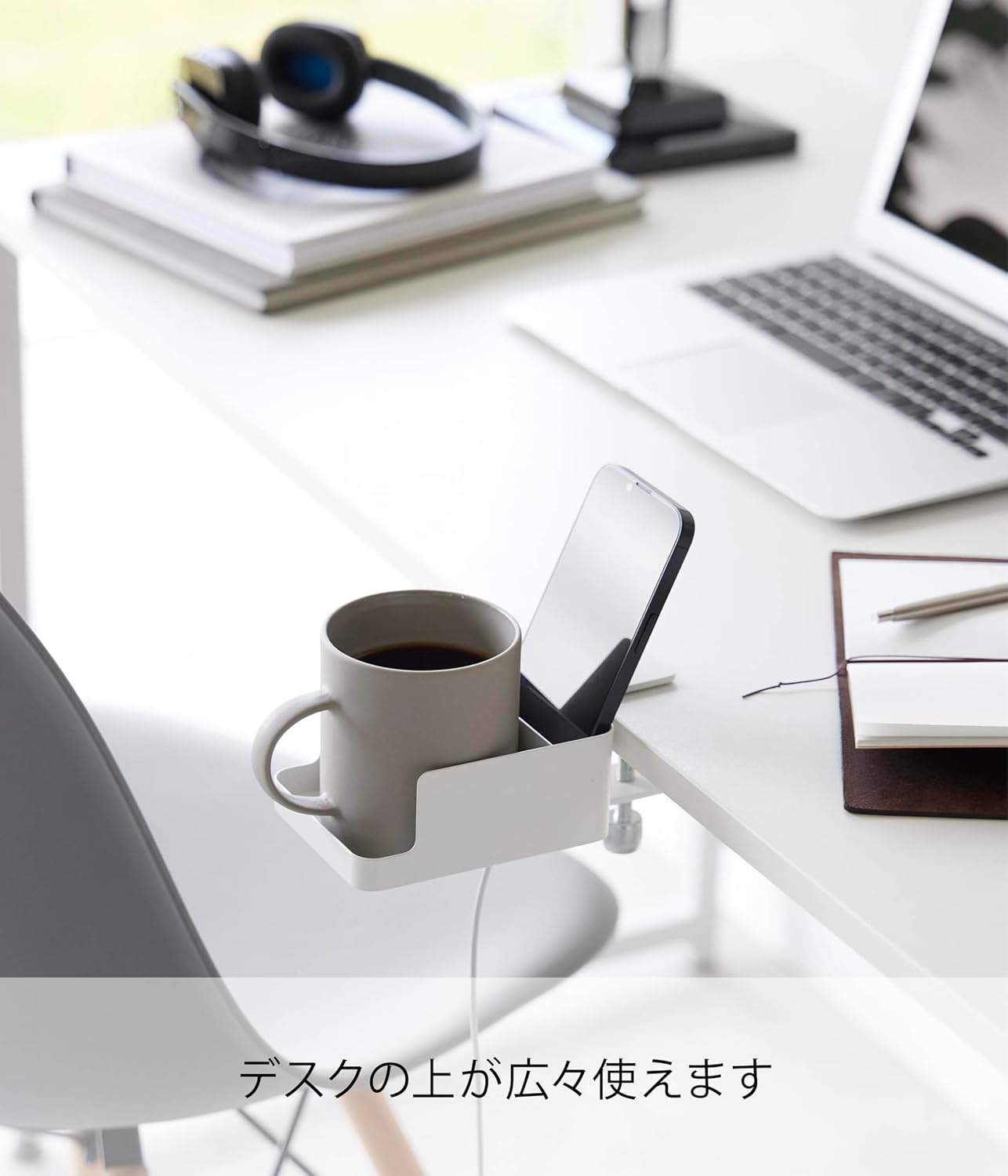
Image 5.1: Smartphone charging in the holder.
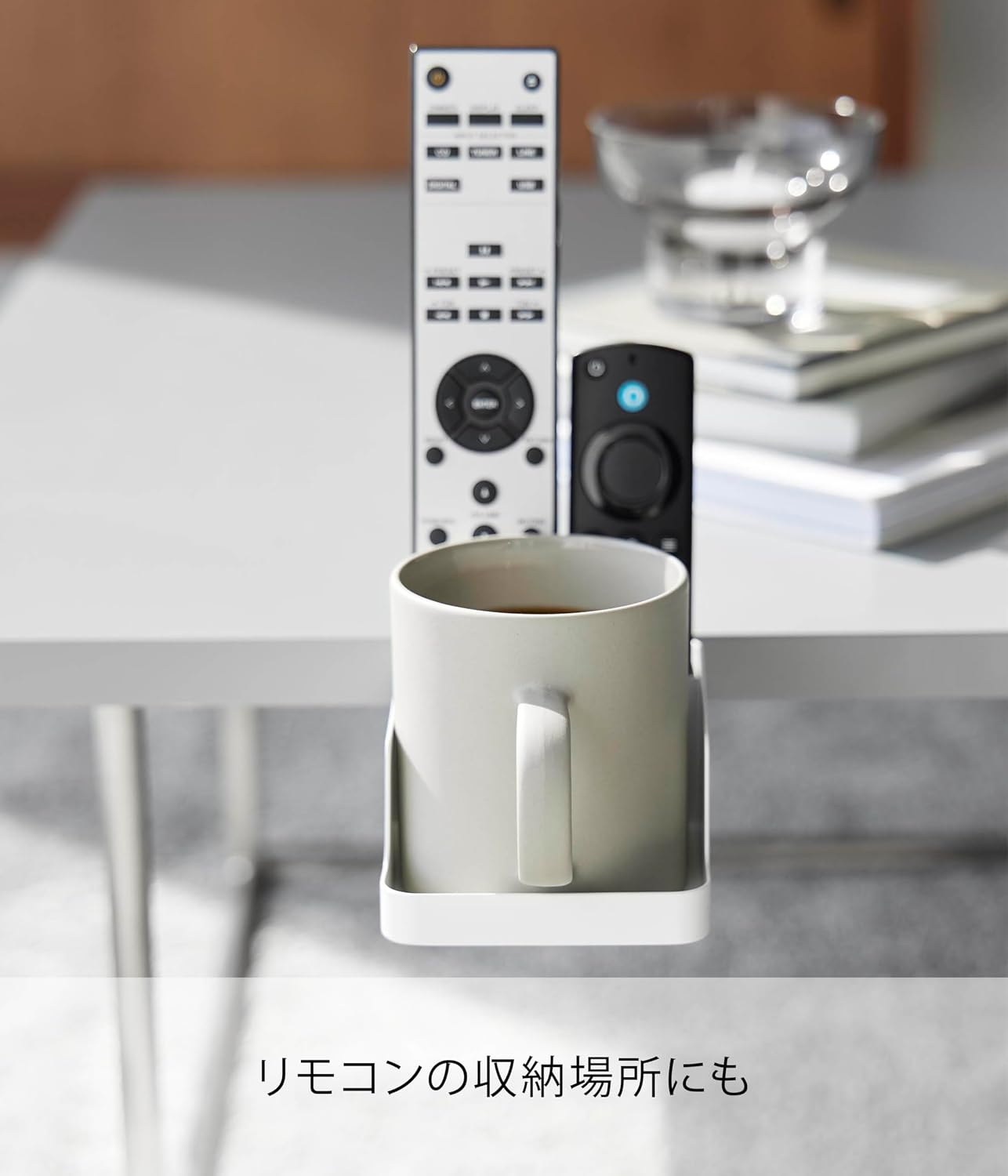
Image 5.2: Holder used for remote control storage.
Video 5.3: Demonstration of the Yamazaki Tower Table Side Smartphone & Cup Holder's features and ease of use, including attachment and item placement.
6. Care and Maintenance
To ensure the longevity and appearance of your Yamazaki Tower Table Side Smartphone & Cup Holder, follow these care guidelines:
- Cleaning: Wipe the holder with a soft, damp cloth. For stubborn stains, use a mild detergent and rinse thoroughly. Avoid abrasive cleaners or scouring pads, as these can damage the finish.
- Drying: Dry the holder completely after cleaning to prevent water spots or rust.
- Inspection: Periodically check the adjustment screw for tightness to ensure the holder remains securely attached.
- Avoid Harsh Chemicals: Do not use strong chemical cleaners, solvents, or polishes, as they may degrade the material or finish.
7. Troubleshooting
If you encounter any issues with your holder, refer to the following common solutions:
- Holder is not stable:
- Ensure the adjustment screw is tightened sufficiently.
- Verify that the table or chair surface meets the specified thickness, width, and depth requirements.
- Check for any obstructions preventing a secure clamp.
- Items do not fit in compartments:
- Refer to the internal dimensions in the Specifications section to ensure your items are compatible.
- Charging cable does not fit through cutout:
- Ensure the cable head is small enough to pass through the designated slot.
8. Warranty and Support
Yamazaki products are manufactured with quality and durability in mind. For specific warranty information, please refer to the documentation included with your purchase or visit the official Yamazaki website. If you require further assistance, have questions, or need to report a defect, please contact Yamazaki customer support through their official channels.
Contact Information: Please refer to the manufacturer's website or your purchase receipt for the most up-to-date customer support contact details.