
Yunseity JX 06pro
Yunseity JX 06pro Smart Scrolling Ring User Manual
Model: JX 06pro
Introduction
Thank you for choosing the Yunseity JX 06pro Smart Scrolling Ring. This device is designed to enhance your digital experience by providing remote control capabilities for various applications, including social media, e-readers, and media players. It features Bluetooth 5.3 connectivity, a multifunctional charging case, and intuitive controls for seamless interaction with your smartphone or tablet.

Image: The Yunseity JX 06pro Smart Scrolling Ring, a compact white device with five gray control buttons on its surface, designed for remote control of digital applications.
Package Contents
Please verify that all items are present in the package:
- 1 x Scrolling Ring
- 1 x Charging Case
- 1 x Charging Cable (Type-C)
- 1 x User Manual
Setup Guide
1. Charging the Device
Before first use, fully charge the Scrolling Ring and its charging case. The charging case features a digital LED display to indicate the remaining power.
- Connect the provided Type-C charging cable to the charging case's Type-C input port.
- Connect the other end of the cable to a USB power adapter (not included).
- The LED display on the charging case will show charging progress.
- Once fully charged, the ring provides approximately 48 hours of working time, and the charging case extends total usage to up to 500 hours.
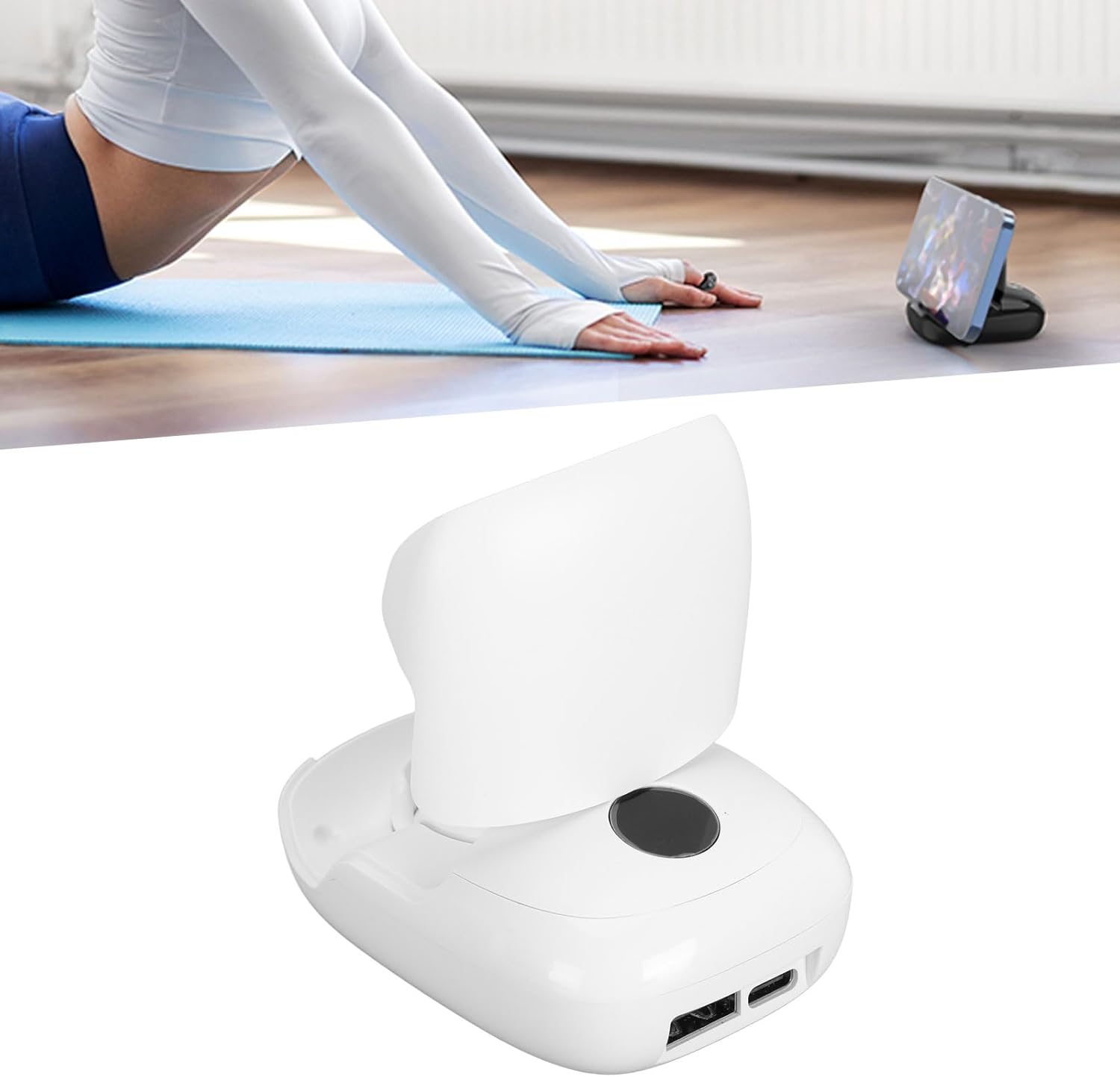
Image: The white Scrolling Ring placed inside its matching white charging case, illustrating how the device is stored and charged.
2. Bluetooth Pairing
The Scrolling Ring uses Bluetooth 5.3 for a fast and stable connection.
- Ensure the Scrolling Ring is charged.
- On your smartphone or tablet, go to your Bluetooth settings and turn Bluetooth on.
- The ring should appear as "JX 06pro" or a similar name in the list of available devices.
- Select the device to pair. Once paired, the ring is ready for use.
- The communicating distance is approximately 10 meters (32.8 feet).
- System Compatibility: Compatible with iOS 15.0 or later, and Android 8.0 or later.
Operating Instructions
The JX 06pro Smart Scrolling Ring offers versatile control over various applications. Familiarize yourself with its buttons and functions.
Button Functions
The ring features a multi-function key in the center and directional keys around it.
- Multi-function Key (Center Button):
- Long press for 5 seconds: Power On/Off.
- Long press for 2 seconds: Lock screen.
- Single click: Pause/Play (media), Confirm selection.
- Double click: Like (e.g., on TikTok), Next song.
- Directional Keys (Surrounding Buttons):
- Up/Down: Scroll up/down, Adjust volume.
- Left/Right: Swipe left/right, Switch songs.
- Remote Control Camera Shutter: Activates camera shutter for photos.
- Video Recording: Start and stop video recording.

Image: A composite image demonstrating various uses of the scrolling ring, including turning pages in e-books, remote selfies, automatic screen brushing (liking videos), and controlling media playback.
Application Specific Controls
The ring is optimized for popular applications:
- For TikTok: Scroll up/down, swipe right/left, tap, pause, start, double-click to like.
- For Kindle APP: Turn pages up/down.
- For Spotify: Pause/play, switch songs, adjust volume.
Camera and Video Recording
Use the ring as a remote shutter for photos and to start/stop video recording within a 10-meter range. This is ideal for group photos, selfies, and stable video capture.
Multifunctional Charging Case
The charging case serves multiple purposes:
- Charging Station: Recharges the scrolling ring.
- Cell Phone Holder: Designed to hold your smartphone, eliminating the need for a separate stand.
- Emergency Power Bank: Equipped with a USB-A power output interface, it can provide emergency power to your cell phone.

Image: An infographic highlighting the multi-functional upgrade features of the product, including support for mainstream apps, mobile phone stand function, page turning, photo/video capture, novel/comic page turning, magnetic charging, remote lock screen, remote control, and mobile phone charging.
Maintenance
Proper care will ensure the longevity of your Scrolling Ring.
- Cleaning: Wipe the ring and charging case with a soft, dry cloth. Do not use abrasive cleaners or immerse in water.
- Storage: Store the device in its charging case in a cool, dry place when not in use. Avoid extreme temperatures.
- Battery Care: For optimal battery life, avoid fully discharging the device frequently. Charge it regularly.
Troubleshooting
If you encounter issues, try the following solutions:
| Problem | Possible Cause | Solution |
|---|---|---|
| Device does not power on. | Low battery. | Charge the Scrolling Ring and charging case. |
| Cannot pair via Bluetooth. | Bluetooth is off on phone/tablet; device out of range; interference. | Ensure Bluetooth is enabled. Move device closer. Restart both devices. Forget and re-pair the device in Bluetooth settings. |
| Buttons are unresponsive. | Device is not paired; application not supported; temporary glitch. | Verify Bluetooth connection. Check if the application supports external controls. Restart the ring and the application. |
| Charging case not charging phone. | Charging case battery low; incorrect cable/port. | Ensure charging case is fully charged. Use the correct USB-A output port and a compatible cable for your phone. |
Specifications
| Item Type | Scrolling Ring |
| Material | ABS |
| Model | JX 06pro |
| Bluetooth Version | V5.3 |
| Communicating Distance | Approx. 10m / 32.8ft |
| System Compatibility | For iOS 15.0+, for Android 8.0+ |
| Remote Control Battery Capacity | 50mAh Polymer Lithium Battery |
| Charging Case Capacity | 500mAh Polymer Lithium Battery |
| Working Time (Ring) | 48 Hours |
| Standby Time (Ring) | 4 Months |
| Frequency | 2.4GHz-2.4835GHz |
| Charging Case Interface | Type-C Power Input, USB-A Power Output |
| Dimensions (Package) | 5.12 x 3.54 x 1.57 inches |
| Item Weight | 4.2 ounces |
| Manufacturer | Yunseity |
| Color | White |
Warranty and Support
Information regarding product warranty and customer support was not provided in the available product data. Please refer to the product packaging or the seller's website for details on warranty coverage and how to contact customer support for assistance.