Introduction
Thank you for choosing this generic replacement remote control. This manual provides essential information for setting up, operating, and maintaining your new remote control. This remote is designed to be compatible with various Qilive TV models, including Q24HS231, Q32H231, Q43US231, Q40FS232, and Q50US231.
Please read this manual carefully before use to ensure proper functionality and to maximize your viewing experience.
Setup
This remote control is designed for immediate use with compatible Qilive TV models without requiring complex programming. Simply insert the batteries, and it should function directly.
1. Battery Installation
- Locate the battery compartment on the back of the remote control.
- Slide open the battery compartment cover.
- Insert two AAA batteries (not included), ensuring the positive (+) and negative (-) terminals align correctly with the indicators inside the compartment.
- Close the battery compartment cover securely.
Once batteries are installed, the remote control is ready for use with your compatible Qilive TV.
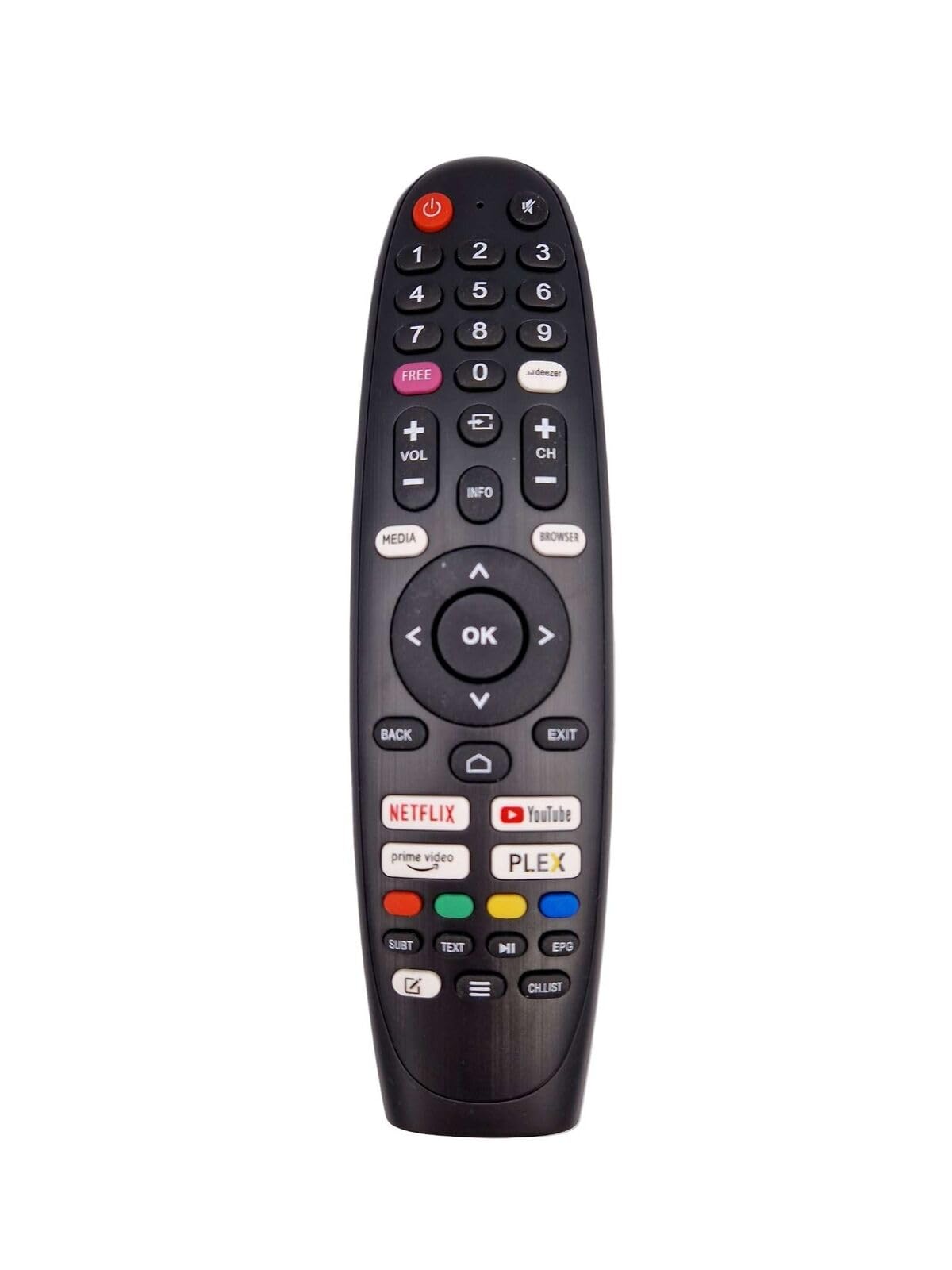
This image displays the front view of the remote control, showing its layout of buttons.
Operating Instructions
The remote control features standard buttons for navigating your Qilive TV. Point the remote directly at your TV's infrared receiver for optimal performance.
Key Functions:
- Power Button: Turns the TV on or off.
- Number Buttons (0-9): Directly select channels.
- Volume Up/Down: Adjusts the sound level.
- Channel Up/Down: Changes the TV channel.
- Mute Button: Silences the TV audio.
- Menu/Settings Button: Accesses the TV's main menu or settings.
- Navigation Buttons (Up, Down, Left, Right): Move through menus and options.
- OK/Enter Button: Confirms selections.
- Back/Exit Button: Returns to the previous screen or exits a menu.
- Source/Input Button: Selects input sources (HDMI, AV, etc.).
- Voice Command Recognition: This remote may support voice commands. Refer to your TV's manual for specific instructions on activating and using voice control features.
Maintenance
Proper care will extend the life of your remote control.
- Cleaning: Use a soft, dry cloth to clean the remote control. Do not use liquid cleaners or abrasive materials.
- Battery Replacement: Replace batteries when the remote's range decreases or it stops responding. Always replace both batteries at the same time with new ones of the same type.
- Storage: If the remote control will not be used for an extended period, remove the batteries to prevent leakage and damage. Store in a cool, dry place.
- Avoid Damage: Do not drop the remote control, expose it to extreme temperatures, or immerse it in water.
Troubleshooting
If you encounter issues with your remote control, try the following solutions:
- Remote not responding:
- Check if the batteries are inserted correctly with the correct polarity.
- Replace old batteries with new ones.
- Ensure there is a clear line of sight between the remote control and the TV's infrared receiver. Remove any obstructions.
- Make sure you are within the effective operating range (typically up to 10 meters).
- Specific buttons not working:
- Clean the remote control, especially around the unresponsive buttons, to remove any dirt or debris that might be interfering.
- If only certain advanced functions are not working, verify that your specific Qilive TV model supports those functions with a generic remote.
- Interference:
- Other electronic devices or strong light sources can sometimes interfere with the infrared signal. Try moving away from such sources.
Specifications
| Brand | Generic |
| Color | Black |
| Connectivity Technology | Infrared |
| Special Features | Voice Command Recognition, Universal Device Compatibility |
| Compatible Devices | Television (Qilive models: Q24HS231, Q32H231, Q43US231, Q40FS232, Q50US231) |
| Maximum Range | 10 Meters |
| Number of Buttons | 32 |
| Controller Type | Button Control |
Warranty Information
This product typically comes with a 1-year limited manufacturer's warranty. Please retain your proof of purchase for any warranty claims. For specific details regarding warranty coverage and procedures, refer to the seller's policy or contact the point of purchase.
Support
If you require further assistance or have questions not covered in this manual, please contact the seller or retailer from whom you purchased this remote control. They can provide product-specific support and troubleshooting advice.


