
Introduction
This manual provides comprehensive instructions for the setup, operation, and maintenance of your Diyeeni WH TA11PE Air Conditioner Remote Controller. Please read this manual carefully before using the remote control to ensure proper functionality and longevity.
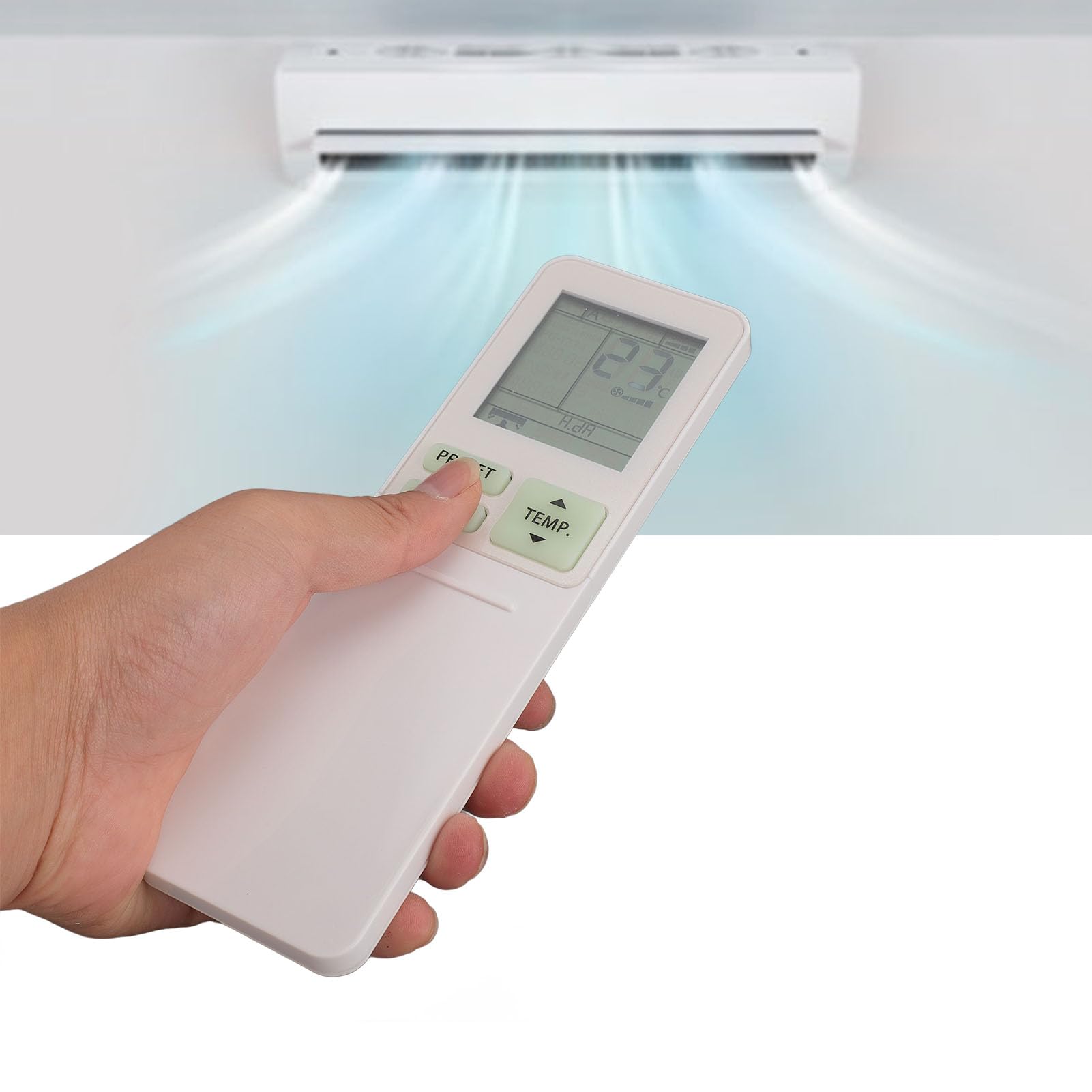
Image: The Diyeeni WH TA11PE remote control in use, with an air conditioner in the background.
Compatible Models
The Diyeeni WH TA11PE remote controller is designed as a replacement for the following Toshiba Air Conditioner series:
- RAS-10G2KVP Series
- RAS-13G2KVP Series
- RAS-16G2KVP Series
- RAS-18E2KVSG A Series
- RAS-22E2KVSG A Series
- RAS-24E2KVSG A Series
This remote control offers full functionality for these specified models, replicating the original remote's features.
Setup: Battery Installation
To begin using your remote control, you must first install the batteries.
- Open the Battery Compartment: Locate the battery compartment cover on the back of the remote control. Gently slide or press the latch to open the cover.
- Insert Batteries: Insert two (2) AAA batteries (not included) into the compartment. Ensure the positive (+) and negative (-) terminals of the batteries match the indicators inside the compartment.
- Close the Battery Compartment: Replace the battery compartment cover by sliding it back into place until it clicks securely.

Image: Remote control with the battery compartment open, illustrating correct battery placement.

Image: Detailed view of the battery compartment, highlighting the terminals.
Once batteries are installed, the remote control is ready for use. No programming is required for compatible Toshiba air conditioner models.
Operating Instructions
The Diyeeni WH TA11PE remote control provides access to all standard functions of your Toshiba air conditioner. Point the remote control directly at the air conditioner's receiver when operating.

Image: Front view of the remote control, showing all buttons.
Key Functions:
- Power Button (⏻): Turns the air conditioner ON or OFF.
- TEMP. Buttons (▲/▼): Adjusts the temperature setting up or down.
- PRESET Button: Activates a pre-set operating mode or setting.
- MODE Button: Cycles through operating modes (e.g., Cool, Heat, Fan, Dry, Auto).
- SWING Button: Controls the vertical swing of the air deflector.
- FAN Button: Adjusts the fan speed (e.g., Low, Medium, High, Auto).
- AIR FLOW Button: Controls horizontal airflow direction.
- 8°C Button: Activates an 8°C heating mode for frost protection (if supported by AC).
- ECO Button: Engages energy-saving mode.
- Hi POWER Button: Activates maximum power operation for rapid cooling/heating.
- PURE Button: Activates air purification function (if supported by AC).
- COMFORT SLEEP Button: Sets the air conditioner to a comfortable sleep mode.
- P-SEL (Program Select) Button: Selects programmed settings.
- WEEKLY ON/OFF, DAY/EDIT, PROGRAM P1-P4 Buttons: Used for setting and managing weekly timers and programs.
- TIMER ON/OFF, SET, CLR Buttons: Used for setting and clearing basic timers.
- CLOCK, CHECK, FILTER, RESET Buttons: For setting the clock, checking status, filter reset, and general reset functions.

Image: Close-up of the remote's display and primary control buttons.
Refer to your Toshiba air conditioner's original manual for specific details on how each function interacts with your unit.
Maintenance
- Cleaning: Wipe the remote control with a soft, dry cloth. Do not use liquid cleaners, sprays, or abrasive materials, as these can damage the surface or internal components.
- Battery Replacement: Replace batteries when the remote's range decreases or the display becomes dim. Always replace both batteries at the same time with new ones of the same type (AAA).
- Storage: If the remote control will not be used for an extended period, remove the batteries to prevent leakage and potential damage. Store in a cool, dry place.
- Avoid Exposure: Do not expose the remote control to direct sunlight, high temperatures, or high humidity.
Troubleshooting
| Problem | Possible Cause | Solution |
|---|---|---|
| Remote control does not operate the AC unit. |
|
|
| Display is dim or blank. |
|
|
| Certain functions do not work. |
|
|
Specifications
- Model: WH TA11PE
- Material: ABS
- Battery Type: 2 x AAA batteries (not included)
- Compatibility: Toshiba RAS-10G2KVP, RAS-13G2KVP, RAS-16G2KVP Series, RAS-18E2KVSG A, RAS-22E2KVSG A, RAS-24E2KVSG A
- Weight: Approximately 110 Grams

Image: Back of the remote control, displaying the model identifier.