
M72
Generic M72 Sleep Headphones
User Manual
1. Introduction
Thank you for choosing the Generic M72 Sleep Headphones. These innovative earbuds are designed to provide a comfortable and immersive audio experience, especially for side sleepers, while incorporating advanced noise reduction technology. With stable Bluetooth connectivity and a durable, waterproof design, the M72 headphones are perfect for music, home use, work, and travel, ensuring a peaceful and comfortable listening experience.
Key Features:
- Comfortable for Side Sleepers: Small, lightweight, and ergonomically designed for comfortable overnight wear without discomfort or stress.
- AI Noise Reduction Technology: Intelligently recognizes and eliminates environmental noise for a peaceful auditory environment.
- Wireless Bluetooth 5.49 Core: Ensures fast transmission speed, high stability, and strong battery life for seamless wireless connectivity.
- Safe and Comfortable Design: Made with soft, skin-friendly materials and features IPX6 waterproof function for durability and peace of mind.
- Mini Invisible Appearance: Discreet and stylish design, almost invisible when worn, suitable for various occasions.
- Excellent Bass Effect: Delivers deep and rich sound quality for an immersive audio experience.
2. What's in the Box
Please check the contents of your package to ensure all items are present:
- Generic M72 Sleep Headphones (Earbuds)
- Wireless Charging Case
- User Manual (This document)
- Eartips (Various sizes for optimal fit)
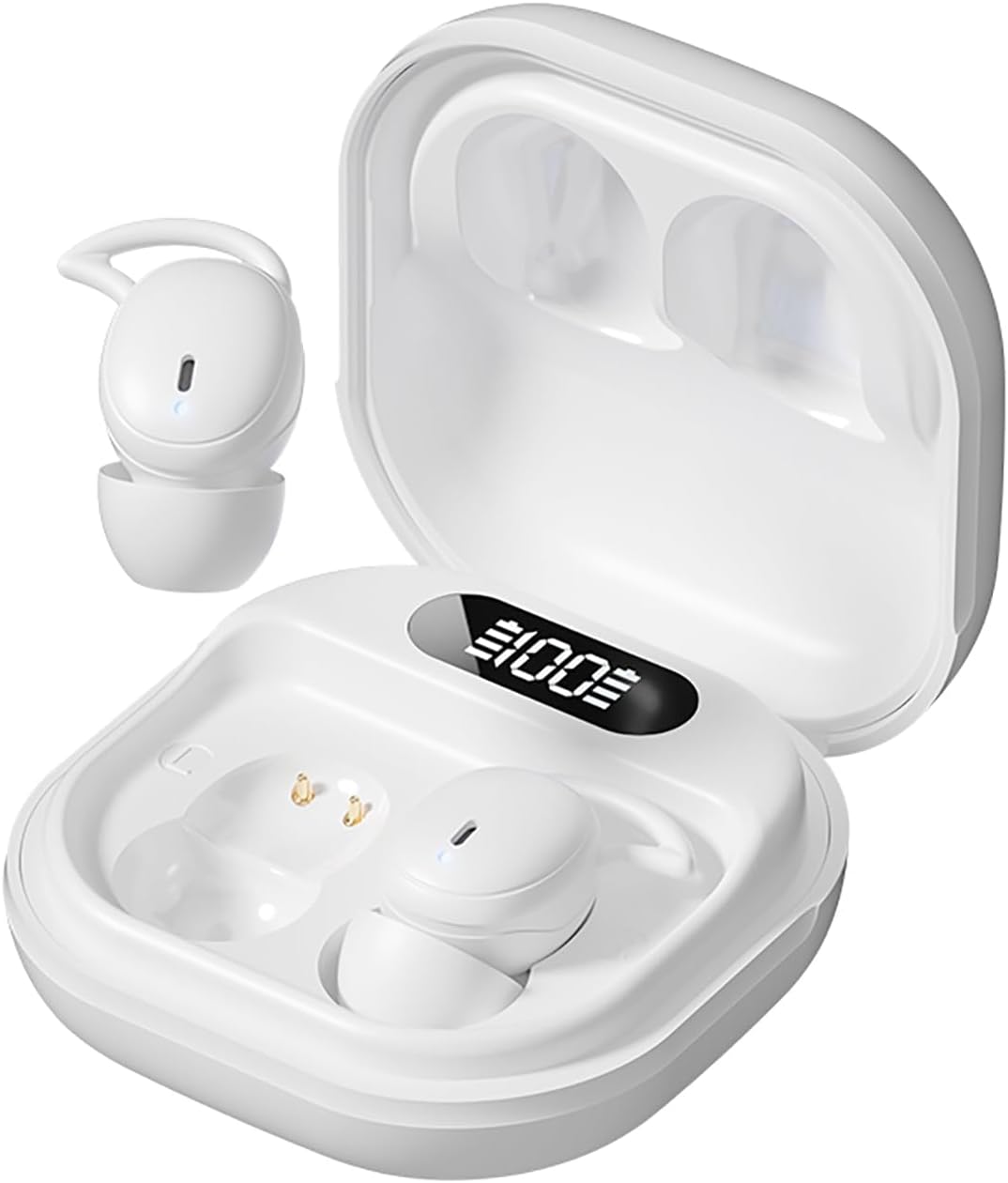
Image: The Generic M72 Sleep Headphones, showing both earbuds and their compact wireless charging case. The case features a digital display indicating battery percentage.
3. Product Overview
Familiarize yourself with the components and design of your M72 Sleep Headphones.

Image: The M72 earbuds in their charging case, highlighting their "Mini Bean" design for noise cancellation and comfort. An inset shows an earbud worn in an ear, demonstrating its miniature and invisible appearance.

Image: A close-up of an earbud inserted into an ear, emphasizing the "Soft as a cloud silicone ear caps" made from skin-friendly material designed to inhibit bacterial growth and ensure healthy long-term wear.
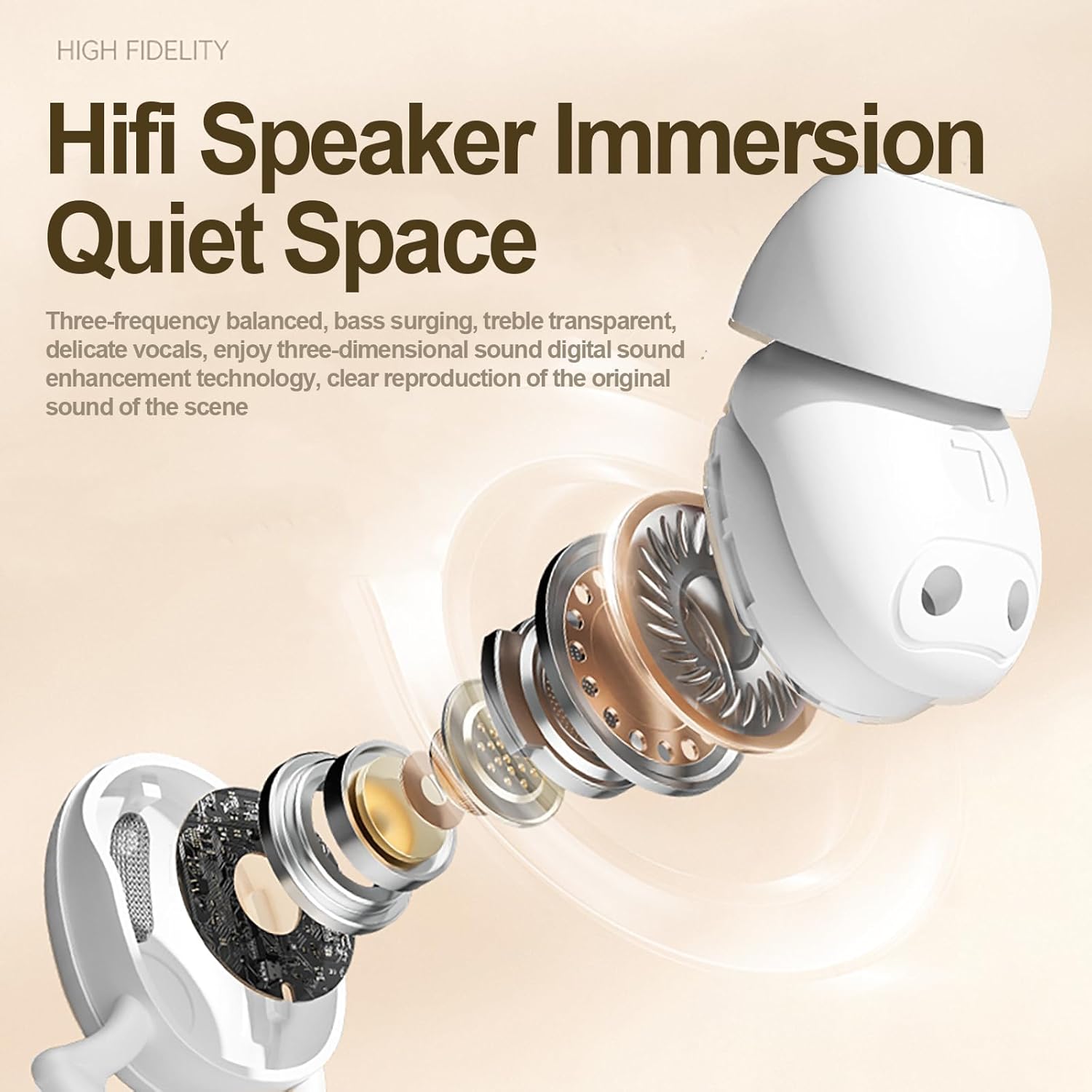
Image: An exploded view of the earbud's internal speaker components, illustrating the "Hifi Speaker Immersion Quiet Space" design. This highlights the three-frequency balanced sound, surging bass, transparent treble, and delicate vocals for a three-dimensional sound experience.

Image: A detailed view of the earbud's internal circuitry, showcasing the "Wireless 5.46 strong core" Bluetooth chip. This emphasizes low power consumption and stable connection, ensuring a strong signal without lagging.
4. Setup
4.1 Charging the Headphones
Before first use, fully charge your M72 Sleep Headphones and their charging case. The charging case features a digital display to show the battery percentage.
- Place both earbuds into the charging case.
- Connect the charging case to a USB power source using the provided charging cable.
- The digital display on the case will show the charging status. Once 100% is displayed, the case and earbuds are fully charged.
4.2 Pairing with Your Device
The M72 Sleep Headphones utilize Bluetooth 5.3/5.49 for a fast and stable connection.
- Ensure the headphones are charged.
- Open the charging case. The earbuds will automatically enter pairing mode.
- On your device (smartphone, tablet, etc.), go to Bluetooth settings and turn Bluetooth on.
- Search for available devices. Select "M72 Sleep Headphones" (or similar name) from the list.
- Once connected, you will hear a confirmation tone, and the earbuds will be ready for use.

Image: A graphic illustrating the "Wireless 5.46 strong core" technology, highlighting its low power consumption and stable connection. It also shows a comparison of latency, with the M72 headphones achieving 38ms compared to 68ms for conventional Bluetooth headsets.
5. Operating Instructions
The M72 Sleep Headphones feature smart touch controls for easy operation.

Image: A diagram showing the touch sensitive area on the earbud and explaining the various touch controls.
- Previous/Next Song: Long press on the left/right headset.
- Pause/Play: Double-click on either side of the headset.
- Answer/Hang up Call: Double-click on either side of the headset.
- Increase or Decrease Volume: Quick double tap on the left/right headset.
5.1 Noise Reduction
The M72 headphones incorporate AI noise reduction technology to minimize environmental distractions, creating a peaceful listening experience. This feature is automatically active to provide a quiet space for sleep or focus.

Image: A person sleeping peacefully with the M72 earbuds in their ears, illustrating the "Skin-friendly in-ear style for a good night's sleep." The image highlights the silicone nipple material for a comfortable, pressure-free fit and continuous noise blocking for a soft, comfortable seal.
6. Maintenance
6.1 Cleaning Your Headphones
To maintain optimal performance and hygiene, regularly clean your M72 Sleep Headphones:
- Gently wipe the earbuds and charging case with a soft, dry, lint-free cloth.
- For stubborn dirt, slightly dampen the cloth with water. Avoid using harsh chemicals or abrasive materials.
- Ensure the charging contacts on both the earbuds and the case are clean and free of debris.
6.2 Water Resistance (IPX6)
The M72 Sleep Headphones are rated IPX6 waterproof, meaning they are protected against powerful water jets. This makes them suitable for use during light rain or sweaty workouts. However, they are not designed for submersion in water. Avoid prolonged exposure to water or high-pressure water streams.
7. Troubleshooting
If you encounter any issues with your M72 Sleep Headphones, please refer to the following common solutions:
| Problem | Possible Solution |
|---|---|
| Headphones not pairing. |
|
| No sound or low volume. |
|
| Charging issues. |
|
| Unstable Bluetooth connection. |
|
8. Specifications
| Feature | Detail |
|---|---|
| Model Name | M72 |
| Brand | Generic |
| Connectivity Technology | Wireless |
| Wireless Communication Technology | Bluetooth |
| Bluetooth Version | 5.3 (Note: Product description mentions 5.49, but specifications list 5.3. Please refer to product packaging for exact version.) |
| Water Resistance Level | IPX6 (Waterproof) |
| Control Type | Media Control |
| Control Method | Touch |
| Noise Control | Active Noise Cancellation (AI Noise Reduction) |
| Earpiece Shape | In-ear |
| Item Weight | 3.2 ounces |
| Package Dimensions | 4.52 x 3.54 x 1.57 inches |
| Included Components | User Manual, Wireless Charging Case, Eartip |
9. Official Product Video
Video: An official product video for the Generic M72 Sleep Headphones, showcasing its features, design, and benefits for users, particularly side sleepers.
10. Warranty and Support
For warranty information and customer support, please refer to the product packaging or contact the manufacturer directly. Keep your purchase receipt for any warranty claims.
For further assistance or to view more product details, please visit the official product page on Amazon.com: Amazon Product Page
Ask a question about this manual
Ask about setup, troubleshooting, compatibility, parts, safety, or missing instructions. Manuals+ will review the question and use this page’s manual context to help answer it.