1. Introduction
This manual provides instructions for the proper use and care of your HP 68 Black and Tri-Color Ink Cartridges. These cartridges are designed to work seamlessly with compatible HP printers, ensuring consistent quality and reliable output for your documents and images.
The HP 68 ink cartridges are engineered to deliver precision output, producing fade-resistant documents and vibrant images. The updated black ink formula ensures crisp text and consistent quality throughout the cartridge's lifespan.
Product Overview
- Product: HP 68 Black and Tri-Color Ink Cartridges (2-Pack)
- Model Number: 6L6S2TN
- Compatible Printers: HP Envy 6152e, 6155e, 6552e, 6555e, 6558e
- Approximate Page Yield: 160 pages for black, 120 pages for tri-color (actual yield varies based on content and other factors)
- Features: Smudge-resistant, updated G5 technology for consistent performance.

Figure 1: HP 68 Black and Tri-Color Ink Cartridges (2-Pack) packaging.
2. Setup and Installation
Follow these steps to properly install your HP 68 ink cartridges into your compatible HP Envy printer.
- Unpack the Cartridges: Carefully remove the new HP 68 Black and Tri-Color ink cartridges from their packaging. Avoid touching the electrical contacts or ink nozzles.
- Open Printer Access Door: Turn on your HP Envy printer. Open the ink cartridge access door. The print carriage will move to the center of the printer. Wait until the carriage is idle and silent before proceeding.
- Remove Old Cartridges (if applicable): If replacing existing cartridges, gently press down on the old cartridge to release it, then pull it out of its slot.
- Insert New Cartridges: Hold the new cartridge with the HP logo facing up. Slide the cartridge into its designated slot until it clicks into place. The black cartridge typically goes into the right slot, and the tri-color cartridge into the left slot. Ensure a firm fit.
- Close Printer Access Door: Close the ink cartridge access door. The printer will perform an alignment process, which may take a few minutes.

Figure 2: Proper insertion of an HP ink cartridge into the printer.
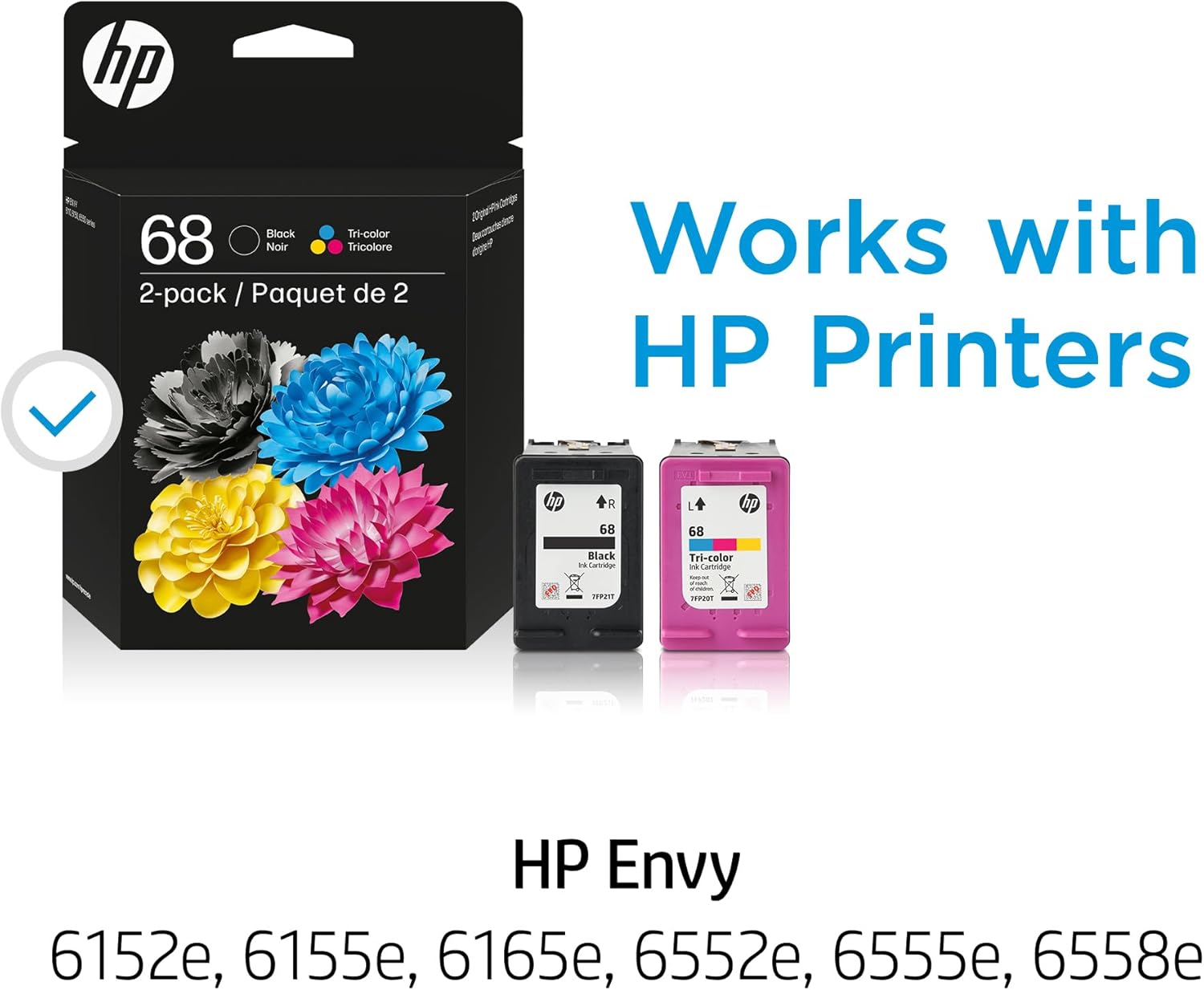
Figure 3: HP 68 ink cartridges shown with compatible HP Envy printer models.
3. Operating Instructions
Once the cartridges are installed, your HP printer is ready for use. The HP 68 ink cartridges are designed to produce high-quality prints for various applications.
Printing Quality and Performance
- Vibrant Colors and Rich Blacks: Experience brilliant colors and sharp, clear text in all your printouts.
- Fade Resistance: Prints are designed to be long-lasting and resistant to fading over time.
- Smudge Resistance: The ink formula provides improved resistance to smears, especially from highlighters.
- Consistent Results: HP Original Ink is engineered to work with your HP printer for reliable and consistent quality from the first page to the last.

Figure 4: Illustration of vibrant colors and rich blacks produced by HP ink.

Figure 5: Examples of documents printed with brilliant colors and sharp text.
Page Yield Information
The approximate page yield for HP 68 ink cartridges is 160 pages for black ink and 120 pages for tri-color ink. This is based on ISO/IEC 24711 or HP testing methodology and continuous printing. Actual yield can vary significantly based on the content of printed pages, print settings, and other factors.

Figure 6: Comparison of standard-yield versus high-yield cartridges (HP 68 is a standard-yield cartridge).
4. Maintenance
Proper maintenance and handling of your ink cartridges can extend their life and ensure optimal print quality.
Cartridge Care and Storage
- Keep cartridges sealed in their original packaging until ready for use to prevent drying out.
- Store cartridges upright at room temperature.
- Avoid exposing cartridges to extreme temperatures or direct sunlight.
- Do not touch the electrical contacts or print nozzles on the cartridge to prevent damage or print quality issues.
Recycling Information
HP is committed to environmental responsibility. Original HP ink cartridges are designed with recycled materials and can be recycled through the HP Planet Partners program.

Figure 7: HP provides an easy recycling program for used cartridges.
For more information on how to recycle your empty HP ink cartridges, please visit hp.com/recycle.

Figure 8: HP cartridges are designed with at least 65% recycled plastic.

Figure 9: Over 5.5 billion plastic bottles have been upcycled into new Original HP Ink Cartridges.
5. Troubleshooting
If you encounter issues with your HP 68 ink cartridges, consider the following common troubleshooting steps:
- Poor Print Quality (Streaks, Faded Prints):
- Ensure the cartridges are correctly seated in their slots.
- Run the printhead cleaning utility from your printer's software or control panel.
- Check ink levels. If a cartridge is low, replace it.
- Perform a printhead alignment from your printer's software.
- Cartridge Not Recognized:
- Remove the cartridge and reinsert it firmly until it clicks.
- Clean the electrical contacts on the cartridge and inside the printer with a lint-free cloth slightly dampened with distilled water.
- Ensure you are using genuine HP cartridges.
- Restart your printer and computer.
- Error Messages: Refer to your printer's user manual for specific error codes and their solutions.
For more detailed troubleshooting, consult your HP printer's documentation or visit the official HP support website.

Figure 10: HP printers feature built-in security to protect your device and data.
6. Specifications
| Feature | Detail |
|---|---|
| Brand | HP |
| Model Number | 6L6S2TN |
| Ink Colors | Black, Tri-Color (Cyan, Magenta, Yellow) |
| Number of Cartridges | 2 (1 Black, 1 Tri-Color) |
| Approximate Black Page Yield | 160 pages |
| Approximate Tri-Color Page Yield | 120 pages |
| Compatible Printer Models | HP Envy 6152e, 6155e, 6552e, 6555e, 6558e |
| Special Features | Smudge Resistant |
| Ink Base | Water |
| Item Weight | 1.92 ounces |
7. Warranty and Support
Warranty Information
HP Original Ink Cartridges are covered by HP's standard limited warranty. For detailed information regarding the warranty terms and conditions applicable to your HP 68 ink cartridges, please refer to the documentation included with your product or visit the official HP website.
Customer Support
For technical assistance, product inquiries, or further support, please visit the official HP Support website. You can find drivers, manuals, and contact information for customer service there.
HP Support Website: https://support.hp.com