
Introduction
This manual provides essential instructions for the safe and efficient operation of your YLD-KAU Portable Wireless Speaker EPS03. Please read this manual thoroughly before using the product and retain it for future reference.

Figure 1: Front view of the YLD-KAU Portable Wireless Speaker EPS03, showcasing its black casing and orange carrying handle.
Safety Information
- Do not expose the speaker to extreme temperatures, direct sunlight, or high humidity.
- Avoid dropping or subjecting the speaker to strong impacts.
- Do not disassemble or attempt to repair the speaker yourself. Contact qualified service personnel.
- Keep the speaker away from water and other liquids.
- Use only the specified charging cable and power adapter.
Product Features

Figure 2: Overview of the YLD-KAU EPS03 speaker's main features, including sound quality, EQ modes, TWS functionality, ambient lighting, microphone input, and USB/TF card playback.
- Wireless Connectivity: Bluetooth for seamless audio streaming up to 100 feet (30 meters).
- Audio Performance: Delivers clear audio with rich bass.
- Multi-Color LED Lights: Integrated lighting effects for ambiance.
- Multiple Playback Options: Bluetooth, AUX input, USB, and TF card support.
- Built-in Microphone: For hands-free calling.
- Portable Design: Compact and lightweight with a carrying handle.
Setup
1. Charging the Speaker
Before first use, fully charge the speaker. Connect the provided USB charging cable to the speaker's USB charging port and the other end to a compatible USB power adapter (not included) or a computer's USB port. The charging indicator light will illuminate during charging and turn off when fully charged.
2. Powering On/Off
Press and hold the power button (usually marked with a power symbol) for a few seconds to turn the speaker on or off. A sound prompt or LED indicator will confirm the status change.
3. Bluetooth Pairing
- Ensure the speaker is powered on and in Bluetooth pairing mode. The LED indicator will typically flash rapidly.
- On your smartphone or audio device, enable Bluetooth and search for available devices.
- Select "EPS03" from the list of devices.
- Once paired, the speaker will emit a confirmation sound, and the LED indicator will stop flashing and remain solid.
The speaker will automatically attempt to reconnect to the last paired device when powered on.
4. AUX Input Connection
To play audio from devices without Bluetooth, use a 3.5mm audio cable (not included). Connect one end to the speaker's AUX input port and the other end to the audio output of your device (e.g., MP3 player, computer). The speaker will automatically switch to AUX mode.
5. USB and TF Card Playback
Insert a USB flash drive or a TF (microSD) card containing audio files into the respective port on the speaker. The speaker will automatically detect the storage device and begin playing music. Use the speaker's control buttons to navigate tracks.
Operating Instructions
1. Basic Audio Controls
- Play/Pause: Press the Play/Pause button once to play or pause audio.
- Volume Up/Down: Press the Volume + button to increase volume, and the Volume - button to decrease volume.
- Next/Previous Track: Press and hold the Volume + button for the next track, and the Volume - button for the previous track. (Note: Some models may use short presses for track change and long presses for volume).
2. Multi-Color Light Effects
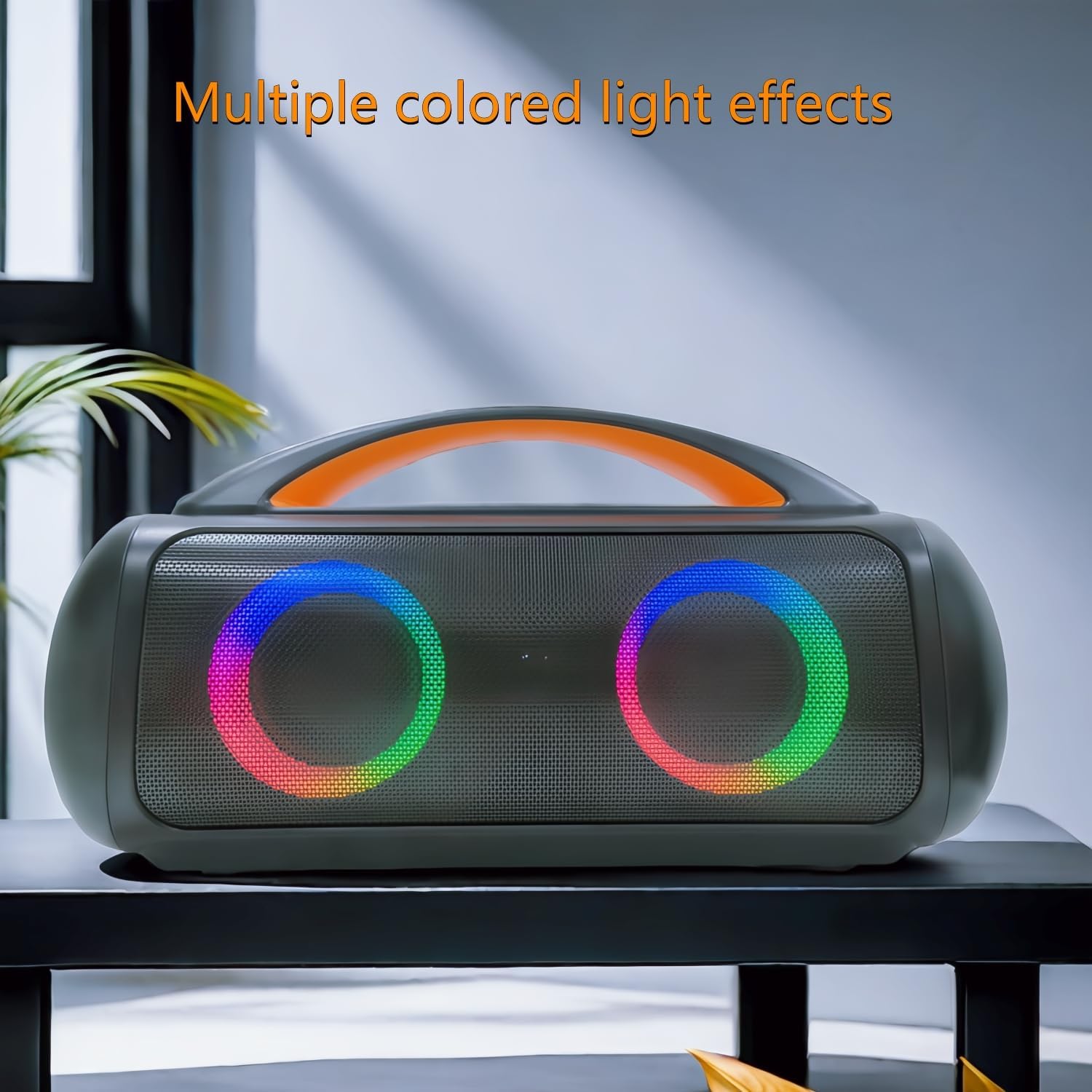
Figure 3: The YLD-KAU EPS03 speaker showcasing its dynamic multi-colored LED light effects, enhancing the listening experience.
The speaker features integrated multi-color LED lights. Press the dedicated light mode button (refer to your speaker's control panel for exact labeling) to cycle through different light patterns or to turn the lights off.
3. Using the Built-in Microphone
When connected via Bluetooth to a smartphone, the built-in microphone allows for hands-free calling. When a call comes in, press the Play/Pause button to answer, and press it again to end the call.
4. True Wireless Stereo (TWS) Pairing (If Applicable)
If you have two EPS03 speakers, you can pair them together for a True Wireless Stereo experience.
- Ensure both speakers are powered on and not connected to any Bluetooth device.
- On one speaker (this will be the primary speaker), press and hold the TWS button (if available) or a specific pairing button until you hear a prompt.
- The two speakers will automatically connect to each other. Once connected, the primary speaker's LED will indicate successful pairing.
- Connect your audio device to the primary speaker via Bluetooth as described in the "Bluetooth Pairing" section.
Maintenance
- Cleaning: Use a soft, dry cloth to clean the speaker's exterior. Do not use abrasive cleaners or solvents.
- Storage: Store the speaker in a cool, dry place away from direct sunlight when not in use for extended periods.
- Battery Care: To prolong battery life, avoid fully discharging the battery frequently. Charge the speaker regularly, even if not in use, to maintain battery health.
Troubleshooting
| Problem | Possible Cause | Solution |
|---|---|---|
| Speaker does not power on. | Low battery. | Charge the speaker fully. |
| Cannot pair via Bluetooth. | Speaker not in pairing mode; device too far; interference. | Ensure speaker is in pairing mode. Move device closer. Turn off other Bluetooth devices. |
| No sound. | Volume too low; incorrect input mode; device not playing. | Increase speaker and device volume. Check input mode (Bluetooth, AUX, USB/TF). Ensure audio is playing on the source device. |
| Sound distortion. | Volume too high; low battery; poor connection. | Reduce volume. Charge speaker. Ensure stable Bluetooth connection or check AUX cable. |
Specifications

Figure 4: Dimensional diagram of the YLD-KAU EPS03 speaker, indicating its length, height, and width.
- Model: EPS03
- Brand: YLD-KAU
- Connectivity: Bluetooth
- Wireless Range: Up to 100 feet (30 meters)
- Speaker Output Power: 40 Watts
- Audio Output Mode: Stereo
- Special Features: Built-in Microphone, LED Light, Lightweight, Portable
- Battery: 1 Lithium Ion battery (included)
- Product Dimensions: 14.48 x 39.62 x 19.81 cm (5.7 x 15.6 x 7.8 inches)
- Weight: 2.5 kg (5.5 lbs)
- Mounting Type: Tabletop Mount
- Compatible Devices: Smartphones, Tablets, MP3 Players
Warranty and Support
For warranty information or technical support, please refer to the contact details provided with your purchase or visit the official YLD-KAU website. Keep your proof of purchase for warranty claims.