
WKR 367
WKR Coin Microscope Model 367 Instruction Manual
Comprehensive guide for setup, operation, and maintenance of your WKR Digital Microscope.
1. Introduction
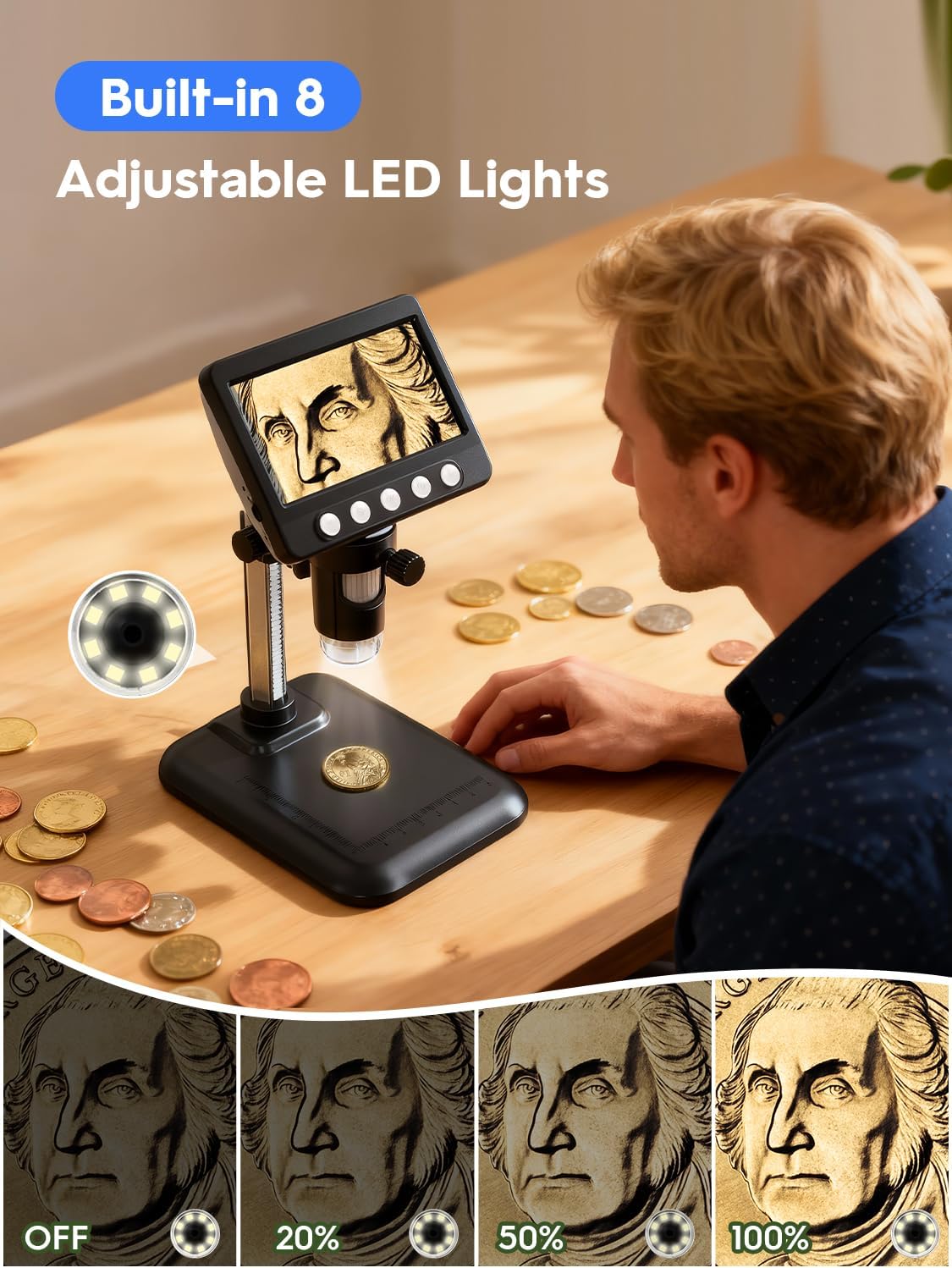
Thank you for choosing the WKR Coin Microscope Model 367. This digital microscope is designed to provide clear, magnified views of various objects, from coins and jewelry to plants and electronic components. Featuring a 4.3-inch LCD display, up to 1000X magnification, and 8 adjustable LED lights, it offers an enhanced viewing experience. This manual will guide you through the assembly, operation, and maintenance of your new microscope.
2. What's in the Box
Please check the contents of your package to ensure all items are present:
- Digital Microscope Unit
- Adjustable Stand Base
- Adjustable Stand Rod
- Microscope Holder
- USB Charging Cable
- User Manual

3. Setup
Follow these steps to assemble your WKR Coin Microscope:
- Attach the Stand Rod to the Base: Insert the metal stand rod into the designated hole on the base. Ensure it is securely seated.
- Install the Microscope Holder: Slide the microscope holder onto the stand rod from the bottom. Align the groove on the rod with the internal mechanism of the holder. Tighten the knob on the holder to secure it at your desired height.
- Mount the Digital Microscope Unit: Gently slide the digital microscope unit into the ring of the microscope holder. Ensure the lens is facing downwards towards the base. Tighten the small knob on the holder to firmly secure the microscope unit.
- Remove Screen Protector: Carefully peel off the protective film from the 4.3-inch LCD screen.
- Initial Charge: Before first use, fully charge the device using the provided USB charging cable. Connect the USB-C end to the microscope and the USB-A end to a compatible power adapter (not included) or computer.

For a visual demonstration of the assembly process, please refer to the video below:
Video 1: Demonstrates the step-by-step installation of the WKR digital microscope, including attaching the stand and mounting the unit.
4. Operating Instructions
Operating your WKR Coin Microscope is straightforward:
- Power On/Off: Press and hold the Power button (usually the leftmost button on the front panel) to turn the device on or off.
- Place Object: Position the object you wish to examine on the base plate directly under the microscope lens.
- Adjust Height: Use the large knob on the microscope holder to adjust the vertical height of the microscope unit. This changes the distance between the lens and the object, affecting the magnification range.
- Focus: Rotate the focusing ring on the microscope lens to achieve a clear, sharp image on the LCD screen. The microscope offers 50X-1000X magnification.
- Adjust LED Lights: The microscope features 8 adjustable LED lights. Use the light adjustment knob (typically on the side of the microscope unit) to control the brightness for optimal illumination.
- Capture Photos/Videos:
- Press the "Photo/Video" button (usually the rightmost button) to switch between photo and video modes.
- In photo mode, press the "OK" button to capture an image.
- In video mode, press the "OK" button to start/stop recording.
- The device supports up to 200 photos storage and memory card expansion (card not included).
- Zoom/Rotate: Use the dedicated zoom buttons (often labeled with '+' and '-') to digitally zoom in or out. Some models also allow image rotation.


5. PC/Mac Connection
To view magnified images on a larger screen or save them directly to your computer, follow these steps:
- Connect the Microscope: Use the provided USB cable to connect the microscope to your Windows PC or MacBook.
- Select PC Camera Mode: On the microscope unit, navigate to the settings menu and select "PC camera" mode. Confirm your selection.
- Download Software (Windows): For Windows users, you may need to download a compatible camera software. Visit http://www.inskam.com/download/camera.zip to download the necessary application. Unzip the file and run "camera.exe".
- Use Photo Booth (MacBook): For MacBook users, open the "Photo Booth" application. The microscope feed should appear automatically.
- View and Capture: Once connected, you can view the live feed on your computer screen, capture photos, and record videos directly from the software.

Watch this video for a detailed guide on connecting your WKR Microscope to a computer:
Video 2: Tutorial on how to connect the WKR Microscope to both Windows and MacOS computers.
6. Maintenance
- Cleaning the Lens: Use a soft, lint-free cloth or a specialized lens cleaning wipe to gently clean the microscope lens. Avoid abrasive materials or harsh chemicals.
- Cleaning the Screen: Wipe the LCD screen with a soft, dry cloth. Do not use liquid cleaners directly on the screen.
- Storage: When not in use, store the microscope in a dry, dust-free environment. Keep it away from direct sunlight and extreme temperatures.
- Battery Care: To prolong battery life, avoid fully discharging the battery frequently. Charge the device regularly, especially if it will not be used for an extended period.
7. Troubleshooting
- No Image on Screen:
- Ensure the device is powered on.
- Check if the battery is charged.
- Adjust the focus ring.
- Ensure the object is correctly positioned under the lens.
- Blurry Image:
- Rotate the focusing ring on the lens until the image is sharp.
- Adjust the height of the microscope unit using the stand knob.
- Ensure the lens is clean and free of dust or smudges.
- Difficulty Connecting to PC/Mac:
- Verify the USB cable is securely connected to both the microscope and the computer.
- Ensure "PC camera" mode is selected on the microscope unit.
- For Windows, confirm the camera software is correctly installed and running.
- For Mac, ensure "Photo Booth" or a similar camera application is open.
8. Specifications
| Model Name | 367 |
| Brand | WKR |
| Display | 4.3" LCD |
| Magnification | 50X-1000X |
| Resolution | 1080P HD |
| Light Source | 8 Adjustable LED Lights |
| Battery | 1 Lithium Ion battery (included) |
| Working Time | Approx. 3.5 hours |
| Compatible Devices | Windows PC, MacBook |
| Product Dimensions | 6.8 x 5.1 x 3.6 inches |
| Item Weight | 1 pound |
| Material | Plastic |
9. Warranty and Support
WKR products are designed for quality and reliability. For warranty information, product registration, or technical support, please refer to the contact details provided in your product packaging or visit the official WKR website. Keep your purchase receipt for any warranty claims.
Related Documents - 367
 |
4.3 Inch LCD Digital Microscope User Manual - Dcorn User manual for the Dcorn 4.3 Inch LCD Digital Microscope. This guide covers button functions, bracket installation and adjustment, system settings, photo and video capture, PC connectivity, and technical specifications. |
 |
SKYEAR 4.3" Digital Microscope User Manual - Features & Operation Guide Comprehensive user manual for the SKYEAR 4.3-inch digital microscope, detailing its 1000X magnification, 8 LED lights, and PC connectivity for detailed observation. Includes Aopick product information. |
 |
Ashfly 7-inch LCD Digital Microscope User Manual - 12MP, 1200X Magnification Comprehensive user manual for the Ashfly 7-inch LCD Digital Microscope. Learn how to use its 12MP camera, 10-1200X magnification, 1080P video recording, and PC connectivity features for inspection, education, and hobby use. |
 |
GUANMOU DM7C 4.3-inch Digital Microscope User Manual Comprehensive user manual for the GUANMOU DM7C 4.3-inch Digital Microscope, covering installation, interface functions, PC connectivity, specifications, and operating tips. |
 |
inskam-317 LCD Wireless Microscope User Manual User manual for the inskam-317 LCD Wireless Microscope, detailing setup, operation, specifications, and troubleshooting for this 4.3-inch digital microscope. |
 |
Ashfly 7" IPS Digital Microscope User Manual & Guide Comprehensive user manual for the Ashfly 7" IPS Digital Microscope. Learn about its 1080P HD resolution, 1600X magnification, metal stand, LED lighting, and compatibility with Windows and macOS. |
Ask a question about this manual
Ask about setup, troubleshooting, compatibility, parts, safety, or missing instructions. Manuals+ will review the question and use this page’s manual context to help answer it.